 Download KrispCall
KrispCall x Formitize

Formitize Integration Overview


Formitize Integration for a More Connected Field Workflow
Every Call, Linked to the Right Job
When you call or text a customer, KrispCall automatically links it to their Formitize contact and job. No more searching to figure out who called or why.
One Workspace, No Extra Apps
Call and text customers straight from Formitize. Your team stays inside the tool they already use for scheduling and job tracking, instead of jumping between a phone app and a job management system.
Support Multiple Branches
Connect more than one Formitize account to a single KrispCall workspace. Each location keeps its own settings, so multi-branch or franchise operations can run independently without conflicts.
Smart Contact Creation
One-way contact sync automatically creates new contacts from KrispCall calls and links them to Formitize. Notes, call logs, and recordings remain attached to the correct contact and job, minimizing manual entry and ensuring complete field records.
Install KrispCall Chrome Dialer for Instant Calling
Click the dialer icon on any Formitize contact to launch a call instantly. The KrispCall Chrome Dialer auto-populates the number and country flag, lets you select the right workspace, and logs every interaction back to Formitize.

Make Customer Calls in a Single Click
Place calls directly from your Formitize contacts without switching apps. Reach customers and job contacts faster, keep your workflow organized, and spend less time dialing.
Every call links automatically to the contact’s Formitize record, helping teams confirm job details and keep communication consistent throughout the job lifecycle.
Send Text Messages Directly from the Dialer
Engage customers via SMS without leaving your workflow. Confirm appointments, send updates, or follow up after jobs, quickly and in one place.
Every message is logged automatically as a note against the correct contact record, giving your team a complete view of every touchpoint alongside calls and job history.
Get Clear Insights from Every Call
Automatically capture key points, customer requests, and follow-up tasks. Your team can easily review past conversations, update customer records, and stay aligned on discussions.
With searchable transcripts and concise summaries, KrispCall helps Formitize users save time and make every customer call easier to track.
Keep Every Customer Conversation Accessible
Store call recordings and voicemails right alongside customer and job info for easy access. Review calls for quality, revisit key details, or use recordings to train new staff, with full context on every interaction.
Voicemail access means missed conversations never slip through, so teams can follow up right on time.
Capture Important Details from Every Conversation
Take notes during or after calls and link key job details to the right contact. Keep customer and job information organized and easy to find, so anyone on the team can review past interactions before they reach out.
Having conversation details available inside Formitize improves collaboration between field staff, dispatch, and admin, creating a more consistent customer experience across every job.
Benefits of Integrating Formitize with KrispCall
Unified Field Communication
Calls, SMS, and notes are all connected to the same contact and job record. Your team has everything it needs to keep customers informed, without jumping between platforms.
Centralized Customer & Job History
Call recordings, voicemails, notes, and SMS threads all live inside Formitize alongside the job or contact record, giving anyone on the team full context at a glance.
Faster Customer Follow-Ups
Reach customers and job contacts without switching tools. Quick access to calling and messaging helps your team respond faster and keep jobs moving.
Improved Team Efficiency
Reduce repetitive admin work with synced contact information and streamlined workflows. Your team spends less time updating records and more time getting jobs done.
Empowering Field Support, Sales, and Remote Teams
Support Teams

Sales Teams

Remote Teams



Integrate Formitize with KrispCall Easily with Our Guide
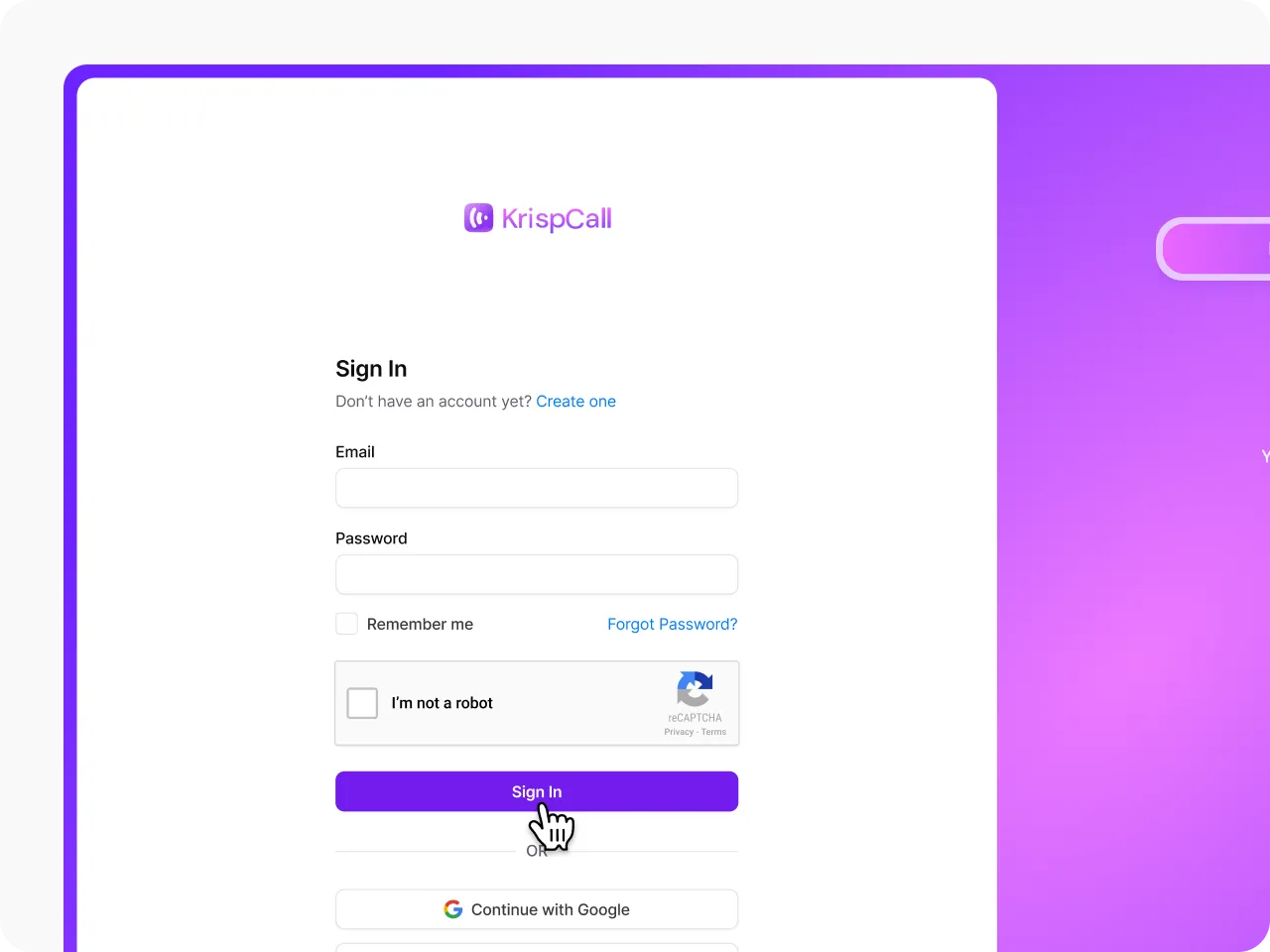
Open Settings in KrispCall
Log in to your KrispCall account and go to Settings.
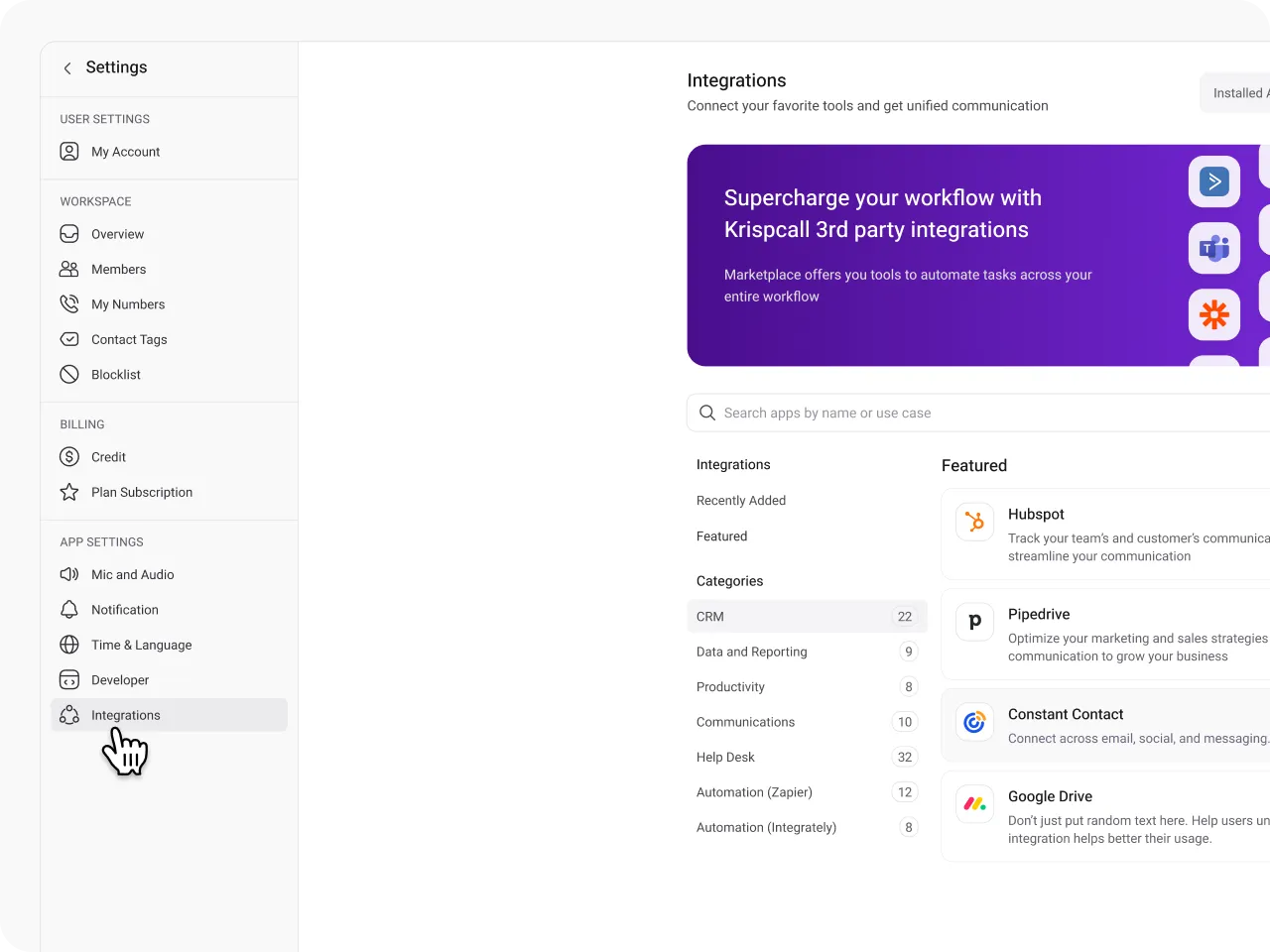
Go to Integrations → Marketplace
Under APP SETTINGS, click Integrations, then select Marketplace to browse available tools.
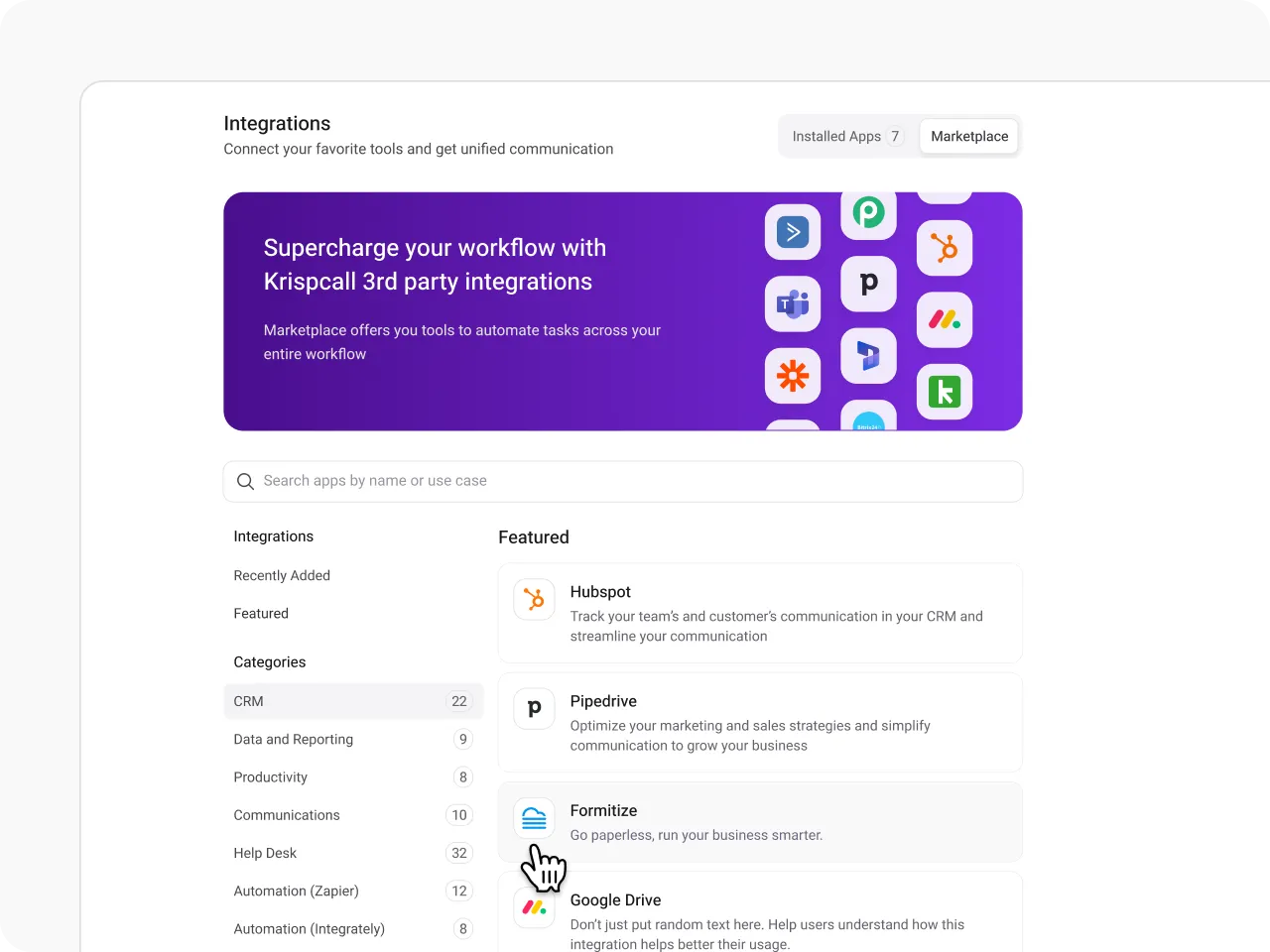
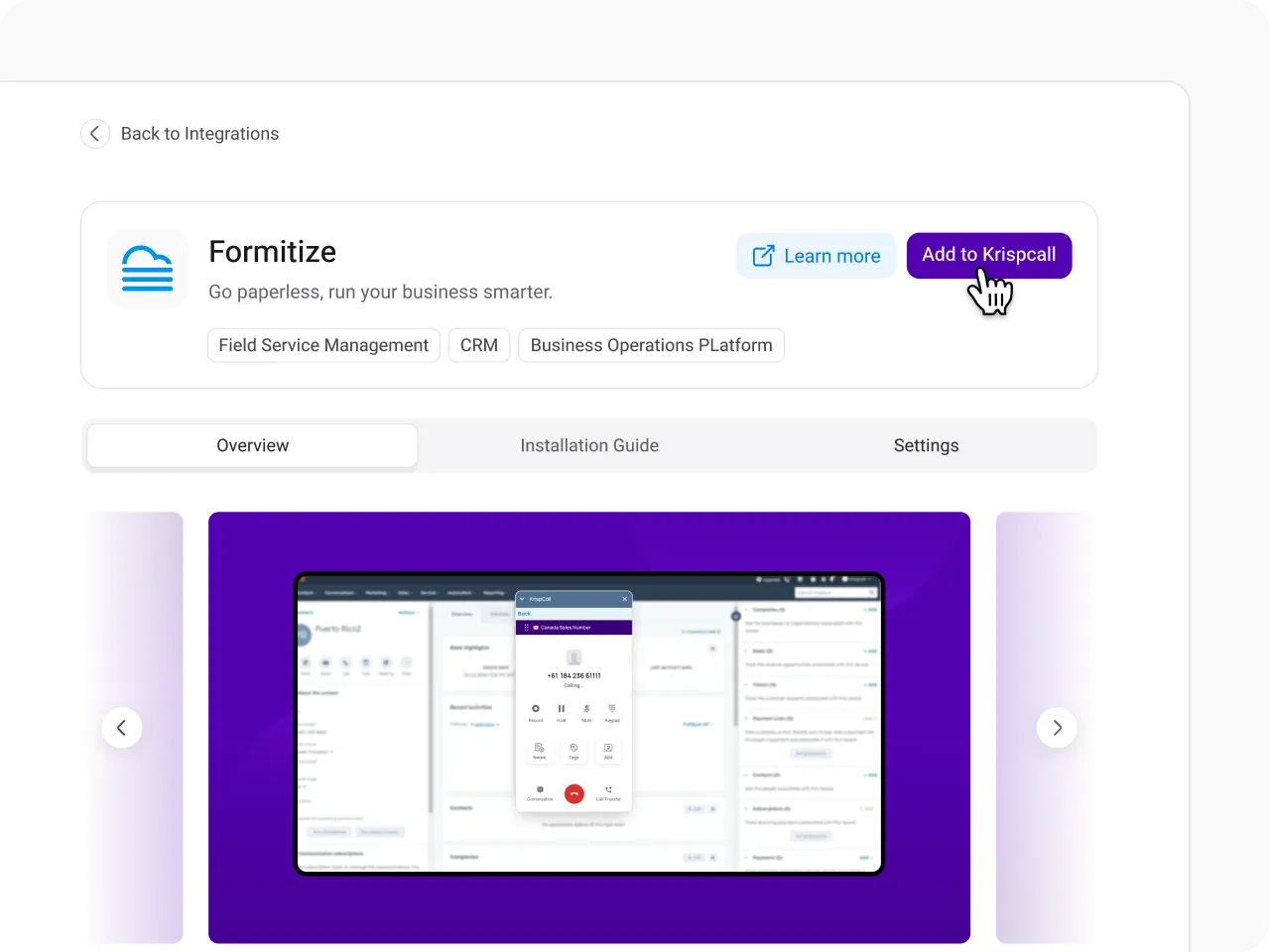
Find and select Formitize
Search for Formitize in the list of integrations and click it to open the integration page.
Click "Add to KrispCall"
A pop-up will appear asking for your Formitize API Key and email address.
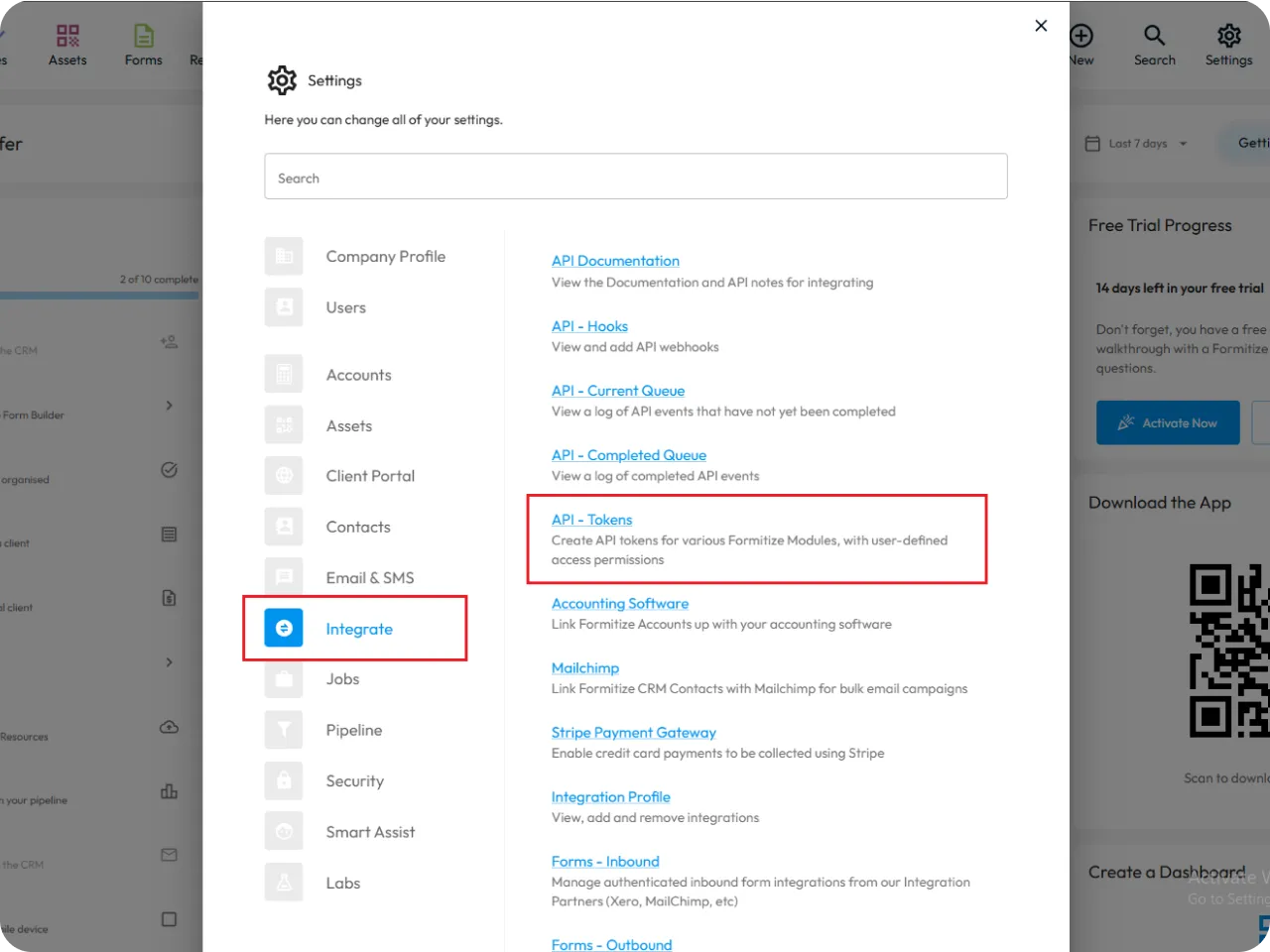
Generate an API Key in Formitize
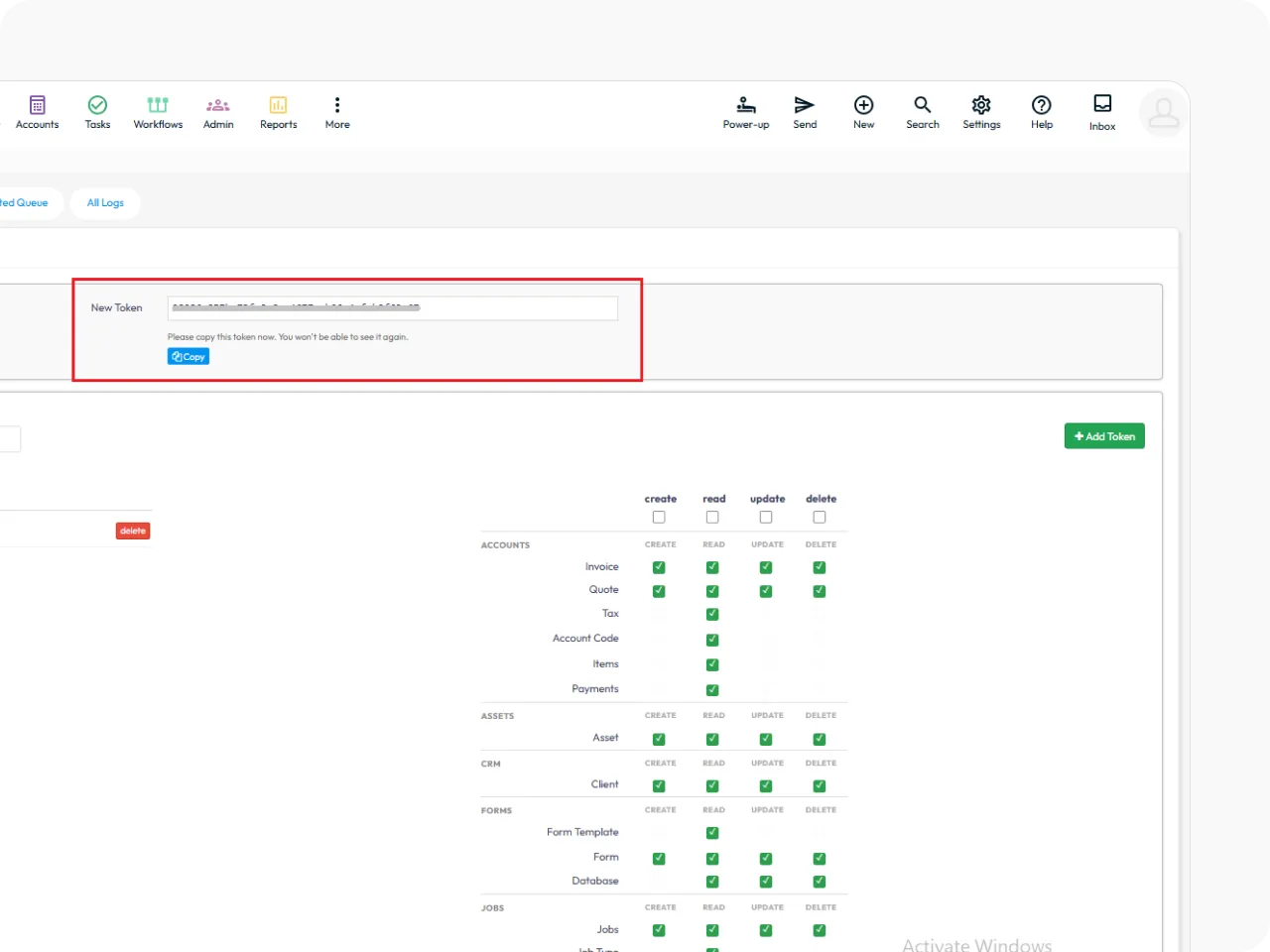
In Formitize, go to Settings → Integration → API Keys and API Tokens. Tokens, then click New Token. Enter a key name, set the required permissions, and click Add Token to save and generate the key.
Copy the API Key and paste it into KrispCall
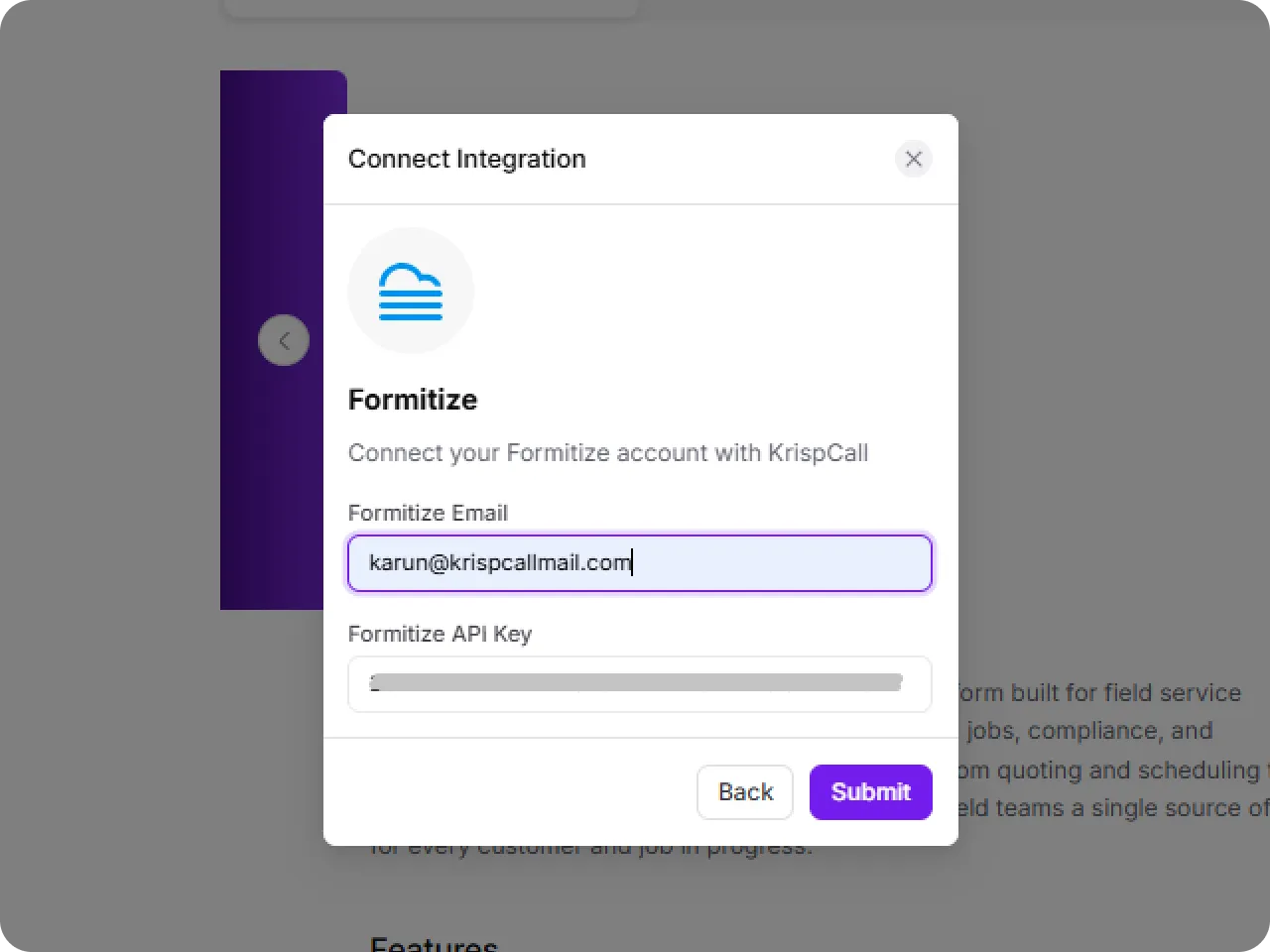
Copy the generated API Key from Formitize, paste it (along with your email) into the KrispCall pop-up, and click Connect.
Submit to complete the integration
Click Submit. You'll see a "CRM integrated successfully" message, and Formitize will now appear under KrispCall's active integrations.
Frequently Asked Questions
Still, some doubts left? Visit our Help Center or contact our Support Team for assistance.
Yes. Once you set up the KrispCall integration, you can initiate calls directly from any Formitize contact record using Click-to-Call. Install the KrispCall Chrome Dialer to enable this functionality.
Yes. All calls, voicemails, and SMS messages are automatically logged and linked to the correct contact in Formitize as Calls (Engagements) and Notes. No manual updates are needed.
Any new numbers added to KrispCall after setup need to be manually added under Connected Numbers so calls and messages from those numbers sync correctly with Formitize.
No. The setup requires no coding or technical background, just an API key and a few clicks, following the step-by-step guide above.
Yes, you can connect multiple Formitize accounts to a single KrispCall workspace. Each account has its own settings, so changes in one account won’t affect the others.
