 Download KrispCall
KrispCall x TrackerRMS
TrackerRMS Integration Overview


TrackerRMS Integration for Faster Candidate and Client Management
Follow Up with Better Context
Move from a candidate or client record to the next action with previous interaction details close at hand. Plan and personalize each follow-up without relying on scattered notes or memory.
Smoother Handoffs
Teams can use previous call activity as a reference when another recruiter takes over a candidate or client. Each handoff starts with useful context instead of requiring a full recap.
Better Reporting and Visibility
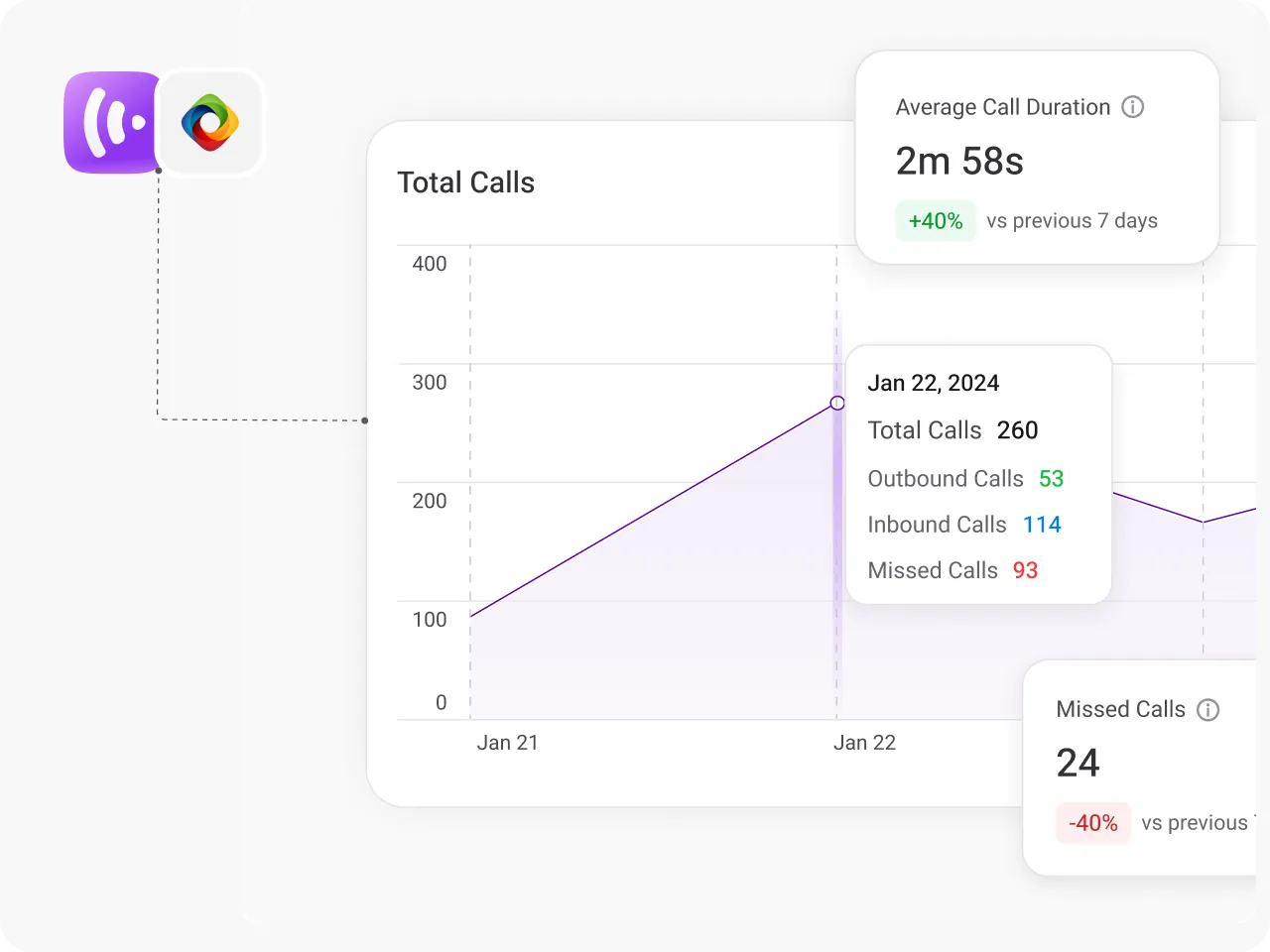
Get a clearer view of calling activity across candidates, clients, and recruiters. Use this visibility to review outreach patterns, monitor follow-up activity, and identify areas that need attention.
Keep Recruitment Activity Moving
Calling fits into the existing TrackerRMS process, so recruiters can move between sourcing, screening, client outreach, and follow-ups without maintaining separate call-related workflows.
Connect KrispCall with TrackerRMS to Simplify Candidate and Client Outreach
Connect KrispCall with TrackerRMS to bring business calling into your recruitment workflow and give recruiters a clearer way to manage candidate and client conversations. With calling, call activity, and relevant contact context connected to your existing process, teams can handle outreach, follow-ups, and handoffs more clearly.
Install KrispCall Browser Extension for Instant Calling
Click any phone number inside TrackerRMS to place a call instantly with the KrispCall browser extension. It detects phone numbers across your recruitment workspace, helping you reach candidates and clients with a single click while keeping call activity connected to the relevant records.

Call Candidates and Clients without Leaving TrackerRMS
Place calls straight from a candidate or client’s record. No need to copy a number or switch to a separate phone app. KrispCall’s dialer detects the number on the record and initiates the call with a single click.
Routine outreach becomes easier to handle during sourcing, screening, client follow-ups, and other recruitment activities. All calling activities are stored in one place, so recruiters have full context the entire time they’re on the phone.
Send Timely Updates and Follow-ups
Send quick SMS messages to candidates and clients for follow-ups. Recruiters can use business text messaging for interview reminders, status updates, scheduling details, and other routine outreach.
Text messages are logged alongside the recruitment workflow in real time, so candidate replies show up where the conversation started, keeping outreach organized and easy to pick back up.
Every Conversation, Saved and Ready to Revisit
Easily access recorded calls and voicemails when recruiters need to revisit information from a conversation. This can help confirm requirements, review candidate discussions, or check details before a follow-up.
Recorded conversations also give teams a reference when another recruiter needs to understand what was discussed. Voicemails are captured the same way, so nothing important gets missed if a candidate or client can’t be reached.
Capture Key Details in Real-Time
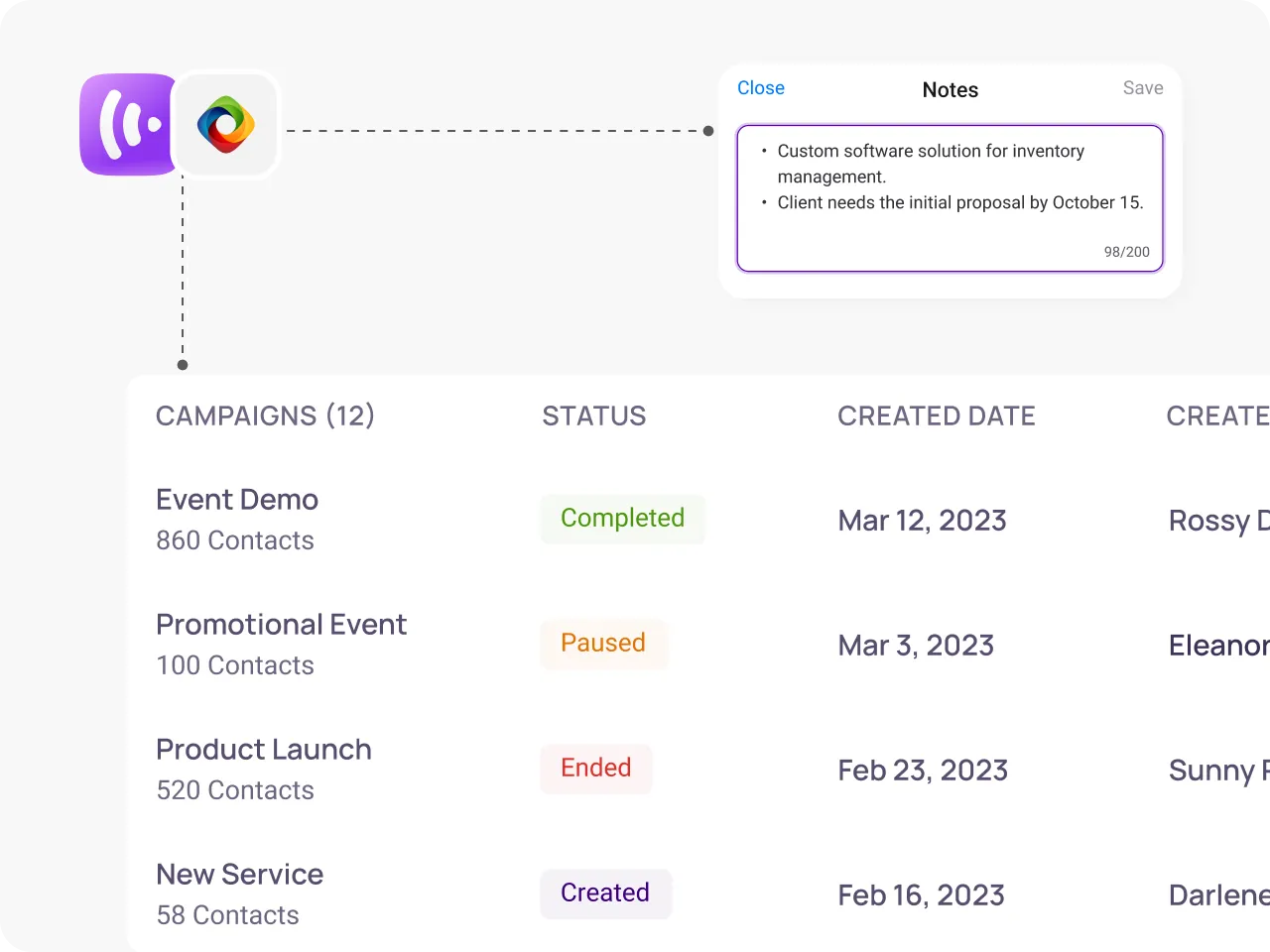
Add notes about important points discussed during or after candidate or client calls. Capture requirements, next steps, preferences, or other details that should inform future activity.
Keeping these details with the relevant recruitment record gives the team useful context for subsequent conversations. It also helps recruiters pick up an ongoing interaction without relying on separate notes.
Track Recruitment Calls with a Clear Activity History
Every call generates a log with details like the date, time, duration, and outcome, and is logged against the relevant candidate or client record. Recruiters can use this history to see when they last contacted someone and plan the next follow-up.
A consistent call history also gives greater visibility into recruitment activity across candidates and clients. Teams can use the activity data to review outreach and follow-up patterns.
Benefits of Integrating TrackerRMS with KrispCall
Faster Candidate Outreach
Reach candidates during your everyday recruitment tasks, without switching apps or copying numbers. That speed adds up across a full day of sourcing, giving recruiters more time to focus on candidate conversations.
Cleaner Reporting and Accountability
With calls, texts, and outcomes logged in one place, teams get accurate activity data without chasing updates. Reporting reflects what actually happened, making performance reviews and pipeline forecasting more reliable.
Stronger Team Coordination
Shared visibility into call activity means any recruiter can step into a candidate relationship without starting from zero. Handoffs, coverage, and collaboration all happen smoothly with the relevant context in hand.
Complete Conversation History
Every call, text, and note stays attached to the record it belongs to. Recruiters and managers get a full picture of candidate and client interactions without digging through separate systems or relying on someone’s memory.
Keep Recruiters, Client Teams, and Managers& Team Leads Aligned at Every Stage
Recruitment Teams
Client & Business Development Teams
Managers & Team Lead
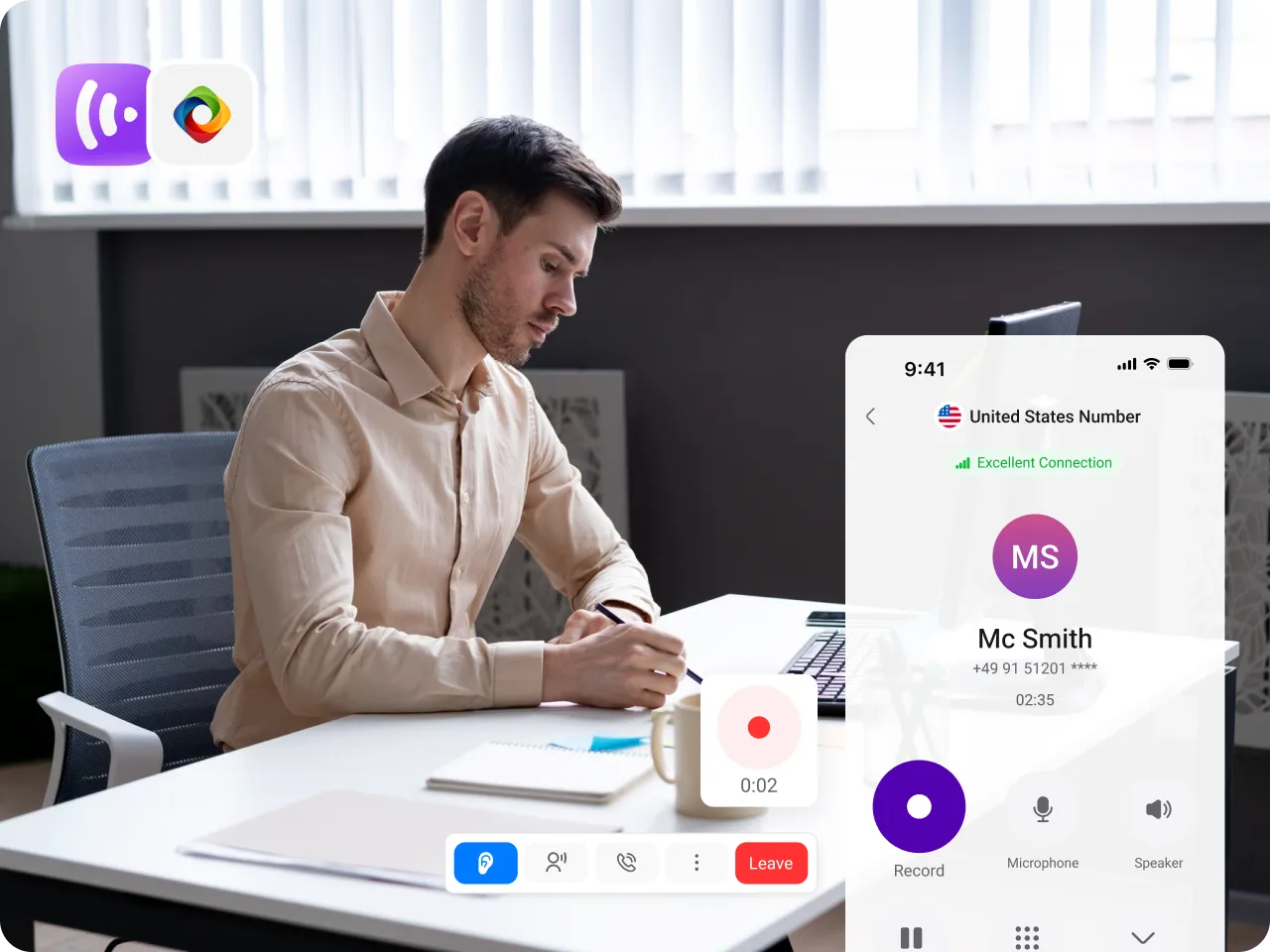


Integrate TrackerRMS With KrispCall Easily With Our Guide
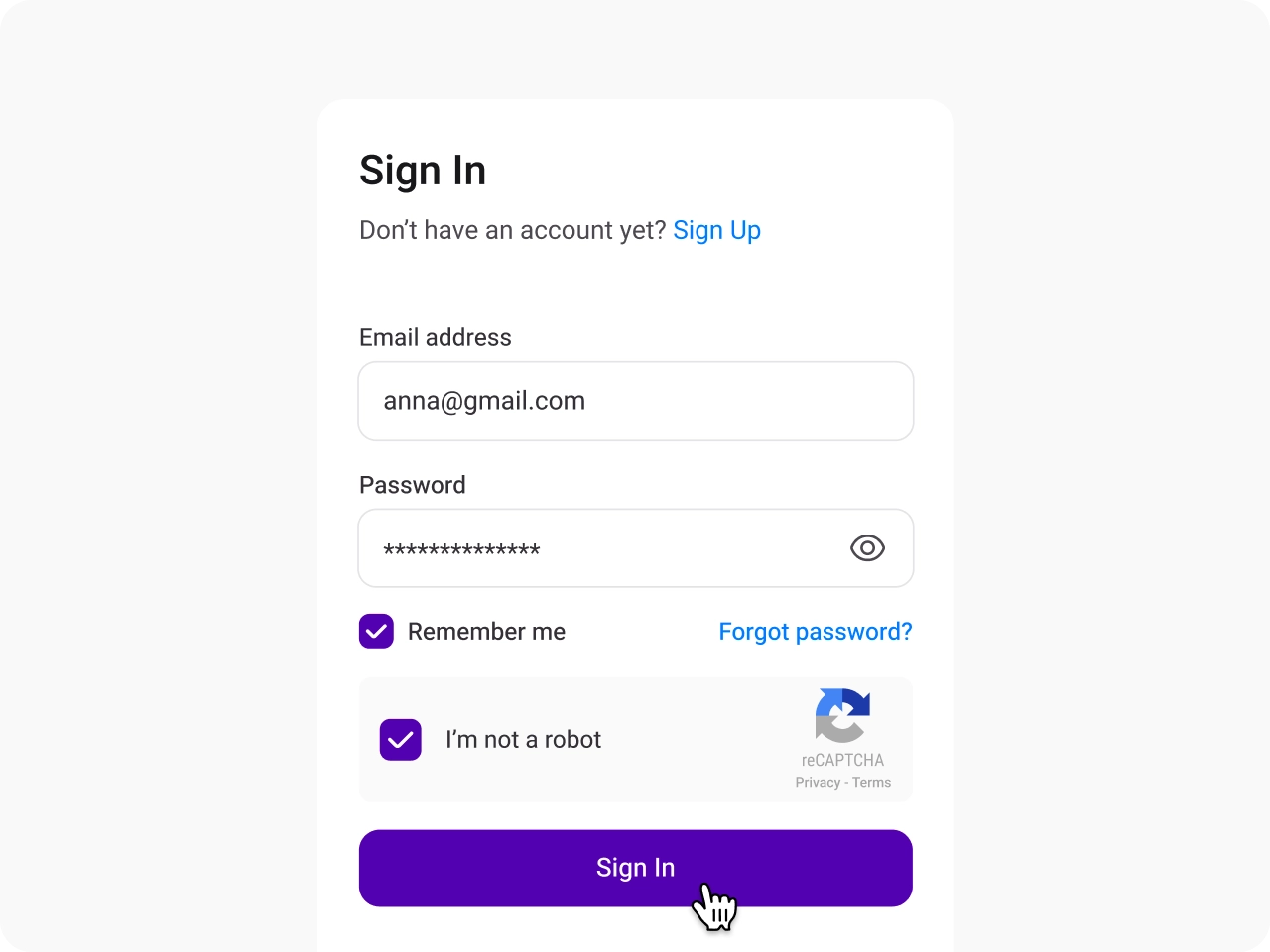
Log in to KrispCall
Sign in to your KrispCall account, then go to Settings.
Open Integrations
Under App Settings, click Integrations and select Marketplace to view all available CRMs and automation tools.
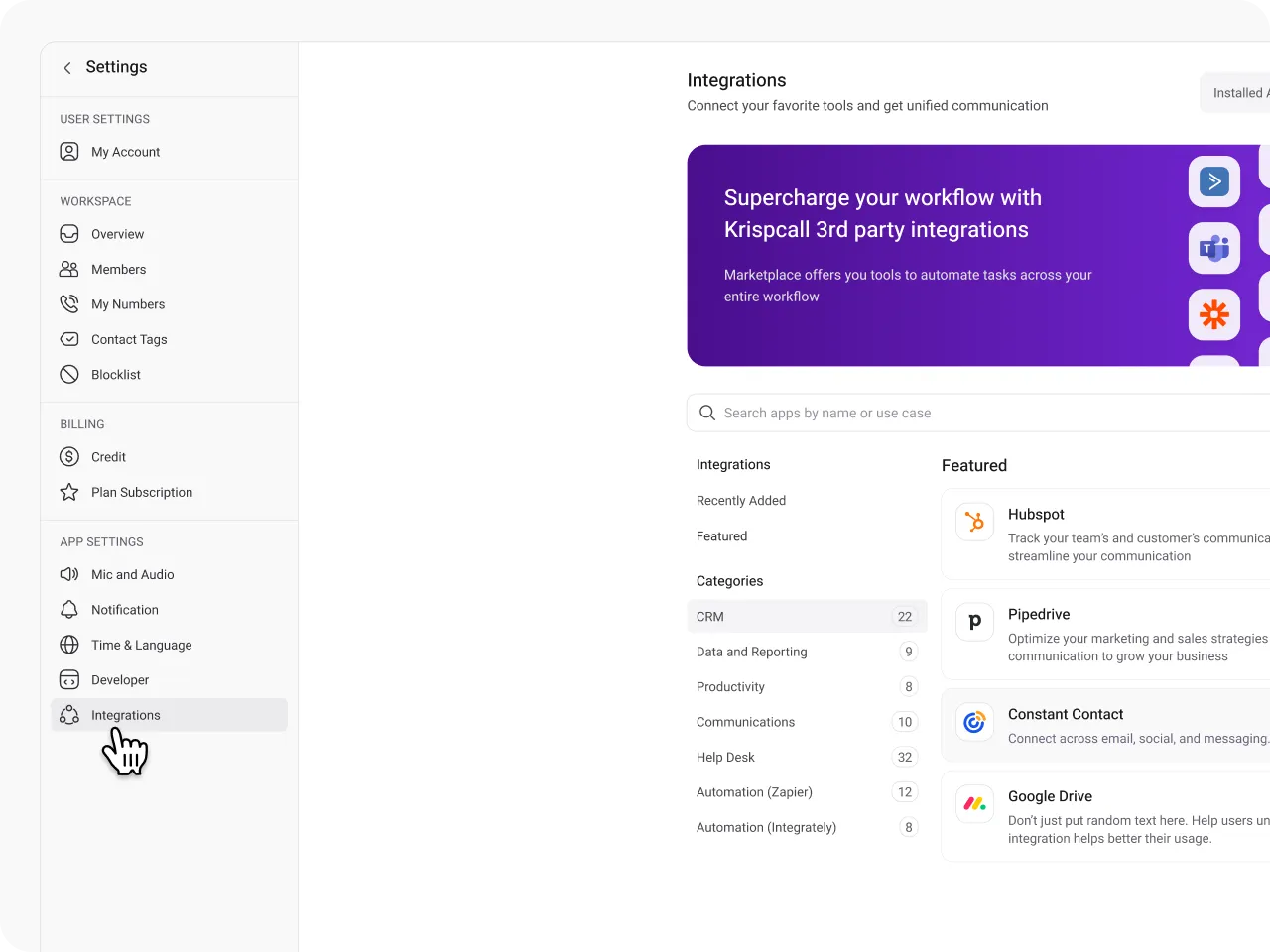
Search for TrackerRMS
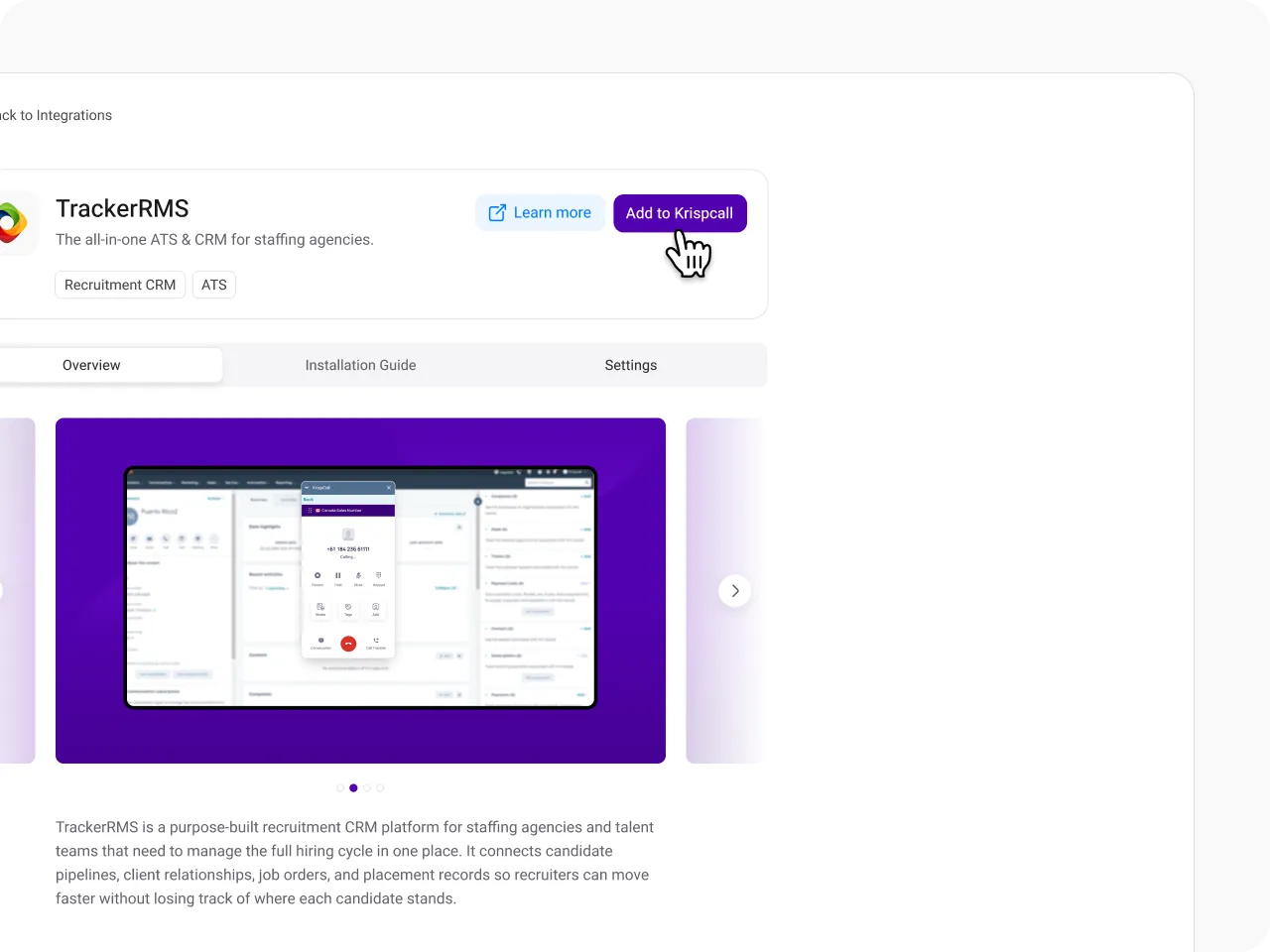
Search for TrackerRMS, then click it to open the integration page. Click Add to KrispCall; a pop-up will appear asking for an API key and Region.
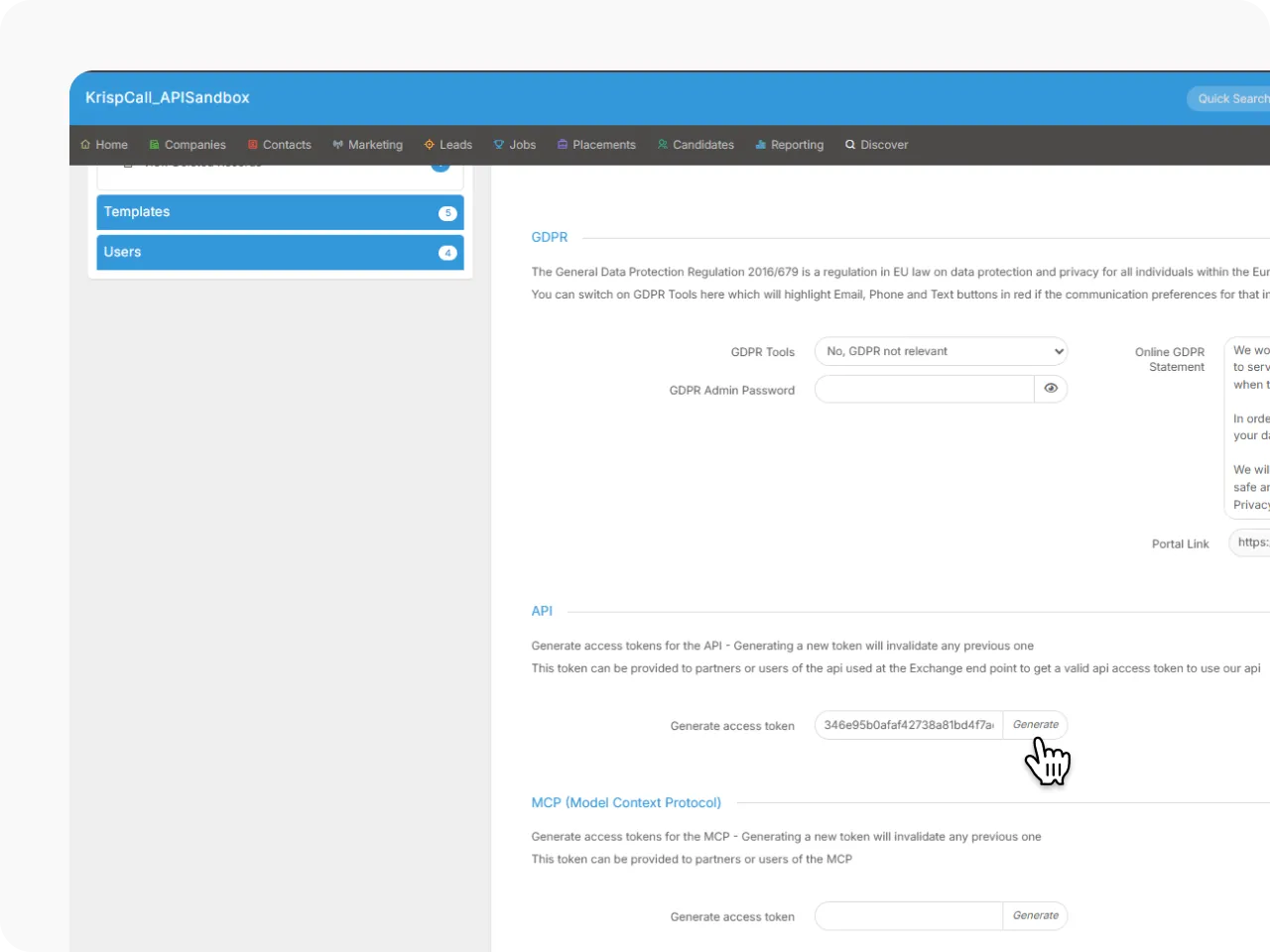
Generate API Key
Go to TrackerRMS > Tools and Settings > Security > Security Settings. Click Generate and copy the generated API key.
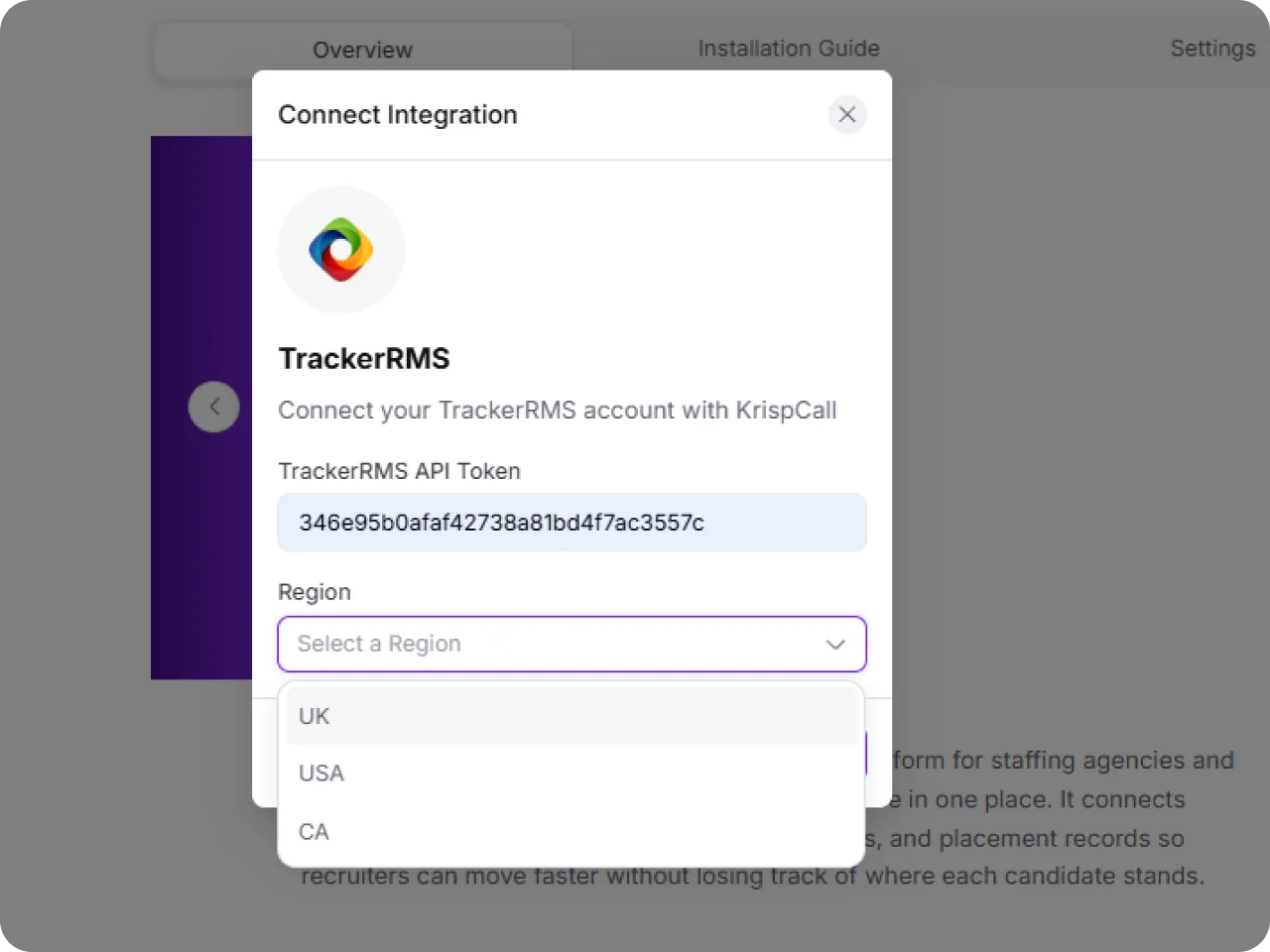
Select Region
- If users are from the USA, select USA.
- If users are from Canada, select Canada.
- If users are from any other region, select UK.
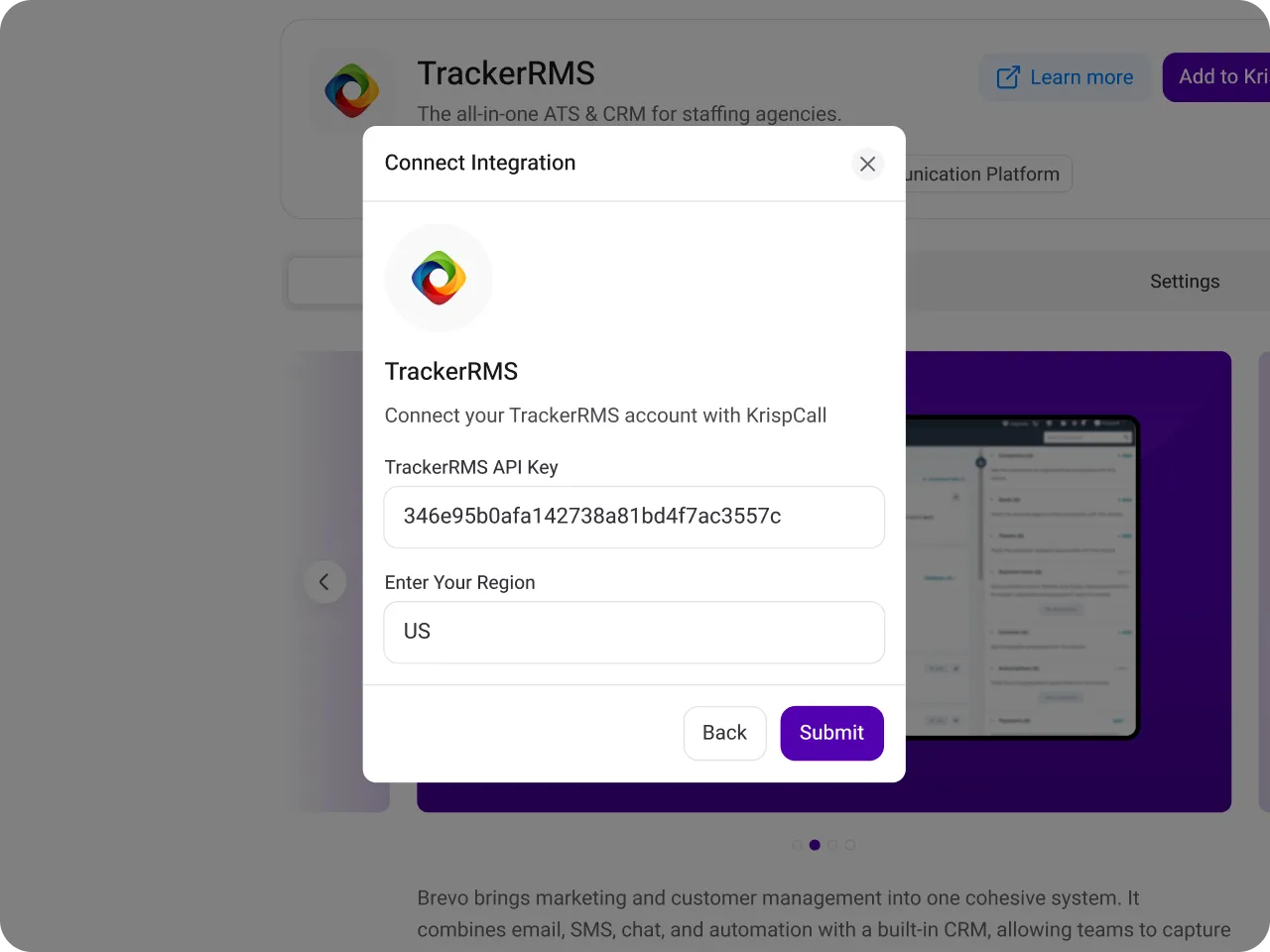
Complete the Integration
Enter your Region and API key in the KrispCall popup and click Submit. A success message will pop up, and TrackerRMS will appear under Active Integrations in KrispCall.
Frequently Asked Questions
Didn’t find the Answer you were looking for? Visit our Help Center or Contact Support
Yes. You need an active KrispCall account to use KrispCall’s calling features with TrackerRMS. Once your account is set up, you can connect it with TrackerRMS and use the available calling capabilities within your recruitment workflow.
Yes, since KrispCall is cloud-based, recruiters can call, text, and access candidate records from anywhere with an internet connection. Distributed teams get the same shared visibility and call history as an in-office team, without needing any physical phone lines.
Click-to-Call lets recruiters start a call by selecting a phone number in TrackerRMS instead of manually copying and entering it into a separate dialer. This makes candidate and client outreach quicker and reduces the steps involved in routine follow-ups.
You’ll need an active KrispCall and TrackerRMS account. Your setup can also require the appropriate permissions or configuration within both platforms before you can start using the integration.
Yes, integrating TrackerRMS with KrispCall is straightforward and doesn’t require complex configuration. You can get calling and syncing working within a few minutes.
