Voicemail Transcription


Get a Virtual Number
Get local, mobile, and toll-free virtual phone numbers from 100+ countries and expand your business worldwide.
9000+ companies worldwide trust and cherish our service













How to Set Up Voicemail Transcription Software?
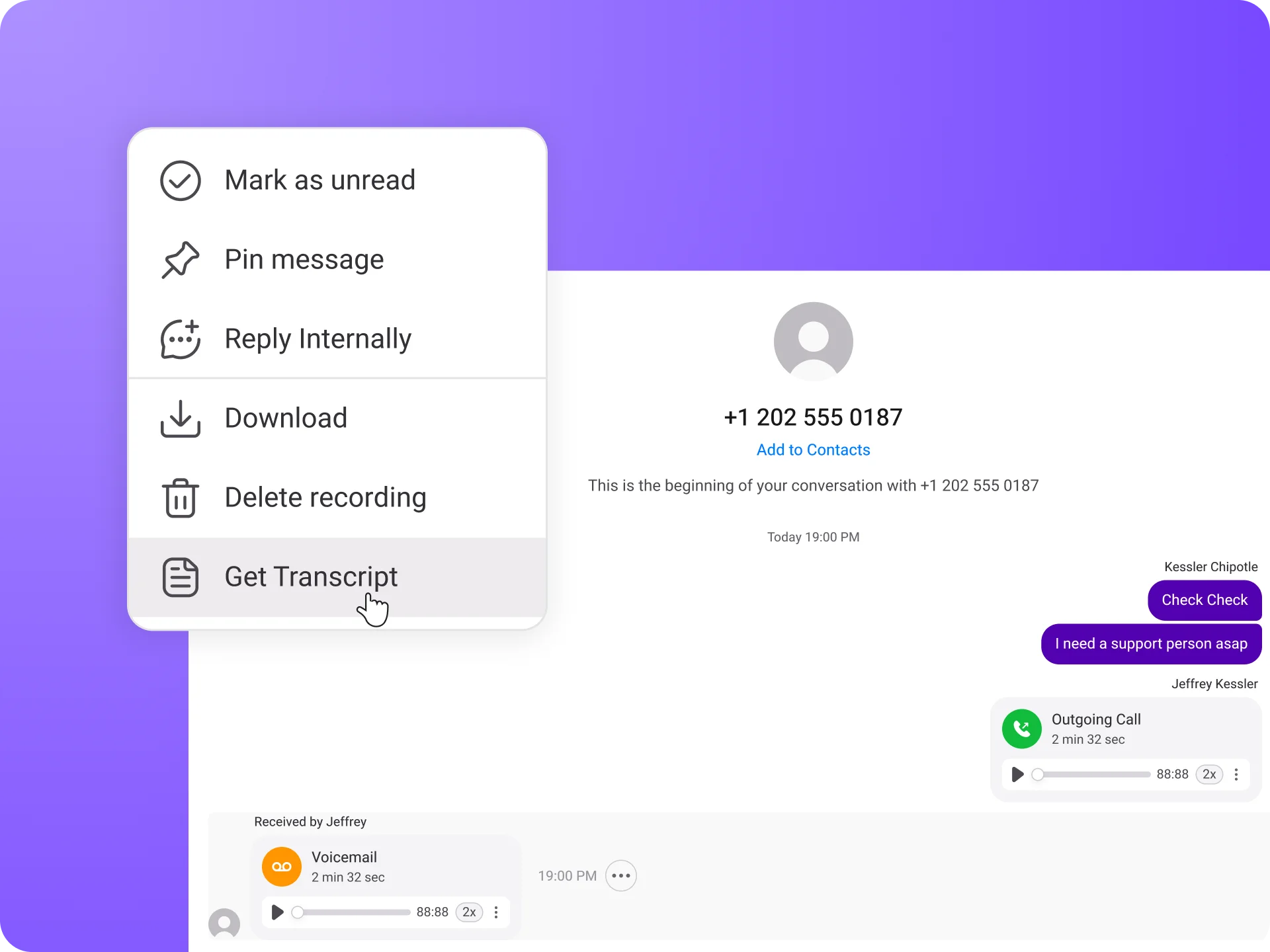
It’s easy to get started with Voicemail transcription software with krispCall. You just need to follow some simple steps to set up this software. Below are the steps:

Log in to access the KrispCall dashboard.

Select the phone number.

Tab on the voicemail you’d like to read.

Click on the “… “option.

Select the Download Transcript option.

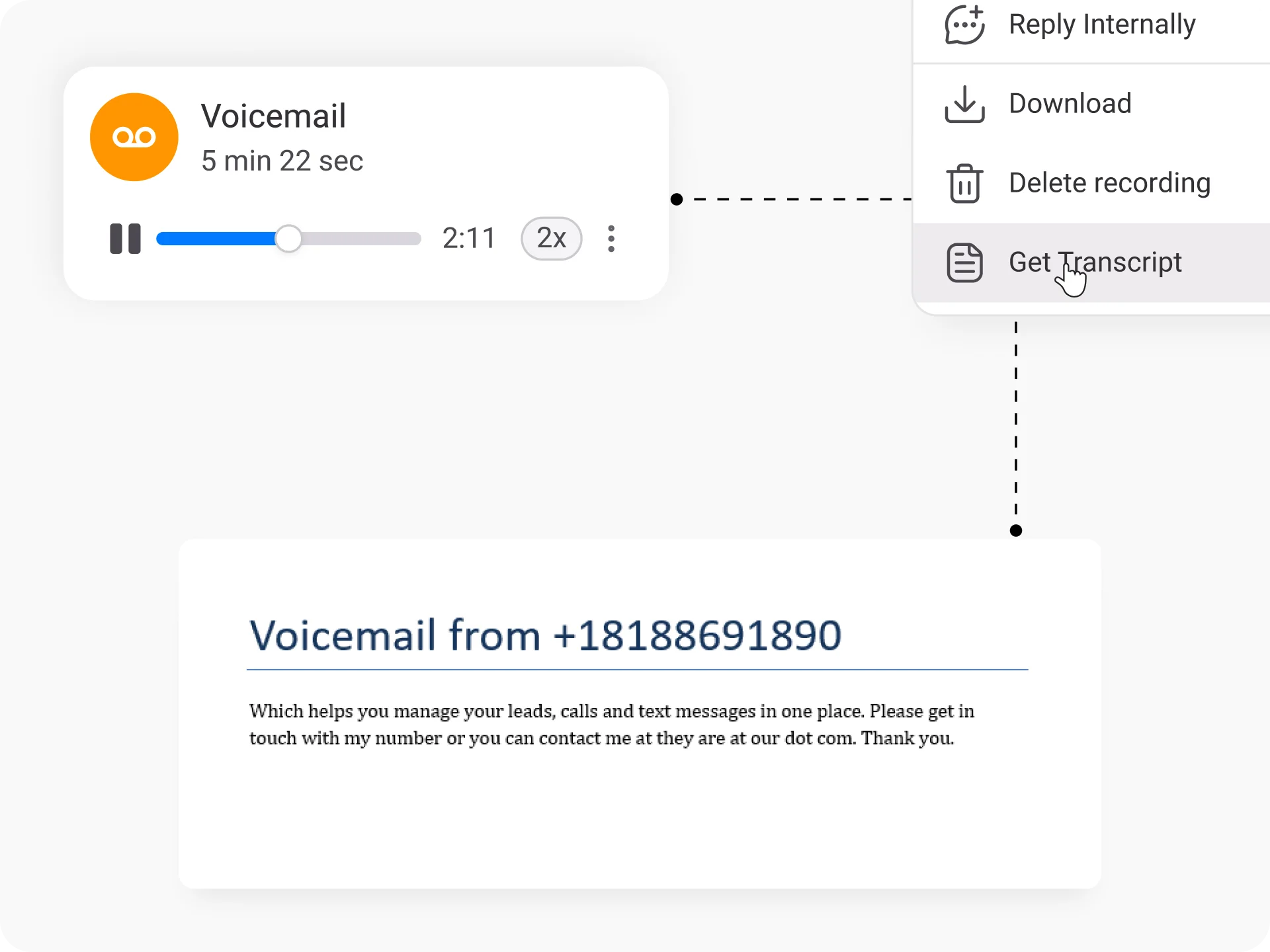
A word file will download transcribing your voicemail into text
Tailored Solutions for Every Requirement

Lightning-fast transcription

Customization options

Voicemail download

Secure and confidential

Multiple language support

User-friendly interface

Speaker identification

Key phrase highlighting
Effortless Conversion of Voice Messages to Text to Email
Our Voicemail Transcription Software employs state-of-the-art speech recognition technology to convert voice messages into accurate and readable text.

Get KrispCall

Adjust Setting

Start Receiving
Seamlessly integrate with over 100+ CRMs
Find your CRM
Connect with the CRM applications you use. With KrispCall, you can integrate with over 100 applications seamlessly.
Proud to be Recognized as VoIP Leader & Regional Leader in ANZ, EMEA, Europe, and Asia Pacific by G2








J C.
HR Officer

Jun 23, 2025
“I love how easy KrispCall is to use, and the helpful support makes it easy for me to manage multiple numbers and stay connected globally.”

Mike B.
Co-Founder and Business Dev...
Jun 04, 2025
“KrispCall won us over with lightning-fast support, effortless access to numbers and SMS, and pricing that makes sense for small businesses.”

Tkachenko E.
Software Developer
Apr 21, 2025
“KrispCall lets me manage all my calls, texts, and voicemails from one place, helping me stay organized and present a professional image wherever I work.”

Amanda C.
CEO
Jan 22, 2025
“KrispCall’s quick, respectful customer support helped me find the perfect solution for global calls and a customer service number!”

Nagendra V.
Digital Marketing Specialist
Oct 07, 2024
“KrispCall makes global calling effortless with all the tools I need in one place—perfect for connecting with clients worldwide & my digital marketing needs!”

James S.
Software Engineer
May 21, 2025
“KrispCall’s easy setup and intuitive interface keep my team’s communication organized, while its AI-powered platform has streamlined global calls and customer interactions.”

Taha Ryuko S.
Founder & CEO
May 29, 2025
“We received a prompt response right after reaching out, and KrispCall helped resolve my virtual identity issue.”

Colin L.
Server
Feb 11, 2025
“We use KrispCall for a Hong Kong number to receive OTPs—the service is reliable, support is excellent, and the daily usage emails keep us in the loop.”

Lucas W.
Product Manager
Dec 3, 2024
"KrispCall’s authentic, professional service and exceptional customer understanding make staying connected with clients effortless—I’m very happy with it!"

Pushkar Verma
Director
Aug 12, 2024
“The setup process was very easy, with chat support available during our business hours. We needed a UK number with WhatsApp setup, and this solution met our needs at a reasonable price.”

Turan B.
Researcher
Jun 05, 2025
“KrispCall helped me get a virtual number that makes international calling smooth and easy.”

Sandeep M.
Real Estate Specialist
Apr 22, 2025
“KrispCall helped me get a UK number and set up WhatsApp and Telegram effortlessly for my real estate client calls from Dubai.”

Teddy M.
Finance Professional - Busin...
Feb 04, 2025
“Super quick setup and amazing support, KrispCall made it easy for our customers to reach us!”

Hunter F.
Business Analyst
Nov 12, 2024
"KrispCall’s amazing VoIP features and seamless number porting have been essential for managing my international business calls and remote team—highly recommended!"

Matthew Jones (JP, AFIML)
Associate Fellow
Jul 18, 2024
“Been using KrispCall for a while now and the service is great and the customer support is so responsive”
What is Voicemail Transcription Software?
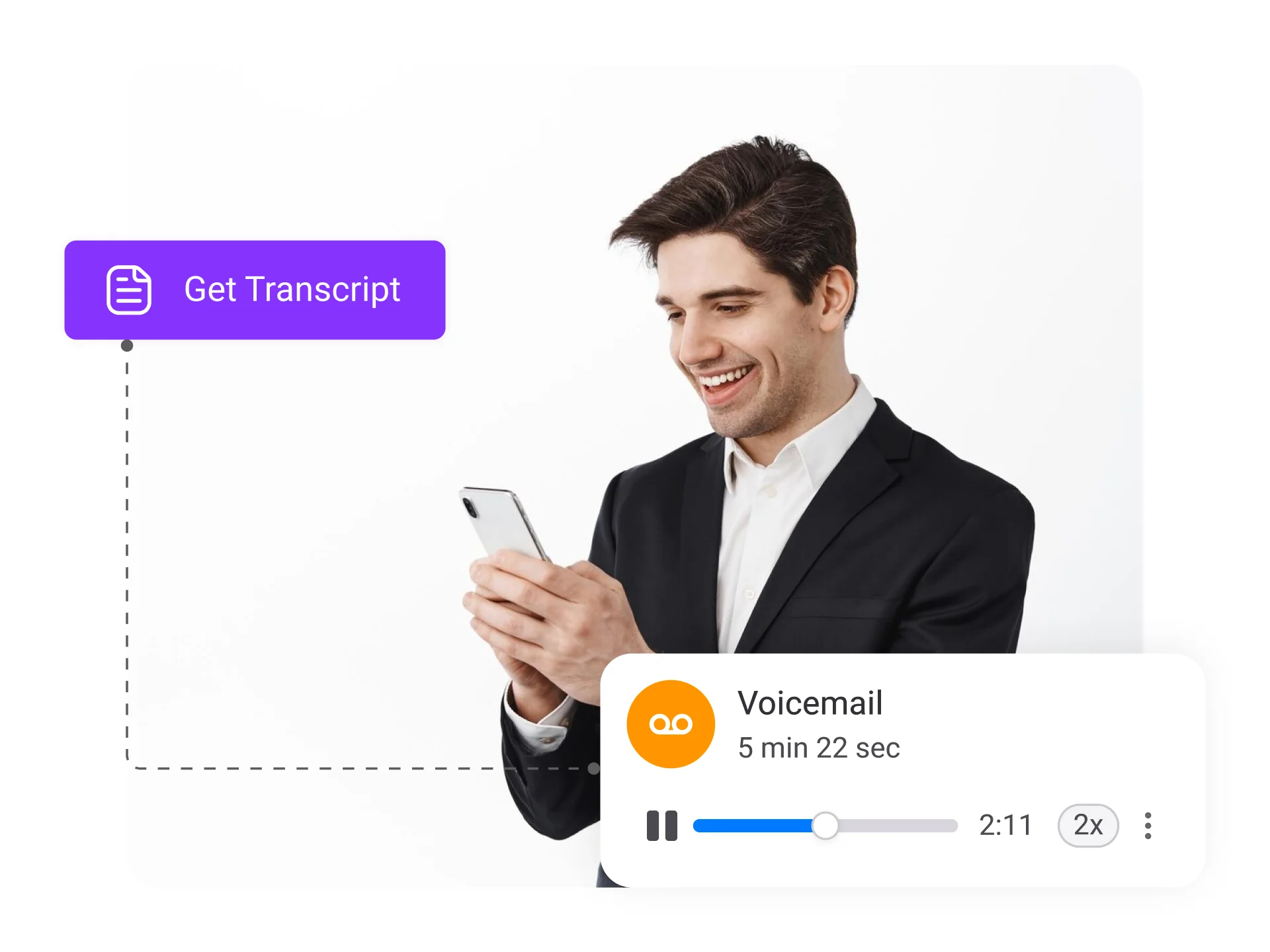
Voicemail transcription software is a technology solution that converts voicemail messages into text format. Instead of listening to voicemail recordings, users can read the transcribed text, making it easier to manage and respond to messages quickly and efficiently.
The software employs various techniques, such as automatic speech recognition (ASR) and advanced algorithms, to accurately convert spoken words into written text. This transcription process saves time, enhances accessibility, and allows for easy searching, organizing, and archiving of voicemail messages.
How does Voicemail Transcription Software work?
Voicemail transcription software typically follows these three steps to convert voicemail recordings into text format:

Audio Processing

Speech Recognition

Text Output
Benefits of Voicemail Transcription Software in a Call Center

Top 10 Voicemail Transcription Software Providers

You can choose from an extensive range of virtual phone numbers at KrispCall. With more than 100+ countries to choose from, you can buy vanity, toll-free, and local numbers, and international numbers. Get the phone numbers that best suit your business best. Also, You can choose from a set of custom numbers in the starting and ending points of the number such as +1XXXXXXXX999, 888XXXXXXX.
1. KrispCall
KrispCall is a leading voicemail transcription software that revolutionizes how businesses manage voicemail messages. It offers advanced speech recognition technology and a user-friendly interface to transcribe voicemail recordings into accurate, readable text format.
Krispcall utilizes state-of-the-art speech recognition algorithms and language models to ensure precise and reliable transcriptions. The software accurately captures spoken words, eliminating the risk of misinterpretation and misunderstandings.

The software provides customizable settings, allowing you to tailor the transcription parameters to your requirements. From language selection to punctuation preferences, Krispcall ensures that the transcriptions align with your desired format and style.
Feature

Sales dialer
Unified Callbox
Click-to-call widget
Call analytics
IVR tree
Third-party integrations
Pricing

Essential: $15/user/month
Standard: $40/user/month
Enterprise: Custom Quote
Pros
All-in-one unified callbox to manage calls, texts, and voicemails.
99.99% server uptime
Cons

The API widget is not currently available (coming soon).
2. Talkdesk
Talkdesk is a cloud contact center software that offers voicemail transcription as one of its features. It allows admins to enable voicemail transcriptions on their accounts with only a few clicks. It allows call centers to improve customer support and engagement.

Talkdesk offers a range of voicemail metrics, including the number of voicemails received during business hours, voicemails received outside of business hours, voicemails left through the IVR system, and voicemails left in the waiting queue. These metrics provide valuable data to empower your managers in making informed decisions for your company.
Feature
Automated workflows
Custom greetings
CRM integration
Reporting and analytics
Voicemail notifications
Pricing
CX cloud essentials: $75
CX cloud elevate: $95
CX cloud elite: $125
Experienced cloud: Get a quote
Pros
Good customer support.
User-friendly user interface.
Cons

Lack of support and features.
Frequent loss of connection during calls.
3. Vonage
Vonage is a telecommunications company that provides cloud communication services for businesses and individuals. It offers a Visual Voicemail feature for managing voicemail messages more conveniently and efficiently.

With Visual Voicemail, users can access their voicemail messages through a visual interface on their devices, such as smartphones or computers, rather than dialing a voicemail number and listening to messages sequentially.
Users can select and play specific voicemails directly from the visual interface, rewind or fast-forward through messages, delete unwanted messages, and even save or forward important messages to others via email or other communication channels.
Feature
CRM integration
AI virtual assistant
Coaching capabilities
Dynamic routing
LiveAgent
Pricing
Get a quote
Pros
Seamless mobile to desktop transitions.
Easy interface - both on the user and admin side.
Cons
Customer support could be more reliable.
Compatibility issues depend on the browser.
4. RingCentral
RingCentral is another prominent cloud-based phone system that offers a Visual Voicemail feature for call centers. This feature enhances the traditional voicemail experience by presenting voicemail messages in a text format. This is particularly useful when you cannot listen to the voicemails, such as in a meeting or a noisy environment.

RingCentral’s Visual Voicemail can be accessed through your account, allowing you to manage your voicemail messages from their desktop software or mobile app. You can delete unwanted messages with a simple tap or forward messages to colleagues or other contacts, facilitating efficient communication and collaboration.
Moreover, Visual Voicemail displays relevant information about each message, such as the caller ID or contact name, the time the message was left, and the duration of the message. This information helps you prioritize your response by providing context and enabling you to identify urgent or critical messages at a glance.
Feature
RingOut
Shared lines
Voicemail-to-email
Multi-level IVR
Live reports
Pricing
Monthly
Core: $30
Advanced: $35
Ultra: $45
Annual
Core: $20/month
Advanced: $25/month
Ultra: $35/month
Pros
Customer Support and Installation Services.
Reliable phone extension service.
Cons
Limited reporting.
Voice delays during a phone call.
5. 8×8
8×8 is a cloud communication solution for businesses. It has a visual voicemail feature that offers convenient access to voicemails through multiple devices and platforms. Users can access voicemails anytime via their phone system or the 8×8 Work desktop or mobile app.

The feature supports the “do not disturb” mode, automatically sending calls to voicemail. Users can return calls directly from a voicemail message. With 8×8’s visual voicemail, users can view voicemails on screen, manage, delete, and download them online, and listen to voicemails via email, phone, or the 8×8 Work Apps.
Feature
CX Analytics
Quality Management
Speech Analytics
Digital Channels
CRM integrations
Pricing
Monthly
X2 (All-in-one voice, video, and chat for larger teams): $28
X4 (Advanced call handling and analytics): $57
X6 (Voice contact center): $85
X7 (One interface for voice and digital interactions): $110
X8 (Advanced contact center with QM and interaction analytics): $140
Annual
X2 (All-in-one voice, video, and chat for larger teams): $24/month
X4 (Advanced call handling and analytics): $44/month
X6 (Voice contact center): $85/month
X7 (One interface for voice and digital interactions): $110/month
X8 (Advanced contact center with QM and interaction analytics): $140/month
Pros
Seamless Integration.
Consistent call quality.
Cons
Expensive compared to other VoIP service providers.
Random call disconnection.
6. Grasshopper
Grasshopper is a cloud telephony service with voicemail-to-text transcription capability. It allows users to receive voicemail messages in text format when they can’t listen to the recordings. Businesses can choose a local, toll-free, or vanity number and specify the email addresses to which voicemail messages should be forwarded.

The transcribed voicemails can be stored in CRM for future records. Grasshopper provides mobile and desktop apps for iPhone and Android, allowing users to access and read voice messages on the go. Grasshopper is only available in USA and Canada.
Feature
Call forwarding
Business texting
Virtual receptionist
Instant response
Pricing
Visit their website for a quote.
Pros
Simple-to-use interface.
Not expensive.
Cons
Not available in other regions except USA and Canada.
Call dropping issues.
7. Nexiwave
Nexiwave is a voicemail transcription service that offers a fully automated voicemail-to-text service. It eliminates all human intervention and gives users a 99% accurate voicemail transcription. Nexiwave claims that users can understand the transcribed text in a single glance.

Nexiwave provides its service to major phone systems in the market, including Mitel NuPoint, Avaya IP Office, and Cisco Unity. Users must send their voicemail emails to the Nexiwave forwarder address, which will be transcribed in minutes.
Feature
Voicemail transcription
Integration with Microsoft 365
Key phrase highlighting
Pricing
Personal: Free
Pro: $60
Enterprise: Request for quote
Pros
Simple to use interface.
Quality Transcript
Cons
Microsoft 365 email delays.
Transcripts may not be 100% accurate.
8. Freshdesk
FreshDesk (formerly known as Freshcaller) cloud-based phone service provider that offers a comprehensive AI-powered voicemail transcription service. The software utilizes its artificial intelligence engine, called Freddy AI, to automatically transcribe voicemails, eliminating the need for manual transcription.

The transcriptions can be easily accessed through the FreshDesk phone system. Additionally, the platform enables you to enable voicemail transcription selectively for specific phone numbers and customize voicemail greetings.
Feature
Call Monitoring
Reporting
Queue Callback
Smart Escalations
IVR
Pricing
Free: $0
Growth: $15
Pro: $39
Enterprise: $69
Pros
Sophisticated design and UI.
Integration with business tools.
Cons
Network drops, which disrupts calls (Sometimes).
9. Ooma
Ooma is a widely-used VoIP phone service that caters to businesses of various sizes. It offers a plethora of features, including convenient options like voicemail transcription and voicemail-to-email features. By configuring your settings within the Ooma Office app, you can ensure that your voicemails are automatically forwarded to your designated email address.

When a voicemail is left, you will receive an email containing an audio recording of the message as an attachment, along with a transcription of the voicemail in the body of the email. It lets you conveniently access your voicemails’ audio and written content directly in your email.
Feature
CRM integration
Mobile and desktop app
Caller info
Pricing
Essential: $9.95
Pro: $24.95
Pro Plus: $29.95
Pros
Allows users to listen to voicemails via email.
Easy to call and set up.
Cons
A free trial isn’t available.
The interface is confusing to navigate.
10. Phone.com
Phone.com is a well-known virtual phone service that operates in the cloud and provides a voicemail transcription option. When using Phone.com, your voicemails are automatically transcribed and can be sent to you as either email or text messages.

Instead of having to listen to the voice notes, users have the option to read the transcribed message directly. Additionally, you can easily forward the transcription to other members of your team, ensuring efficient communication and collaboration.
Feature
Local Numbers
Vanity Toll-Free
HIPAA Compliance
Pricing
Pro users: $27.19
Plus users: $18.69
Basic users: $12.74
Pros
Reliable customer service and live chat.
Easy to set up for any business.
Cons
The app is slow and buggy.
Voicemail transcription is not always accurate.
Frequently Asked Questions
Didn’t find the Answer you were looking for? Visit our Help Center or Contact Support
Our Voicemail Transcription Software leverages advanced speech recognition technology to provide highly accurate transcriptions. While it achieves a high level of accuracy, it’s important to note that certain factors, such as background noise or unclear recordings, can impact the results.
Absolutely! Our Voicemail Transcription Software offers customization options, allowing you to adjust various settings according to your requirements. You can modify language recognition, formatting styles, and speaker identification.
We prioritize the security and confidentiality of your voicemail data. Our Voicemail Transcription Software employs robust encryption protocols and follows industry best practices to protect your information.
We offer different plans and pricing options to accommodate varying usage needs. Whether you have a few voicemail messages or a high volume of recordings, we have plans suitable for your requirements. Contact our sales team to discuss the best plan for you.
Our Voicemail Transcription Software supports popular audio file formats such as MP3, WAV, AAC, and more. If you have a specific file format not listed, please contact our support team for assistance.
Our software supports a wide range of languages, including but not limited to English, Spanish, French, German, Italian, and many more. Contact our support team to confirm language availability for your specific needs.
The transcription time depends on the length of the voicemail message and the complexity of the content. Generally, our software provides fast and efficient transcriptions, saving you significant time compared to manual transcription.
Yes. Our Voicemail Transcription Software is designed to integrate with various voicemail systems seamlessly. We provide integration options and guidelines to help you set up the software with your existing infrastructure.
Yes, you can access your transcriptions from multiple devices, including smartphones, tablets, and computers. Our software supports cloud-based storage, allowing you to access your transcriptions conveniently.
Getting started is easy! Simply visit our website and sign up for an account. Once you’re registered, follow the setup instructions provided, and you’ll be ready to start transcribing your voicemail messages in no time.
