Click to Dial

9000+ companies worldwide trust and cherish our service













What is Click to Dial?
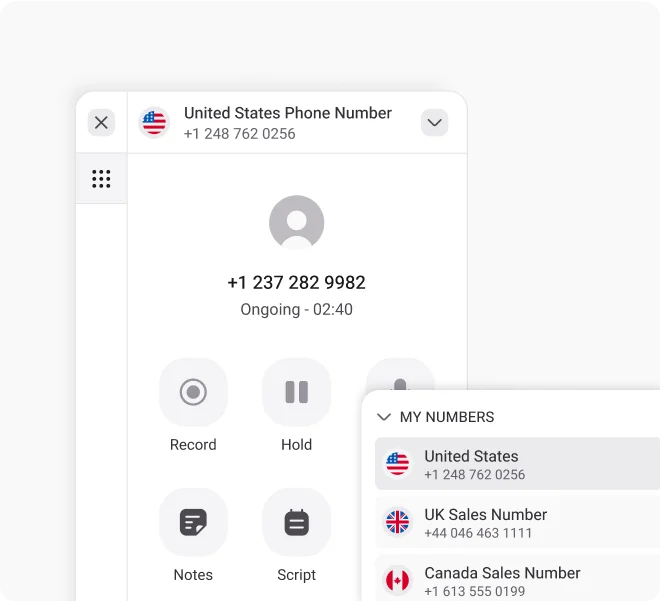
Click to dial, sometimes called click to call or click to talk, is a feature that allows sales teams, customer support agents, and businesses to initiate phone calls simply by clicking a phone number. Instead of manually entering the number, the call connects instantly through a linked phone system or app, such as a click to call dialer or click to dial software.
This feature reduces dialing errors and speeds up outreach by eliminating extra steps. For busy sales reps and customer service professionals, it means more time engaging with leads and clients, and less time spent on administrative tasks.
How Does Click to Dial Work?
From reducing operational costs to empowering remote teams, cloud VoIP helps businesses stay agile, responsive, and fully connected — anywhere, anytime.

One-Click Calling

Seamless Integration

Automatic Call Triggering

Effortless Communication
How to Use Click to Dial From KrispCall?
Setting up click-to-dial with KrispCall is quick and easy. Just follow these simple steps to get started.

Download and install the KrispCall Click-to-Dial extension.

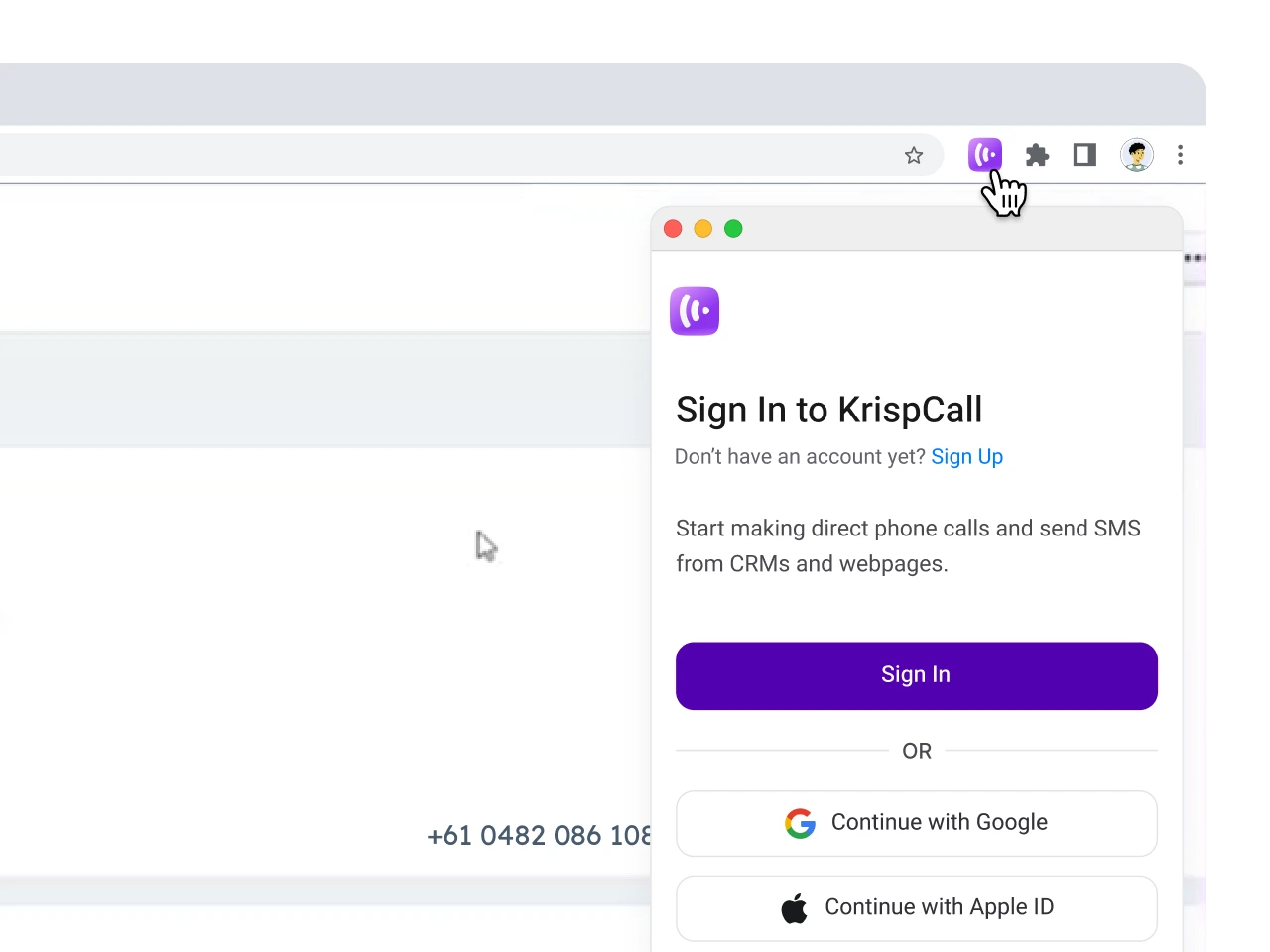
After installation, look for the KrispCall icon in your browser’s extension bar.

Click the icon and sign in to your KrispCall account.

You’re all set to navigate and initiate calls with a click.
Benefits of Click-to-Dial Software for Businesses
Click-to-dial brings practical advantages that help businesses handle calls faster, reduce errors, and improve results across sales and support teams.
Essential Click-to-Dial Features for Sales and Support Teams
Click-to-dial comes with key features that make calling faster, easier, and more accurate for businesses handling high call volumes.
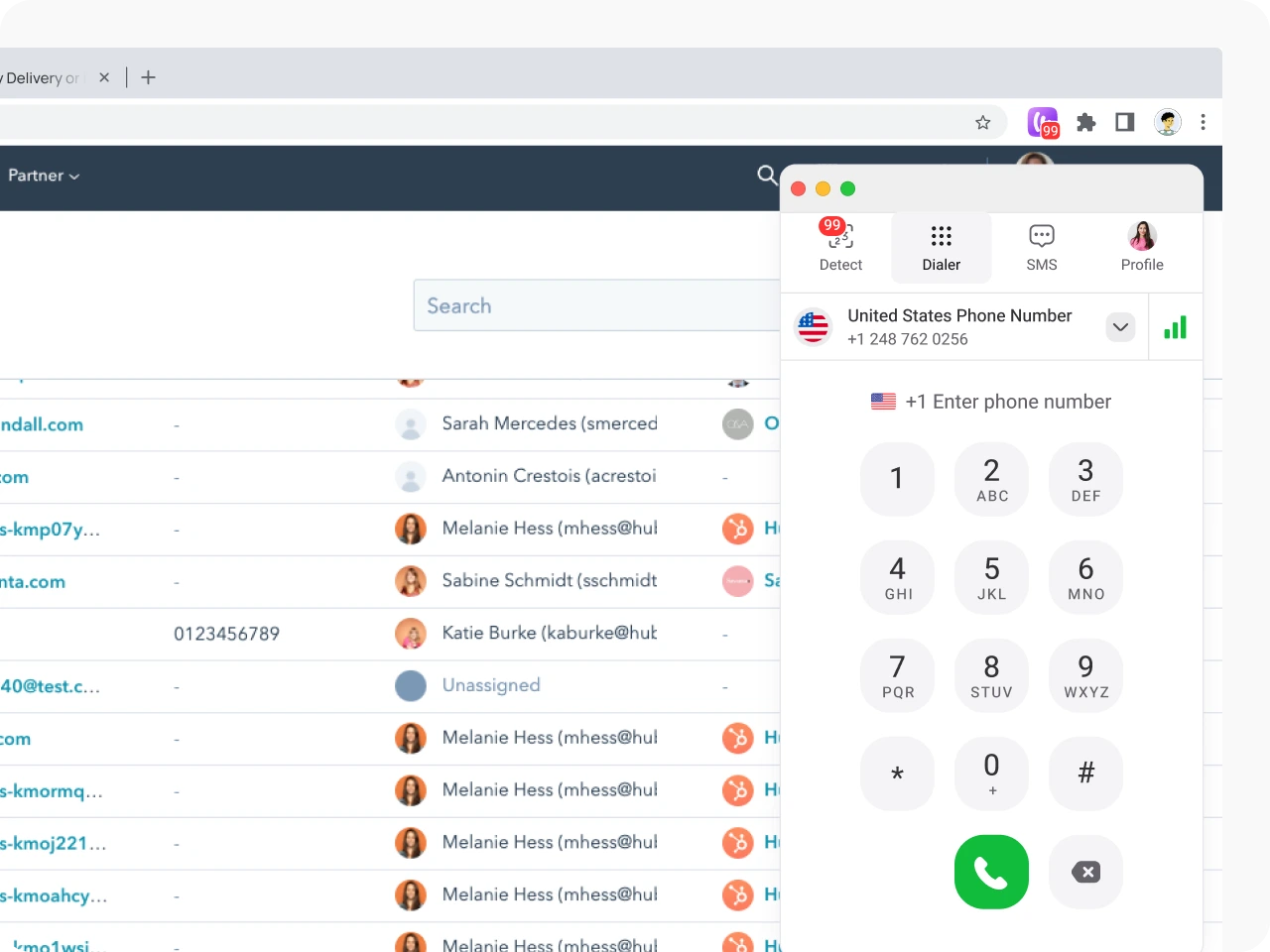
Start a call instantly by clicking on any number inside a CRM, helpdesk, or web page. No manual input or extra steps required.
The system scans pages and detects phone numbers automatically. Each number becomes a clickable link, ready for instant dialing through your connected phone setup.
Easily add click-to-dial to Chrome or other browsers. Works smoothly with CRMs, helpdesk tools, and click to call software used by sales and support teams.
Every call is tracked and logged in real time. Teams can review call history, monitor performance, and gain insights to improve lead follow-up and customer service.


More Features like Click to Dial
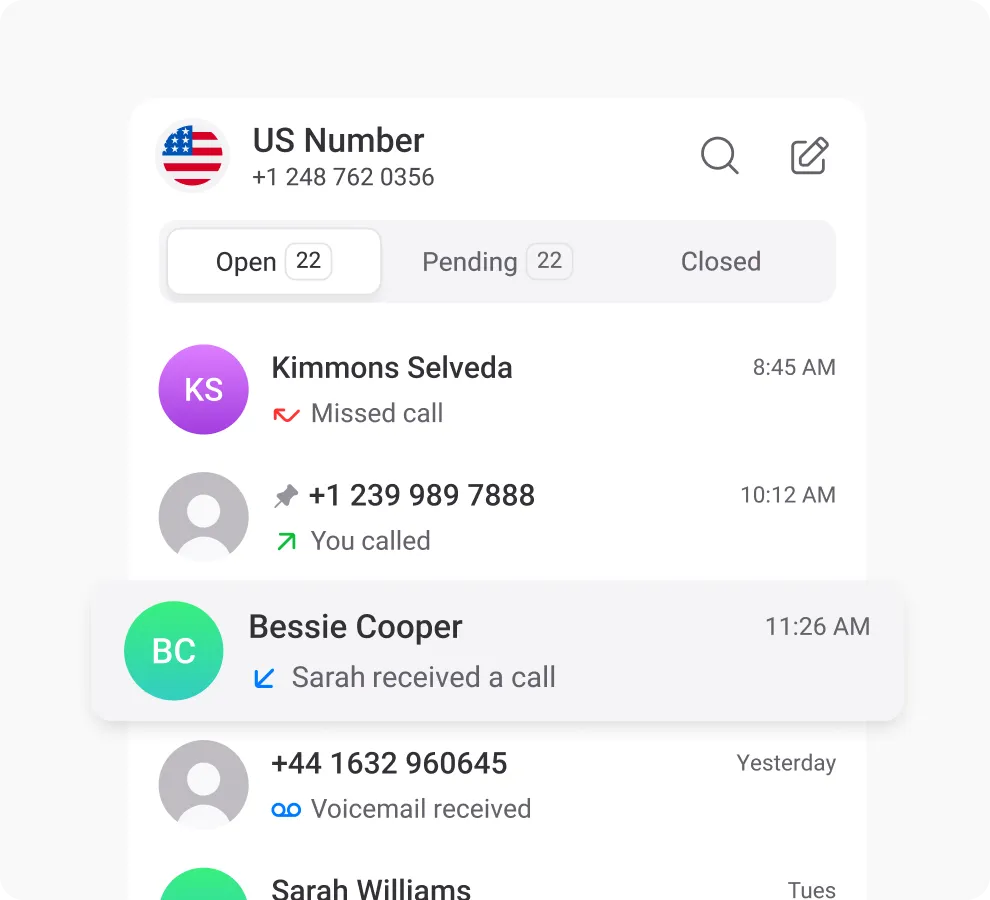
Call Logs / Call History
Enhance customer service by analyzing call trends, durations, and satisfaction through detailed call logs.
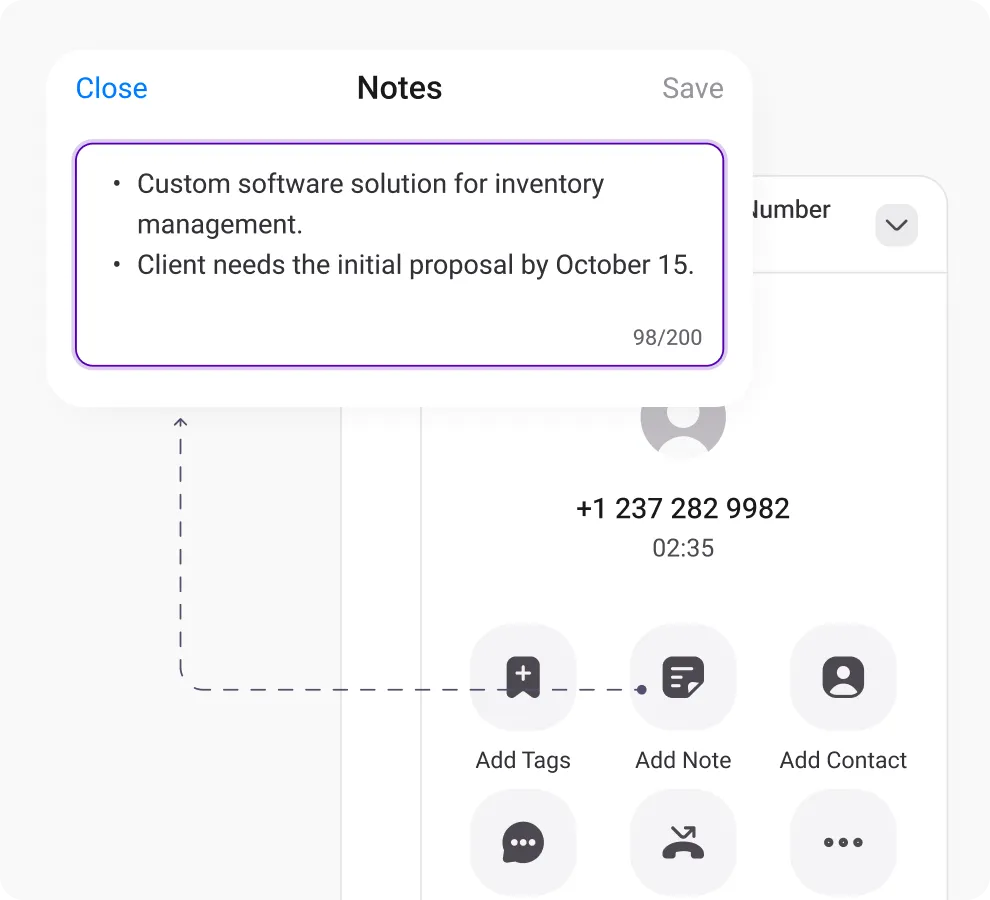
Call Notes
Improve teamwork, reduce confusion, share information, and improve clients' communication with call notes.
Power Dialer
Manage a large volume of outbound calls by automating call dialing and improve agent efficiency & sales performance.
Proud to be Recognized as VoIP Leader & Regional Leader in ANZ, EMEA, Europe, and Asia Pacific by G2








J C.
HR Officer

Jun 23, 2025
“I love how easy KrispCall is to use, and the helpful support makes it easy for me to manage multiple numbers and stay connected globally.”

Mike B.
Co-Founder and Business Dev...
Jun 04, 2025
“KrispCall won us over with lightning-fast support, effortless access to numbers and SMS, and pricing that makes sense for small businesses.”

Tkachenko E.
Software Developer
Apr 21, 2025
“KrispCall lets me manage all my calls, texts, and voicemails from one place, helping me stay organized and present a professional image wherever I work.”

Amanda C.
CEO
Jan 22, 2025
“KrispCall’s quick, respectful customer support helped me find the perfect solution for global calls and a customer service number!”

Nagendra V.
Digital Marketing Specialist
Oct 07, 2024
“KrispCall makes global calling effortless with all the tools I need in one place—perfect for connecting with clients worldwide & my digital marketing needs!”

James S.
Software Engineer
May 21, 2025
“KrispCall’s easy setup and intuitive interface keep my team’s communication organized, while its AI-powered platform has streamlined global calls and customer interactions.”

Taha Ryuko S.
Founder & CEO
May 29, 2025
“We received a prompt response right after reaching out, and KrispCall helped resolve my virtual identity issue.”

Colin L.
Server
Feb 11, 2025
“We use KrispCall for a Hong Kong number to receive OTPs—the service is reliable, support is excellent, and the daily usage emails keep us in the loop.”

Lucas W.
Product Manager
Dec 3, 2024
"KrispCall’s authentic, professional service and exceptional customer understanding make staying connected with clients effortless—I’m very happy with it!"

Pushkar Verma
Director
Aug 12, 2024
“The setup process was very easy, with chat support available during our business hours. We needed a UK number with WhatsApp setup, and this solution met our needs at a reasonable price.”

Turan B.
Researcher
Jun 05, 2025
“KrispCall helped me get a virtual number that makes international calling smooth and easy.”

Sandeep M.
Real Estate Specialist
Apr 22, 2025
“KrispCall helped me get a UK number and set up WhatsApp and Telegram effortlessly for my real estate client calls from Dubai.”

Teddy M.
Finance Professional - Busin...
Feb 04, 2025
“Super quick setup and amazing support, KrispCall made it easy for our customers to reach us!”

Hunter F.
Business Analyst
Nov 12, 2024
"KrispCall’s amazing VoIP features and seamless number porting have been essential for managing my international business calls and remote team—highly recommended!"

Matthew Jones (JP, AFIML)
Associate Fellow
Jul 18, 2024
“Been using KrispCall for a while now and the service is great and the customer support is so responsive”
Frequently Asked Questions
Didn’t find the Answer you were looking for? Visit our Help Center or Contact Support
If the site supports click-to-call, just click the number. Your phone system or click to dial software will launch the call instantly with no copying or pasting required.
Yes. On mobile devices, tapping a linked phone number opens the dialer app directly, allowing users to call businesses without manually entering the number.
The feature itself is free to use, but the actual call may cost money depending on your phone provider or click to call services plan.
Both remove manual dialing, but the use case is slightly different. Click to call means a customer clicks a number on a website to reach a business. Click to dial often refers to reps or agents clicking a contact inside a CRM to start a call.
