Call Pop
9000+ companies worldwide trust and cherish our service













What is Call Pop?
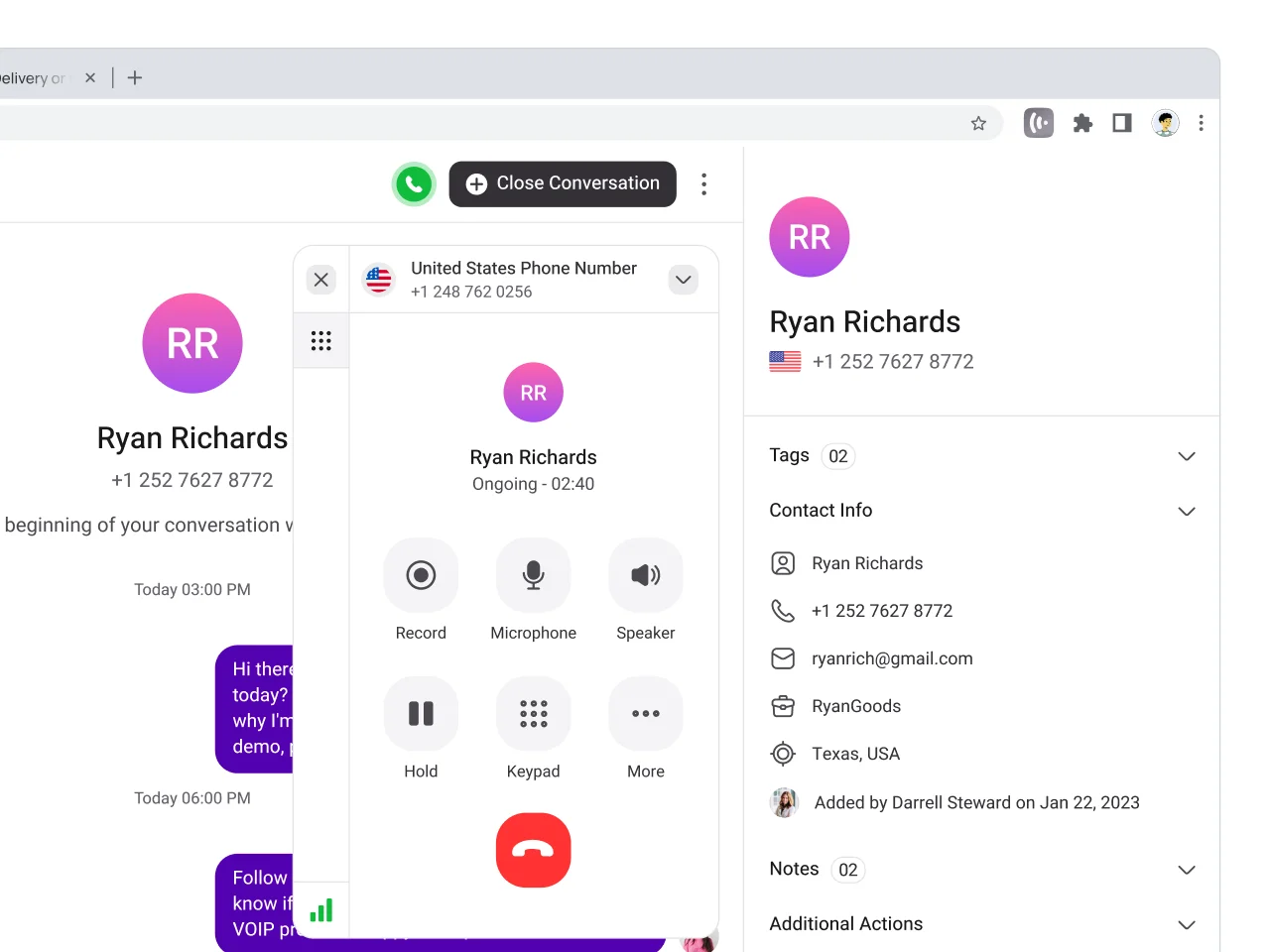
Call pop is a telephony feature that displays caller information in real time as the phone rings. It brings up details such as the caller’s name, phone number, and any saved notes or tags from previous conversions. This information appears instantly, giving you context before the conversion begins.
Rather than answering blindly, call pop lets you prepare your response and approach based on who’s calling and why they might be calling. Whether you’re assisting customers or coordinating with colleagues, the added visibility helps you stay organized and attentive.


Get a Virtual Number
Get local, mobile, and toll-free virtual phone numbers from 100+ countries and expand your business worldwide.
How KrispCall’s Call Pop Works?
Know who’s calling—and why—before you even pick up.

Instant Caller Info Display

Real-Time Data Sync

Smarter, Faster Conversations

Boost Productivity Across Teams
Benefits of Call Pop
Call pop brings clarity to every incoming call by putting useful details front and center. It’s a simple feature that helps your team work with more focus, speed, and confidence.
Answer Every Call with Confidence Using KrispCall’s Call Pop Feature
Get instant insights, smart routing, and seamless context—right when the phone rings, on any device.
See all the important caller details pop up on your screen as soon as a call arrives. No need to search or guess.
Access past call notes, tags, and interactions immediately to better understand the caller’s history and need without leaving your workflow.
Direct calls to the right team member or department effortlessly based on the caller’s information, right from the call pop window.
Whether you’re on a desktop, laptop, or tablet, Call pop shows up consistently, giving you caller details wherever you’re signed in.
More Features like Call Pop
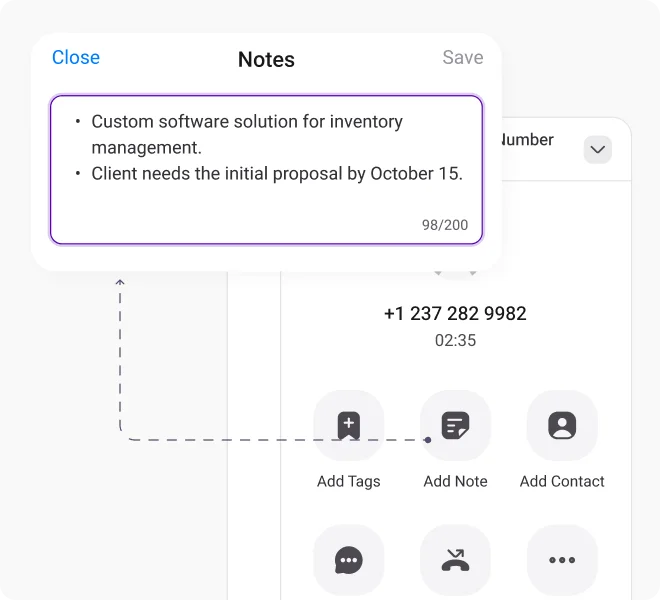
Call Notes
Add notes during calls to capture important details or decisions so your team always knows the context for future conversations.
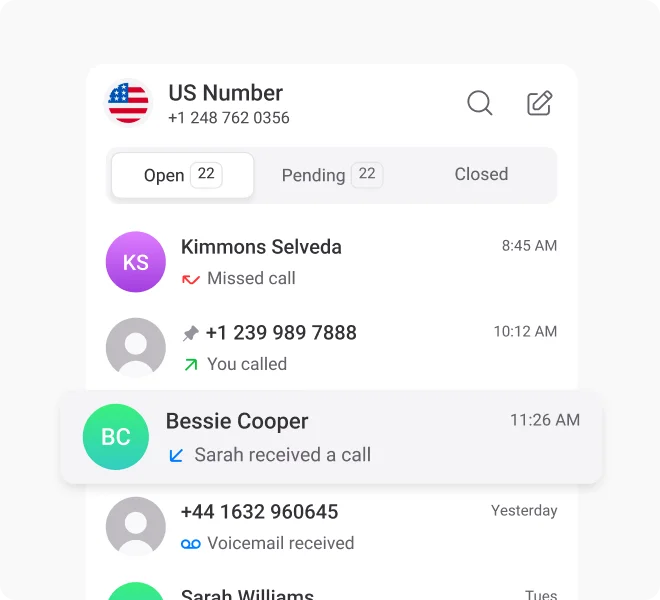
Call Logs / Call History
Access a detailed log of past calls with timestamps and durations. Revisit any previous interactions at any time.
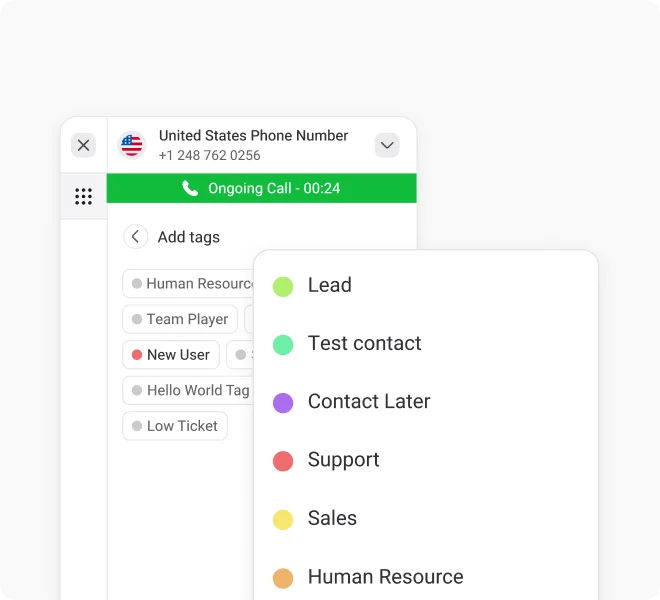
Call & Contact Tagging
Allows you to label calls or contacts with tags like “lead,” “support,” or “urgent,” helping the caller type instantly.
Proud to be Recognized as VoIP Leader & Regional Leader in ANZ, EMEA, Europe, and Asia Pacific by G2








J C.
HR Officer

Jun 23, 2025
“I love how easy KrispCall is to use, and the helpful support makes it easy for me to manage multiple numbers and stay connected globally.”

Mike B.
Co-Founder and Business Dev...
Jun 04, 2025
“KrispCall won us over with lightning-fast support, effortless access to numbers and SMS, and pricing that makes sense for small businesses.”

Tkachenko E.
Software Developer
Apr 21, 2025
“KrispCall lets me manage all my calls, texts, and voicemails from one place, helping me stay organized and present a professional image wherever I work.”

Amanda C.
CEO
Jan 22, 2025
“KrispCall’s quick, respectful customer support helped me find the perfect solution for global calls and a customer service number!”

Nagendra V.
Digital Marketing Specialist
Oct 07, 2024
“KrispCall makes global calling effortless with all the tools I need in one place—perfect for connecting with clients worldwide & my digital marketing needs!”

James S.
Software Engineer
May 21, 2025
“KrispCall’s easy setup and intuitive interface keep my team’s communication organized, while its AI-powered platform has streamlined global calls and customer interactions.”

Taha Ryuko S.
Founder & CEO
May 29, 2025
“We received a prompt response right after reaching out, and KrispCall helped resolve my virtual identity issue.”

Colin L.
Server
Feb 11, 2025
“We use KrispCall for a Hong Kong number to receive OTPs—the service is reliable, support is excellent, and the daily usage emails keep us in the loop.”

Lucas W.
Product Manager
Dec 3, 2024
"KrispCall’s authentic, professional service and exceptional customer understanding make staying connected with clients effortless—I’m very happy with it!"

Pushkar Verma
Director
Aug 12, 2024
“The setup process was very easy, with chat support available during our business hours. We needed a UK number with WhatsApp setup, and this solution met our needs at a reasonable price.”

Turan B.
Researcher
Jun 05, 2025
“KrispCall helped me get a virtual number that makes international calling smooth and easy.”

Sandeep M.
Real Estate Specialist
Apr 22, 2025
“KrispCall helped me get a UK number and set up WhatsApp and Telegram effortlessly for my real estate client calls from Dubai.”

Teddy M.
Finance Professional - Busin...
Feb 04, 2025
“Super quick setup and amazing support, KrispCall made it easy for our customers to reach us!”

Hunter F.
Business Analyst
Nov 12, 2024
"KrispCall’s amazing VoIP features and seamless number porting have been essential for managing my international business calls and remote team—highly recommended!"

Matthew Jones (JP, AFIML)
Associate Fellow
Jul 18, 2024
“Been using KrispCall for a while now and the service is great and the customer support is so responsive”
Frequently Asked Questions
Didn’t find the Answer you were looking for? Visit our Help Center or Contact Support
When a customer calls from multiple numbers, the call pop typically shows the specific number used to place the call. If that number is saved in your contacts, the associated contact details will appear alongside it, helping you identify the caller quickly.
The accuracy depends on the data stored in your KrispCall account and integrated systems. Call pop feature pulls directly from your saved contacts to deliver reliable, up-to-date caller information.
For numbers that are not saved in your contacts, call pop features will display the caller’s phone number, but won’t show additional details until the contact is saved or linked.
No setup is needed. Call pop works automatically within the KrispCall platform and activates as soon as a call comes in.
