 Download KrispCall
call analytics feature



Get a Virtual Number
Get local, mobile, and toll-free virtual phone numbers from 100+ countries and expand your business worldwide.
How to View Call Analytics in KrispCall?
Getting insights into your call analytics is easy with KrispCall. Just sign up to KrispCall, choose your phone number, and gain valuable details about your phone calls.


Login with the correct login credentials.

Click on the “dashboard” option on the left side.

Choose the phone number under the “Number” option of which you want to view call data.

Upon choosing, you will find all call data under different headings, such as total calls, outbound calls, inbound calls, missed calls, service level, activities during the time and day of the week or certain duration, etc.

What Is Call Analytics?
Call analytics is the practice of collecting, measuring, and analyzing phone call data, such as call volume, duration, hold time, speed of answer, and agent performance, to understand customer behavior and improve business outcomes. It covers inbound and outbound calls across sales, marketing, support, and service. Marketing teams use it to see which campaigns and channels drive calls that convert, while sales and support teams use it to improve conversations, reduce wait times, and understand caller intent.
Unlike call tracking, which attributes calls to the campaigns or channels that generated them, call analytics also examines what happens during the call and how it affects results. Modern call analytics software adds real-time insights, sentiment analysis, and trend detection, helping teams spot opportunities and make data-driven decisions. Any business that handles a meaningful volume of calls can benefit, from small teams to large enterprises.
How Does Call Analytics Work?
KrispCall call analytics works by recording the calls on your workspace numbers and showing the results in one Dashboard. The Dashboard counts total, inbound, outbound, and missed calls, along with average call duration and voicemails received. You can filter by phone number and team member, and view data for Today, Yesterday, Last 7 Days, Last 30 Days, Last 60 Days, Last 90 Days, or a custom date range.
Each metric card shows a percentage change against the previous period of the same length, so a Last 30 Days view compares against the 30 days before it. The Total Calls graph plots call activity across the selected range so you can see peak and low call days.
For calls happening right now, the Live Calls tab lists each active call with the agent’s name and number, the connected number, call duration, and call type. Managers can then join in Listen mode, use Whisper to speak only to the agent, or use Barge to speak to the customer as well.

Call Analytics Vs Call Tracking
Call Analytics |
Call Tracking |
|---|---|
Call analytics is the practice of collecting, measuring, and analyzing call data to understand customer behavior and evaluate performance. |
Call tracking is the practice of identifying which campaign, channel, or source generated each incoming call. |
Call analytics measures call volume, call duration, missed calls, voicemails, total inbound and outbound calls, and agent performance, then compares them across periods. |
Call tracking assigns unique phone numbers to marketing campaigns or sources and logs the calls each number receives. |
Businesses use call analytics to understand customer behavior patterns, evaluate agent performance, and improve staffing, coaching, and service quality. |
Businesses use call tracking to see which marketing efforts generate the most phone leads and which sources drive the most calls. |
In short, call analytics uses call data to gain insights. |
In short, call tracking provides the call source data. |
Benefits of Call Analytics

Things to Consider While Choosing a Call Analytics Software

User-friendliness

Customization and Flexibility

Integration Capabilities

Scalability
More Features like Call Analytics
Unified Callbox
Get every detail of calls, SMS, MMS, and voicemails in a single window and access all conversations without switching apps.

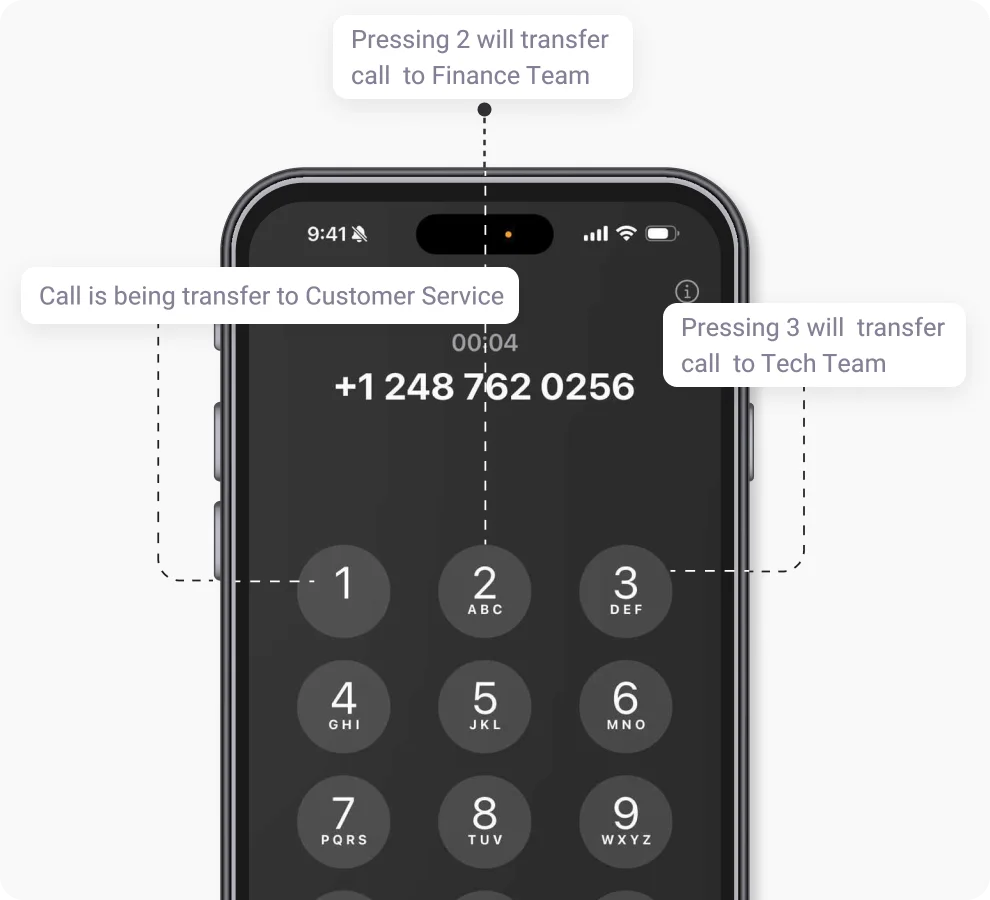
Phone Tree (IVR)
Leverage KrispCall's phone tree for efficient call routing, ensuring swift access to the right department for information.
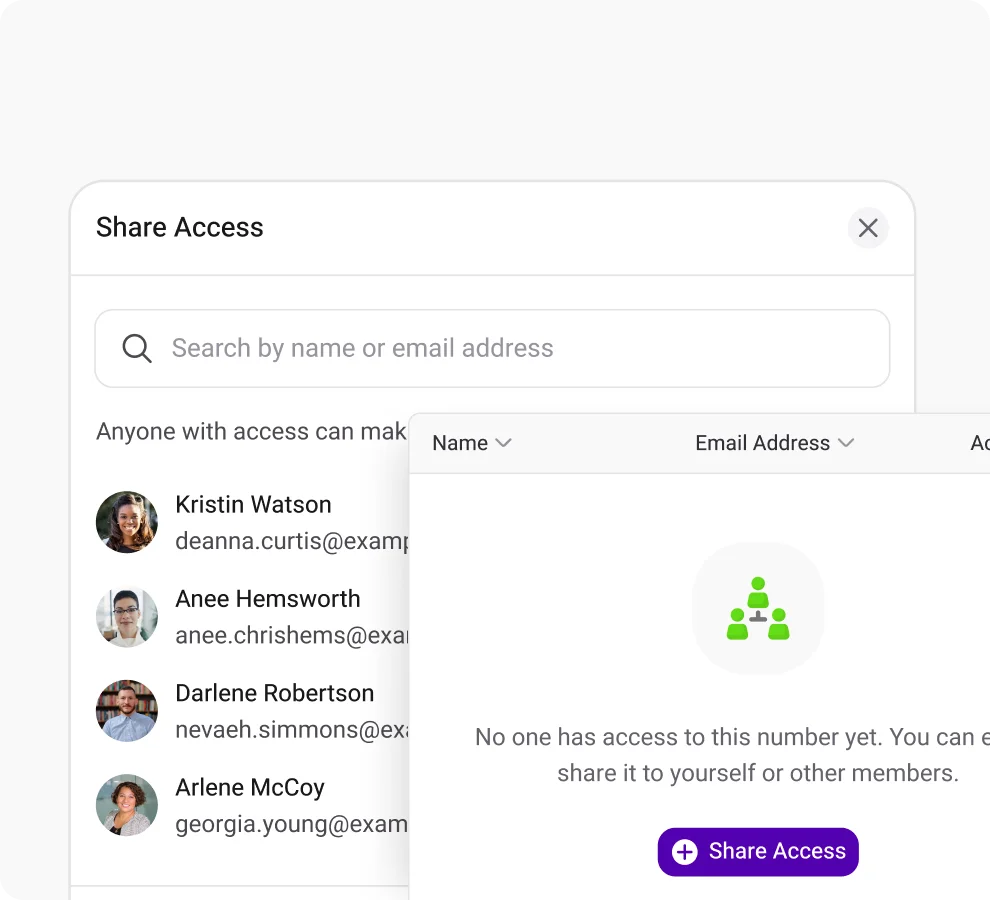
Shared Number
Boost customer response by sharing your number with your team members and eliminaing missed calls.
Frequently Asked Questions
Didn’t find the Answer you were looking for? Visit our Help Center or Contact Support
Call analytics includes call volume (total, inbound, outbound, and missed calls), call duration, voicemails, agent performance, and call trends over time. Contact center software often adds hold time, abandonment rate, and service level. In KrispCall, the Dashboard shows total, inbound, outbound, and missed calls, average call duration, and voicemails received, alongside live calls in progress.
To use call analytics in a contact center, start by tracking call volume, missed calls, and call duration, plus hold time and resolution rate where your software reports them. Review trends by date range to find peak call times and coverage gaps, compare each period against the previous one, monitor agents on live calls, and coach them as calls happen. Use those findings to adjust staffing and improve service quality.
There are three types of call analytics: historical, real-time, and predictive.
- Historical call analytics: analyzes data from past calls to show patterns in customer interactions and agent performance.
- Real-time call analytics: analyzes ongoing calls as they happen, so teams can address problems immediately.
- Predictive call analytics: uses machine learning and data analysis to forecast future call metrics and flag issues before they occur.
KrispCall provides historical analytics through its date-range Dashboard and real-time analytics through its Live Calls tab.
The key call center metrics in call analytics software are:
- Call duration: the length of a call.
- Call abandonment rate: the share of callers who hang up before reaching an agent.
- First call resolution rate: the share of issues resolved on the first call.
- Customer satisfaction score: a customer’s rating of the interaction.
- Average handle time: the average time an agent spends handling a call, including talk, hold, and follow-up work.
- First response time: the time before the first reply to a request.
KrispCall’s Dashboard reports average call duration alongside total calls, inbound calls, outbound calls, and missed calls.
The best call analytics software for a small business shows the right call metrics in one dashboard, filters data by phone number, team member, and date range, compares periods, and supports live call monitoring. KrispCall offers these: Dashboard metrics for total, inbound, outbound, and missed calls, average call duration, and voicemails, plus Live Calls with Listen, Whisper, and Barge coaching modes.
Yes. Live call analytics shows agent activity while calls are in progress, so managers can respond immediately. In KrispCall, the Live Calls tab lists each active call with the agent’s name and number, the connected number, call duration, and call type, and managers can join in Listen mode, use Whisper to guide the agent, or use Barge to speak to the customer.
To set up call analytics in your business, follow these steps:
- Define your goals, such as reducing missed calls or shortening call duration.
- Choose call analytics software that shows the metrics, filters, and live monitoring you need.
- Connect the phone numbers your team uses to the platform.
- Integrate your CRM and other systems if the software supports it.
- Set the filters and date ranges you will review, such as by number, team member, and Last 30 Days.
- Train your team, including managers on live call coaching.
- Review results on a regular schedule, compare against the previous period, and act on what you find.
