 Download KrispCall
Internal Message Threads
Internal Message Threads for Faster Team Collaboration
Reply privately to calls, text messages, MMS, missed calls, and voicemails without switching tools or losing customer context.
KrispCall’s Internal Message Thread lets team members discuss specific customer interactions inside the business phone system, helping sales and support teams share context, involve the right people, and keep internal discussions connected to the original conversation.
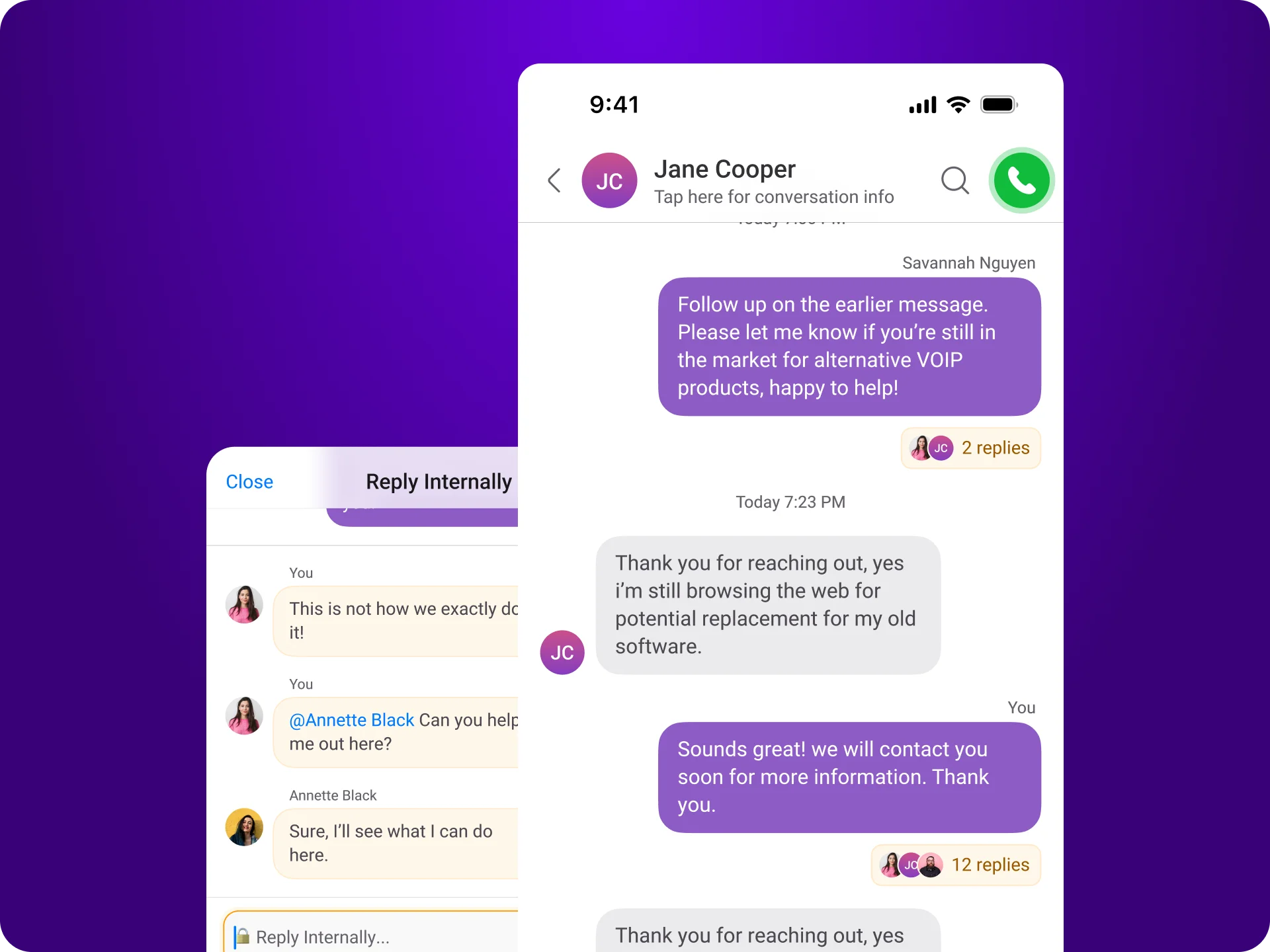
What Is an Internal Message Thread & How Does It Work?
An internal message thread is a private conversation between team members that stays connected to a specific customer interaction, such as a call, SMS, MMS, missed call, or voicemail.
In KrispCall, team members can reply internally, share customer context, and @mention colleagues without turning the internal discussion into a customer-facing message.
Internal message threads work by creating a thread of related messages around a specific interaction. Instead of starting a separate team chat, an agent can reply internally to the relevant call, message, note, or voicemail and keep the discussion connected to the original customer conversation.
For example, if a customer leaves a voicemail that requires assistance from another team member, an agent can select Reply Internally, write a message, and @mention the appropriate colleague. The resulting conversation thread keeps the original interaction and the related internal discussion together. KrispCall’s current workflow supports this Reply Internally and @mention process.
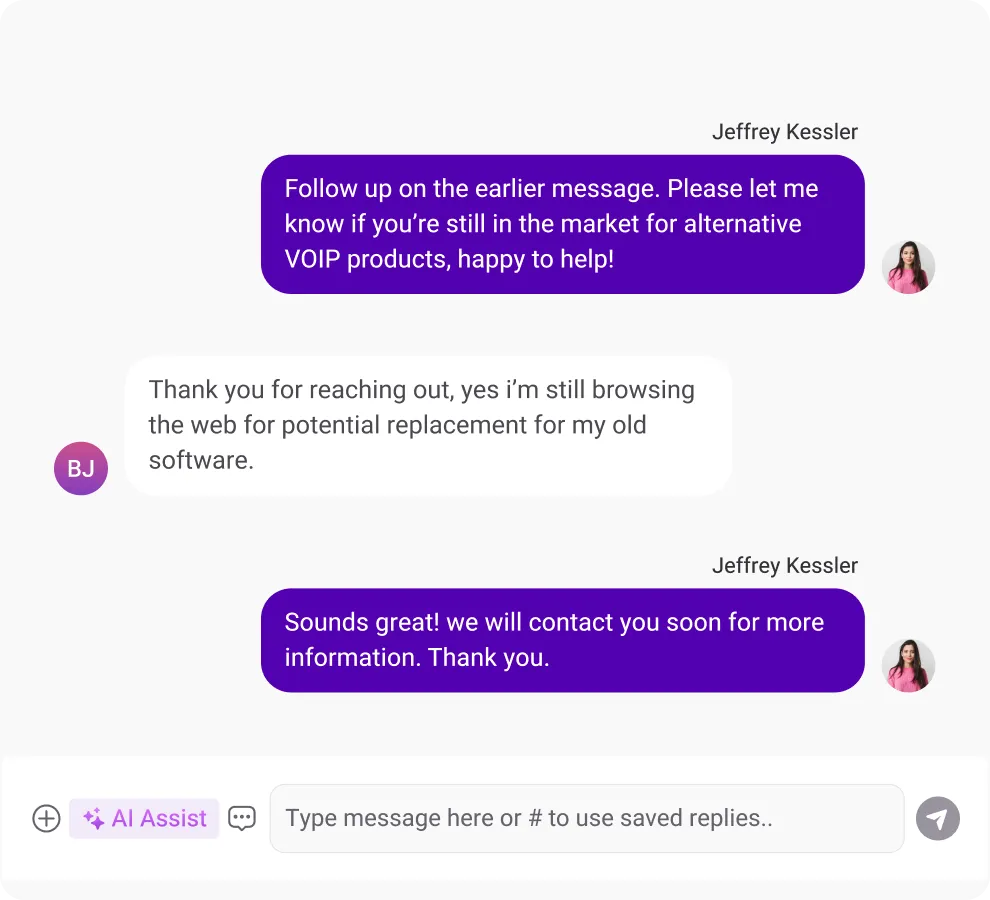
Benefits of Using Internal Message Threads for Businesses & Call Centers

Efficient and Organized Telephony
Context Sharing for Callbacks
Easy Information Retrieval
Reduced After-Call-Work
Clear Interaction Flows
Better Time Management
How Do You Create Internal Message Threads In A Conversation On KrispCall?

Log in to your KrispCall account.

Navigate to the list of numbers you’ve had interactions with and find the conversation where you want to create an internal thread.

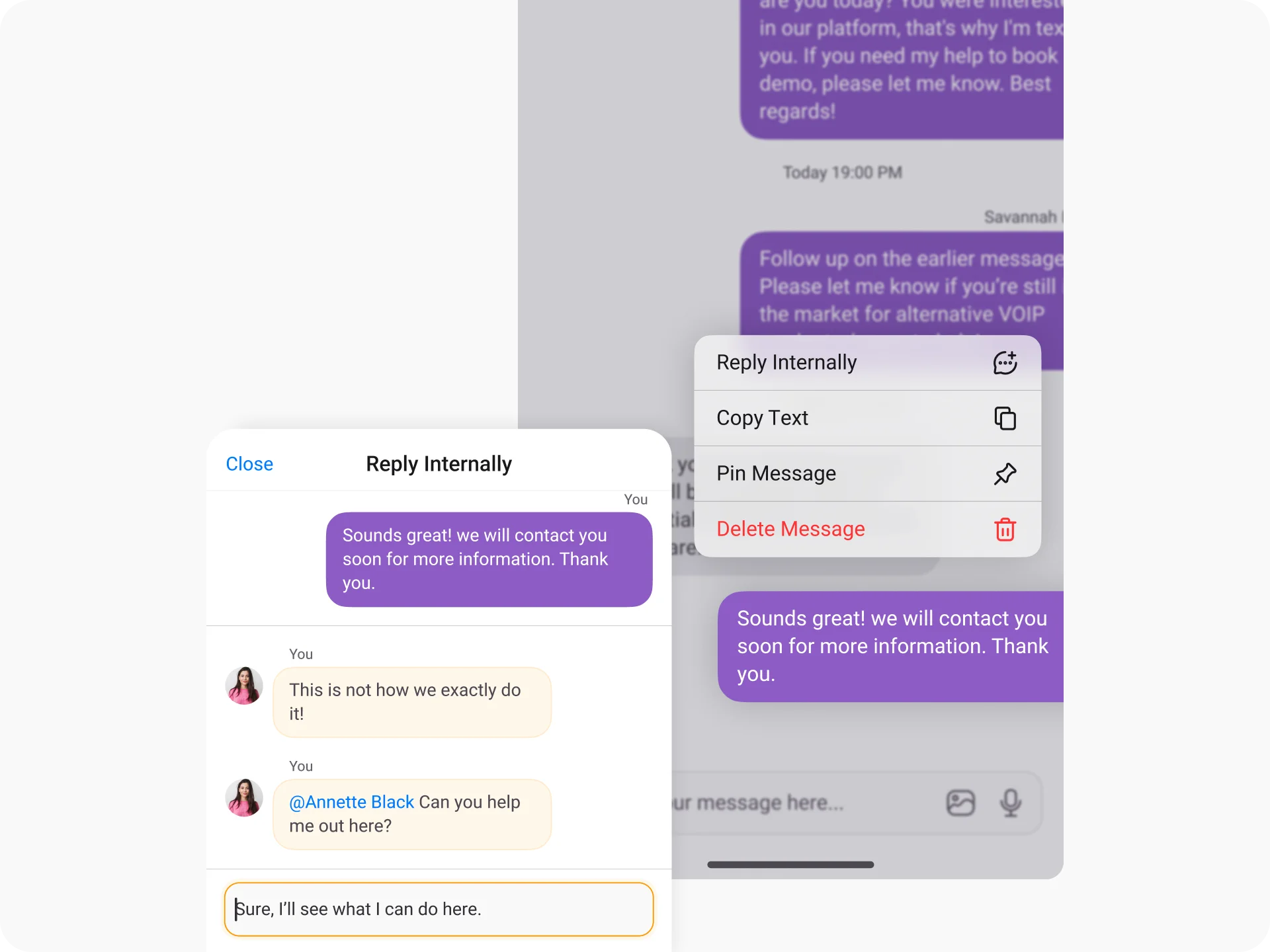
Hover over a message in the conversation, then click the ‘...’ icon.

Choose ‘Reply Internally’ from the dropdown menu. A new section will open.

Enter your reply/message or use @ to mention someone internally, then hit send.
Best Practices for Using Internal Message Threads
Start Threads With Purpose
Keep Replies Concise
Tag Only Relevant Team Members
Know When Not to Use a Thread
More Features like Internal Message Thread
Text Messages (SMS)
Ensure faster response by sending and receiving personalized text messages to and from your clients and customers.
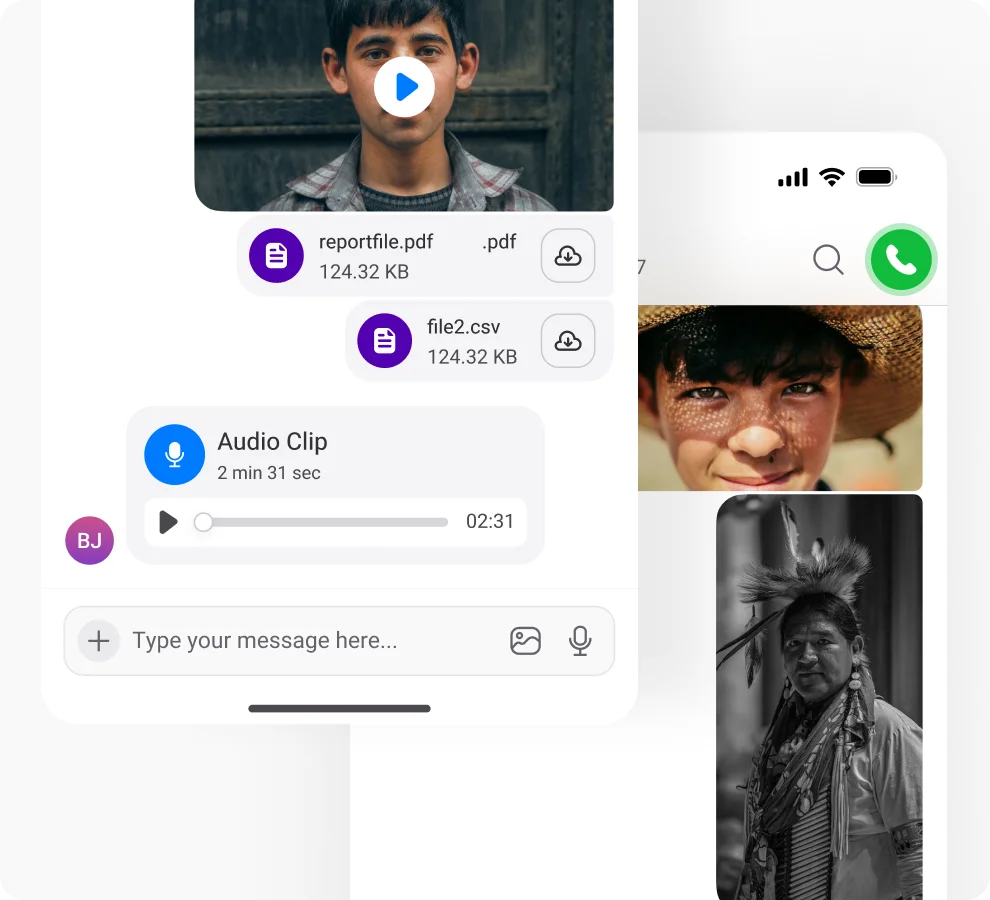
Multimedia Messaging
Engage your audience with MMS to boost brand recognition with vibrant images and compelling videos.
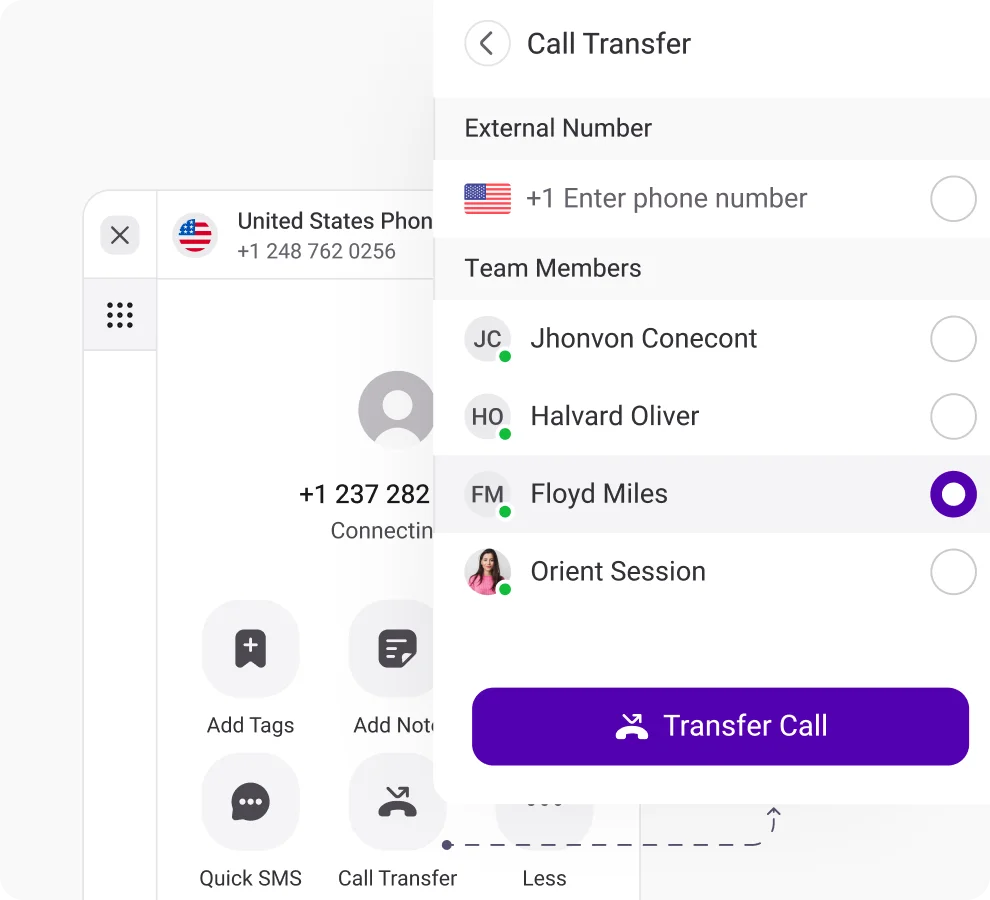
Call Transfer
Route calls instantly to expert agents, minimizing customer wait time for swift query resolution and improved customer support.
Frequently Asked Questions
Didn’t find the Answer you were looking for? Visit our Help Center or Contact Support
Message threading is a way of organizing related replies under the same message, interaction, or conversation.
Instead of displaying every response as an unrelated message, a message thread groups connected replies together. This makes it easier to understand the context, follow how the discussion developed, and return to a particular conversation later.
A message thread is a group of related messages organized around the same conversation or topic.
An internal message thread is specifically used for private discussion between members of a team. In KrispCall, internal threads can be connected to customer interactions such as calls, SMS, MMS, missed calls, and voicemails, allowing team members to discuss those interactions internally.
An internal message is a message intended for people within the organization rather than the customer.
In KrispCall, an internal message can be added as a reply to a relevant customer interaction. Team members can use these replies to share context, ask questions, or involve another colleague while keeping the discussion associated with the customer conversation.
Internal message threads are useful when team members need to discuss a customer interaction while preserving its context.
Common examples include:
- Sharing information before a callback
- Asking another agent for assistance
- Discussing a missed call or voicemail
- Coordinating customer follow-ups
- @Mentioning a supervisor or specialist
- Recording context for another team member
- Supporting cross-team handoffs
- Keeping discussions connected to the original interaction
Message threads make related conversations easier to organize and follow.
Instead of mixing different topics into one continuous team chat, threaded conversations keep replies associated with the interaction they refer to.
This helps team members review previous messages, understand decisions, identify action items, and maintain shared context across customer conversations.
The exact format of a thread message can vary depending on the platform you’re using, but here’s a general example:
Original Message:
Alice: Hi Team, we have a customer inquiry about order #5678. They’re asking about the shipping status. Can someone check and provide an update?
Thread Reply 1:
Charlie: Sure, I’ll look into it now and get back to you in a few minutes.
Thread Reply 2:
Bob: I see that order #5678 is in transit and scheduled for delivery tomorrow. I’ll inform the customer.
Follow-up Reply:
Alice: Thanks, Bob! Please update the customer and let them know we’re here to help if they have any more questions.
No. Internal messages are meant for private team discussions and are not visible to customers. They stay within the internal conversation so team members can share context, ask questions, and coordinate follow-ups without exposing those messages to the customer.
KrispCall users with access to the relevant customer conversation can use internal message threads to collaborate with teammates. Sales, support, and other customer-facing teams can use them to share context, coordinate follow-ups, and keep discussions tied to specific interactions.
Yes. You can @mention another agent in an internal message thread. Open the relevant interaction, select Reply Internally, type @ followed by the agent’s name, add your message, and send it. This helps bring the right teammate into the conversation quickly.
Internal message threads help customer support teams preserve context around customer conversations.
An agent joining a conversation can review related internal discussion before responding or making a callback. This reduces the need to ask colleagues what happened repeatedly and makes customer handoffs easier to understand.
Keeping internal collaboration attached to the original interaction can also help teams coordinate escalations and follow-up actions.
Yes, internal message threads can support sales workflows where multiple team members need context around a prospect or customer interaction.
For example, one sales representative can leave information related to a previous call or message for another team member handling the next follow-up.
This keeps the discussion closer to the customer interaction instead of separating it into an unrelated team chat.
Internal message threads can help distributed teams because customer-related discussion stays connected to the original conversation.
A remote team member can review the interaction and its related internal replies without needing a separate explanation from the person who handled the conversation earlier.
This can support smoother handoffs across different locations or working hours.
An internal message is intended for members of the business team.
An SMS is a customer-facing text message exchanged between the business and an external phone number.
In KrispCall, internal messages allow employees to discuss a customer interaction internally, while SMS is used to communicate directly with customers.
The distinction helps keep internal collaboration separate from customer-facing messaging.
A text thread is a sequence of related SMS messages exchanged within the same conversation. It keeps incoming and outgoing messages grouped so users can follow the full context of the discussion more easily.
There is no separate setup fee for the Internal Message Thread in KrispCall. The feature is available with a KrispCall subscription and does not require an additional configuration charge.
KrispCall for Multiple Platforms
Stay connected no matter where you are. KrispCall is your constant companion, available on iOS, Android, as a WebApp, and Google Chrome Extension.


