If you are still relying on physical telephone lines, it’s time to switch to advanced options such as softphone systems. But what is a softphone, and how does it work?
Well, softphones are software applications that run over VoIP technology to handle calls and messages without the need for physical hardware extensions. In fact, industry studies show that over 60% of enterprises are implementing softphone solutions as a part of their unified communication strategy.
This blog will help you gain a better understanding of softphones, including how they work, their features, benefits, and the top 5 reliable providers.
✨ Key Takeaways
- Softphones are software applications that use VoIP technology to handle calls and SMS over the internet without relying on physical wires.
- The must-have features for softphones include presence indicators, shared contacts, call forwarding, voicemail, call recording, call transfer, and more.
- Many businesses switch from desk phones to softphones for better cost, flexibility, ease of onboarding, real-time analytics, and scalability options.
- The well-known providers for softphone apps are KrispCall, 3CX, Bria SOLO, Dialpad, and Zoiper.
What is a softphone?
A softphone, or software phone, is a digital version of a traditional telephone, runs as a software application on a computer, tablet, or smartphone instead of relying on physical phone wires. It allows you to make calls and send text messages over the Internet protocol using VoIP technology.
You can just turn on your computer or mobile device and start to make calls without external hardware or setup. This way, teams can attend work calls from anywhere to keep the client interaction timely and updated.

Softphones are not limited to basic calling functions. It provides advanced features like call analytics, call recording, instant text messaging, and even integration with CRM (customer relationship management) and other business tools. It is available in several convenient formats to suit different organizational needs and user preferences:
- Desktop softphones: Software installed directly on a desktop or laptop computer.
- Mobile softphones: Apps designed for smartphones and tablets.
- Browser-based softphones: Accessible through a web browser without the need for any software installation.
How does a softphone work?
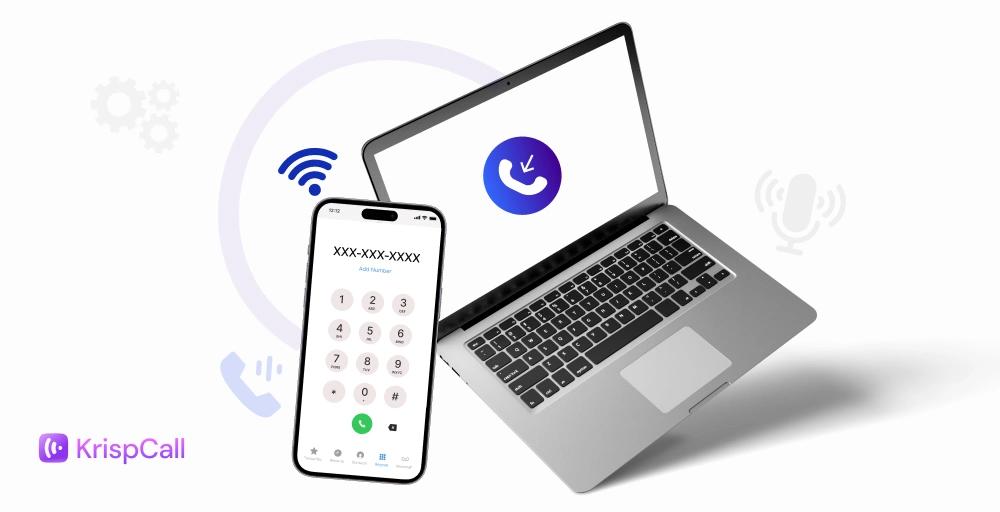
A softphone technology works by utilizing VoIP (Voice over Internet Protocol) technology to transmit voice data over the internet connection. A softphone allows users to make and receive calls and video calls over the Internet using any device.
Here’s how it works:
1. Setup and registration
First, download the app from your VoIP provider (like KrispCall) onto your computer, tablet, or smartphone and log in to your account. The softphone system then registers your details and links your device to the cloud system.
2. Initiating the call
Once set up and registration is completed, open the app, dial a number, or click on your contacts. The softphone then uses SIP to send a “invite” message to the provider’s server: “Connect me to this number.” The server checks if it’s a softphone-to-softphone call (direct over the internet) or a call to a landline (converted via gateways) and then connects the call.
3. Voice (and media) Transmission
Now, when you speak (e.g., “Hello!”), Multiple things happen at once.
- Your mic turns these sound waves into digital bits.
- A codec compresses them into packets.
- Then, RTP (Real-time Transport Protocol) sends them over the Internet.
At the other end, their softphone reassembles the packets and plays them through speakers. It’s two-way: their voice travels back the same way. For video or chat, SIP bundles it all into one session.
4. Managing the call
While talking, SIP (Session Initiation Protocol) handles tasks such as putting someone on hold (pausing RTP packets), transferring (rerouting the session), or adding a third person to a conference. Features like call forwarding or call on hold are used when you are busy, and the cloud server logs everything for later review, such as transcripts or analytics.
5. Ending the call
When you hang up, SIP sends a “bye” signal to close the session cleanly. Packets stop flowing, and if voicemail was needed, it’s recorded in the cloud for easy access (e.g., as an email with audio or text). For a high-quality call, a stable internet connection (at least 100 Kbps per call) is required.
What does a softphone look like?
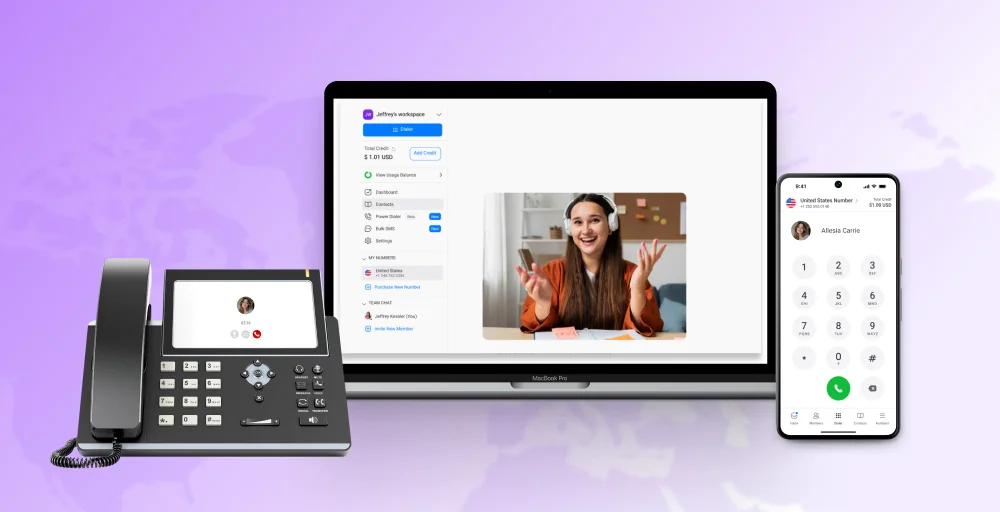
A softphone is a technology that resembles a software application on a computer or smartphone. It typically mimics a traditional phone’s dial pad, call history, contacts, microphone, speaker, and hold buttons. It digitally replicates the functionality of a desk phone but exists as an application rather than a hardware device.
Users find softphones easy to use as they can be embedded/installed in their existing devices without further hardware complications.
Key features of a softphone
Here are some essential features to consider in a softphone before selecting the one that best suits your business needs.
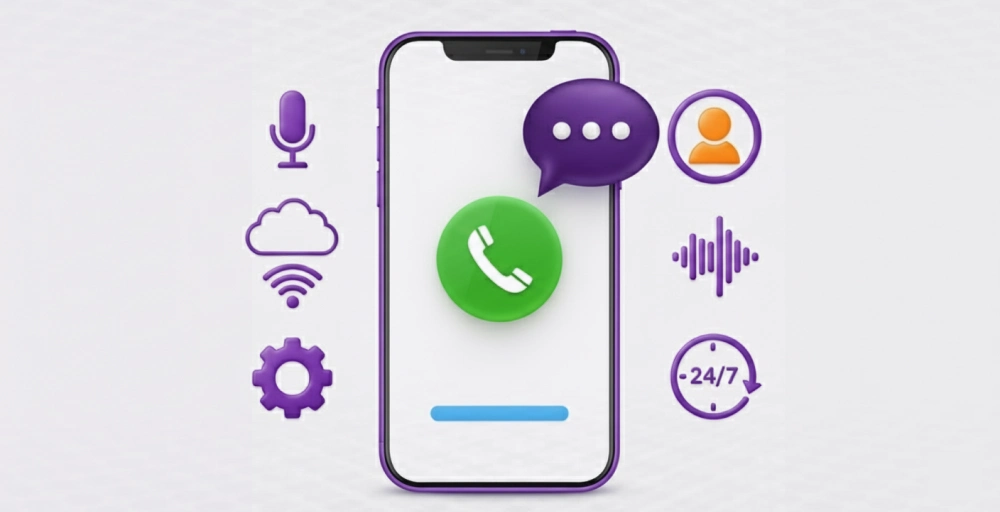
- Computer Telephony Integration (CTI): CTI features for a softphone allow users to manage calls and customer interactions directly from their computer, integrating telephone functions with computer applications. (Example: screen pops that display customer data upon an incoming call, click-to-dial functionality to initiate calls, etc.)
- Presence indicators: This feature helps softphones display the real-time availability of each member (e.g., available, busy, away, on a call). It allows colleagues to see who is available for a call and who is busy taking calls. For further simplicity, it provides simple icons (green for available, red for busy).
- Shared contacts: Softphone apps allow you to share a centralized directory with all your team members and retrieve information from various sources, like CRMs or the cloud. Each employee can find contact details of clients, and users can manage their personal contacts within the softphone application.
- Contact lists and directories: Soft phone apps provide access to a shared company directory, allowing everyone to stay updated with contact information and conversation details, boosting overall business productivity.
- Call forwarding: Call forwarding is a feature that redirects incoming calls to another number and can be activated through phone settings or by dialing specific codes.
- Voicemail: The Voicemail feature allows you to leave a voice note when calls go unanswered. Hence, the person at the other end can retrieve that voice message and respond at their convenience.
- Call recording: The call recording feature of softphones allows you to record your entire conversation during a call, enabling you to listen to it and retrieve the necessary information for your next interaction.
- Video calling and conferencing: These features allow you to interact with other end users by calling them with FaceTime. This way, you can maintain better engagement and convert active leads quickly.
- Call transfer: Call transfer allows you to transfer your ongoing call to another user or expert who can better address the client’s query. It is usually carried out by directing a call to the correct department or authority.
- Instant messaging and team messaging: Instant messaging or the Bulk SMS feature allows you to send identical text messages instantly to multiple recipients simultaneously. This can be done to instantly inform or update a large number of people at the same time.
Softphone vs. Traditional Desk Phone
Here is a quick comparison between a softphone and a traditional desk phone.
| Feature | Softphone | Traditional Desk Phone |
| Technology | Software-based application that works over the internet (VoIP). | A hardware device connected via telephone lines or PBX systems. |
| Setup & Installation | Quick and easy setup. Simply install the app and log in. No wiring needed. | This setup requires physical hardware, cabling, and PBX configuration. |
| Cost | Lower upfront and maintenance costs; often pay-as-you-go. | Higher initial investment in equipment and ongoing maintenance costs. |
| Mobility | Can be used on laptops, smartphones, or tablets from anywhere with internet. | Limited to office desks; cannot be used remotely. |
| Scalability | Easily scalable. You can add or remove users in minutes. | Scaling requires new hardware and physical installation. |
| Flexibility | Ideal for remote and hybrid teams; works across multiple devices. | It is fixed to one location and one device. |
| Features | The system offers advanced features like call recording, CRM integration, analytics, and voicemail-to-email. | Offers only basic calling and voicemail features. |
| Maintenance | Cloud-hosted and automatically updated by the service provider. | Requires manual maintenance and hardware replacement. |
| Call Quality | The performance depends on the internet connection, but it can be enhanced with VoIP optimization. | Generally stable if landline quality is good, but it lacks modern enhancements. |
| Collaboration | This system enables instant messaging, video conferencing, file sharing, and unified communications. | Only supports voice calls and not the collaboration tools. |
| Analytics & Reporting | Real-time call tracking and performance reports are available. | No built-in analytics, so manual tracking is needed. |
| Device Requirement | Works with any internet-enabled device using a headset or mic. | Requires a physical telephone device. |
| Environment Impact | More eco-friendly, no plastic hardware or wiring waste. | Generates e-waste due to physical components. |
Why businesses are switching from desk phones to softphones
Most businesses are switching from desk phones to softphone software applications. Here are a few major reasons behind the switch:
1. Reduced communication costs
Switching from traditional desk phones to softphones allows businesses to reduce costs significantly. It eliminates the expenses of bulky telephone line wires. Also, softphones offer a pay-as-you-go model, which you only pay for the resources that you use.
These softphones don’t require maintenance charges, which further makes them efficient for businesses and clients to scale up while keeping the interactions smooth easily.
2. Flexibility for remote and hybrid teams
Remote and hybrid teams no longer need to be tied to a specific location. They can make and receive calls from anywhere, as softphone apps run on laptops, smartphones, and tablets, providing the flexibility to stay connected from the office, home, or any location with an internet connection.
Users can easily switch between devices and share insights, allowing them to stay up-to-date with their active leads 24/7.
3. Unified communications in one platform
Softphones easily integrate voice calls, messaging, voicemail, call forwarding, and even CRM tools into a single unified platform. This eliminates the burden of managing multiple tabs simultaneously and provides a single dashboard to handle all the interactions efficiently.
It improves team coordination by making every detail of each interaction available to each team member from a single unified dashboard. This makes every customer conversation consistent and accessible.
4. Easy setup and quick onboarding
Unlike traditional deskphones that require hardware installation and wiring, softphones can be easily deployed and installed on the user’s system. Businesses can get started with just a few clicks, and new users can be onboarded quickly through cloud-based accounts. This saves time and reduces dependency on IT teams.
5. Improved collaboration and mobility
Unlike traditional desk phones that were attached to a single physical location, softphones come as a software application that promotes mobility and portability with your existing device.
It enhances team collaboration by allowing users to share call notes, transfer calls, and manage customer interactions in real time. Its mobile compatibility feature ensures that teams can work effectively from anywhere, leading to faster responses, better office communications, and higher customer satisfaction.
6. Real-time call analytics and tracking
Softphones come with a built-in call analytics feature that businesses can use to track call performance, duration, frequency, and quality in real time.
Managers can use this data to monitor agent productivity, identify call trends, and make data-driven decisions to improve overall work performance. These records further help to predict and improve customer support in the long run.
7. Scalability for growing businesses
Softphone systems are software applications that facilitate updates and maintenance in a timely manner. And since it is hosted on cloud platforms, it can easily be scaled up or down based on the business demand.
Also, it allows IT teams to adapt to organizational changes without hardware delays and can be quickly configured.
Top 5 softphone apps for business use
Here are the top 5 softphone providers that provide softphone apps for all business types:
1. KrispCall
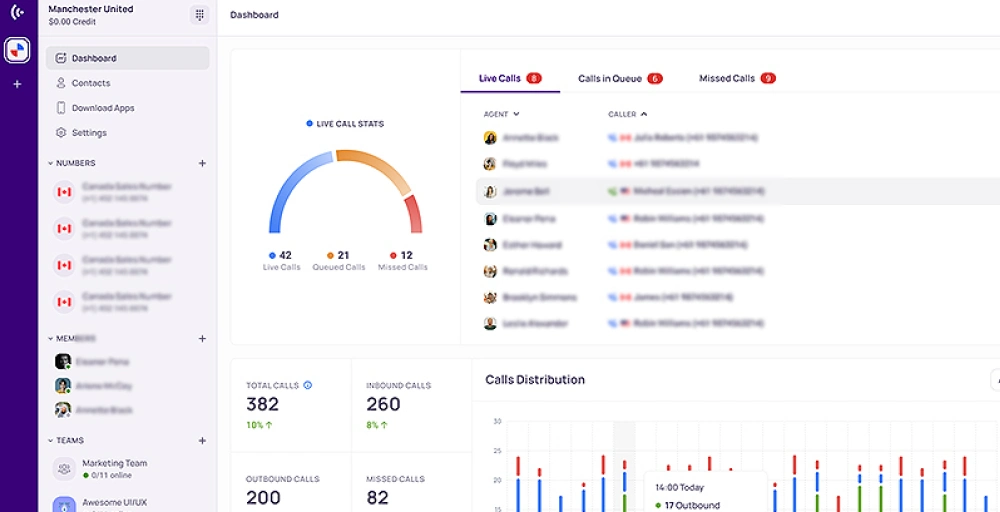
KrispCall is a cloud telephony solution offering a VoIP softphone that lets you interact across all your devices at any time, anywhere. It’s easy to set up and is packed with advanced AI features that make it perfect for both office and remote teams.
You can simply download the app, configure the settings, and optimize it as per your preferences. KrispCall’s softphone app easily syncs with your existing CRMs and helps you handle calls from customers and businesses at their preferred country number.
Features
- Audio compression and data transmission
- Receive calls anywhere
- Call Forwarding
- Custom greetings
- Voicemail management
- Power dialer
- Bulk SMS messaging
2. 3CX
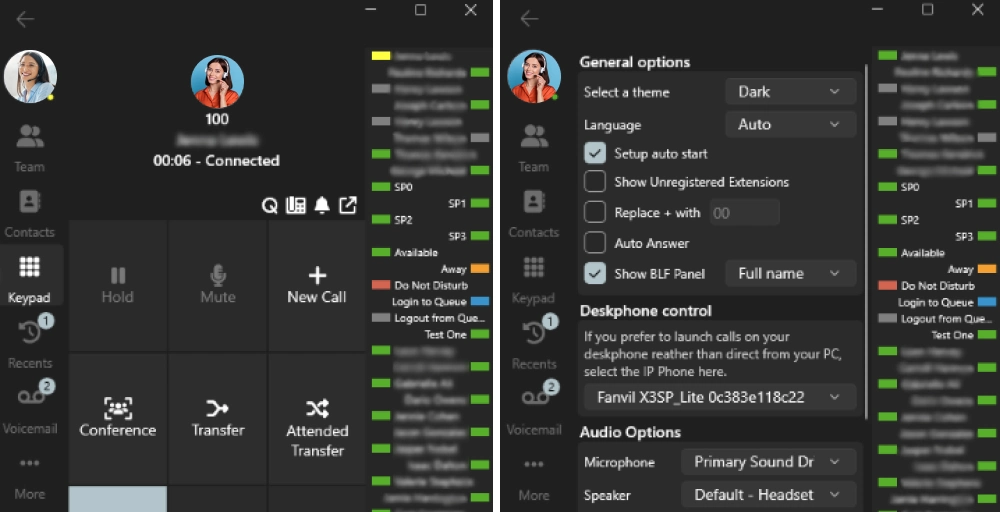
3CX is a software-based PBX system that can be self-hosted on-premises or deployed in the cloud. It provides softphone apps and web clients for making and receiving VoIP calls once connected to a supported SIP/VoIP provider.
The 3CX softphone application is available on desktops, smartphones, and other devices, making it easy for remote and hybrid teams to communicate. Additionally, it eliminates the need for landlines, so you can simply install the application on your device and complete the setup.
Features
- CRM integration
- Live Chats
- Voicemail transcription
- Call analytics
- Call queues
3. Bria Solo
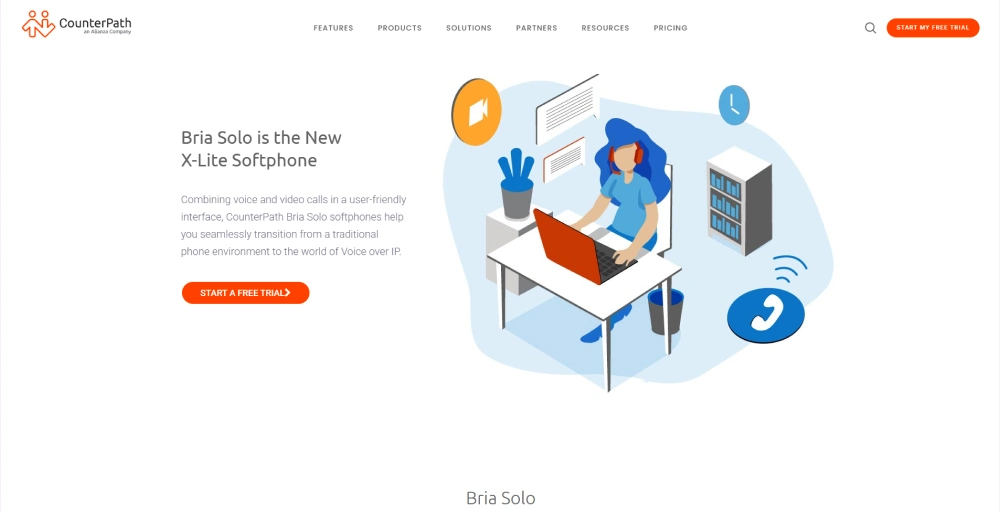
Bria Solo is a cloud-based softphone provider that provides desktop and mobile applications to facilitate phone call features. It can easily integrate contacts from various sources and manage calls from one interactive interface.
It is a secure and reliable application that integrates with your existing PBX system infrastructure and provides phone line access from anywhere.
Features
- Call transfer
- Click to dial
- Auto Answer
- Call recording
- Call Hold
4. Dialpad
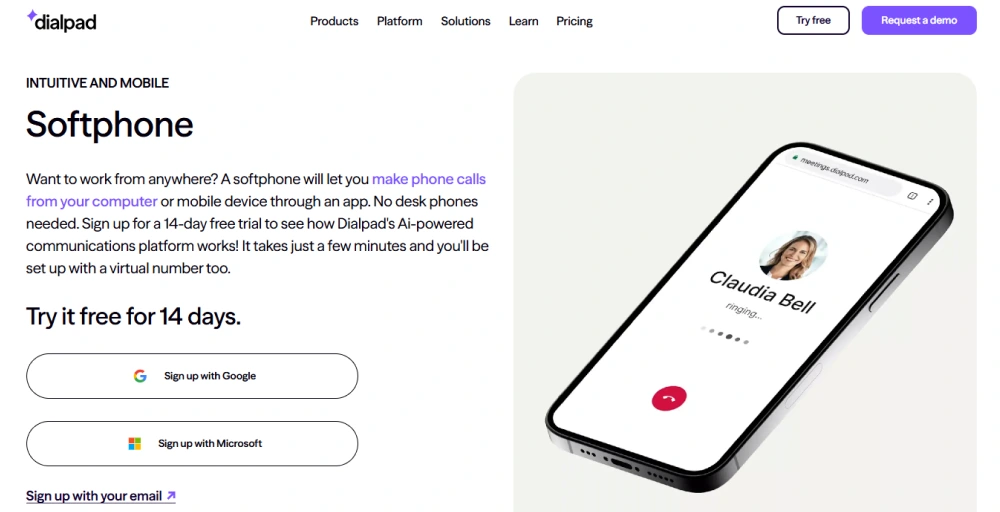
DialPad is an AI-powered communication platform that also offers softphone applications, allowing you to make calls from your computer, smartphone, or tablet. It usually comes with a wide range of additional VoIP features.
It is a cost-efficient solution available to any location, eliminating the need to carry physical hardware systems like desk phones and traditional PBX systems.
Features
- Auto attendant
- Call barging
- Call notes
- Conversational AI
- Do Not Disturb (DND)
5. Zoiper
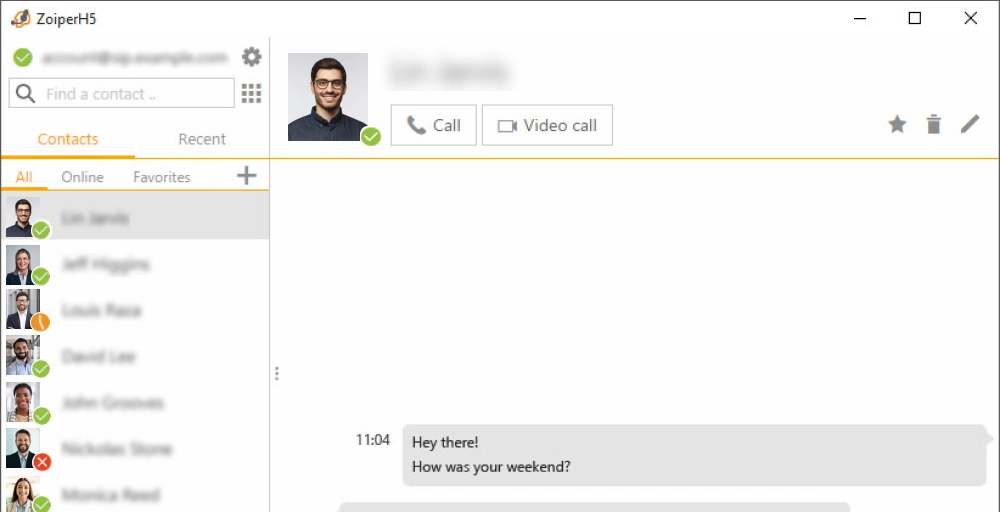
Zoiper provides a reliable and battery-friendly VoIP softphone for business that lets you make high-quality voice calls over wifi or other networks. It is a free softphone that can be used to make VoIP calls through your existing PBX or SIP provider. It is available on iPHone, Android, and Windows.
It transcribes all your call recordings and provides an automated summary with titles and essential insights.
Features
- Call forwarding
- Call recording
- Voice mail
- Noise reduction
- Multilanguage support
Experience the power of softphones with KrispCall
If you are looking for a desk phone or softphone, your priority should be finding the right provider to support you. Calculate the number of phone lines or numbers your business may need and ensure your provider is prepared to assist with future-based scaling and porting support.
KrispCall offers you a softphone that you can install on your device to start making calls, along with purchasing a virtual number according to your business requirements. The number can be international, local, vanity, toll-free, or mobile.
Register today to unlock the maximum potential of softphone features in your business and boost your overall productivity.