If you are looking for uninterrupted interaction for your business without relying on traditional phone systems, IP PBX is your ideal solution.
So, what is IP PBX? Well, for instance, it is an IP telephony solution that routes and switches your call over the internet with the help of a VoIP server. It is a smarter way to manage the business calls, eliminating the bulky phone lines.
In this guide, we will break down what IP PBX is, how it works, its types, benefits, and why it’s worth considering today.
✨ Key Takeaways
- The IP PBX is a modern phone system that uses Internet Protocol to route calls.
- An IP PBX works by converting your voice into digital data packets that travel over an internet connection, using the Session Initiation Protocol (SIP) to manage calls.
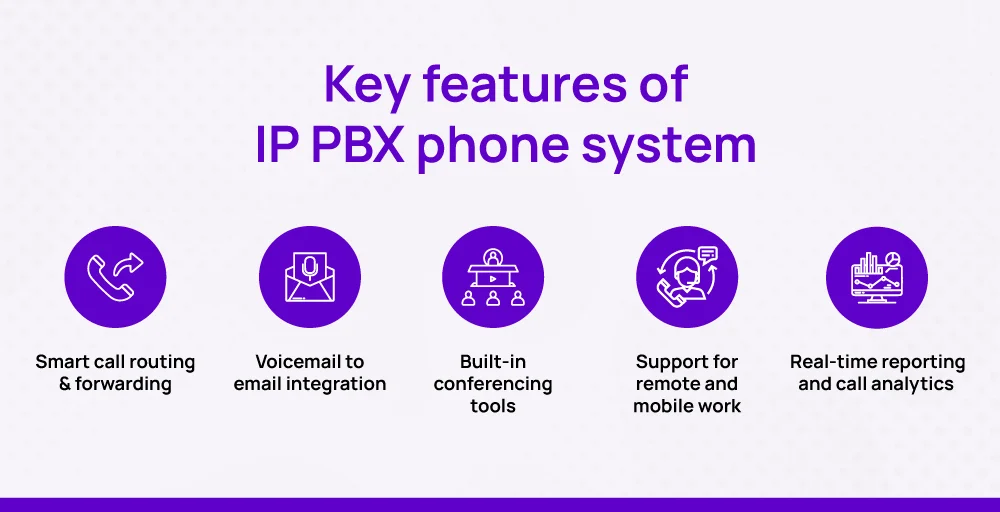
- Key features of the IP PBX phone system are smart call routing & forwarding, voicemail to email integration, built-in conferencing tools, and others.
What is IP PBX?
IP PBX is a phone system that uses the universal protocol to manage the routing and switching of calls over the Internet. Its major focus is to route and switch the call between the user and the telephone network. It is also referred to as a VoIP phone system.
- IP, short for Internet Protocol, is a set of rules that are followed for communication over the Internet.
- PBX, short for Private Branch Exchange, is a telephony solution within an enterprise that deals with switching calls between traditional telephone users on the local line while allowing all other users to share a certain number of external phone lines.
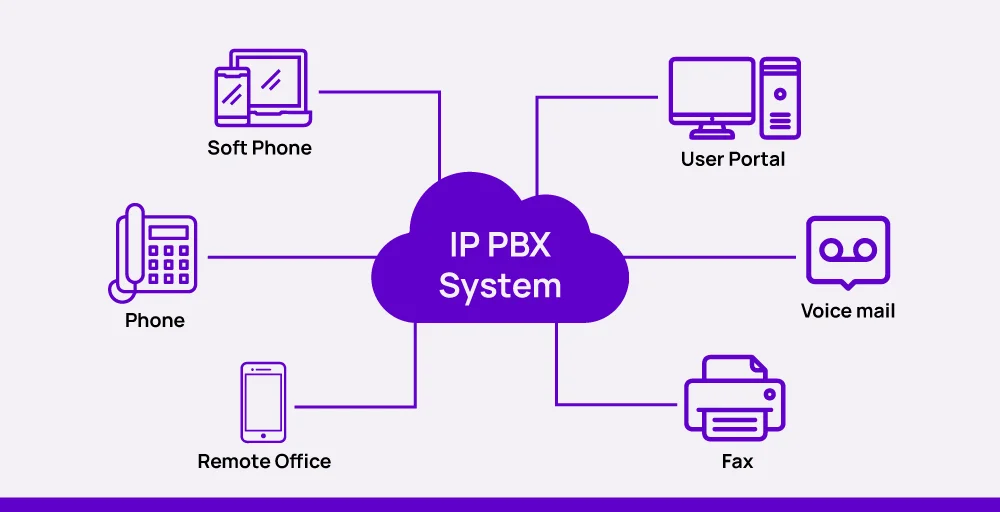
Together, IP PBX forms a powerful communication hub that connects internal calls while routing external calls through the internet access. It uses the internet to route and manage calls with precision.
The components of an IP PBX system consist of an IP PBX server, VoIP endpoints (such as SIP phones), and optionally, a VoIP gateway. The server manages call routing, features like voicemail, and connections to the outside world, while endpoints register with the server to make and receive calls.
What makes it unique is its way of processing, as it uses a desk phone to cover its network area and internet connection for the outgoing and incoming calls across its coverage area.
You can even configure a PBX with an open-source solution; you must have knowledge of Linux, call routing, and be comfortable handling Asterisk-based PBX servers.
How does IP PBX work?
An IP PBX works on a mechanism where your voice is converted into digital packets and sent over the internet. Whenever someone makes a call, the system instantly converts analog voice signals into digital data, which is further transmitted using VoIP (Voice over Internet Protocol) technology.
This not only enables smooth internal communication between extensions but also connects with external numbers through the internet, reducing reliance on outdated phone infrastructure.
PBX relies on SIP (Session Initiation Protocol) to set up and manage every call. Here, SIP trunking links your IP PBX system to a VoIP service provider so that multiple calls can happen simultaneously.
After the connection, the IP PBX automatically decides whether a call should remain internal (like team-to-team) or go outside to the Public Switched Telephone Network (PSTN gateway).
All of this happens in real-time with the help of VoIP codecs (responsible for compressing and decompressing your voice during transmission) so conversations remain clear and uninterrupted. As a result, you can initiate and manage calls, check voicemails, or transfer calls smoothly through your internet connection.
🔥 In short: Phone > IP PBX > SIP Trunk > VoIP Provider > Public Switched Telephone Network
Types of IP PBX systems
Before selecting one, you must be aware of the available options and the various types of IP-based PBXs. There are usually three main types, each designed to fit separate networks’ needs, budgets, and technical preferences.
Let’s dig in one by one.
1. On-premises IP PBX
An on-premise IP PBX is usually the physical one that is located in the same building with a limited coverage area. It utilizes existing infrastructures, such as your server, routers, and desk phones.
It is physically installed at your business location and runs on your hardware, like servers, routers, and cell phones. It gives you complete control over data, security, and customizations. It offers reliability and full ownership with upfront investment and ongoing maintenance by IT professionals.
2. Cloud-based IP PBX
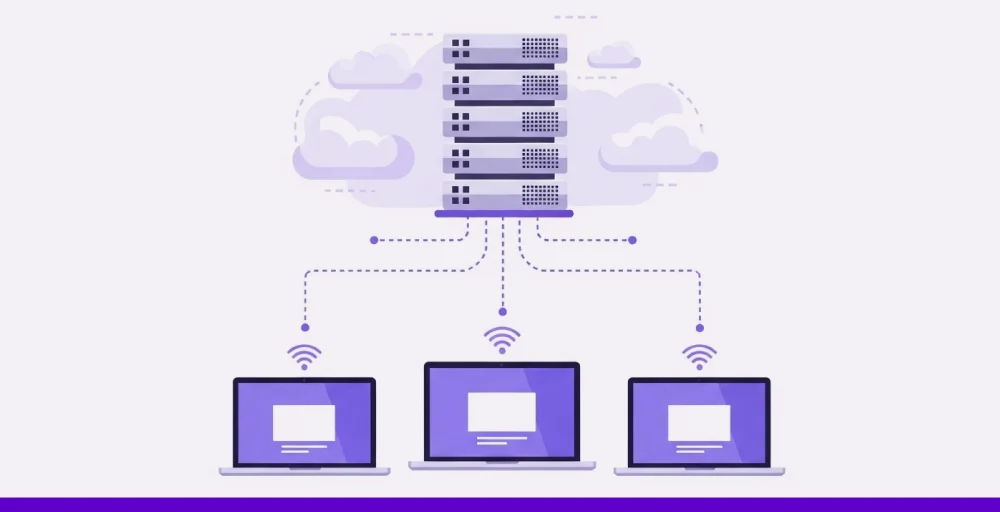
Cloud-based IP PBX is also referred to as a hosted PBX or virtual PBX solution. It runs over the internet, eliminating the need for physical phone wiring. It is ideal for businesses that seek scalability, quick setup, and remote access. With a cloud PBX, you pay a monthly fee and gain access to features such as call routing, voicemail, and integrations.
3. Hybrid IP PBX
It is the combination of both on-premise and cloud-based IP PBX. Here, you can keep your on-site infrastructure while connecting it with cloud-based VoIP services. It is high in demand as it allows businesses to maintain control over critical systems while still enjoying modern cloud features like remote calling, CRM integrations, and disaster recovery support.
Key features of IP PBX phone system
Here are five standout features that make IP PBX phone system a smart choice for today’s agile businesses:
1. Smart call routing & forwarding
IP PBX gives you total control over how calls flow through your organization. You can set rules to route calls based on business hours, user availability, department, or even caller ID.
2. Voicemail to email integration
With this feature, voicemail messages are converted into audio files or transcriptions and sent straight to your inbox. This allows employees to respond faster. It boosts the responsiveness and makes sure no instant messaging gets lost in the shuffle.
3. Built-in conferencing tools
IP PBX systems make multi-party conference calls simpler with no third-party apps needed. You can host voice conferences instantly, keeping communication smooth and spontaneous.
4. Support for remote and mobile work
IP PBX is safer when it comes to remote work. It supports communication effectively regardless of the physical location.
5. Real-time reporting and call analytics
Track call volumes, durations, missed calls, agent activity, and more in one place. IP PBX systems come with built-in dashboards and reports to help managers monitor performance, identify bottlenecks, and make smarter decisions backed by real communication data.
Benefits of IP PBX systems
IP PBX benefits the modern business solution in many ways:
- Cost saving: IP-based PBX saves a considerable amount as it uses the existing PBX. Even the long-distance outbound calls are at affordable rates compared to analog phone systems.
- Increased flexibility: It allows easy scaling of more phone lines while supporting remote IP extensions to make connections stronger.
- Enhanced communication: The communication becomes easier with features like visual voicemail and video conferencing. It also provides insights into customer interaction for better results.
- Improved productivity: Its integration with CRM tools helps employees to access the information faster, and hence, it boosts the workflow with maximum productivity.
- Cloud reliability: With the increase in the global cloud market, IP PBX offers high reliability and security with easy management.
How to set up an IP PBX system?
Follow these steps to easily set up an IP PBX system for business processes:
1. Identify your communication needs
Start with a clear mindset. Identify your business needs and determine the type of setup that best suits your requirements. On the basis of which our feature wishlist will determine the ideal setup for your business.
2. Choose the right IP PBX type
Pick your deployment model that matches your budget, IT resources, and long-term goals. You have options like cloud-based (easy to scale, minimal hardware), on-premise (more control, but requires in-house maintenance), and hybrid (combines the best of both ).
Make sure your PBX can support IP stations (phones) and IP trunks (service).
3. Gather necessary hardware and software
Select the right tools, IP phones or softphones, VoIP gateways (if you need analog compatibility), switches, routers, and a server (for on-premise systems), and conventional PBX software.
4. Set up your network
Make sure you have a stable internet connection. Configure Quality of Service (QoS) to prioritize voice traffic. You need to open SIP and RTP ports in your firewall, and finally test bandwidth to prevent jitter or lag during calls.
5. Install the IP PBX software
If you choose a cloud-based system, you’ll typically access a setup dashboard online. Follow your telephone company’s installation or onboarding steps to connect SIP trunks and start configuring.
6. Configure users, extensions & call routing
Set up extensions and separate phone lines for each user and SIP trunks to connect with VoIP providers. Then, define call routing rules (IVR menus, call groups, forwarding) and features like voicemail, call recording, and call queues.
7. Connect and register devices
Plug in your IP phones or set up softphones/mobile apps. You can use the SIP credentials provided during configuration to register each device. Some systems support auto-provisioning for plug-and-play convenience.
8. Test the system
Run test calls to check voice clarity, voicemail delivery, and call routing. Fix any issues now to avoid disruption so that everything works smoothly when the system goes live.
9. Train your team
Give your team a quick walkthrough of how to place calls, access voicemail, and use basic features like how to place calls, check voicemails (voice messaging), transfer calls, and use softphones or mobile device apps. A little training can help avoid confusion later.
10. Maintain and monitor regularly
Keep your system updated and monitor call quality for issues like jitter or lag. Use built-in tools to track performance and ensure smooth, secure communication. Use reporting tools to track usage and performance.
IP PBX vs VoIP: What’s the difference?
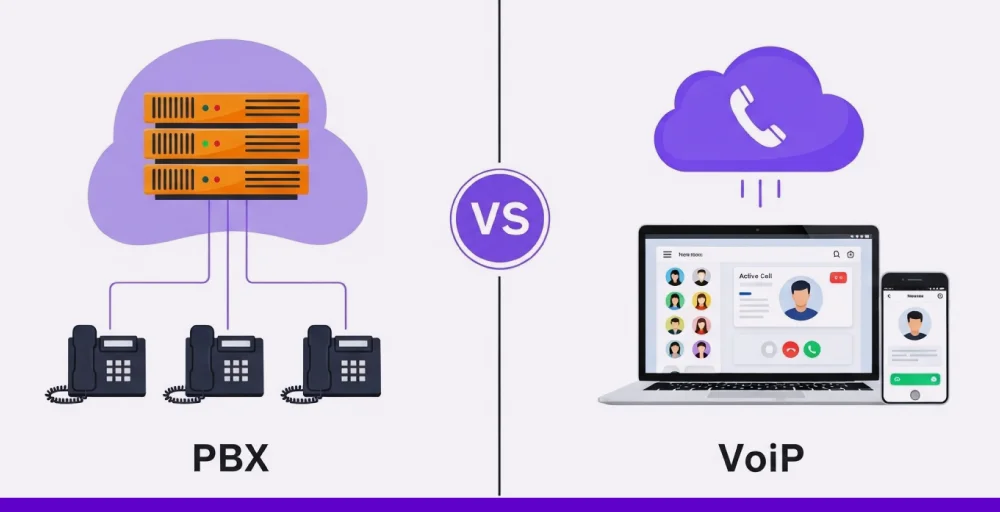
While both IP PBX and VoIP involve internet-based calling, they’re not identical. Let’s find out their differences.
| Functions | IP PBX | VoIP |
| Definition | A system that manages internal call routing and connects VoIP calls to external networks | The core technology that allows voice communication over the internet |
| Setup | Requires setup of software/hardware (on-premise or cloud-based) | Can be used with or without an IP PBX system |
| Call Management | Offers advanced call management (extensions, IVR, call queues) | Focuses on enabling voice channels via the internet |
| Usage Environment | Typically used in business environments for structured communication | Used by both individuals and businesses (e.g., KrispCall, WhatsApp) |
| Control | Gives you full control over how calls are handled and routed | Offers flexibility but limited internal call control unless integrated with a PBX |
| Dependency | Can function with multiple VoIP providers | It is a technology that doesn’t require a PBX |
| Complexity | Often involves more setup and configuration | Easier to get started with minimal setup needed |
Limitations of IP PBX phone system
Although IP PBX is a great choice for business, it also has some limitations:
- Internet-dependent: IP connectivity is highly dependent on the internet, which makes it vulnerable to issues such as jitter, packet loss, and downtime.
- Security concerns: With the increasing reliance on the Internet, there are security issues such as attacks or threats. If not handled carefully by the trusted provider, the business might have to suffer issues like data breaches or data theft.
- Initial setup cost: Although it utilizes the existing PBX, the initial setup requires capital to make the system run smoothly.
- Requires technical expertise: If the team lacks in-house technical expertise, hiring one can add to the cost and time.
The best Options for IP PBX: KrispCall
If you are willing to set up an IP PBX system without diving into complex hardware or heavy maintenance, KrispCall’s IP PBX solution is one of the smartest choices out there.
With KrispCall, everything runs in the cloud. That means you get a full-featured IP PBX setup that is easy to scale, manage, and access from anywhere. You don’t need an IT team to keep it running. If you think why KrispCall is a better choice for:
- It has a quick setup with zero hardware requirements.
- Supports virtual phone numbers in 100+ countries.
- Includes advanced phone features like call forwarding, IVR (interactive voice response), call recording, voicemail, and call center analytics.
- Has a user-friendly dashboard for managing teams, users, and call flows.
- Maintains eligible call quality and 24/7 support, so your new business phone system stays connected
- Advanced features built into mobile and desktop apps to handle calls from anywhere.
If you’re looking to appear more professional or a growing business ready to scale globally, KrispCall’s hosted IP PBX system provides the control and flexibility you need.