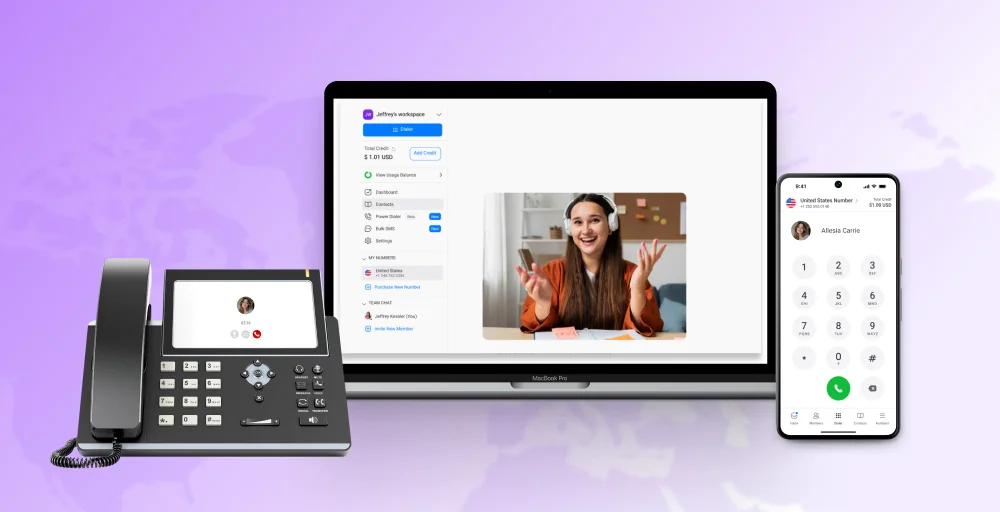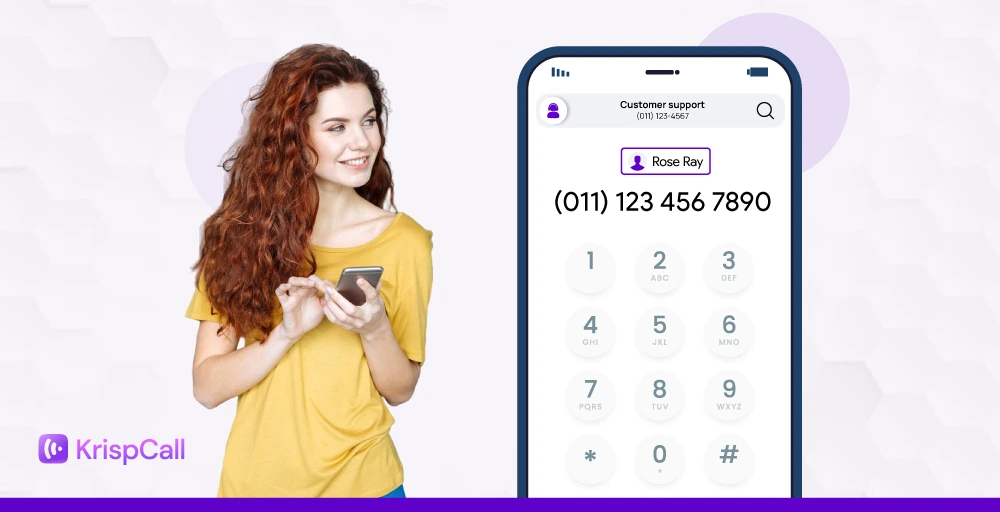
VoIP is taking over business phone systems, with the global market expected to reach $326.3 billion by 2032. More companies are moving away from outdated desk phones and jumping into flexible, internet-powered calling.
Traditional systems just can’t keep up. Between high maintenance costs, clunky hardware, dropped calls, and poor support for remote teams, they slow you down more than they help.
That’s why businesses are switching to VoIP numbers—a smarter, more scalable way to handle business calls without being tied to a desk.
In this blog, we’ll take a closer look at what a VoIP number is, how it works, and how to get one for your business.
✨ Key Takeaways
- A VoIP number is a virtual phone number that lets you make and receive calls using the internet instead of traditional phone lines.
- Features of VoIP numbers are auto-attendant, voicemail-to-email & transcription, call forwarding, call recording, analytics and reporting, and text messaging.
- To get a VoIP number, select a provider, choose a plan, decide on your hardware, and activate your account and number.
What is a VoIP number?
A VoIP (Voice over Internet Protocol) number is a virtual phone number that works over the internet instead of traditional landlines. It’s cloud-based, location-independent, and assigned to a person, not a physical device.
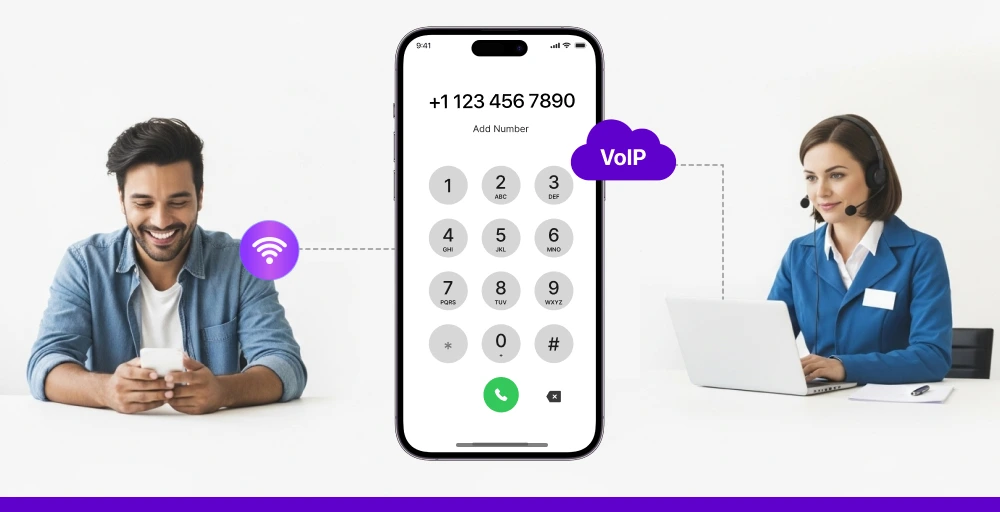
One of the biggest advantages of a VoIP number is flexibility. Since it isn’t tied to a specific phone or place, you can make and receive VoIP calls from anywhere, whether you’re in the office, working remotely, or traveling.
How does a VoIP number work?
To start using a VoIP number for your business, you’ll first need to sign up with a VoIP service provider or a cloud-based phone system. During setup, you’ll receive a virtual business number, which operates entirely over the internet.
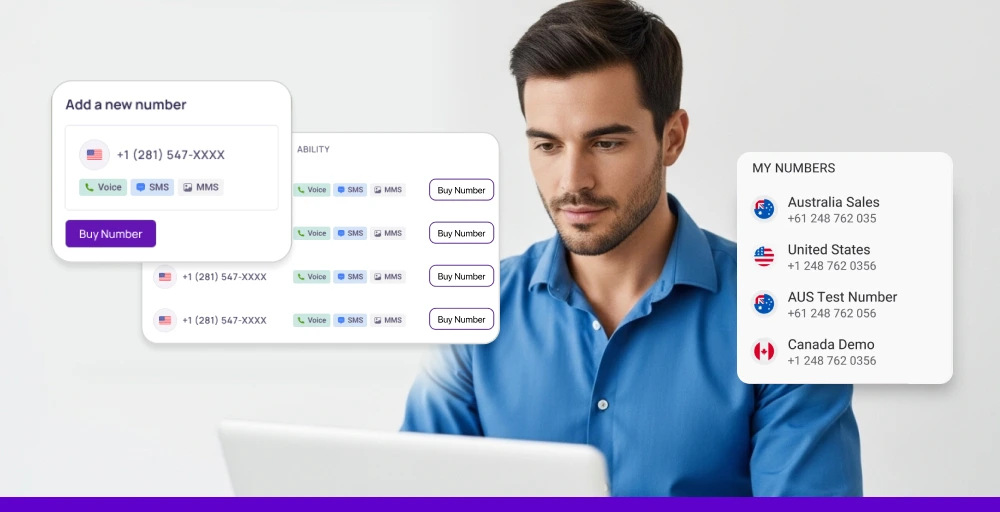
Once set up, you can make and receive calls using your VoIP network, bypassing traditional phone lines or the Public Switched Telephone Network (PSTN). Instead of copper wires, your voice is transmitted as digital data packets through your internet connection.
All you need is:
- A stable internet connection.
- A phone, desktop, or VoIP-enabled device.
- Access to your VoIP account.
Types of VoIP numbers
VoIP phone systems offer a range of number types designed to support various communication needs.
I. Local numbers
Local VoIP numbers use regional area codes tied to specific cities or geographic zones. Even if your business isn’t physically located in that area, a local number helps you create a local presence, boost trust, and appeal to customers who prefer working with local companies.
II. Vanity numbers
Vanity numbers are custom phone numbers that spell out memorable words or phrases (e.g., 1-888-PLUMBER). They’re often used in advertising to make your number easier to recall. While they are a bit expensive, the branding and marketing they offer can lead to better call-through rates.
III. Toll-free numbers
Toll-free numbers typically begin with recognizable prefixes, such as 800, 888, or 877. They allow customers to call your business without incurring charges, which is ideal for customer support lines. These numbers also give your brand a more professional and accessible image.
IV. International numbers
These numbers allow businesses to set up virtual local numbers in other countries. This means customers overseas can call you at local rates, improving accessibility and building trust with international markets. It’s an affordable way to scale globally without opening physical offices abroad.
VoIP numbers vs landlines: Key differences
While both VoIP numbers and traditional landlines allow you to make and receive voice calls, the way they operate and what they offer shows the key difference.
Below is a comparison table that highlights the most important differences to help you choose the right solution.
| Feature | VoIP numbers | Landline numbers |
| Technology | Uses the internet to transmit calls (digital signal). | Uses copper wires or analog lines (PSTN). |
| Mobility | Can be used from any internet-connected device. | Tied to a fixed location or physical phone. |
| Setup & Maintenance | Easy setup with minimal hardware. | Requires physical installation and regular maintenance. |
| Scalability | Highly scalable for growing teams or remote workforces. | Limited scalability without major infrastructure upgrades. |
| Features | Includes voicemail-to-email, call routing, conference calling, messaging, etc. | Basic voice-only service with minimal features. |
| Cost Efficiency | Typically, more cost-effective with lower monthly fees. | Higher costs for setup, maintenance, and long-distance calls. |
| Reliability | Depends on the internet connection quality. | Generally reliable unless disrupted by physical damage. |
VoIP number features
Beyond its core flexibility, there are a number of advanced call management features that a VoIP number unlocks for your business:
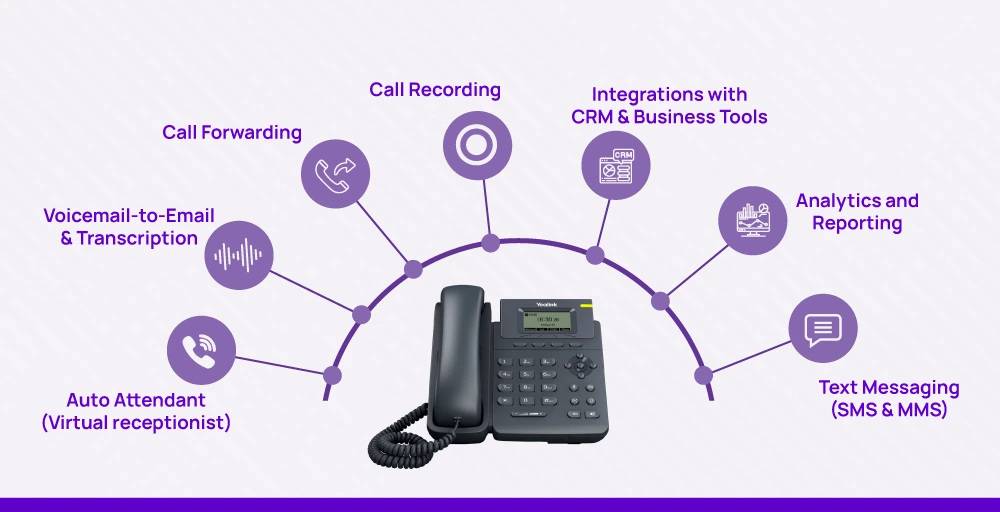
1. Auto attendant (Virtual receptionist)
This feature acts as an automated receptionist, greeting callers with a custom message and directing them to the right person or department (Press 1 for Sales, Press 2 for Support). It ensures every inbound call is answered professionally and routed efficiently, even after hours.
2. Voicemail-to-email & transcription
Converts voice messages into audio files and delivers them directly to your inbox. Many services also transcribe the audio message into text, allowing you to read your voicemails at a glance.
3. Call forwarding
Set up intelligent rules to ensure you never miss an important call. You can route calls to ring your desk phone first, then your mobile app, and finally go to voicemail if unanswered.
4. Call recording
Record all of your incoming and outgoing calls with the click of a single button. These recordings are important for training new staff, ensuring quality customer service, maintaining accurate records, and resolving disputes.
5. Integrations with CRM & business
VoIP systems often integrate with CRMs (Customer Relationship Management) and business tools. This lets teams log calls automatically, view caller info instantly, and work more efficiently, all within the tools they already use.
6. Analytics and reporting
Gain powerful insights into your business communications. Track call details, such as call volume, peak hours, missed calls, and individual agent activity. This data helps you optimize staffing needs and improve overall customer service.
7. Text messaging (SMS & MMS)
Communicate with customers in the way they prefer by sending and receiving text and multimedia messages from your main business phone number. All conversations are centrally logged in your VoIP dashboard.
How to get a VoIP number?
Setting up a VoIP number is quick and far more affordable than traditional phone services. Whether you’re switching from a landline or starting fresh, here’s how to get started:
1. Choose a VoIP number provider
Start by researching providers and comparing them based on what matters most to your business. Look at reviews and find the provider that aligns with your company’s goals.
2. Choose a plan that fits your business
VoIP providers offer various plans tailored to different business sizes. Evaluate how many users you need and which features are essential. Select a plan that provides what you need today with the flexibility to grow tomorrow.
3. Decide on your hardware
You don’t necessarily need new hardware. One of VoIP’s greatest strengths is its device flexibility. You can make calls directly from your computer (using a softphone app), smartphone (with the provider’s mobile app), or a dedicated VoIP desk phone.
4. Activate your account and number
Once you sign up, the final step is to configure your number. During this process, you can either port your existing number or get a new number entirely.
Making the switch to VoIP is one of the most effective ways to upgrade your business. By 2025, this shift is projected to be embraced by 85% of organizations. On average, businesses can save between 50% and 75% when switching to VoIP.
With a provider like KrispCall, you can access all the benefits affordably and without friction. Plans start at just $15 per user/month, and all plans include effortless number porting at no extra cost. Whether you’re transferring a number from a landline, mobile, or another VoIP service, the transition is quick and smooth.
Things to do after getting a VoIP number for your business
Here are some essential actions to take after you’ve secured a VoIP number for your business:
1. Set up your call flow
Create a clear path for individual incoming calls. Set a professional greeting, define how to direct calls efficiently and establish voicemail rules for when no one is available. This ensures callers are never left guessing.
2. Assign numbers to your team
Invite team members to the system and assign each member their own VoIP number or a shared number to start making and receiving calls and text messages.
3. Test across devices
Place test calls using different devices such as mobile phones, desktops, and laptops to check voice quality, connectivity, and feature functionality. Confirm that caller ID, call recording, and routing all work as expected.
4. Share your new number
Update your website, email signatures, social media, business cards, and directories. Make sure your new number is visible wherever customers and partners might look for it.
Benefits of using a VoIP number
Switching to a VoIP number brings a host of modern benefits that traditional phone systems simply can’t match. Here are some of the benefits that help you to stay connected and competitive:
- Cost reduction: This is the most immediate benefit. VoIP eliminates the need for expensive physical line rentals and maintenance fees associated with traditional phone systems.
- Call flexibility: A VoIP number is tied to a user, not a physical location. This empowers you and your team to make and receive business calls from anywhere with an internet connection.
- Better call quality: By using advanced codecs that transmit more audio data than an analog phone line, VoIP provides crisper, clearer conversations that are free from the static and interference of old copper wires.
- Simple dashboard: VoIP puts you in complete control of your phone system through an intuitive dashboard. You can easily adjust settings like call forwarding, business hours, and user permissions on the fly without needing technical expertise or calling a support line.
- Effortless scalability: As your business grows, your phone system can grow with it instantly. Adding a new user or phone line is a matter of a few clicks in an online dashboard, not waiting for a technician to install new hardware.
- Enhanced Professional Image: VoIP gives your business a polished, enterprise-level image with features like custom local or toll-free numbers and a professional auto-attendant to greet and direct every caller.
How to protect your business from VoIP fraud?
VoIP brings flexibility and cost-effectiveness to businesses. But just like any internet-based technology, it isn’t immune to fraud. Cybercriminals often exploit VoIP systems to conduct scams and steal sensitive information.
Understanding these threats, especially vishing and taking proactive steps to secure your communication tools, is key to protecting your business and customers.
What is vishing & how to protect against it?
Vishing, short for ‘voice phishing,’ is a type of scam where attackers use fake caller IDs to pose as a trusted source in order to trick people into giving up personal or financial information. These calls can sound convincing and appear to come from a legitimate number.
To guard against VoIP-based threats like vishing, follow these best practices:
- Verify before you trust: Never rely solely on caller ID. Scammers can spoof real numbers. Always confirm the caller’s identity before sharing any sensitive information.
- Avoid sharing confidential info by phone: Don’t give out login credentials, banking details, or other private data unless you initiated the call and trust the recipient.
- Use VoIP services with strong encryption: Choose a provider that offers encryption protocols such as TLS and SRTP to keep calls secure from interception.
- Change login credentials regularly: Update passwords on VoIP platforms, devices, and admin portals frequently and never reuse passwords across tools.
- Monitor call logs & unusual activity: Review call records for patterns or numbers you don’t recognize. Flag and investigate any unusual outbound call volume.
- Educate your team: Make sure your staff knows what vishing is and how to handle suspicious calls. Awareness is a powerful defense.
- Don’t call back numbers from spam emails: If you receive an unexpected email with a phone number, don’t call it, even if it looks legitimate.
Grab your business VoIP number from KrispCall today
KrispCall VoIP numbers bring all your calls, texts, and contacts together in one platform, so you can see everything that’s going on, whether you’re at your desk or on the go with your phone.
With KrispCall, the repetitive work gets handled for you. The power dialer speeds up your outreach, shared number keeps your team in sync, and automated text messaging helps manage routine follow-ups and appointment reminders.
Stop settling for just a phone number. It’s time to have a phone system that actively helps you run your business, not just one that rings.
Switch to a VoIP number and make every business call count, no matter where you are. So register today.