Over 3 billion people use VoIP services worldwide, and that number keeps climbing each year. As internet speeds accelerate and workforces stretch across continents, internet-powered calling has become the new standard for voice communication.
You’ve likely seen the term VoIP caller flash on your phone screen. Do not mistake it for a name because it’s a signal that tha call is coming through online-based systems instead of traditional phone lines.
This blog explores what a VoIP caller is, how VoIP calls work, who uses them, and why they’re quickly replacing traditional phone systems.
✨ Key Takeaways
- A VoIP caller is a user who makes calls using VoIP technology over the internet instead of using a traditional telephone line.
- VoIP calling works by converting your voice into digital data, compressing it into packets, and transmitting it across the Internet. The process is reversed for retrieving sound in its original form.
- The best VoIP callers for businesses are KrispCall, RingCentral, Vonage, and Zoom Phone.
- To identify a VoIP caller, you can check the phone number format, use a reverse lookup tool, perform a CNAM lookup, analyze caller ID behavior, or install a packet analyzer.
What is a VoIP caller?
A VoIP(Voice over Internet Protocol) caller is someone who makes phone calls using the VoIP technology instead of a landline or cellular network. You may have used popular apps to make and receive calls, such as WhatsApp, Viber, and Facebook Messenger. If so, then you have already used the VoIP services.
Traditional callers rely on physical phone lines, on-premise PBX systems, or cell towers. VoIP users, on the other hand, use apps or internet-connected phones to make and receive calls. They are not tied to a specific location or hardware.
VoIP calling feels just like any regular call. The main difference is in how the voice travels to its destination. Also, VoIP offers more flexibility, as it is not limited by old infrastructure.
Many people and businesses are switching to VoIP for its simplicity, freedom, and significant cost savings, with businesses experiencing average savings of 50% to 75% when making the switch.
How does VoIP calling work?
Voice over IP (VoIP) calling begins by converting your voice into digital data and transmitting it across the Internet, rather than via the PSTN (Public Switched Telephone Network). That data is then broken into small packets that travel to the recipient and get reassembled into sound.
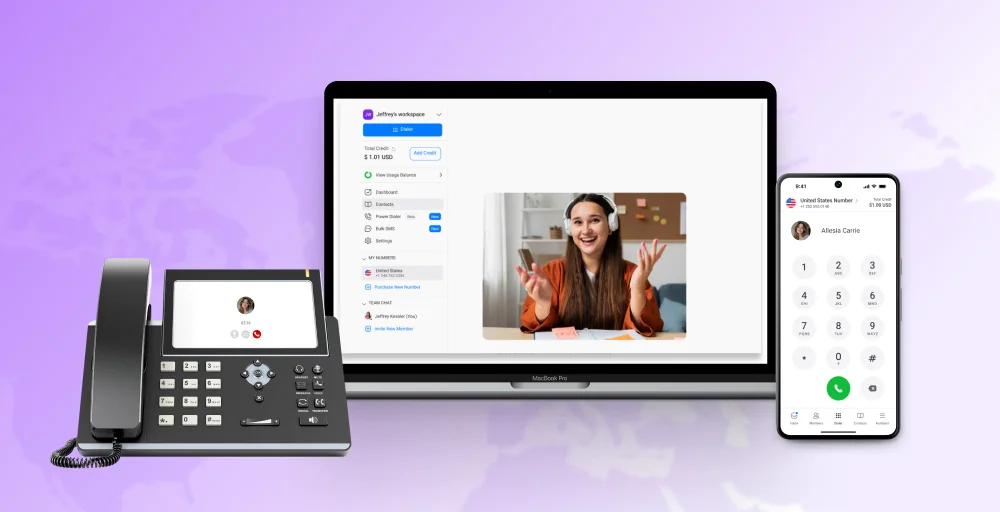
The beauty of the VoIP phone system lies in its flexibility. Calls can be made through VoIP apps or devices, such as laptops, smartphones, or SIP phones ( Specialized Internet-connected desk phone), all of which are linked to a virtual number and capable of running VoIP software.
Since the call utilizes digital technology, it is possible to track, manage, and integrate it with various tools. Organizations can effectively analyze call performance and automate certain aspects of their telephone systems with considerable ease.
Who uses VoIP for calls?
VoIP caller technologies are moving into mainstream faster than you think. It is estimated to grow its market at a compound annual growth rate of 11.8% by 2029. Among the users of VoIP are:
1. Small businesses
Small businesses embrace VoIP systems, often implemented as an IP PBX (Internet Protocol Private Branch Exchange) solution, to cut costs while gaining professional features like auto-attendants, call forwarding, and voicemail-to-email.
VoIP solutions offer small businesses the same advanced features as larger enterprises at a fraction of the cost. It also allows business owners to add or remove lines instantly as they grow or downsize.
2. Large enterprises
Corporations use VoIP to manage thousands of employees across multiple offices with one unified communication system. Enterprise VoIP business phone systems easily integrate with CRM systems, video conferencing tools, and team collaboration platforms for efficient workflow management.
Similarly, centralized control over the IP PBX system reduces maintenance costs and simplifies user management. And since all calls run through the internet, global teams save millions on international calling charges.
3. Remote workers
Remote workers and freelancers maintain a professional phone presence from any location with internet access. VoIP apps on smartphones and laptops allow remote workers to take business calls using their company number anywhere they want.
Whether it’s a coffee shop, co-working space, or home office, VoIP gives them the freedom to work on the go. There’s no need for a separate business line or costly mobile plans.
4. Healthcare providers
Medical practices use VoIP systems for HIPAA-compliant communication between staff, patients, and other healthcare facilities. Healthcare VoIP solutions offer features like secure messaging and appointment scheduling.
Telemedicine has accelerated VoIP adoption, as doctors can now conduct virtual consultations from remote locations. Emergency response teams also rely on VoIP for coordinated communication during critical situations.
5. Educational institutions
Schools and universities implement VoIP to connect classrooms, administrative offices, and security systems within a single unified network. On top of that, educational VoIP systems support distance learning with built-in video calling and screen sharing.
At the same time, budget-conscious institutions value VoIP’s cost savings on long-distance calls between campuses and departments. During emergencies, notification systems also use VoIP to alert students and staff during campus incidents quickly.
What are the benefits of VoIP calling?
Voice over IP calling offers advantages over individual phone lines and traditional multi-line phone systems, such as:
1. Lower costs: VoIP calls are usually much cheaper than traditional phone services. Business VoIP pricing often involves predictable monthly fees per user or line, and helps avoid long-distance fees by making long-distance calls at local rates.
2. Flexibility across devices: VoIP works effortlessly on smartphones, laptops, desktops, and IP-enabled desktop phones. Whenever and wherever you want, you can access your number through the internet.
3. Easy to scale: Adding new users or numbers is simple with VoIP. There is no need for extra phone lines or hardware. Businesses can expand their team with ease.
4. Advanced features: Comprehensive IP telephony systems, built on VoIP technology, offer a range of features, including call forwarding, voicemail-to-email integration, IVR, analytics, and call recording. These all help teams work better and boost their productivity.
5. Better call quality: With a stable internet connection, VoIP offers clear, crisp audio. Many users experience fewer dropouts and less background noise than on traditional calls.
6. Strong security: Reputable VoIP providers offer encryption, call protection, and secure data storage. These measures help keep business calls and customer information safe.
7. Simplified management: Most VoIP systems, especially hosted VoIP services, come with user-friendly dashboards. Because the provider manages the underlying infrastructure, you can manage users, track performance, and make changes without relying on IT support.
Which VoIP callers are best for business?
| VoIP Callers Software | Best for | Standout Features |
| KrispCall | Startups and businesses of all sizes | Unified callbox, global calling, shared phone number |
| RingCentral | Small to medium-sized businesses, remote teams | Call delegation, unified inbox, background noise reduction |
| Nextiva | SMBs focused on customer experience and service | NextivaONE App, HD VoIP phone service, unlimited calling in North America |
| Vonage | Businesses needing customizable and flexible solutions | CRM integrations, voice APIs, and virtual receptionist |
| Zoom Phone | Businesses already using the Zoom ecosystem | Single sign-on, advanced analytics, local survivability |
How do you identify a VoIP caller?
Identifying VoIP callers requires specific techniques since it’s not always easy to identify if someone is calling from a VoIP number. In most cases, a call from a VoIP number will be experienced in the same way as a call from a traditional number.
Here are the step-by-step methods to detect the VoIP calls:
1. Check the phone number format: VoIP numbers often use non-standard formats or area codes that are not linked to a physical location. If the number seems unusual or doesn’t match the expected local codes, it could be a VoIP phone number.
2. Use a reverse lookup tool: Online reverse phone lookup tools or VoIP-specific databases (Like Whitepages, NumLookup, or TrueCaller) can reveal whether a number is assigned to a VoIP provider or if it’s virtual.
3. Perform a CNAM lookup: CNAM (Caller Name) lookup can show the name registered to a number. Some VoIP systems support CNAM, and this can help verify the legitimacy of the caller.
4. Analyze caller ID behavior: VoIP numbers are more likely to spoof caller IDs or show inconsistencies, such as the number changing frequently or the name not matching the business identity. Repeated unknown calls or vague IDs are red flags.
5. Install a packet analyzer: Use a packet analyzer when operating a traditional desk phone or a softphone. This tool captures and records the network traffic that flows through your system. It provides detailed logs that show the IP address and source of each call, helping you trace the call and identify the caller.
How do you block VoIP calls?
There are many easy ways to block unwanted VoIP calls, such as:
- Use call-blocking apps
Install apps like Truecaller, Nomorobo, Hiya, or Robokiller to detect and block spam or VoIP calls automatically based on large community databases.
- Enable built-in call filters
Utilize native call filtering features on iOS and Android to silence or reject calls from unknown or unverified numbers.
- Block via your VoIP system or provider
Most VoIP platforms allow users to block numbers directly from their dashboard or call settings. You can use this to restrict repeated offenders.
- Configure router-level blocking
Identify the VoIP application’s ports (TCP/UDP) and block them via your router’s control panel to prevent certain VoIP services from reaching your network.
- Register on the Do Not Call list
Add your number to the national Do Not Call registry to prevent telemarketers from contacting you. While not scam-proof, it reduces legal spam.
- Report to the authorities
File complaints with the FTC, FCC, or your local telecom regulator to report persistent or fraudulent VoIP calls for investigation and legal action.
Conclusion
VoIP calling offers flexibility and advanced features at lower costs than traditional phone systems. From remote workers to large enterprises, more users are embracing VoIP to stay connected efficiently and professionally.
Understanding the VoIP caller meaning, how it works, and how to block or manage unwanted calls empowers you to take full control of your communication setup.
With the right provider and configuration, your VoIP system enhances call quality and integrates with other platforms to help you operate your phone communication efficiently.