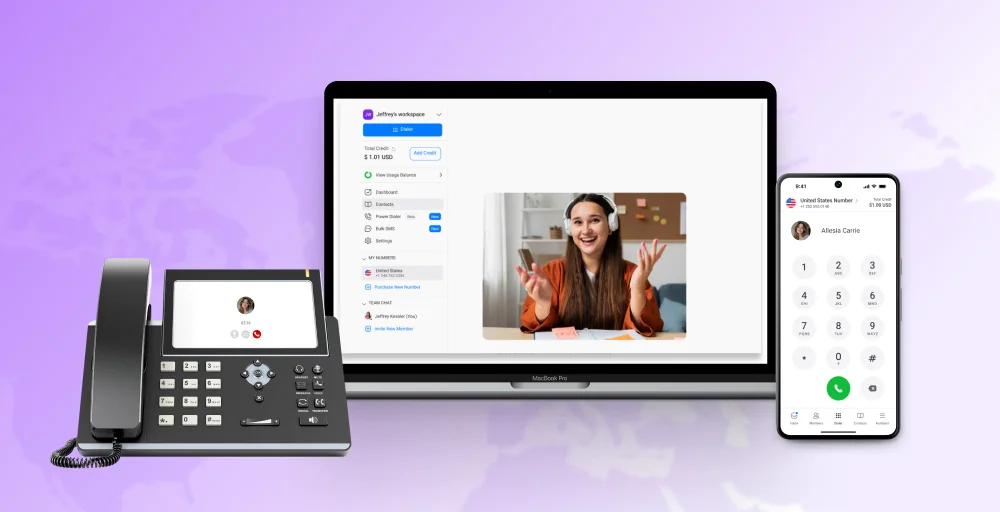
Using one phone for both work and personal calls creates chaos. You miss important calls, accidentally answer clients too casually, and constantly worry about which calls matter most. Business phone apps fix this problem instantly.
These powerful mobile applications give you a separate business phone line app with professional features, letting you work from anywhere on your current phone. Whether you’re working solo or with a team, the best calling app will improve your communication and impress your customers.
We’ve tested 10 top business phone apps, comparing their features, pricing, and performance. Here’s what you need to know to pick the best app for your business phone number in 2026.
✨ Key Takeaways
- Business phone apps give professionals a dedicated line for work calls, texts, and voicemails without needing a second device.
- Essential business phone features include call forwarding, custom caller ID, auto-attendant, call queuing, and voicemail to ensure smooth business conversations across devices.
- KrispCall’s business phone number app stands out with flexible pricing and advanced features like multi-level IVR, power dialer, unified callbox, and global number access across 100+ countries.
What are business phone apps?
Business phone apps are mobile applications designed for mobile devices to manage business calls and other communications. Unlike traditional phone systems, these mobile business apps work via VoIP (Voice over Internet Protocol), enabling teams to stay connected from anywhere without being tied to physical hardware.
They offer features like call recording, call forwarding, auto-attendant, business texting, voicemail, wifi calling and team collaboration tools. These telephone apps help businesses present a unified presence, manage multiple numbers or departments, and maintain communication across remote or hybrid teams, all from a single, easy-to-use interface.
Key features to look for in a business phone app
One of the best things about the best business line apps is that they offer numerous features and functionalities. These features help business handle their call volumes and enhance productivity.
- Call management: You can improve your business efficiency and communication with features like call forwarding, auto-attendant, call routing, custom caller ID, and voicemail transcription software.
- Integrations: Can easily integrate with your business tools, CRM, and calendar to increase productivity.
- Contacts-sync: Create or add new contacts, and they will sync automatically with your databases or Microsoft 365 accounts for faster workflows.
- Dedicated business line: Easily add a business line to your cell phone using the best second phone number app for business to keep your work and personal life separate.
- Pricing: Get the pricing based on your usage, like monthly fee, per-user costs, and additional charges for advanced features or increased user numbers.
- Mobile and desktop apps: Convenient and flexible to use apps on both mobile phones and desktops.
Why trust KrispCall?
We’ve spent years helping thousands of businesses find the right communication tools, and we know how much a bad software decision can cost you.
To build this guide, we tested and analyzed 25+ leading business phone apps, evaluating each one across call quality, feature depth, pricing transparency, and real-world usability.
We also reviewed 3,000+ verified customer reviews from G2, Capterra, TrustRadius, and Reddit, alongside active discussions on Quora, so our findings reflect how these tools actually perform.
Every app on this list was assessed against criteria that matter to modern teams: mobile reliability, CRM integrations, international coverage, and total cost of ownership.
Our goal is simple: to give you an honest, research-backed comparison so you can choose the best business phone app for your specific needs.
Learn more about our content update process, content integrity standards, and software review methodology.
10 Best business phone apps comparison
Here is a comparison table of some of the best business phone apps:
| Features | Pricing | Operating system | Numbers available | Auto-attendant | Porting an existing number |
| KrispCall | Starts at $12/mo per user | Web, iOS, Android, Desktop | Local, toll-free, mobile | Yes | Yes |
| Google Voice | From $10/mo per user | iOS, Android, Web | US and CA numbers only | Yes | Yes |
| RingCentral | From $20/mo per user | iOS, Android, Desktop | US local, toll-free, international | Yes | Yes |
| Sideline | $14.99/mo | iOS, Android, | US local numbers only | No | Yes |
| Ooma | $19.95/mo | iOS, Android, Desktop | US/CA local & toll-free | Yes | Yes |
| Nextiva | Starts $30/mo per user | iOS, Android, Desktop | US/CA numbers, toll-free options | Yes | Yes |
| OpenPhone | From $15/mo per user | iOS, Android, Desktop | US/CA local, toll-free, SMS‑enabled | Yes | Yes |
| Dialpad | From $15/mo per user | iOS, Android, Desktop | US/CA local, toll-free | Yes | Yes |
| Talkroute | From $19/mo | iOS, Android, Web | US/Canada local & toll-free | Yes | Yes |
| Vonage | From $13.99/mo | iOS, Android, Web, Desktop | US/international, toll-free | Yes | Yes |
1. KrispCall
Best for: Remote teams and international businesses needing global number access and unified telephony in one app.
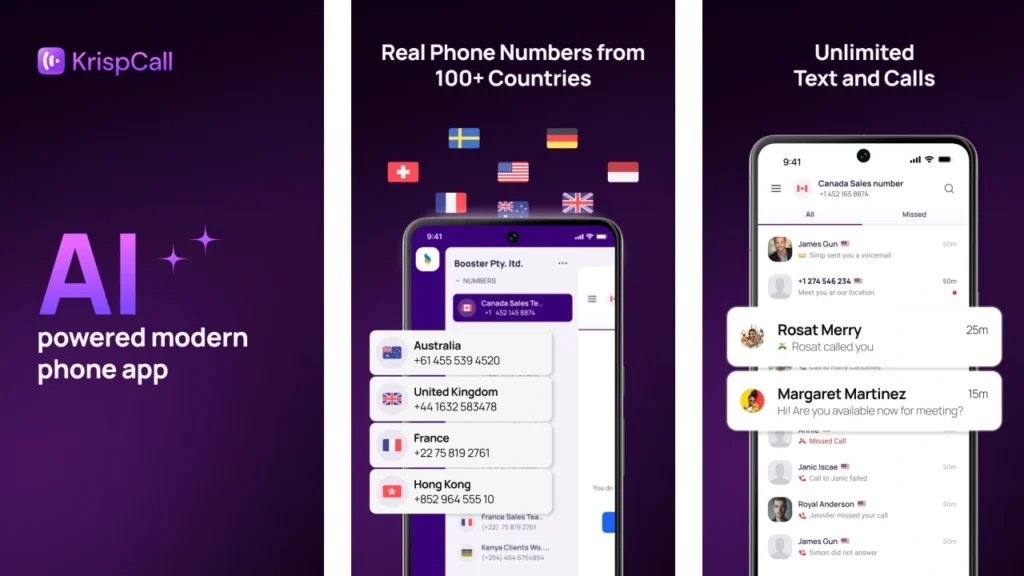
KrispCall’s AI-powered business phone app that let’s you make VoIP calls, send SMS, and connect across multiple channels all in one place. It is one of the top apps for managing business phone numbers across different devices.
Whether you run a small business or need a business phone system, KrispCall supports your business interaction needs with reliable, phone-based tools perfect for mobile teams and work calls.
KrispCall’s cloud telephony platform provides a comprehensive suite of business phone features, including advanced call routing, power dialer for sales teams, CRM integration, and WhatsApp connectivity. These tools help streamline your telephone, making KrispCall a great choice for businesses looking to grow globally.
KrispCall features
- Computer telephony integration (CTI): Enables seamless integration of your phone system with computer applications, allowing call control and management directly from your desktop or CRM software.
- Power dialer: Automatically dials multiple phone numbers in sequence or simultaneously, improving outbound call efficiency by reducing manual dialing.
- Live call monitoring: Allows supervisors or managers to listen to ongoing calls in real-time for quality assurance, coaching, or training purposes.
- Auto-reply for missed call: Automatically sends predefined SMS or email responses to callers when a call is missed, ensuring prompt communication even when agents are unavailable.
- Multi-level IVR: Interactive Voice Response system with multiple layers of menu options, helping route calls efficiently based on caller input or selections.
What we liked
- One of the best things that we liked about KrispCall is its unified workspace, which helps to manage business and personal numbers seamlessly.
- Next is a unified callbox feature with which you can view all your conversation logs from a single window.
- And last but not least is its integration with other CRM tools like HubSpot, Salesforce, Slack, and others.
What we don’t like
- A dedicated app is not available for all platforms.
- Sometimes the problem is with its call quality, like calls are not ringing or get dropped in the middle of a conversation.
- Needs a stable internet connection; if the internet is down, the service is not available.
Pricing
- Essential: $12/month
- Standard: $32/month
- Enterprise: Custom
For further detailed pricing, contact the sales team or visit KrispCall’s pricing page.
2. Google Voice
Best for: Small businesses and solo professionals already using Google Workspace, looking for a simple, budget-friendly phone app for a business solution.
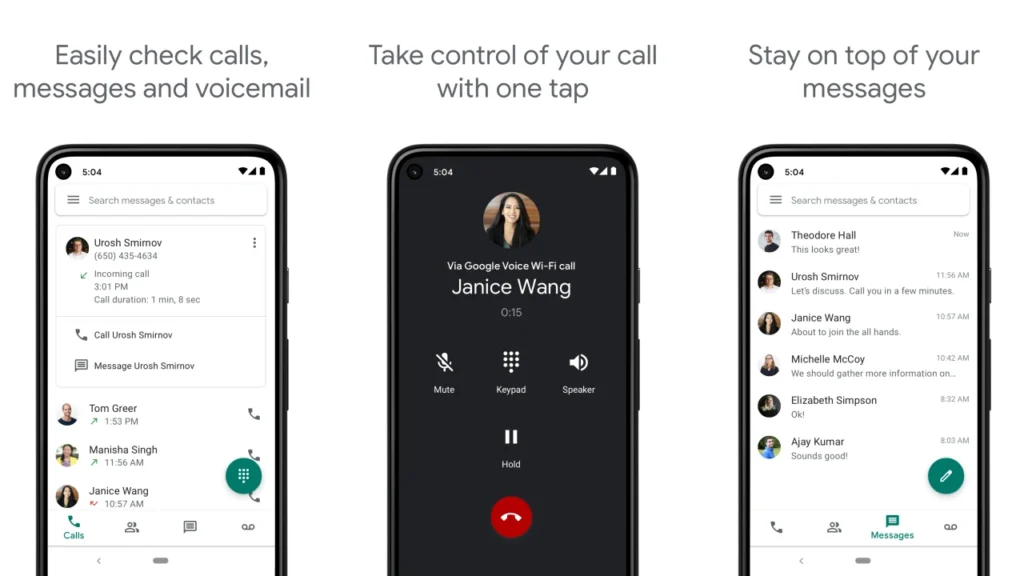
Google Voice, as a business phone app, integrates deeply with the Google Workspace ecosystem. This allows users to manage calls, voicemails (with transcription) easily, and texts from their smartphones (via the Google Voice app) or web browsers.
As a free business phone number app, it’s popular for managing calls and texts on a dedicated business line. Organizations can use their existing internet connection to manage communications, mainly voice calls and text messages.
Google Voice features
- Ring groups: Sends incoming calls to a specific group of people sharing one phone number, so the call rings for everyone in that group.
- Ad-hoc user call recording: Known as user recording, as the user can start or manage the call recording during the time of the meeting or phone call.
- Google Meet integration: Integrates all your apps phone, and workflows with Google Meet to automate your work.
- Voicemail transcription: Easily access the written transcripts of your voicemails, find the important information, and ensure you never miss any important information.
- Multi-level auto attendant: Handles all of your business phone lines by routing calls to multiple menu layers across the PBX.
What we liked
- You can easily integrate Google Voice with other services of Google, like Google Workspace, Google Meet, and Google Calendar.
- Allows the number porting of your existing phone number.
- Both calls and texts can be simplified into a single app for business phones.
What we don’t like
- No option for custom caller ID.
- The option of texting is only available for US customers.
- Outside of Google, app integrations are limited.
Pricing
- Starter: $10 per user/month
- Standard: $20 per user/month
- Premier: $30 per user/month
3. RingCentral
Best for: Mid-sized to large businesses that need a reliable business phone and email solution, with advanced voice, video, and team collaboration tools.
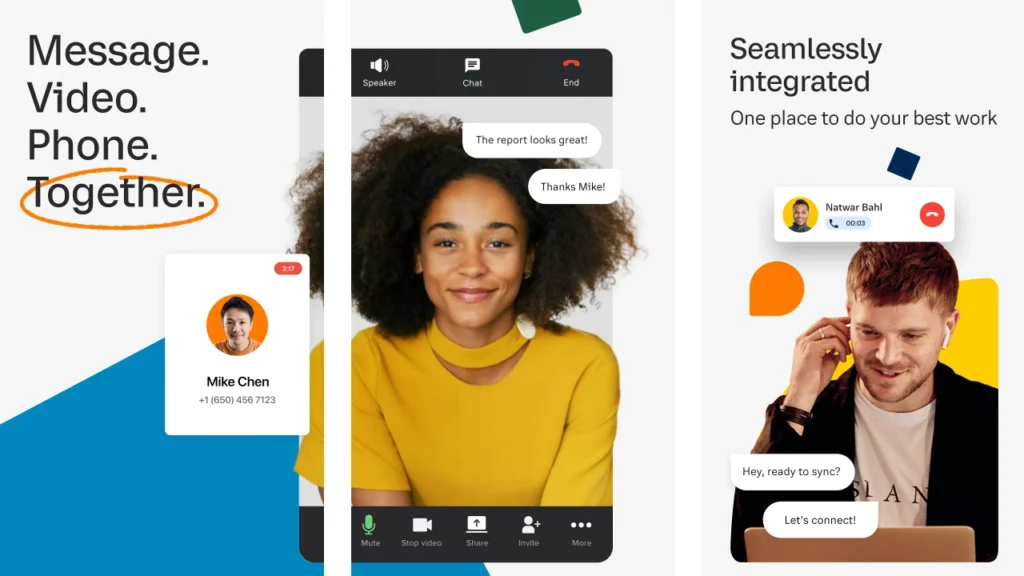
RingCentral is a cloud-based unified communications as a service (UCaaS) platform. As a work phone app, it turns your smartphone, desktop, or tablet into a full-featured office phone system.
Unlike traditional systems that rely on physical hardware, RingCentral uses the internet (VoIP) to offer a complete set of communication tools. Businesses can make and receive calls, send SMS and team messages, host video meetings, and manage faxes, all from one app.
RingCentral features
- Interactive Virtual Response (IVR): Redirects callers automatically to the right service or department by creating a call menu.
- Call screening: Displays the caller ID and lets you decide how to respond to calls before the incoming calls.
- Call flip: Free to transfer calls from one device to another.
- Multi-way conference call: An Easy way for three or more people to collaborate on audio without needing any special equipment or bridge lines, and with no time limits on your calls.
- Shared lines: Pick up a call from any phone, as it shares phone lines among traditional phone systems.
What we liked
- Offers a wide range of call analytics features to optimize performance and make data-driven decisions.
- No lagging or delay, as the video was clear and the sound quality was good.
- Both the mobile phone and work phone apps work well in multiple locations for contacting devices or video meetings.
What we don’t like
- The video conferencing features are unlimited with limited add-ons.
- It has limitations regarding call recordings and text sharing.
- Texting is not supported for the shared phone numbers.
Pricing
- Core: $20 /user/month
- Advanced: $25 /user/month
- Ultra: $35 /user/month
Learn about the difference between UCaaS and CCaaS
4. Sideline
Best for: Individuals or small teams who want a second business number app on their personal phones without complicated setups.
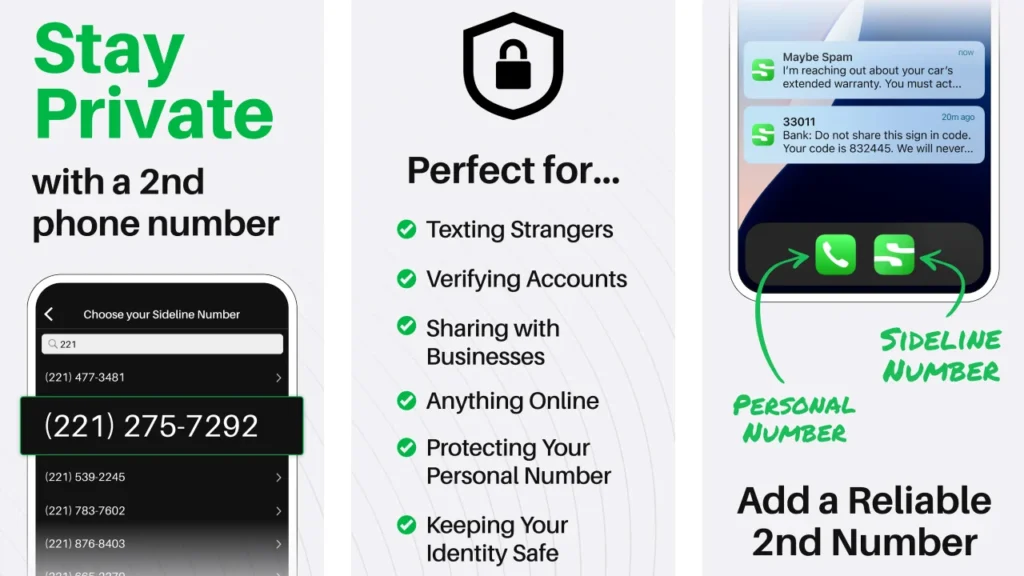
Sideline offers a second phone number solution, designed for solopreneurs, freelancers, professionals, and small businesses. Its main purpose is to separate personal and business communications, especially incoming calls, without needing a second phone or SIM card.
Unlike many VoIP apps, Sideline uses your existing cellular network for calls to ensure more reliable call quality, though Wi-Fi calling is also available.
Sideline features
- Call announcement: Separates your sideline voicemails from other regular voicemails.
- Voicemail-to-text: Automatically transcribes your voicemail into a text message to let you read your voice messages on the go.
- Spam recognition: Identify what incoming phone calls could be spam. You will be notified of potential spam on the incoming caller ID screen, as well as in your inbox after a missed call or voicemail from an unknown number.
- Forward calls to voicemail: Gives you the option to forward your incoming Sideline calls to voicemail without a single ring.
- Message reactions: Allows you to easily use emojis to respond to messages or view reactions from the person you’re conversing with.
What we liked
- During “off hours” or when you are not answering phone calls, you can forward your calls to voicemail.
- Keep a business line cell phone without an extra device.
- Team number sharing allows multiple users to answer calls and messages from one number.
What we don’t like
- Spam recognition is only available for those who have a Sideline subscription.
- The app does not always keep contact’s saved names.
- Sometimes the voicemails take a while to come through.
Pricing
- Starts at $14.99/month.
5. Ooma
Best for: Small businesses transitioning from landlines to VoIP, looking for affordable, reliable service with essential features.
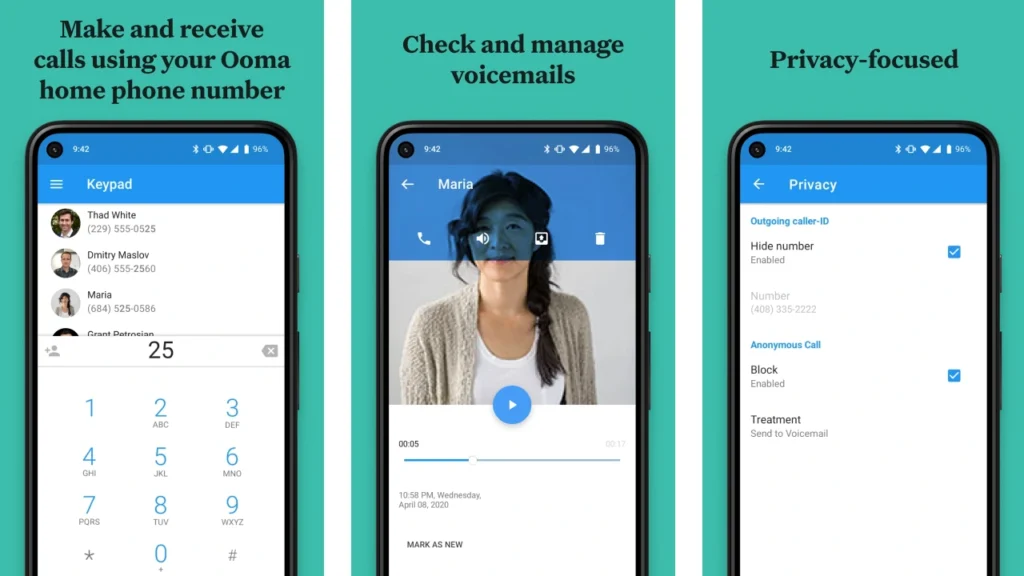
Ooma is a cloud-based phone system that includes a virtual phone app for mobile use. It turns any smartphone into a key part of your company’s phone system, making it easy to manage business calls and communications from anywhere.
It’s a great pick for businesses that want a reliable phone solution without investing in traditional hardware.
Ooma features
- Call parking: You can park a call, to locate the person who needs to retrieve the call, then retrieve the call from a new extension.
- Auto dialer: Dials phone numbers from a pre-defined contact list that is uploaded from a CSV file and connects calls to a live agent when a call is answered.
- Call queuing: Manage the incoming calls, keep them in the queue, and transfer them to the available call center agents.
- Music-on-hold: Whenever you put customers on hold, they will listen to the audio file that you have uploaded to your device.
- Extension dialing: Lets you call someone within your company’s phone system (PBX) by dialing just a few digits instead of a full 10-digit phone number.
What we liked
- Allows users to make and receive calls, check voicemails, and manage some settings on the go.
- You can easily make and receive phone calls to internal and external numbers
- Uses advanced voice compression and adaptive redundancy to minimize call disruptions.
What we don’t like
- There is a problem in transferring calls in larger installations.
- Unreliable service with frequent message and call problems.
- Voicemail doesn’t always record or transcribe properly.
Pricing
- Essential: $19.95 per user/month
- Pro: $24.95 per user/month
- Pro Plus: $29.95 per user/month
6. Nextiva
Best for: Growing businesses and enterprises seeking a scalable VoIP solution with strong customer support and integrated communications.
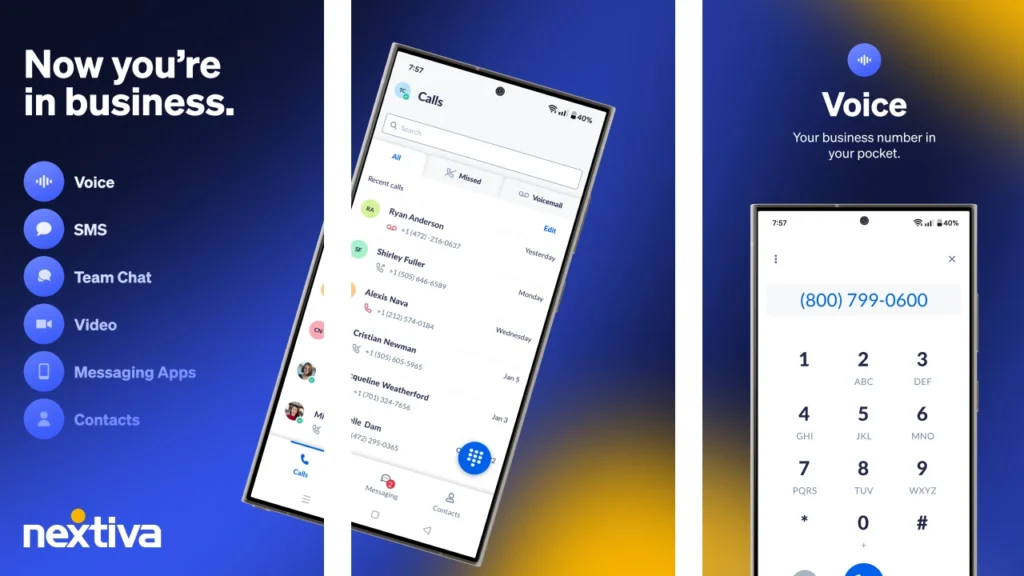
Nextiva’s softphone app is an all-in-one business phone solution for iPhone and Android. It lets users call, chat, video conference, or text from a single, easy-to-use interface.
Nextiva’s every plan includes full contact center capabilities, streamlining communication through one app. Its unified approach and smooth integration with CRM and workflow tools make Nextiva a top choice among business mobile apps.
Nextiva features
- Three-way calling: Lets you quickly add another person to your current call for instant team chats or expert advice.
- Advanced call management: Features include call forwarding, call routing, call parking, and IVR auto-attendant functionality.
- Hot desking: Allows you to log into any device and automatically access your personalized agent profile and extension.
- Instant messaging: Team chat offers a quick, informal way to communicate with colleagues for minor questions or comments, similar to SMS.
- Do not disturb mode (DND mode): sends all incoming calls directly to voicemail without ringing, ideal for uninterrupted focus.
What we liked
- Offers SIP trunking for businesses using their own phone systems.
- Reliable call quality and high uptime, ensuring consistent and clear communication.
- Robust analytics and reporting tools offer valuable insights into call performance and communication trends.
What we don’t like
- Poor customer support, struggling with long hold times, and inadequate assistance for urgent issues.
- Setting up and managing Nextiva’s more advanced features can be complex, leading to a steeper learning curve for users.
- Some advanced features, like integrations and messaging tools, may require specific service settings for access.
Pricing
- Core: $30 /user/month
- Engage: $40 /user/month
- Powersuite: $60 /user/month
7. OpenPhone
Best for: Startups and tech-forward small teams needing a flexible, modern phone system that works well for remote and mobile users.
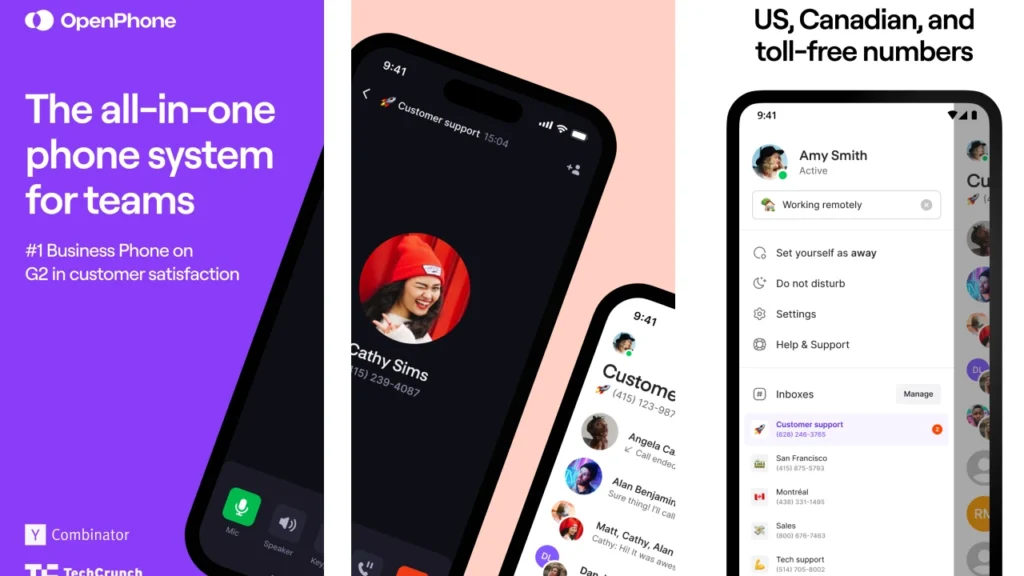
OpenPhone is a rising star among business phone apps, offering a clean, intuitive interface for managing a dedicated business line. It replaces traditional desk phones with a cloud-based, mobile-friendly solution built for modern teams, whether working remotely, on the go, or from anywhere with internet access.
OpenPhone features
- Business SMS & MMS: Allows you to send and receive text messages and multimedia files with your business number.
- Simultaneous ring: Ensure you never miss a call by simultaneously ringing teammates, even allowing them to handle separate calls at the same time.
- Call summaries: Automatically generate detailed and accurate summaries of every call, including key points, outcomes, customer sentiment, script compliance, and others.
- Text messaging CRM: Helps your team manage CRM contacts efficiently, providing a single source of truth for all interactions to easily nurture relationships.
- Call transcriptions: Convert your voice or video calls into written text for easy storage and retrieval.
What we liked
- OpenPhone is a budget-friendly VoIP solution, offering unlimited domestic calling and texting at a relatively affordable price.
- The service boasts a quick sign-up and onboarding process, allowing most customers to begin using it very quickly.
- OpenPhone features a modern, sleek dashboard and leverages AI for helpful tools like call summaries and transcription.
What we don’t like
- Some advanced features and popular integrations are only available on higher-tier plans, limiting the functionality of basic subscriptions.
- Users sometimes report issues with calls being flagged as “spam risk” or experiencing occasional service disruptions.
- Customer support can be challenging to reach, with some users noting difficulties in getting timely assistance.
Pricing
- Starter: $15 /user/month
- Business: $23 /user/month
- Scale: $35 /user/month
8. Dialpad
Best for: Hybrid or remote teams that rely heavily on AI, analytics, and integrations with productivity tools like Google Workspace and Microsoft 365.
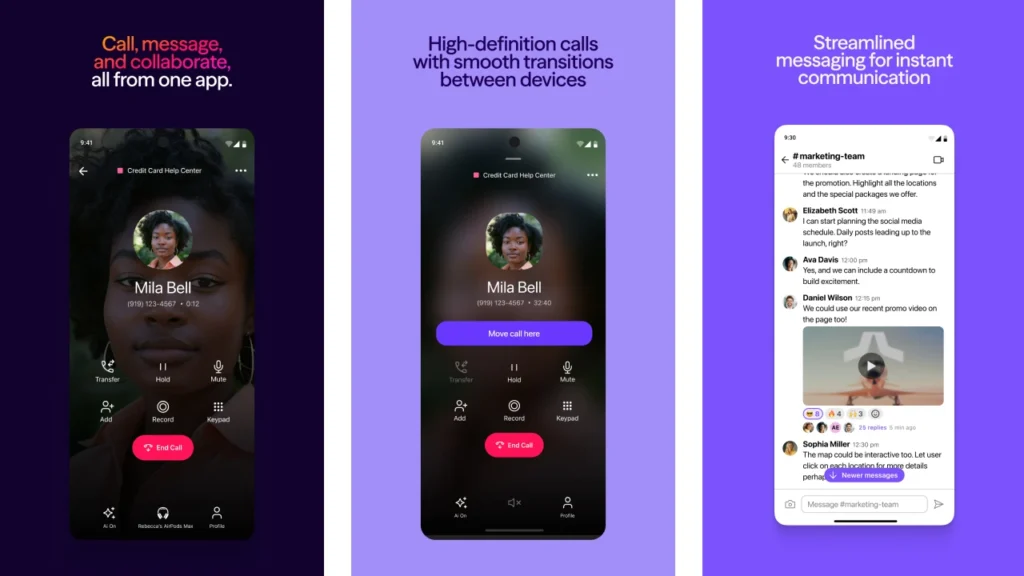
Dialpad is a smart, AI-powered business phone app designed for teams that value mobility, intelligent calling, and seamless messaging. This cloud-based platform integrates easily with productivity tools, making it a favorite among startups and distributed teams seeking modern VoIP phone services.
Its flexible design supports today’s dynamic work environments, whether teams are remote, hybrid, or office-based. Dialpad helps businesses maintain professional communication standards while adapting to evolving workflows.
Dialpad features
- Call waiting: When your team is busy, Dialpad’s call waiting feature helps you manage incoming calls instead of sending them straight to voicemail.
- Local presence dialer: Sales agents display a local phone number when calling customers in different regions, making calls appear familiar.
- Call masking: Hides your real contact information by showing a “proxy” number, especially useful when making business calls from your personal cell phone.
- Workforce management (WFM): upgrades operations with dynamic scheduling, automated tracking, and customizable forecasting, leading to happier agents and delighted customers.
- Power dialer: A tool that automates high-volume phone calls, especially useful for sales teams in contact centers
What we liked
- The best thing is that it offers a 14-day trial period.
- After signing up, customers can get a local number.
- Video conferencing is free, and you can host a meeting including up to 1000 participants.
What we don’t like
- There is a limitation on the shared phone numbers.
- For upgrading, there is no access to teammates for adding multiple phone numbers and texting internationally.
- Additional charge for toll-free numbers.
Pricing
- Standard: $15 user/month
- Pro: $25 user/month
- Enterprise: Contact us for pricing
9. Talkroute
Best for: Entrepreneurs and small businesses that want to manage calls virtually without needing additional hardware.
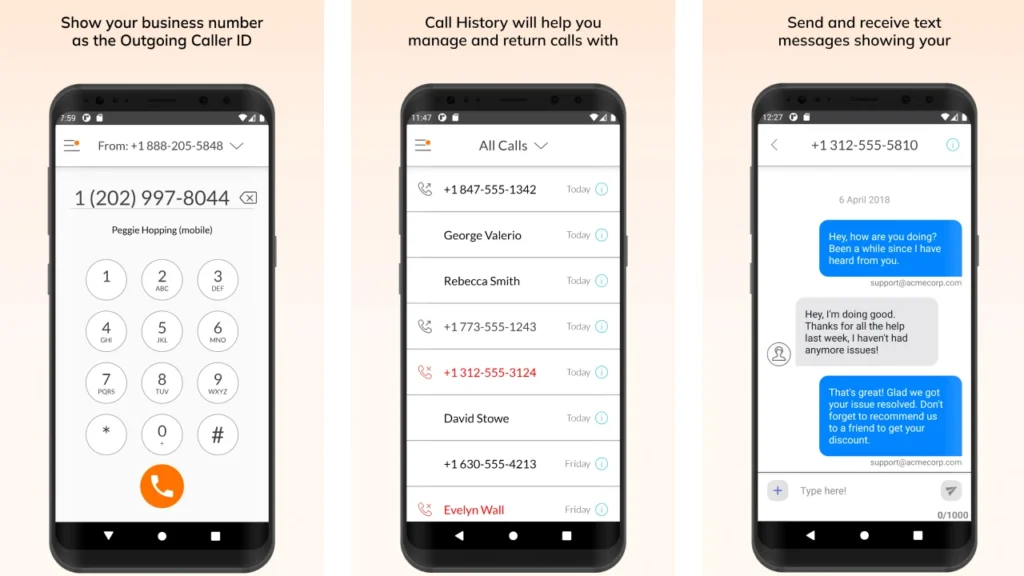
Talkroute is designed for companies seeking a virtual phone system app to unify their communications. This easy-to-use business phone number app helps you manage calls with a professional presence. It’s also a great choice for local businesses or those needing shared phone number apps.
Talkroute features
- Meetings: Give you the power to host and join meetings with your team members.
- Custom greetings: Create personalized SMS messages for callers, such as voicemail greetings or welcome messages.
- Live call transfer: Lets you move a call to another team member or device without dropping the call, so the conversation continues smoothly.
- Menus: An automated voice prompt that guides callers through options to reach the right department or person.
- Call stacking: This service puts your incoming business calls in a queue until your team is ready to answer.
What we liked
- You can easily add or remove users to match your business growth or changing call needs.
- Supports both traditional and VoIP phone networks.
- It is flexible to forward calls to the destination number.
What we don’t like
- It has limited international calling options.
- A user or business can only own/use up to 100 virtual numbers.
- There is no tool for text automation.
Pricing
- Basic: $19 /month
- Plus: $39 /month
- Pro: $59 /month
- Enterprise: Contact us
10. Vonage
Best for: Companies of all sizes looking for a customizable, cloud-based phone system with international capabilities and developer-friendly APIs.
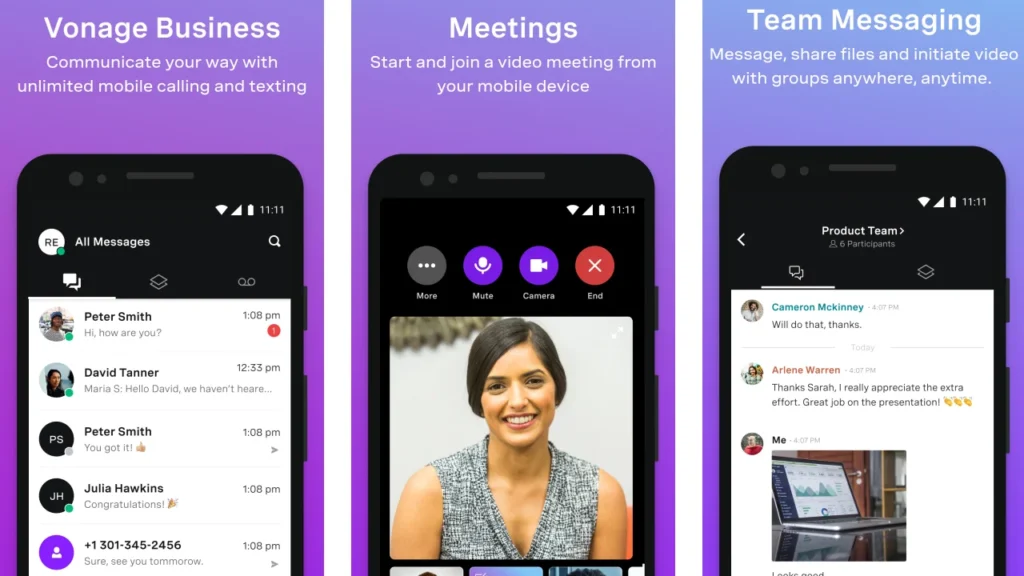
Vonage offers a full-featured softphone app popular with enterprises and growing businesses. With a strong global presence and flexible deployment options, it supports both traditional and VoIP phone systems, as well as API-driven communications for developers.
As a trusted business telephony app, Vonage combines flexibility and performance in one comprehensive phone service solution.
Vonage features
- VBC admin portal: Easily manage and monitor account activity with flexibility to add features and apps.
- Virtual receptionist: Automate your answering system to never miss a call.
- Call groups: Send calls to multiple extensions at once that ring simultaneously.
- Vonage meetings: Hold a video conference with up to 200 participants.
- Single sign-on: Simplify and secure access with the same authentication workflow as other apps
What we liked
- There is no limit on calls and SMS; you can make and receive as many business calls as needed.
- Vonage software provides high-quality audio for unlimited calling.
- Collaborate with team members as often as needed without concerns about message or time frame limitations.
What we don’t like
- Analytics features are quite primitive, making it difficult to get actionable insights.
- Toll-free numbers and CRM integrations requires add-ons and upgrades with Vonage.
- The lack of reliability in their services, with frequent downtimes and system failures.
Pricing
- Mobile: $13.99 per month/line
- Premium: $20.99 per month/line
- Advanced: $27.88 per month/line
How to choose the right business app for you?
Choosing the right business app is key to growth, boosting productivity, and improving customer satisfaction. Here are some important factors to consider when selecting the best phone app for your business:
1. Define your needs
Before exploring apps, be clear about why you need one. Consider what specific problems you want to solve or which processes need streamlining, such as managing customer relationships, automating workflows, or improving team collaboration. This clarity helps you focus on solutions that truly address your business challenges.
2. Cost-effective solutions
Next, look for the cost-effective solutions. Evaluate both the upfront and ongoing expenses of each app, including subscription fees, training, and potential add-ons. Balance affordability with value, ensuring the app delivers a strong return on investment without straining your budget..
3. Feature-rich tools
Look for feature-rich tools that offer the functionalities your business requires now and as you grow. Prioritize apps that provide essential features like task tracking, reporting, or automation, while also allowing for customization and scalability. This ensures the tool remains useful as your business evolves.
4. CRM integrations
Consider CRM integrations to maximize efficiency. Select apps that can seamlessly connect with your existing customer relationship management systems. Integration minimizes manual data entry, reduces errors, and enables a unified view of customer information, which enhances productivity and decision-making.
5. Test the apps
Finally, always test the apps before making a commitment. Take advantage of free trials or demo versions to evaluate usability, compatibility, and performance in your real-world environment. This hands-on experience helps you determine if the app meets your expectations and fits well with your team’s workflow.
KrispCall vs. The rest: Why it’s the right business phone app for you
When choosing a business phone app, it’s important to find a solution that delivers real value. KrispCall stands out by offering enterprise-level features at prices small businesses can afford. It has a global reach without complexity, and its AI-powered tools help improve daily operations.
The way of business interactions is changing quickly, and companies need tools that can grow with them. Unlike competitors that force you to choose between affordability and functionality, KrispCall offers both. It combines international coverage, ease of use, and cost-effectiveness, making it a smart choice for businesses looking to enhance their conversations.
Don’t let outdated systems or limited apps hold you back. Opt for KrispCall, which delivers on this, making it one of the choices for businesses serious about their interactions.
Book a demo to see it in action yourself!