Definitely, your business is no longer tied to a desk, and your phone system shouldn’t be either. With the rise of remote and hybrid work, public switched telephone networks are becoming outdated.
That’s why many businesses are switching to VoIP (Voice over Internet Protocol).
VoIP lets you make phone calls using the internet instead of traditional telephone lines. It offers significant cost savings, flexibility, and advanced features tailored for modern business.
But like any technology, the VoIP phone system has its strengths and weaknesses.
In this blog, we’ll discuss the key advantages and disadvantages of VoIP to help you decide if it is a fit for your corporate phone system.
✨ Key Takeaways
- VoIP is ideal for growing businesses that need scalable phone systems integrated with other tools to support remote and hybrid teams.
- Using VoIP reduces telephony costs and offers greater flexibility, allowing employees to work remotely and stay connected from anywhere.
- VoIP’s performance depends on a strong internet connection and can be vulnerable to security threats without proper protection measures.
Advantages of VoIP
There are numerous benefits of VoIP for businesses.

Below are the key advantages of VoIP:
1. Cost reduction
A major benefit of VoIP services is cost reduction. It reduces cost in two main ways:
- Direct cost savings: VoIP helps cut costs by removing the need for physical phone lines, expensive setup, and ongoing maintenance. Since calls are made over the internet, you avoid high charges for long-distance and international calls.
- Indirect cost saving: VoIP also helps businesses reduce indirect expenses, especially with remote or hybrid work setups. VoIP devices let employees connect from anywhere. It reduces the cost required for office space and cuts down on utility bills. Moreover, VoIP includes many built-in features that would cost extra with traditional phone lines.
2. Offer higher scalability
VoIP telephony systems are designed to scale effortlessly with your business. Unlike traditional phone setups that require physical lines, hardware, and IT support for each new user, VoIP lets you add or remove users with just a few clicks.
This flexibility makes the VoIP phone system ideal for growing teams, seasonal staff, or remote work environments.
3. Enhanced flexibility
VoIP phone system offers higher flexibility that traditional phone systems simply can’t match. It lets you to make and receive calls from any internet-connected device and stay connected and productive from anywhere.
VoIP also supports multiple users sharing a single business number, which helps teams stay coordinated and ensures customers always reach the right person.
4. Additional features
VoIP phone system goes beyond basic calling, including advanced features like voicemail-to-email, call monitoring, audio & video conferencing, instant messaging, call forwarding, auto attendants, call recording, and call analytics to optimize daily operations.
These features help you to automate routine tasks, reduce manual follow-ups, manage business communication, and improve internal efficiency.
5. Integrate with business tools
VoIP systems effortlessly integrate with existing business tools, including Customer Relationship Management (CRM) software, project management tools, email platforms, and other productivity suites.
This integration enables you to access caller details, track interactions, and respond faster from a single dashboard.
6. Deliver higher quality audio (with strong internet)
While early VoIP systems struggled with sound quality, the latest VoIP offers crystal clear audio with a strong and stable internet connection. A reliable network eliminates common issues like latency, jitter, and call dropouts.
Modern VoIP systems reduce background noise and distractions with features like noise-canceling microphones and audio compression.
Learn more about 👉: Common VoIP Myths Debunked
VoIP disadvantages
Despite the many benefits of VoIP, it also has some drawbacks to consider:

1. Reliability depends on the internet connection
Since VoIP works over an internet connection, the quality and availability of your connection directly affect your phone service. In areas with weak or unstable internet, you might experience dropped calls, delays, choppy audio, or even complete service outages.
2. Security concerns
Like other internet-based technologies, VoIP is vulnerable to security risks such as hacking, phishing, and eavesdropping. Without proper protections, attackers may intercept calls, access sensitive data, or intentionally disrupt phone services.
3. Power outage limitations
VoIP service is fully dependent on electricity for its function. It needs power for the internet routers and phones. Your phone system won’t work during power outages unless it is supported by backup power(batteries or generators).
4. Latency or jitter
VoIP sends your voice calls as digital data over the internet. When the network is unstable, it can lead to latency (delays in audio) or jitter(choppy or distorted sound). This issue affects the call quality and can interrupt meetings and customer calls.
5. Quality of service (QoS) management
If your router isn’t set up to prioritize VoIP traffic, network congestion can hurt call quality. Without proper Quality of Service (QoS) settings, calls may become delayed, choppy, or even drop altogether.
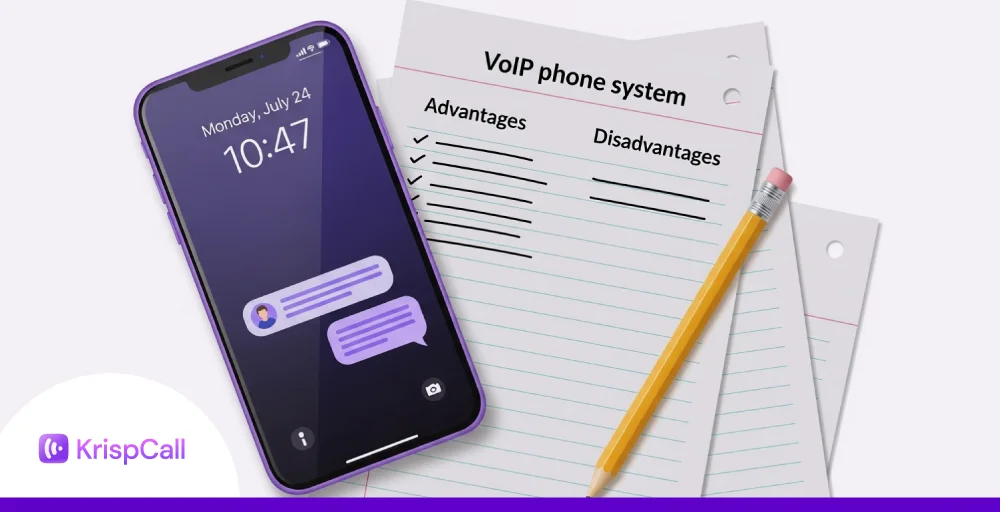
VoIP advantages and disadvantages summarized
The table below shows a comparison between the pros and cons of VoIP in summary:
| Features | Advantage | Disadvantage |
| Hardware requirements | Minimal hardware needed; can use existing devices like computers and smartphones. | May require IP phones or adapters; setup may need technical assistance. |
| Cost | Lower phone bills, reduced hardware/maintenance costs | May incur hidden fees for advanced features; requires reliable internet |
| Scalability | Easily scalable through SIP trunking and software controls | Rapid scaling may require better internet bandwidth. |
| Flexibility and mobility | Use phones anywhere with internet; supports remote and mobile work. | Requires a reliable internet connection for quality and uptime. |
| Reliability | High reliability with good internet | Don’t work during internet disruptions or power failures. |
| Integration | Easily integrates with CRM, help desk, and collaboration tools. | Integration may require additional configuration or APIs depending on the provider. |
| Call quality | High-quality audio with sufficient internet bandwidth | Poor internet leads to dropped calls, latency, or jitter. |
| Advanced features | Includes voicemail transcription, call recording, auto-attendant, call forwarding, etc. | The feature set depends on the provider; some features may incur extra costs |
How to mitigate VoIP drawbacks?
Here is how you can mitigate the common drawbacks of VoIP to ensure reliable and secure communication:

1. Establish a strong and reliable internet connection
Since VoIP technology runs over the internet, a stable connection is key to avoiding call drops and poor audio quality. Invest in an internet provider with enough bandwidth to handle your needs. It’s also a good idea to have a backup connection in place, just in case your main one goes down.
And if you want even more stability, try using a wired Ethernet connection instead of relying on Wi-Fi.
2. Use Quality of Service (QoS) settings
When your network is busy with activities such as streaming or large downloads, VoIP calls may experience delays or interruptions. Proper configuration of Quality of Service (QoS) on your router helps by prioritizing voice traffic over other data.
This reduces latency, minimizes jitter, and prevents packet loss, ensuring your calls stay clear and stable, even during heavy network use.
3. Implement strong password and encryption practices
To keep your VoIP system safe, use strong encryption, firewalls, and antivirus software that block threats. Make sure your passwords are unique and change them often to prevent unauthorized access.
It’s also important to educate your team about common scams, phishing emails, and hacking, so everyone knows how to avoid risks and help protect your system.
4. Provide backup power to account for outages
Since VoIP systems rely on power to work, a power outage can cause interruptions. To keep things running smoothly during outages, use uninterruptible power supplies (UPS) for your VoIP phones and networking equipment.
For more extended outages, it’s a good idea to have backup options like portable generators ready to go.
Conclusion: Is VoIP worth it for you?
VoIP is a modern cloud-based phone system that helps reduce business communication costs, supports remote work, and provides access to advanced calling features.
With benefits like scalability, mobility, and integration with business tools, it is a valuable solution for remote teams and growing businesses.
However, its performance heavily depends on internet speeds and power availability. With a strong internet connection, properly configured QoS, and backup power, VoIP is not just worth it, it can be a smarter choice for your business.