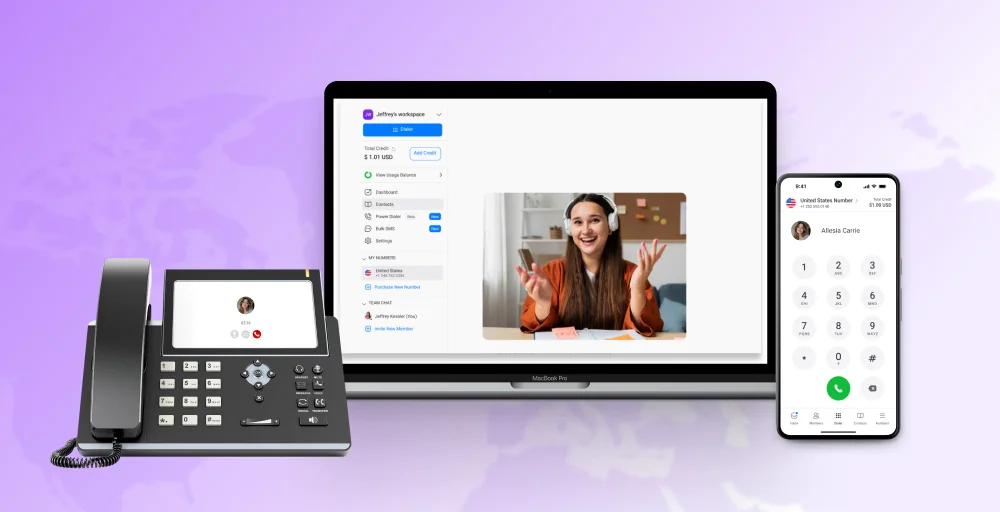
Voice and video calls happen every second, but few realize that most of these conversations are powered by a single technology, and that is Voice over Internet Protocol (VoIP). This technology has revolutionized how we communicate by replacing traditional phone lines with transmitting voice and multimedia data over the internet.
VoIP offers unmatched scalability, flexibility, and cost savings that significantly boost productivity, especially for distributed workforces.
In this guide, we’ll explore practical VoIP examples across various industries and show how VoIP services help both individuals and businesses communicate smarter and more effectively.
What are the types of VoIP communication?
When exploring examples of VoIP, it’s important to consider the types of communications involved. Generally, voice communications fall into the following categories:
1. User-to-user VoIP
The calls are routed directly between two or more individuals in the same VoIP network or system. It occurs in a Local Area Network (LAN) and is utilized mainly for corporate communications and internal discussions.
Examples of user-to-user VoIP include online meeting platforms like Microsoft Teams, Zoom, and Google Meet. These are softphone solutions that allow call functionality at the desktop, smartphone, or VoIP desk phone without telephone wires.
2. User to traditional phones
Making calls outside of a company’s internal communication network is a fundamental feature of any office phone system.
VoIP service providers ensure high-quality voice transmission by efficiently handling data packets and connecting calls to the Public Switched Telephone Network (PSTN), like landline phones or cell phones.
This makes it easy for businesses to stay in touch with customers, partners, and colleagues, whether they’re inside or outside the organization’s phone system.
3. Traditional phones to VoIP
The call originates from a standard landline or mobile phone and is then transferred to a VoIP line. Businesses or individuals using a VoIP platform can receive calls from traditional phones, even if the caller does not use VoIP technology.
Converting incoming PSTN calls into digital signals, VoIP systems ensure that calls from traditional phones can be handled seamlessly within the internet-based network.
This capability helps businesses that want to maintain accessibility for all customers, clients, or partners without requiring them to adopt new technology.
4. VoIP conferencing
VoIP conferencing is the capacity of multiple participants to attend a single voice or video conference over the internet.
It is a critical part of corporate communication and telecommuting because it enables teams to collaborate without being physically together.
Typical applications of VoIP software for conferencing include Zoom, Microsoft Teams, and Google Meet.
5. VoIP paging and broadcast
VoIP broadcast and paging involve sending a message simultaneously to multiple receivers, commonly used in offices, schools, hospitals, or warehouses.
It can include voice messages alone or be enhanced with video announcements if the VoIP phone system supports this feature.
This method is effective for delivering urgent notices quickly without the need to call each recipient individually.
Multicast paging in VoIP solutions like Yealink phones enables mass communication across public and corporate environments efficiently.
Examples of VoIP
From powering everyday conversations to fueling big-business business communications systems, these VoIP examples show how versatile the technology is to bring people together across any distance, device, or industry.

1. Business Phone Service
Business phone service relies on VoIP technology, allowing companies to make and receive calls over the internet rather than traditional phone lines. It offers a cost-effective and flexible solution for business communication, with features like call forwarding, voicemail-to-email, and IVR.
With VoIP, employees can easily stay connected through desktops and mobile devices, handling calls, sending instant messages, and collaborating seamlessly from anywhere.
2. IP phone system
An IP phone system links physical desk phones or softphone software directly to the internet, enabling high-quality voice VoIP calls without traditional copper wiring.
These systems include advanced VoIP features such as call routing, extensions, conferencing, and voicemail, making them suitable for both office-based teams and remote workers.
Softphones add extra flexibility by allowing users to make and receive phone calls directly from their computers or mobile devices.
3. Call centers
VoIP is essential in modern call centers, enabling efficient global operations with features such as auto attendants, call recording, CRM integration, and intelligent call routing.
It allows remote agents to work effectively without compromising call quality, and the technology also provides scalability, making it easy to add new agents or lines as needed. That’s why most modern call centers rely on VoIP to offer better service without extra hassle.
4. Team collaboration
VoIP powers team collaboration platforms by integrating voice, video, chat, and file sharing into a single system. This means teams can communicate and share information instantly, whether they are in the office, working from home, or on the go.
Real-time collaboration helps speed up decision-making, reduce misunderstandings, and keep everyone on the same page, improving overall productivity.
Popular team collaboration platforms include Microsoft Teams, Slack, and Zoom, where unified messaging ensures voice, video, and text interactions all happen within one platform.
5. Online Gaming
VoIP is essential in modern online gaming, allowing players to communicate with each other in real-time during gameplay. Whether it’s casual gaming with friends or competitive esports, voice chat helps teams coordinate strategies, react quickly, and stay connected.
Platforms like Discord and TeamSpeak use VoIP technology to deliver clear, low-latency communication, so players experience minimal delays and better coordination, making gameplay more immersive, enjoyable, and effective.
6. Personal messaging
VoIP isn’t only used by businesses; it also plays a significant role in everyday communication. Leading apps like WhatsApp and Viber let people make voice calls and video calls, send instant messages, and share media over the internet.
These platforms make it easy to stay in touch with friends and family anywhere in the world, often at no extra cost. Many of them also include end-to-end encryption, keeping conversations private and secure.
7. Video conferencing
VoIP is utilized in video conferencing to provide real-time video and audio conferencing between users.
Whether it’s for sales presentations, employee training, or company-wide announcements, platforms like Zoom and Google Meet make virtual meetings simple and accessible, helping businesses save both time and travel expenses.
8. Paging Systems
VoIP-based paging systems transmit announcements instantly across offices, schools, warehouses, or other facilities via an installed IP network. These systems reduce the need for extensive cabling, can operate over Wi-Fi, and are easy to install and manage.
VoIP paging often integrates with intercoms and emergency alert systems, providing efficient mass communication for both routine and critical messages.
Who uses VoIP?
VoIP is not limited to one kind of user; its adaptability makes it a necessity for any individual, from occasional callers to multinational corporations.
- Individuals & personal use cases: People use VoIP application examples like WhatsApp, Viber, and FaceTime for free or low-cost voice and video calls. Such a VoIP technology example enables friends and loved ones to talk across the world without incurring long-distance charges.
- Entrepreneurs & startups: VoIP offers startups a cost-effective way to get a professional business number, voicemail, and Interactive Voice Response (IVR) features, without investing in costly hardware. These numbers work seamlessly on smartphones and laptops through softphone applications.
- Small and medium businesses (SMBs): Small and medium-sized businesses (SMBs) are turning to VoIP solutions, especially cloud PBX, to meet their communication needs. Compared to traditional phone systems, these modern setups deliver greater cost efficiency, easy scalability, and a richer set of features.
- Large enterprises and call centers: Large businesses and call centers rely on VoIP solutions to handle high-volume calling efficiently. These systems support features such as call recording, seamless CRM integrations, and advanced analytics that track performance metrics.
- Remote teams and freelancers: VoIP software applications such as Zoom, Microsoft Teams, and Google Meet are used by remote work professionals to work together in real time. They can make and receive calls, video conference, and share files from any location with an internet connection.
Essential features to look for in business VoIP
To maximize your VoIP phone service and enhance overall business communication, consider a system that offers features that improve productivity, enhance customer satisfaction, and keep your team connected.
- Call forwarding: Forward calls to another number, device, or extension to ensure you never miss meaningful conversations.
- Call routing: Automatically route incoming calls to the correct department or person according to predefined rules.
- Auto-attendant and IVR: Route callers to the right agent or department without a live receptionist through an IVR menu.
- Call recording: Record and store conversations in the cloud for training, compliance, or quality assurance.
- Voicemail transcription: Get voicemail messages converted to text and sent to your email. This allows quicker reading and replying, especially for busy individuals who may not always listen to the audio message directly.
- Call queues: Place callers in a virtual hold line with music or on-hold messaging until an agent can connect.
Transform your business phone system with KrispCall’s next-gen VoIP
If you’re ready to leave outdated phone systems behind, KrispCall’s next-gen VoIP is your gateway to a smarter, more powerful business setup.
Whether you want basic voice calls or a full suite of advanced features to handle everything from customer support to sales, Krispcall provides a flexible solution to fit your business needs. With a customized plan, you’ll have complete clarity on costs and savings, without any unexpected fees.
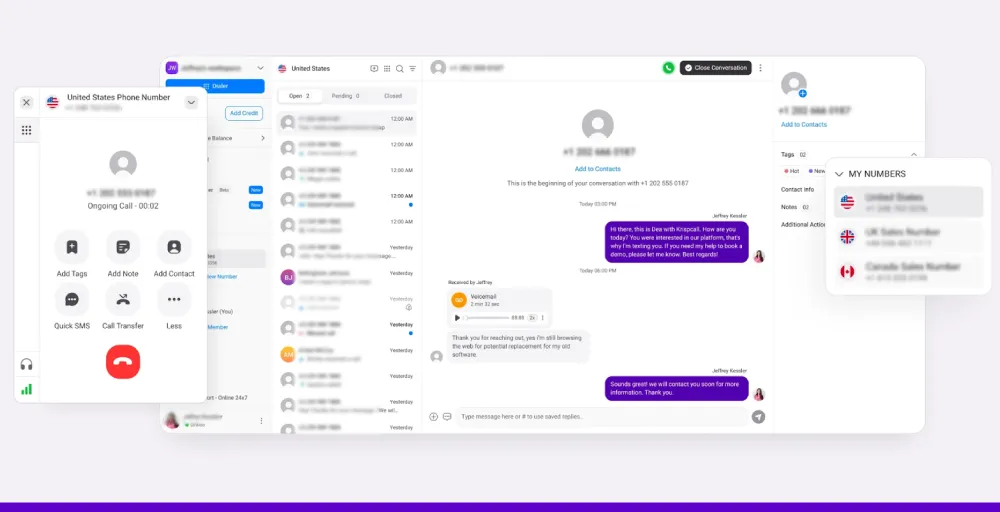
KrispCall’s advanced phone system scales alongside your business, ensuring every call is high-quality, efficient, and dependable.
Don’t let outdated phone systems hold your business back. Try KrispCall now and enjoy reliable VoIP, advanced features, and scalable solutions designed to grow with your team.