Quick Summary
In this article, we’ll show you the 10+ best IVR software for all types of businesses in 2026 and who each one is best suited for.
We’ll also cover what IVR is, which features matter most, how pricing works, and how the right IVR system can reduce wait times and improve your customer experience immediately.
TL;DR
Most IVR tools promise a lot and deliver little. So we tested 25+ top IVR platforms ourselves, ran real call flows, and rated each one on what actually matters: features, pricing, and ease of setup.
These are the 10+ IVR tools that actually solve the problem:
- KrispCall — Best IVR software for small & growing businesses
- RingCentral — Best for teams wanting voice, video, and IVR in one platform
- Five9 — Best for enterprise contact centers needing AI and omnichannel at scale
- TalkDesk — Best for high-volume contact centers in regulated industries
- Twilio — Best for developers needing full programmatic control
- Nextiva — Best IVR system for reliability & unified SMB communications
- Aircall — Best for sales teams requiring deep CRM syncing
- 3CX — Best for complex, multi-level digital receptionists
- JustCall — Best IVR service provider for growing SMBs & sales workflows
- Vonage — Best IVR solution for conversational AI & scalable enterprise support
How We Evaluated the Best IVR Software Providers
To build this guide, we evaluated more than 25 IVR platforms through hands-on testing.
We checked real call flows, multi-level menus, ACD routing, CRM integrations, and the ease of setting up each tool for non-technical users.
We also reviewed verified user feedback from G2, Trustpilot, Capterra, and SoftwareSuggest. These insights came from teams working in customer support, sales, and remote operations.
We began with over 25 platforms and removed those that did not meet our standards. Tools with confusing pricing, weak call routing, or poor CRM integration were eliminated early.
After careful evaluation, these 10 stood out as the best choices.
What is IVR Software?
Interactive Voice Response (IVR) software is a system that allows businesses to create automated phone menus to guide callers. Callers can navigate the menu by pressing a number on their keypad or using voice commands. This helps route calls to the right department without needing a live agent.
When someone calls a service helpline, they first hear a recorded menu like “Press 1 for account information, Press 2 for customer support, Press 3 for billing help.” The caller can then press the corresponding number on their keypad or speak their choice to proceed.
GenAI-powered IVR systems can now resolve up to 80% of customer issues without a live agent. This helps customers get faster support without waiting for an agent.
IVR software gives businesses better control over how incoming calls are handled, improving efficiency and customer experience.
10+ Best IVR software solutions in 2026
With numerous IVR software options available, it can be challenging to know where to begin. To make it easier, we’ve selected the 11 best IVR solutions for 2026, based on VoIP features, pricing, and their suitability for various business needs.
Check out the table below for a quick overview:
| Name | Starting Price | IVR on Entry‑Level Plan? | Key Features | Best For |
| KrispCall | $15/user/mo | ✅ Yes | Call Queuing, Automatic Call Distribution (ACD), Phone Trees, | International SMBs & remote teams |
| CloudTalk | $19/user/mo | ✅ Yes | Power Dialer, AI Voice Agent, Click-To- Call, Call Flow, Call Recording | SMBs, sales, and support international teams |
| RingCentral | $20/user/mo | ✅ Yes | Drag-and-drop IVR Designer,Visual IVR Editor,Text-to-speech and self-record | Large businesses with high-volume IVR needs |
| Five9 | $119/user/mo | ✅ Yes | Callback options,Five9 Omnichannel Mobile,Estimated Wait Time & Callback | Contact centers needing intelligent routing |
| TalkDesk | $85/user/mo | ✅ Yes | Visual routing designer,AI-Powered Virtual Agents,IVR Surveys | Enterprises wanting contextual, AI-driven IVR flows |
| Twilio | Free | ✅ Yes | Agent escalation,AI virtual agents,Proactive notifications | Developers building custom, programmable IVR systems |
| Nextiva | $20/user/mo | ⛔ No | AI-powered speech recognition,text-to-speech support,IVR analytics for call flow optimization | Teams wanting easy-to-set-up, intelligent IVR |
| AirCall | $30/user/mo | ✅ Yes | Multi-Level IVRs,Dynamic visual editor,Ring Groups Integration | Fast CRM-integrated rollouts for mid-sized teams |
| 3CX | $350 for 8 simultaneous calls | ✅ Yes | Multi-level IVR,Skill-based Routing,Scheduled Restore | Technical teams managing on-premise or hybrid PBX |
| JustCall | $39 per user/month | ✅ Yes | Customize IVR menus,IVR MP3,Call Routing | Small teams needing multi-IVR and CRM integration |
| Vonage | $19.99/month per extension | ✅ Yes | IVR, call routing, SMS, APIs (standard in cloud plans) | Small businesses wanting basic IVR in cloud packages |
1. KrispCall
KrispCall is an AI-powered cloud phone system designed for small to mid-sized teams and remote businesses to simplify and boost customer interactions.
Its IVR solution lets businesses handle incoming calls more efficiently by providing callers with self-service options and clear menu prompts. This helps reduce wait times and ensures customers get the information they need, even outside business hours.
Additionally, businesses can automatically transcribe and summarize every call and generate suggested responses for faster follow-ups.
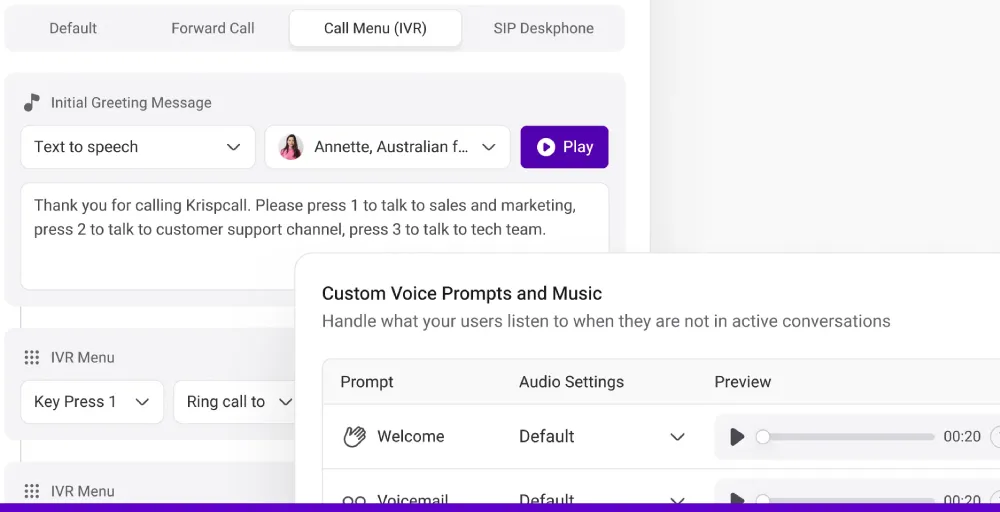
If you are looking for an intuitive IVR system for small businesses, KrispCall combines smart routing features with a user-friendly setup and affordable pricing.
It integrates seamlessly with popular CRMs like HubSpot, Salesforce, Zoho CRM and automation tools like Zapier, making it easy to streamline workflows and manage customer interactions in one place.
With support for local numbers in over 100 countries, 99.999% uptime, and a user-friendly interface, it helps businesses connect with customers efficiently and reliably.
Key features
- Call Queuing & Automatic Call Distribution (ACD)
- Multi-Level IVR / Phone Trees
- Agent Groups
- Custom voicemail greetings
- Auto reply for missed call
Pros & cons
| Pros | Cons |
| A user-friendly web app and a mobile app. | It does not have a desktop app. |
| Excellent customer service | AI Copilot is not fully functional. (Coming soon) |
| Stable and feature-rich service | Lead Capture Widget is not functional. (Coming soon) |
Pricing
- Essential Plan: $15 per user/month
- Standard Plan: $40 per user/month
- Enterprise Plan: Custom pricing
Best for
KrispCall is an ideal choice for remote teams and businesses that rely on modern collaboration tools for support and sales.
G2 Reviews
Rating: KrispCall holds a 4.5/5 rating on G2.
2. RingCentral
RingCentral is an all-in-one AI customer communication platform that allows you to create and manage up to 250 IVR menus (including submenus) per account. Each menu can have its own direct business number and customized auto-prompts.
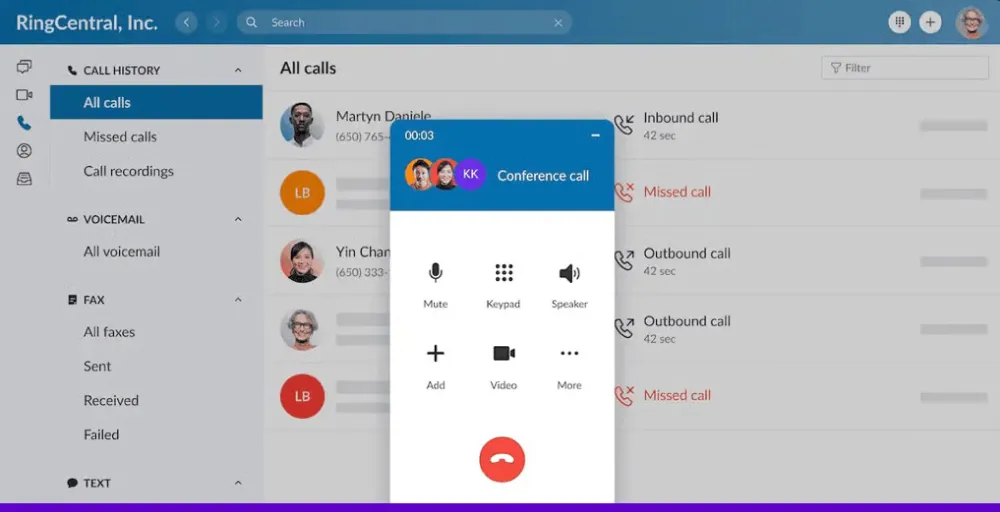
For businesses with multiple locations, RingCentral helps you manage call routing from a single location. It also identifies common errors, such as missing prompts or incorrect numbers, to ensure your IVR operates properly.
Key features
- Drag-and-drop IVR Designer
- Visual IVR Editor
- Text-to-speech and self-record
- Multi-level auto attendant
Pros & cons
| Pros | Cons |
| Easy to scale with business growth | Some advanced features require higher-tier plans |
| Clean user interface and intuitive design | Limited automation tools in base plan |
| Extensive integration options (CRMs, helpdesks, collaboration tools) | Mixed reviews on customer support responsiveness |
Pricing
- Core: $20 / user/month
- Advanced: $25/ user/month
- Ultra: $35/ user/month
Best for
RingCentral is best known for bringing calling, messaging, and customer service into one place. It’s a solid choice for teams that want to manage everything from a single, easy-to-use system.
G2 Reviews
Rating: RingCentral holds a 4.1/5 rating on G2.
3. Five9
Five9 is an intelligent CX platform built for mid-sized to large businesses that manage high volumes of customer interactions.
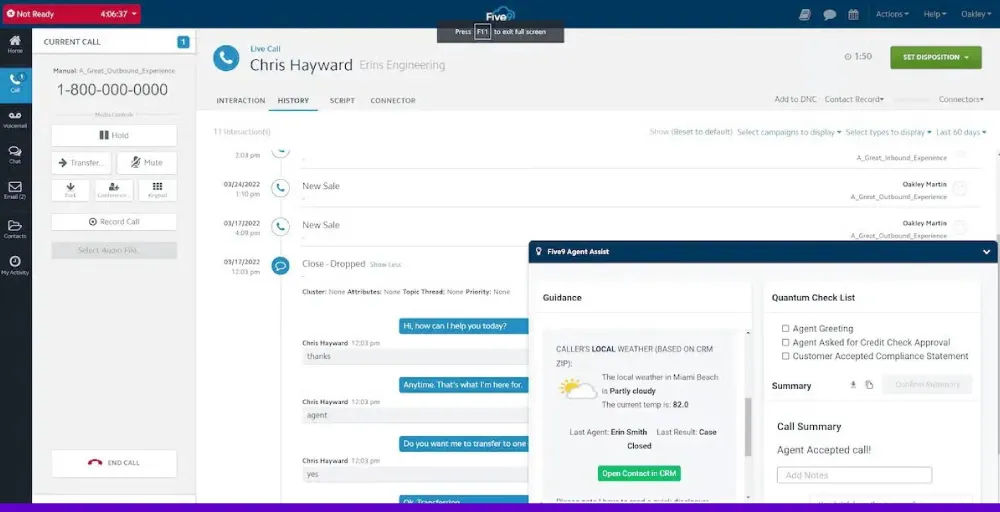
Its IVR system includes features like visual menus, callback options, wait-time estimates, and SMS-based forms. These tools enable customers to receive assistance quickly, particularly from mobile devices.
Key features
- Callback options
- Five9 Omnichannel Mobile
- Estimated Wait Time & Callback
- Visual Forms & Surveys
Pros & cons
| Pros | Cons |
| Easy-to-use interface with fast IVR setup | Call drops and connection issues reported by some users |
| Rich features: speech-based IVR, call recording, real-time analytics | Some advanced features are extra-cost add-ons |
| Responsive customer support and knowledgeable professional services | Setup and learning curve can be challenging in complex environments |
Pricing
- Digital (Digital-only): $119/ month
- Core (Voice-only): $119/ month
- Premium: Contact Sales
Best for
Five9 is a good choice for teams that want to automate tasks and support customers on mobile. Its IVR tools help callers get what they need without waiting for an agent.
G2 Reviews
Rating: Five9 holds a 4.1/5 rating on G2.
4. TalkDesk
Talkdesk is a web-based contact center platform that lets businesses set up an IVR system in just a few minutes. Its multi-level IVR is fully customizable. You can create multiple menus and prompts, update them anytime, and choose how they’re delivered.
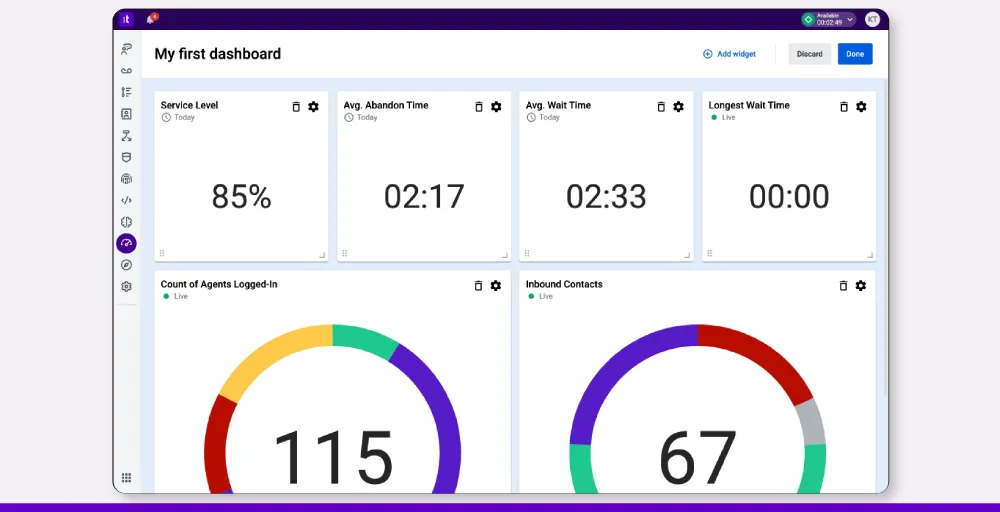
Beyond routing, Talkdesk IVR enables callers to obtain information about business hours or directions without involving your team. This improves the caller experience while letting agents focus on more urgent or complex requests.
Key features
- Visual routing designer
- AI-Powered Virtual Agents
- IVR Surveys
- Custom Prompts & Greetings
Pros & cons
| Pros | Cons |
| 60+ prebuilt integrations with CRMs and business tools | Higher starting price—less affordable for small teams |
| Enterprise-ready security: HIPAA, GDPR, PCI-DSS, SOC, ISO | Setup and customization can be complex |
| AI tools: voice biometrics, Autopilot, intelligent routing | Limited features on entry-level plans |
Pricing
- CX Cloud Digital Essentials: $85 per user, per month
- CX Cloud Voice Essentials: $105 per user, per month
- CX Cloud Elite: $165 per user, per month
Best for
Talkdesk is a cloud contact center platform that helps teams improve sales, support, and service. It stands out for its AI automation, omnichannel tools, and workforce management features.
G2 Reviews
Rating: TalkDesk holds a 4.4/5 rating on G2.
5. Twilio
Twilio is a customer engagement platform designed to simplify customer service through intelligent and automated call flows. Its IVR features use logic and AI to route calls efficiently to help customers reach the right team without unnecessary delays.
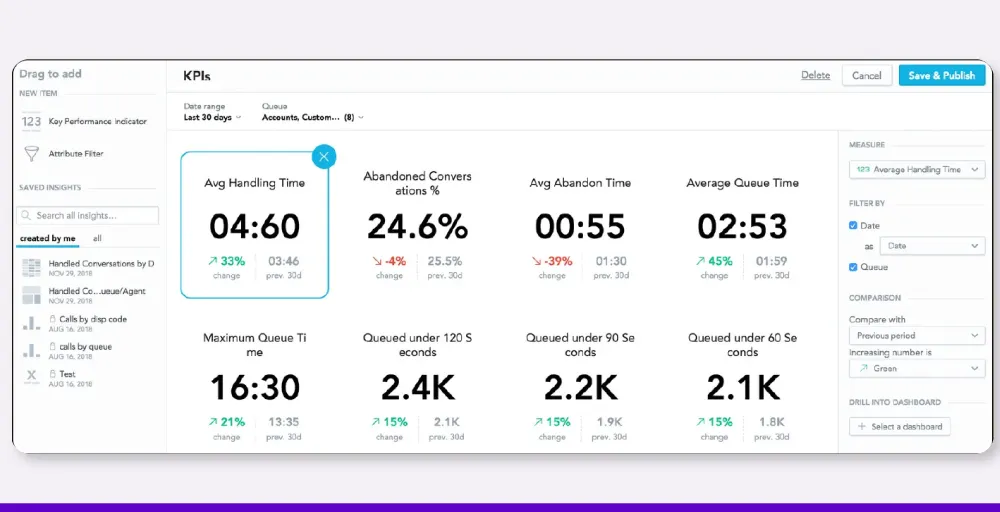
When live support is needed, Twilio passes along the full context of the interaction, so agents can jump in without repeating steps. At the same time, customers can complete everyday tasks, such as checking orders, paying bills, or booking appointments on their own.
Key features
- Agent escalation
- AI virtual agents
- Proactive notifications
- Self-service automation
Pros & cons
| Pros | Cons |
| Easy integration with popular tools and APIs | Customer support response can be slow |
| User-friendly low-code call flow builder | Pricing can be expensive for small or low-use teams |
| Reliable, scalable communication platform | Advanced features require technical know-how |
Pricing
- Local Calls: $0.0140 per minute
- Toll-Free Calls: From $0.0140 per minute
- Browser/App Calling (VoIP): $0.0040 per minute
Note: It is for the voice APIs Pay-as-you-go plan. For more plans.
Best for
Twilio is best for adding voice, SMS, video, and chat features to apps or websites. It gives developers the tools to build custom communication systems for support, engagement, and security.
G2 Reviews
Rating: Twilio holds a 4.1/5 rating on G2.
6. Nextiva
Nextiva is a unified customer experience platform designed for businesses that want to improve customer interactions without relying heavily on IT support.
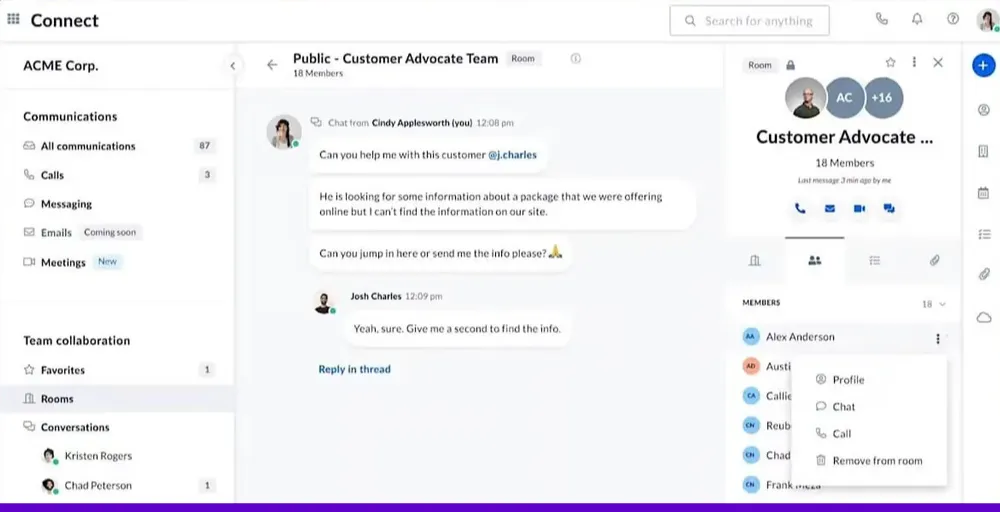
With its AI-powered IVR, you can create multi-level menus, use natural language to route calls, and automate everyday tasks like scheduling appointments. All this makes setting rules for business hours or holidays simple and requires no technical expertise.
Nextiva also integrates with popular CRMs, helping teams reduce wait times, respond faster, and deliver a smoother experience across all communication channels.
Key features
- AI-powered speech recognition
- text-to-speech support
- IVR analytics for call flow optimization
- IVR with Conversational AI
Pros & cons
| Pros | Cons |
| Offers a full suite: voice, video, chat, SMS, and AI-powered IVR | Slightly higher starting price than some basic competitors |
| AI IVR with natural language routing cuts hold times and boosts efficiency | Some features (e.g., advanced analytics, enterprise integrations) require higher-tier plans |
| Excellent reliability (99.999% uptime) and 24/7 support | Occasional issues with mobile app stability, as reported by users |
Pricing
- Core: $30 per user, per month
- Engage: $40 per user, per month
- Power Suite: $60 per user, per month
Best for
Nextiva offers top value for businesses with its advanced features, reliable support, and fair pricing. You get everything in one place: auto-attendant, call routing, custom caller ID, faxing, and more.
G2 Reviews
Rating: Nextiva holds a 4.5/5 rating on G2.
7. AirCall
Aircall is built for customer-facing teams and call centers of any size. With its drag-and-drop visual editor, you can create IVR menus, add custom greetings, and adjust call routing based on time of day.
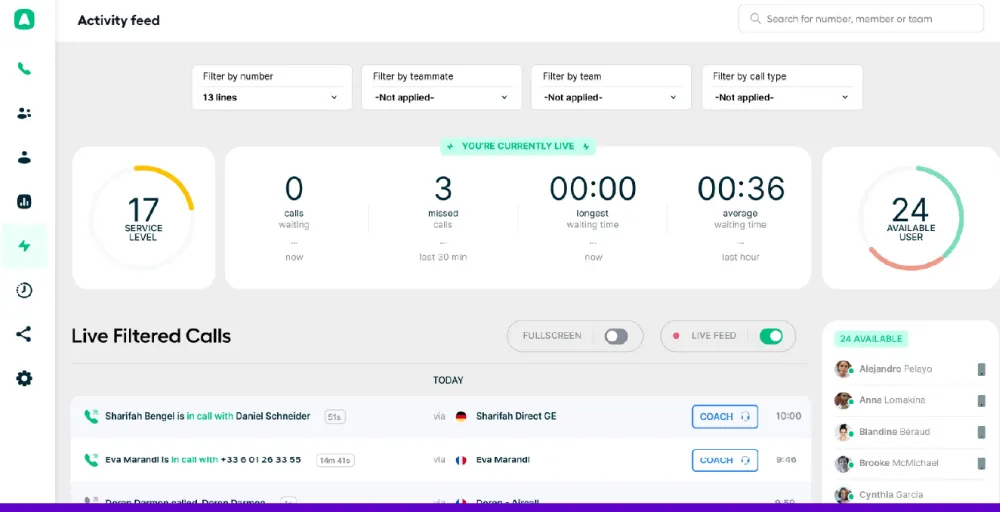
The platform is easy to set up, so even non-technical users can get started and manage their IVR system with confidence.
Key features
- Multi-Level IVRs
- Dynamic visual editor
- Ring Groups Integration
- Music and audio messages
Pros & cons
| Pros | Cons |
| Includes IVR on the Essentials plan, plus intuitive Smartflows interface | One of the higher-priced options in its category |
| Offers over 100 integrations (e.g., Salesforce, Zendesk) to keep data in sync | Call analytics are only retained up to six months |
| Supports unlimited simultaneous outbound calls, ideal for busy call centers | |
Pricing
- Essentials: $40 per license, billed monthly
- Professional: $70 per license, billed monthly
- Custom: Contact sales
Best for:
Aircall is best suited for call centers and customer-facing teams looking for a fast-to-launch IVR solution that integrates deeply with CRM and support tools. It works well when you need scalable call handling with an intuitive setup and reliable performance.
G2 Reviews
Rating: Aircall holds a 4.4/5 rating on G2.
8. 3CX
3CX includes a built-in, multi-level IVR (also called a digital receptionist) that helps businesses manage incoming calls automatically. Callers can easily navigate through menu options to reach the right department or get information without waiting for a live agent.
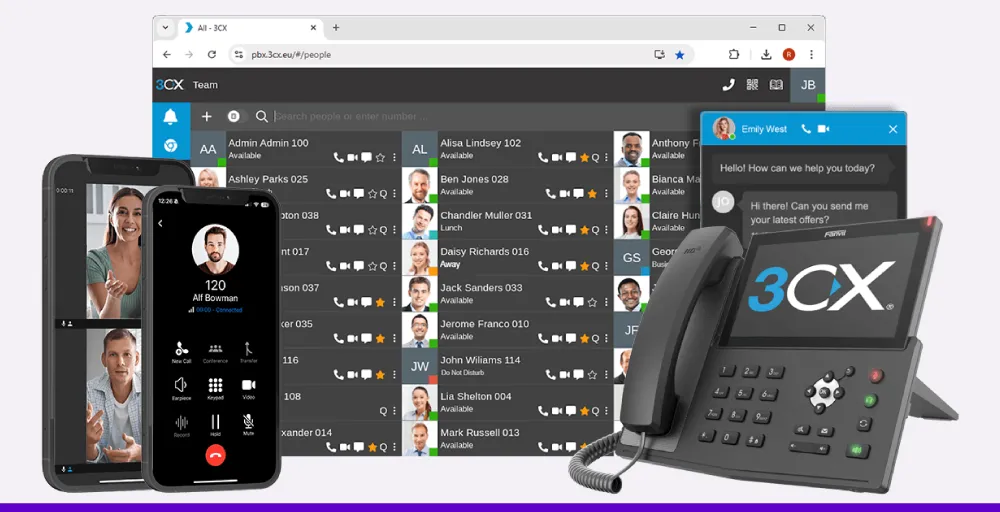
The IVR can handle multiple levels of menus, play different greetings based on time of day, and accept both keypad and voice inputs for a smoother caller experience. With the Call Flow Designer, businesses can even create advanced IVR scripts that connect to CRM systems or pull live data for more personalized interactions.
Key features
- Multi-level IVR
- Skill-based Routing
- Scheduled Restore
- Callback Options & Surveys
Pros & cons
| Pros | Cons |
| No per‑agent fees and low cost compared to traditional phone systems | Initial setup and upgrades may require technical skills |
| Includes VoIP, web conferencing, IVR, call queues, and CRM integration | Call quality and mobile app experience can vary |
| Flexible deployment: host on-premise, private cloud, or on 3CX-hosted servers | The admin interface may feel dated or confusing for some users |
Pricing
- 3CX PRO (Professional): $350 for 8 simultaneous calls (SC)
- 3CX ENT (Enterprise): $425 for 8 simultaneous calls (SC)
- Hosting Only: $295 for 8 simultaneous calls (SC)
Best for
It’s ideal for businesses of all sizes that seek a cost-effective communication platform with built-in IVR, particularly one that’s flexible and easy to scale.
G2 Reviews
Rating: 3CX holds a 4.4/5 rating on G2.
9. JustCall
JustCall provides an easy-to-use, multi-level IVR editor that lets businesses create custom call flows, greetings, and time-based rules through a simple visual interface. Callers can quickly navigate to the right option or get information without waiting for an agent.
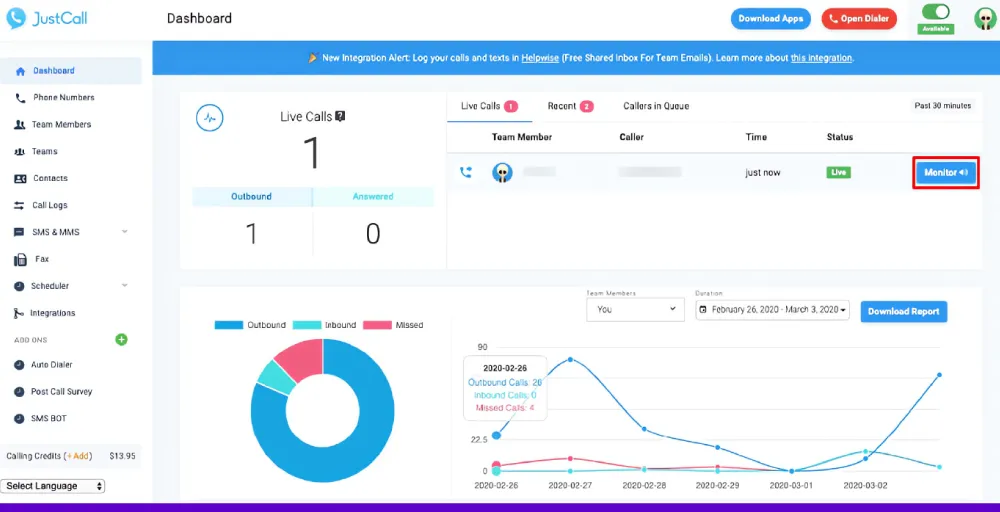
What sets JustCall apart is its optional AI Voice Agent. This feature can handle calls automatically, answer common questions, and even book appointments around the clock, helping teams save time and stay available 24/7.
Key features
- Customize IVR menus
- IVR MP3
- Call Routing
- Greetings based on customer actions
Pros & cons
| Pros | Cons |
| Easy-to-use IVR builder included in most plans | Free trial only lasts 14 days |
| AI call summaries and transcription boost efficiency | Some calls may not connect reliably (mixed user feedback) |
| Over 100 integrations with CRMs and helpdesk tools | AI Voice Agent billed per minute + extras after free usage |
Pricing
- Team: $39 per user/month
- Pro: $69 per user/month
- Pro Plus: $109 per user/month
- Business: Contact Sales for a quote
Detailed JustCall pricing
Best for
Small to mid-sized teams seeking a unified IVR calling software with AI-enhanced call handling, powerful integrations, and flexible pricing tiers.
G2 Reviews
Rating: JustCall holds a 4.3/5 rating on G2.
10. Vonage
Vonage supports both small businesses and large enterprises with its Unified Communications and Contact Center solutions. One of its key strengths is the Programmable Voice API, which lets teams build custom IVR systems and voice bots with just a few lines of code.
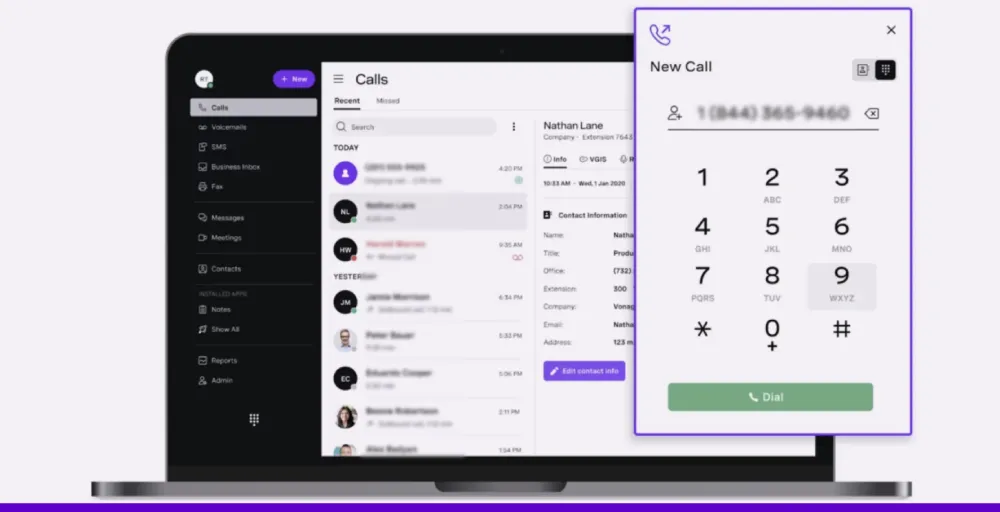
This makes it easier to automate call menus, enable recordings, and offer callbacks across different channels, without relying heavily on IT.
Key features
- Multi-Level IVR
- Auto Attendant
- Call analytics
- Voicemail Routing
Pros & cons
| Pros | Cons |
| Global network with low latency and 99.95% uptime | Free-tier features are limited; significant setup costs for advanced plans |
| Build custom IVR workflows with code or low-code tools | Not as user-friendly for non-developers |
| Real-time analytics and reporting via dashboard or API | More complex to set up than plug-and-play cloud phone systems |
Pricing
- Basic: $19.99/month per extension
- Premium: $29.99/month per extension
- Advanced: $39.99/month per extension
Best for
Vonage works well for businesses that want full control over their IVR setup. It’s a good choice for teams with developers who want to build custom call flows and connect their phone system to other tools using APIs.
G2 Reviews
Rating: Vonage holds a 4.3/5 rating on G2.
11. Ozonetel
Ozonetel IVR solution helps small businesses automate up to 70% of routine customer queries without agent intervention, enabling faster resolutions, lower support workload, and more efficient customer interactions.
Its no-code drag-and-drop builder enables quick creation of multi-level IVR flows with intelligent call routing, self-service menus, and conversational AI for faster resolutions.
The platform integrates seamlessly with popular CRMs like Salesforce, HubSpot, and Freshdesk, making it easy for small teams to get started without complex technical overhead.
Trusted by 3,500+ businesses, Ozonetel demonstrates proven scalability and reliability, supporting the evolving needs of growth-oriented businesses.
Key Features
- Drag-and-drop flow builder
- Conversational AI with NLP
- Intelligent call routing
- Queue callback and virtual hold
- Supports English, Hindi & 11+ Indian regional languages
| Pros | Cons |
| No-code IVR builder makes it easy to set up and modify call flows | Feature depth may overwhelm micro-businesses |
| Deep CRM integrations enable personalized, context-rich routing | Custom quotes needed; no public tier pricing |
| Multilingual support makes it ideal for businesses serving diverse regional audiences | Learning curve needed for advanced AI features |
Pricing
Ozonetel does not publish standard pricing. Plans are custom-quoted based on call volume, team size, and features required. Businesses need to request a demo or contact the sales team for a tailored proposal.
Best For
Ozonetel IVR is best for growing SMBs and mid-market businesses in India managing high inbound call volumes across customer support, BFSI, D2C, or field sales — especially those needing CRM-integrated, multilingual IVR without heavy IT involvement.
G2 Reviews:
Ozonetel holds a 4.6/5 rating on G2.
Top features to look for in IVR software
There are numerous IVR features available, which can be overwhelming. But don’t worry, we’ve listed the ones that really matter.
1. Callback option
If agents are busy, the call them back feature allows callers to request a callback instead of waiting on hold. This reduces frustration and keeps your customers engaged without losing their calls.
2. Call queues
When many callers reach out at once, call queues organize them into a waiting line. This ensures calls are answered in order and no one gets missed during busy periods.
3. Ring groups
Ringing groups let multiple team members be alerted simultaneously for incoming calls. This is especially useful during high call volumes to ensure faster response times.
4. Call flow customization
Having the ability to create your own call flow is essential for ensuring your system aligns with your business needs. These menus can change depending on the time or who is calling. This helps send calls to the right place and keeps customers happy.
5. Multi-level IVR
Multi-level IVR lets callers reach the right person faster with layered phone menus. You can guide them through department, language, or location, without needing a live agent upfront. This reduces wait times and helps your team focus on more complex requests
6. Call forwarding
Call forwarding enables you to forward one number to another, ensuring that every call is directed to the right person or team. This keeps your business accessible at all times while helping you maintain separate personal and work lines for better organization and privacy.
7. VIP and block lists
Effective interactive voice response software lets you block specific numbers. At the same time, you can prioritize essential callers by adding them to VIP lists. It ensures agents don’t waste time and callers get faster, personalized service.
8. Progressive dialer
A progressive dialer automatically dials numbers for your agents and connects them only when a person answers. This boosts efficiency by reducing time spent on unanswered calls.
9. CRM integration
Integrating with key business apps is vital. The best IVR service providers offer key integrations with CRMs like Zendesk or Salesforce. It enables your team to access customer information instantly and respond more effectively.
IVR system offers key integrations with popular CRMs like Zendesk and Salesforce. With it, agents get quick access to customer information during calls. This lets them respond faster and offer more personalized help.
10. Automatic call distribution (ACD Feature)
The ACD software automates call assignment to the best available agent based on rules you set. It balances workloads and maintains smooth call handling without requiring manual intervention.
How to select the right IVR service provider for your business?
Choosing the right IVR can feel overwhelming, but it becomes simpler when you focus on your specific business needs. Here are some key points to consider:
- What’s your goal? Think about why you want an IVR system. Are you aiming to speed up call handling, reduce wait times, or provide support outside business hours? Clarifying your main goals will help you find a solution that fits.
- Are you expecting growth? If your call volume is likely to increase, choose a provider that can scale with you. Look for features like multi-level menus and intelligent call routing to handle higher traffic smoothly.
- Where is your team located? If your team works remotely or in a hybrid setup, a cloud-based IVR lets you handle calls from anywhere. This keeps your service reliable no matter where your staff is.
- Do you need integrations? Verify that the IVR service integrates with your existing tools, such as CRM or helpdesk software. Also, consider the provider’s customer support, especially if you need help during setup or as your needs evolve.
| Need | Pick |
| Affordable, easy-to-use IVR for small teams | KrispCall |
| Enterprise-grade customization + AI-driven IVR | Talkdesk |
| Easy IVR setup + strong support, CRM integration | Aircall |
| AI self‑service/virtual agents | Talkdesk |
| Visual multi‑level IVR builder | Aircall |
| Global numbers & reach | KrispCall |
The Right IVR System Can Transform How You Handle Every Call
The best IVR software does more than route calls. It shapes the first impression customers have of your business and determines whether they stay on the line or hang up frustrated.
Whether you are a small team looking for simplicity or a growing business that needs smart automation, the right IVR system saves time, reduces missed calls, and keeps customers coming back for more.
KrispCall makes it easy to get started with multi-level IVR menus, AI-powered routing, and auto-replies for missed calls, all without needing any technical expertise.
Try a free demo to see how it can work for your business.