Everyone wants to get rid of messy wiring that is scattered all over the office. But the problem is how you can do it?
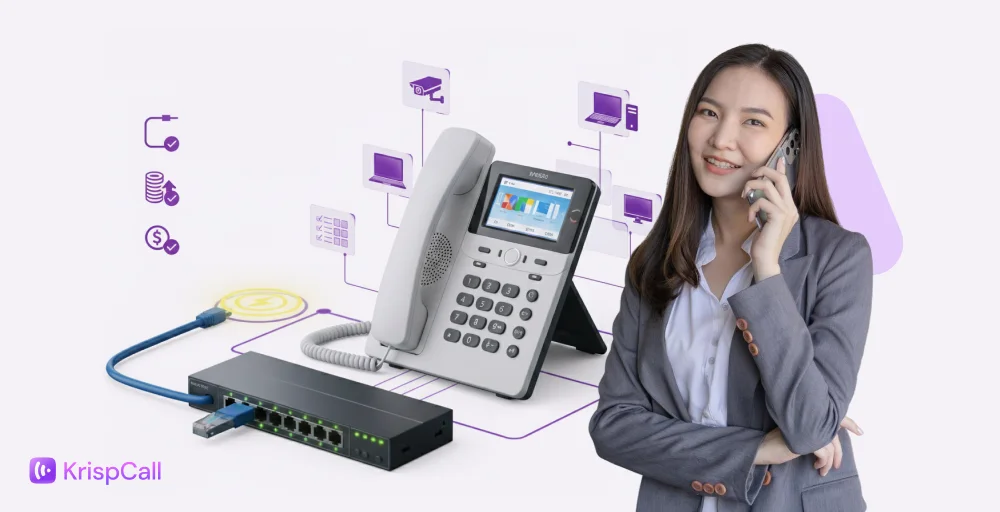
That’s now possible with PoE VoIP phones, also called Power over Ethernet VoIP phones allow you to reduce the required wiring by half, as they power the electrical signal and the internet signal through a single cable.
Let’s explore more about PoE VoIP phones.
✨ Key Takeaways
- PoE VoIP phones combine power and data through a single Ethernet cable, reducing clutter and cost.
- Businesses benefit from simplified installation, lower costs, and improved reliability with PoE VoIP systems.
- Choosing the best PoE VoIP phones for 2026 depends on power standards (802.3af/at/bt), switch compatibility, and provider reliability.
- Use the right PoE switch for VoIP phones to ensure proper power delivery and network performance.
- Understanding your PoE power budget helps prevent overloading your switches when scaling up.
What is PoE?
Power over Ethernet (PoE) is a networking technology that allows a single Ethernet cable to carry both electrical power and data to devices such as VoIP phones, IP cameras, and Wi-Fi access points.
This allows devices like VoIP phones, Wi-Fi access points, IP cameras, and IoT sensors can run without a separate power adapter or outlet.
How does PoE work?
Power over Ethernet (PoE) allows a single Ethernet cable—typically Cat5e or Cat6—to carry both data and electrical power to your VoIP phones. Instead of using separate power adapters, the phone draws power directly from a PoE-enabled network switch or injector.
There are two types of PoE specs:
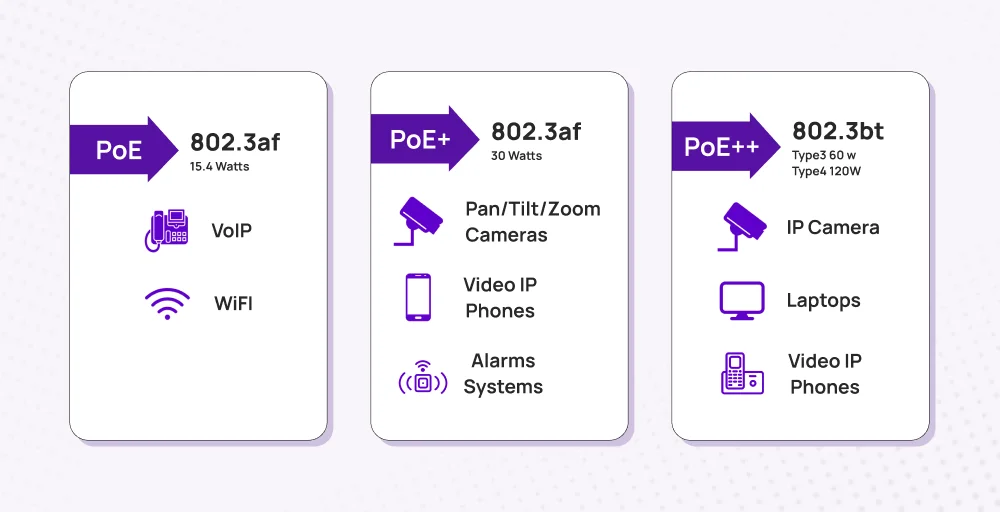
- Active PoE (standards-based): The switch/injector first detects and negotiates the device’s power draw, then delivers only what’s needed. Depending on the IEEE spec (802.3af/at/bt), that can range from ~15 W up to ~90–100 W at the source.
- Passive PoE (non-standard): The power source just pushes a fixed voltage—typically 24 V, 48 V, or 54 V—with no handshake. It’s simple and cheap, but mismatches can damage gear not built for that voltage.
What is PoE VoIP phone?
A PoE VoIP phone (Power over Ethernet Voice over IP phone) uses a single Ethernet cable to deliver both data and electrical power.Instead of plugging into a wall adapter, it draws power directly from a PoE-enabled switch or injector.
This setup simplifies your workspace — one cable handles everything: power, voice, and internet connectivity.
You can place your phone anywhere as long as an Ethernet cable can reach it.
How does POE work with VoIP phones?
Power over Ethernet (PoE) lets a single Ethernet cable (Cat5e or Cat6) deliver both power and data to your VoIP phones. Instead of needing separate power adapters, the phones draw electricity directly from a PoE-enabled network switch or PoE injector.
When you connect a PoE VoIP phone:
- The PoE switch for VoIP phones identifies the connected device and negotiates the exact power level required.
- If your network lacks a PoE switch, you can use a PoE injector for VoIP phones to add power to the Ethernet line before it reaches the phone.
- Always check your PoE power budget to ensure the switch can handle all connected phones with at least 20% reserve capacity for stability.
There are two types of PoE implementations:
- Active PoE (IEEE 802.3af / 802.3at / 802.3bt): This standard automatically detects the phone’s power needs and delivers the correct voltage safely.
- Passive PoE (Non-standard): Sends a fixed voltage (usually 24–54 V) without negotiation, which can damage VoIP phones not designed for it.
Are all VoIP phones PoE compatible?
No, not all VoIP phones are compatible with PoE. You have to check the phone’s specifications to confirm, as some modern business VoIP phone systems still require a traditional AC power adapter. It is a specific feature, and not all VoIP phones are compatible with it.
Differences between PoE, non-PoE, and WiFi VoIP phones
The difference is clear: PoE needs a single cable for power and data connection through a PoE-enabled switch, non-PoE requires a separate cable, and WiFi VoIP phones connect wirelessly, but require a specific power source.
Let’s look at a clearer view of the difference between PoE, non-PoE, and WiFi VoIP phones.
| Type | Power Source | Data Connection | Pros | Cons |
| PoE-compatible VoIP Phones | Powered directly through the Ethernet cable (via PoE-enabled switch/injector) | Ethernet cable (same cable carries both power + data) | Simplified cabling, centralized power management, and reliable connections. | Require a PoE switch or injector |
| Non-PoE VoIP Phones | Separate power adapter plugged into the wall outlet | Ethernet cable for data only | Works with standard switches, no special equipment needed | Extra cabling, less tidy setup, harder to manage power centrally |
| WiFi VoIP Phones | Internal battery or separate power adapter | Wireless (WiFi) | Flexible placement, no Ethernet cabling needed | Less stable than wired, depends on WiFi coverage & speed |
Benefits of using PoE VoIP phones for business
A PoE-compatible VoIP phone requires less wiring, enabling companies to make significant cost savings.
Here are the major advantages of PoE- PoE-compatible phones:
Simplified wiring and reduced clutter
The wiring is simple, as power and data are transmitted through a single Ethernet cable, eliminating the need for wiring clustering. This simplifies maintenance and speeds up the installation of the VoIP phone system.
Lower installation & maintenance cost
Fewer cables mean less labor and lower costs for installation. Replacements are cheaper since you only manage one line per phone.
Improved reliability and uptime
PoE VoIP phones are more reliable than Wi-Fi VoIP systems because they deliver consistent power and data through a single wired connection. Even during power outages, they stay functional using UPS-backed PoE switches, ensuring uninterrupted communication.
Scalability
Adding new users or moving desks is easier — just plug the phone into any PoE-enabled port. Perfect for growing offices or shared workspaces.
Energy efficiency
Modern IEEE 802.3af/at/bt PoE standards intelligently allocate just the right amount of power each device needs — saving energy across your network.
How to choose the right PoE VoIP phone system
Multiple PoE VoIP phone systems are available, and choosing the right one is crucial for businesses. You must consider the following things before choosing:
Look for key specs
When choosing a PoE VoIP phone, make sure it supports the right PoE standard (802.3af, 802.3at, or 802.3bt). Also, ensure that your switch can provide enough power. If your multiple computers share the same connection, opt for phones with Gigabit Ethernet ports to maintain a fast network.
Additionally, the supported number lines or SIP accounts are important because they help you to add users when your business grows.
Look for features like a clear display, comfortable Bluetooth headset options, and HD voice quality. Security is important too, so ensure the phone supports encrypted protocols like TLS and SRTP.
Assess your network and power infrastructure
Before setting up a PoE VoIP system, make sure your network power setup can handle it. You can check your switches’ PoE budget to confirm they can power all connected phones with at least 20% extra capacity for safety.
Inspect your Ethernet cables (Cat5e or Cat6) to ensure they can carry both data and power efficiently over the needed distance.
Prioritize voice traffic using managed switches with VLAN and QoS settings to ensure optimal performance. It’s also a good idea to use switches that support LLDP-MED for smarter power management and have a UPS backup to keep phones running during power outages.
Look for phone features that meet your business needs
Choose phones based on how different team members work. Receptionists usually need phones with multiple lines and programmable keys, while managers might prefer models with Bluetooth and sharp, high-resolution displays.
Call center agents do best with phones that support headsets, call monitoring, and CRM integration for smoother workflows. It’s also smart to look for unified cloud communication features like voicemail-to-email, presence, and call analytics to boost efficiency. And of course, pick phones that are comfortable to use and easy to learn so your team can get up to speed quickly.
Evaluate vendor/ provider
Choose a provider known for strong reliability, quick customer support, and frequent firmware updates. Make sure they follow solid security practices, including encryption and compliance with standards like ISO 27001 or SOC 2. Choose vendors that offer transparent warranties, easy access to spare parts, and compatibility with your current setup.
To stay flexible, choose phones that support open SIP standards instead of proprietary systems. Before making a big commitment, always test the provider’s system with a small pilot to ensure it meets your needs.
5 Best PoE VoIP Phones for 2026 (Reviewed & Compared)
With so many desk phones available, selecting one might be challenging. Therefore, we have selected the top PoE VoIP phone systems for small businesses to make your decision easier.
Here are the five major PoE VoIP phones:
1. Yealink SIP-T54W IP phone
The Yealink SIP-T54W IP phone features a larger color display, HD voice quality, and a full duplex speakerphone.
It’s more reliable than Wi-Fi VoIP systems, ideal for executives who need stability and wireless headset support.
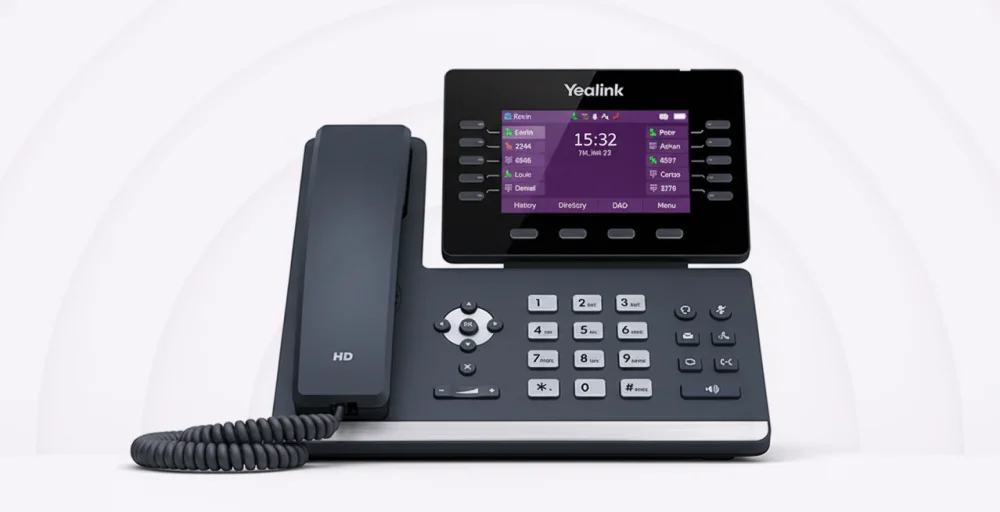
It supports multiple SIP accounts and has many programmable line keys for easy access. Its sturdy design, along with Bluetooth and Wi-Fi capabilities, provides flexibility and ease of connectivity.
Pricing
- $168 (From Amazon)
Key features
- High-definition adjustable screen
- Advanced shield features
- Versatile corded and cordless telephone options
2. Grandstream GRP2613 IP phone
The Grandstream GRP2613 IP phone delivers high-quality voice communication, featuring a full-duplex speakerphone with HD audio and support for the Opus audio codec for superior sound clarity.
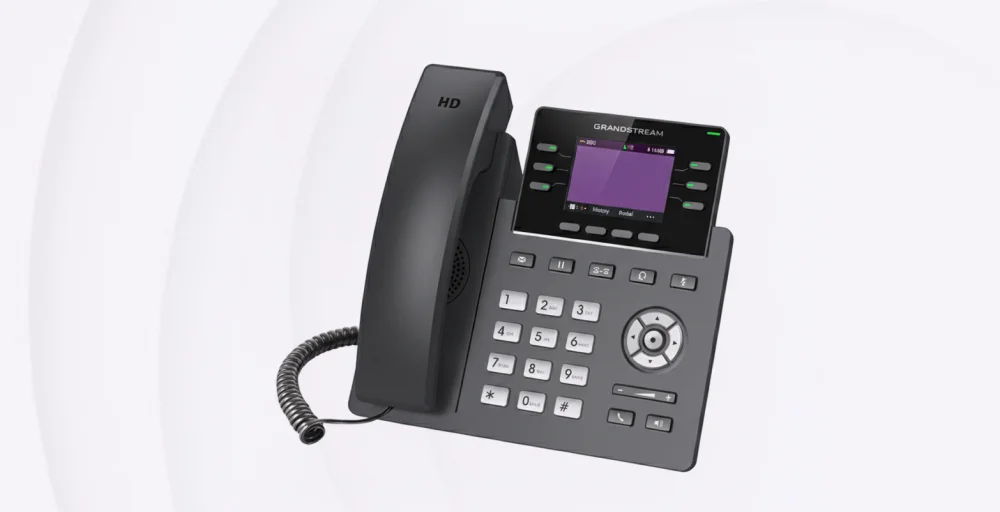
The phone supports a 1000-contact phonebook, digital BLF, and speed dials. The Grandstream device management system provides easy provisioning, configuration, and management.
Pricing
- Contact sales
Key features
- High-quality HD audio supporting all major codecs
- Robust enterprise security featuring secure boot and dual firmware images
- Up to 24 programmable digital BLF keys.
3. Grandstream GRP2615 IP phone
The Grandstream GRP2615 is an IP phone designed with enterprise-grade security features, such as dual firmware images, secure boot, and encrypted data storage.
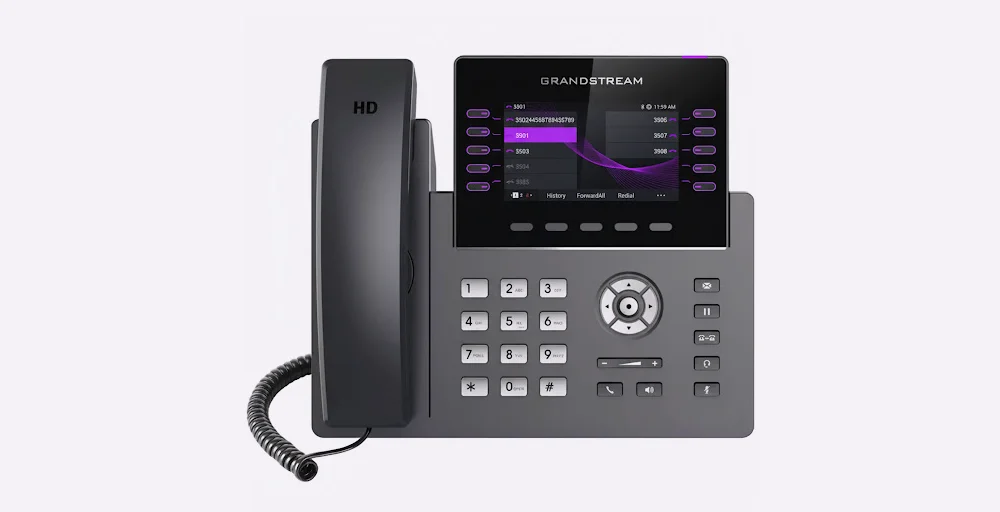
It supports up to 10 line keys and can accommodate up to 16 SIP accounts. Additionally, Grandstream’s Device Management System (GDMS) enables management of 40 multi-purpose keys (MPKS).
Pricing
- Contact sales
Key features
- HD audio, handset, and speakerphone support wide-band audio
- 10-line keys, supporting up to 16 SIP accounts
- 40 built-in digital BLF keys
4. Poly VVX 450 IP phone
The Poly VVX 450 IP phone delivers high-definition audio to ensure clear call quality. It features a color display, programmable keys, call forwarding, conferencing capabilities, and other business-grade features. It’s perfect for mid-size teams requiring stability and clarity — more reliable than Wi-Fi VoIP systems in busy networks.
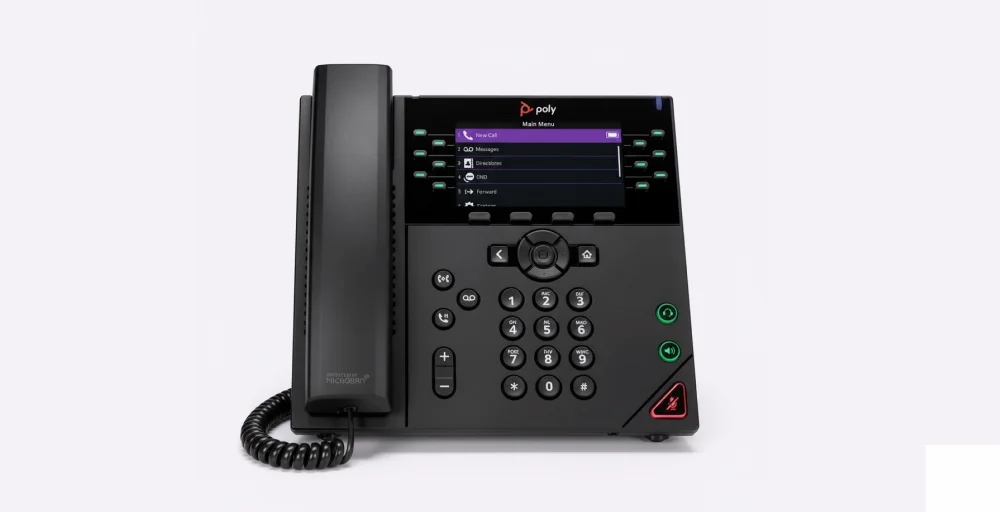
Additionally, the VVX 450 supports various connectivity options such as Ethernet, USB, and Bluetooth, offering versatile solutions for different communication requirements.
Pricing
- $144.95 (From Amazon)
Key features
- Mute or unmute the microphone during an active call
- Place and receive VoIP calls using the speakerphone
- Message waiting indicator
5. Snom D785
The Snom D785 is a technically advanced phone series, with a larger high-resolution colour display and a second display enabling dynamic configuration of the six physical and 24 function keys. It is integrated with a digital signal processor (DSP) and offers HD audio quality.
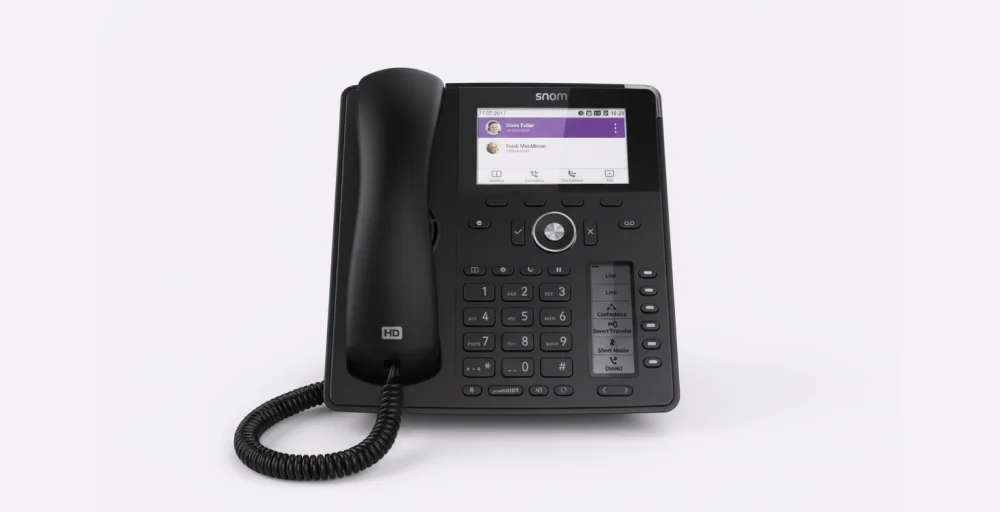
A key feature of the Snom D785/D785N is its customizable user interface, which allows you to modify the background, icons, and colors to suit your preferences and requirements.
Pricing
- $159.99 (From Amazon)
Key features
- 24 programmable function keys, with 6 physical BLF keys displayed on a secondary screen
- Built-in Bluetooth technology
- Supports USB headsets.
Steps to deploy a PoE-ready VoIP phone system
Implementing a PoE-ready VoIP phone system requires careful planning to avoid any trouble. Following a clear pathway ensures everything runs smoothly.
Step 1: Plan & Cable (Cat5e / Cat6)
Start by mapping where each phone will be placed. Use Cat5e or Cat6 Ethernet cables for stable power and data transmission.
Connect each workstation to a PoE-enabled switch and confirm the switch’s PoE power budget can handle all phones with at least 20 % spare capacity. Label each port for easier management later.
Step 2: Pilot Test & Monitor Jitter / Latency
Before a full rollout, test a few phones in different areas. Check call quality, packet loss, and network latency to verify smooth voice performance.
Use network monitoring tools to measure jitter — anything above 30 ms indicates congestion or poor switch performance. This testing phase helps you catch issues early and fine-tune your PoE VoIP phone setup before deployment.
Step 3: Apply QoS & VLAN Configuration
Voice traffic must take priority over everything else. Configure Quality of Service (QoS) on your router or switch to give VoIP packets high priority (DSCP 46).
Create a separate Voice VLAN to isolate VoIP traffic from other data streams, preventing bottlenecks and improving reliability. These adjustments ensure crystal-clear calls that remain more reliable than Wi-Fi VoIP systems.
Step 4: Harden Security & Access Control
Lock down your VoIP network against unauthorized access:
- Require 802.1X authentication on switch ports.
- Enable LLDP-MED so phones automatically receive VLAN and power settings.
- Keep every device updated with the latest firmware before final rollout.
These measures prevent rogue device connections and close security gaps early.
Step 5: Document & Train
Once the phones are live, document switch port assignments, VLAN IDs, and power budgets. Train your IT or admin staff on how to connect a PoE phone, replace units, and check link status lights.
Well-trained teams reduce downtime and make future expansions effortless.
Select the right PoE-enabled VoIP phone system
A PoE VoIP phone system brings flexibility, scalability, and dependable call performance to your office telephony conversation at a low cost.
But having compatible phones isn’t enough, you also need a VoIP service that supports and enhances their capabilities. KrispCall, for example, supports provisioning and integration of many IP phones (e.g., Grandstream, Yealink) via SIP, making it easier to deploy and manage your phones.
By pairing the right PoE-enabled handsets with a service provider like KrispCall, you get centralized control, security, and seamless operation.
Ready to upgrade your business telephony conversation? Start your PoE VoIP journey with KrispCall today and experience a smarter, more efficient way to stay connected.