The way businesses handle incoming and outgoing calls has undergone significant changes over the years. What began as manual switchboards operated by staff has now evolved into fully automated, feature-rich systems.
One major development in this journey is the rise of PABX, a modern version of the traditional PBX systems. It eliminates the need for manual call routing and supports advanced cloud telephony functions.
In this guide, we’ll break down what a PABX system is and what the difference is between PBX and PABX.
What Is a PABX System?
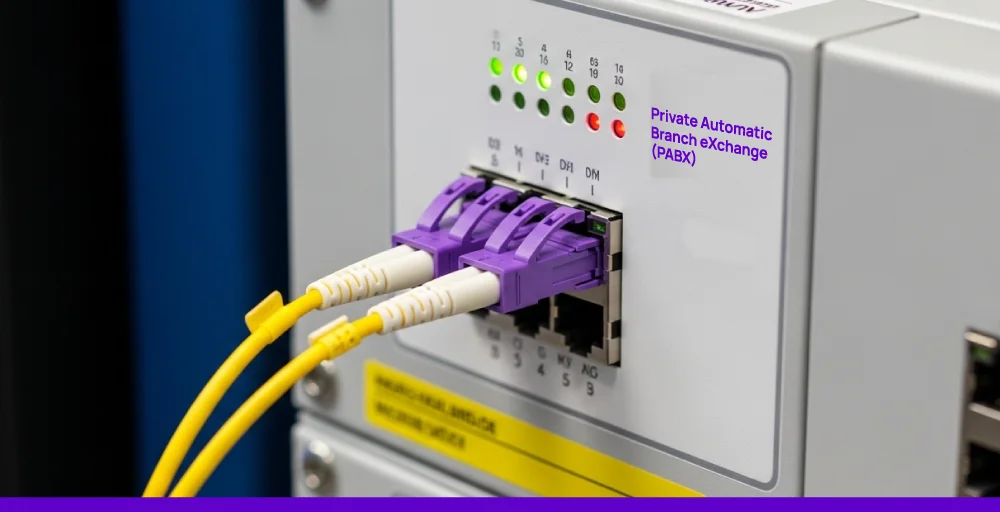
Private Automatic Branch Exchange (PABX) is a private telephone network that helps businesses manage internal phone calls within the company.
Instead of setting up separate phone lines for every desk, employees can share one business number and connect through an internal phone network using extensions. This setup saves costs and makes internal communication more efficient.
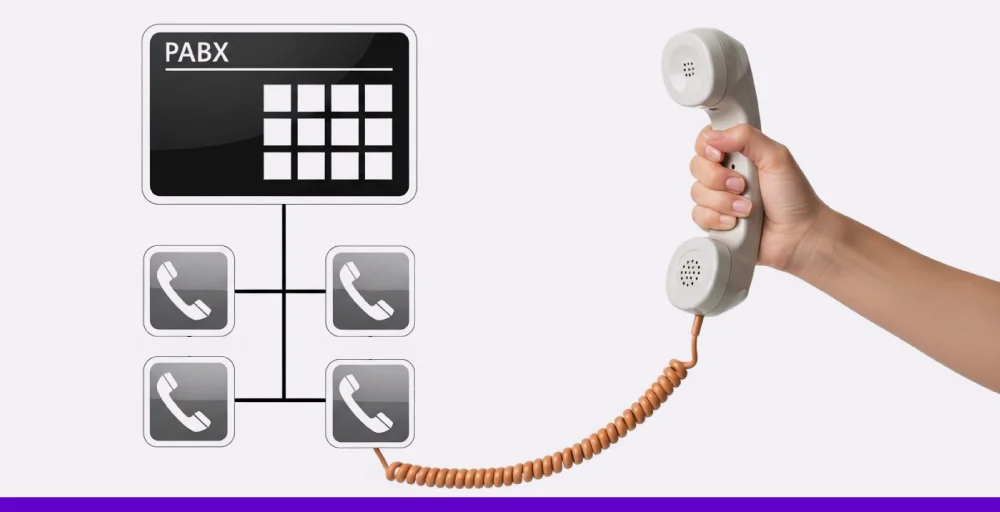
PABX systems generally automate tasks that early PBX setups relied on manual switchboard operators to perform. Unlike those systems, PABX handles call routing electronically. This allows users to make external calls or transfer calls between departments without needing manual assistance.
Modern VoIP PABX systems go a step further by integrating internet-based calling with traditional phone network access (PSTN). This enables companies to manage calls through a reliable internet connection that supports features such as voicemail, auto attendants, and call forwarding.
PABX vs. PBX: What’s the Difference?
The original PBX (private branch exchange) systems relied on manual switchboard operators to route calls. While this setup helped businesses avoid paying for multiple external lines, it quickly became inefficient, especially as call volumes increased.
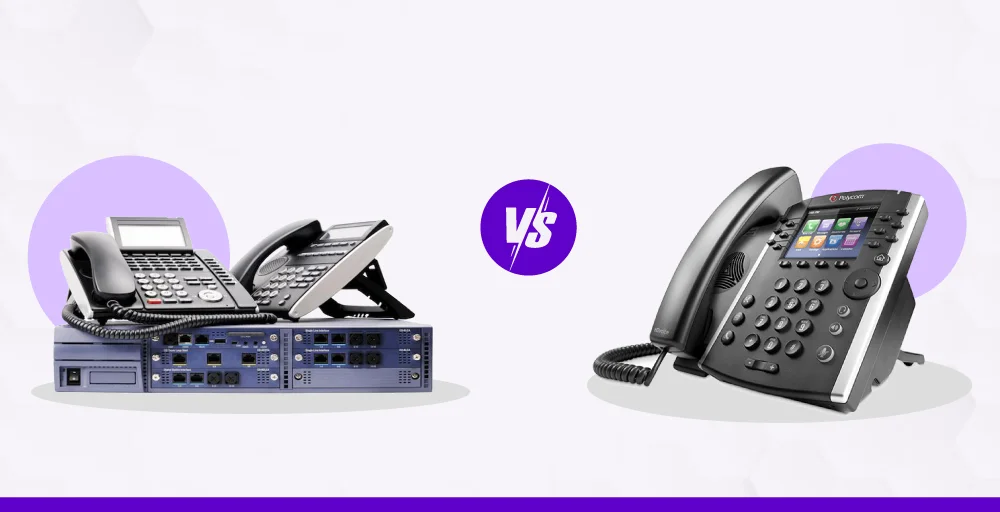
To solve this, PABX (Private Automatic Branch Exchange) introduced automation. It eliminated the need for human operators by using electronic switching to handle call routing.
This allowed companies to manage both internal and external interactions more quickly and reliably.
Today, most private branch exchange systems are fully automated by default. In fact, modern PBX and PABX are often used interchangeably and typically support advanced features like voicemail, call forwarding, and CRM integration.
| Feature | PBX (Original PBX) | PABX (Private Automatic Branch Exchange) |
| Call Switching | Manual (requires human operators) | Automatic (software or hardware-based switching) |
| Efficiency | Slower, dependent on operator availability | Faster, consistent call handling |
| Scalability | Limited, hard to add lines or users | Easily scalable with minimal system changes |
| Cost of Operation | Higher (staffing + line costs) | Lower long-term costs due to automation |
| Technology Base | Analog, copper-based wiring | Digital or IP-based systems supported |
| Modern Usage | Largely obsolete | Common in modern business communications |
| Key Features | Basic call connection only | IVR, voicemail, call routing, CRM integration, etc. |
| Business Suitability | Small, legacy setups (rarely used today) | Startups to large enterprises needing smart call handling |
How a PABX System Works?
A PABX system acts like a private telephone exchange within your business. It has all the in-built hardware and software components, such as routers, telephone units, fax machines, modems, hubs, adapters, and switches.
These components link all internal phones and assign each one an extension, so employees can call each other directly without going through external lines.
When someone dials an outside number, the PABX determines the destination and routes the call through the public switched telephone network (PSTN) or via the internet.
Most modern PABX technology uses VoIP and SIP (Session Initiation Protocol) protocols to manage this process digitally, which reduces hardware costs and makes the system more scalable.
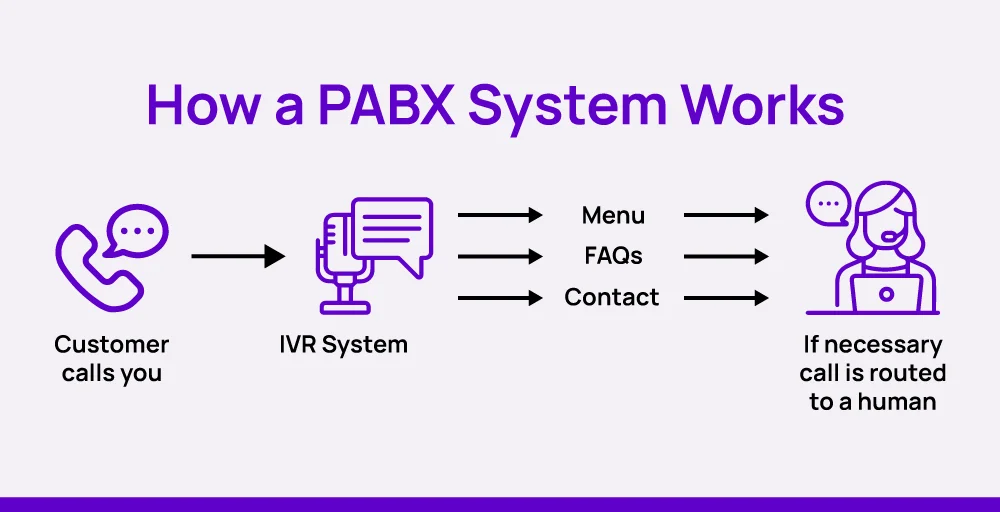
Many PABX setups also include an Interactive Voice Response (IVR) system to handle inbound voice calls. Callers are greeted with a recorded message and can choose from menu options using their keypad or voice. It helps to direct callers to the right department without involving a receptionist.
Types of PABX Systems
Over the years, PABX systems have evolved from simple analog setups to a flexible cloud-based PBX. Understanding the differences can help businesses choose a system that fits their size, needs, and infrastructure.
1. Analog PABX
Analog PABX systems use traditional PSTN lines with copper wiring to carry analog signals. They are cost-effective, reliable, and require minimal maintenance.
However, they offer fewer features than newer systems. Additionally, they occasionally experience signal quality issues over long distances and are challenging to scale or adjust. All this limits their use in modern call management. Some analog PABX systems may also be compatible with older digital technologies like ISDN, though these are now largely outdated compared to VoIP-based setups.
2. Digital PABX
Digital PABX systems transmit calls using digital signals rather than analog. They provide clearer voice quality and are simpler to configure and customize.
These systems are also more adaptable than analog models and can support advanced call routing and voicemail features. That’s why they have almost replaced the analog systems today.
3. IP-PABX
IP-PABX systems offer a modern take on traditional phone systems. They give you full control over your setup while using VoIP (Voice over Internet Protocol) to cut communication costs and improve flexibility.
Although installed on-site, these systems route voice calls using Internet protocols instead of physical phone lines. They’re a great fit for businesses that want to manage everything in-house but still take advantage of internet-based calling.
4. Hosted PABX (cloud PABX systems)
Hosted PABX moves the entire PABX phone system infrastructure to the cloud. There’s no need for on-site hardware, and calls are managed over the internet.
This option is ideal for growing businesses or distributed teams that want easy scalability, lower upfront costs, and support for remote work.
Benefits of Using a PABX System
A PABX system offers clear advantages for businesses that handle high call volumes or require structured internal collaboration. It centralizes control, supports business growth, and offers smart features that enhance both employee workflow and customer experience.
- Cost Efficiency: PABX system cuts down the need for multiple phone lines by linking internal users through extensions. This reduces overall call expenses, especially for long-distance and internal calls.
- Easy scalability: Businesses can easily add new extensions as their business expands without needing to overhaul the entire PABX phone system. This adaptability makes PABX ideal for growing companies or those planning organizational changes.
- Integration with CRM: Most cloud PABX systems can easily connect with CRM and other business tools. This helps agents access customer details right when they answer calls, improving customer service and simplifying collaboration for the whole team.
- Better Call Management: Modern PABX systems use features like IVR and automatic call routing to send calls to the right person quickly. This reduces waiting time and helps businesses provide faster, smoother service to their customers.
- Professional customer experience: Features like auto attendants and intelligent call routing guide callers directly to the appropriate department or agent. This creates a polished, professional impression and boosts the chances of resolving queries on the first call.
Key Features of a Modern Business PABX
Many of the tools found in PABX systems are similar to features commonly used in call centers, such as call routing, auto attendants, and voicemail handling, all designed to streamline communications and improve responsiveness.
1. Call Routing and Automation
- Auto Attendant: A menu-based system that directs incoming callers to the right department or extension without human assistance.
- IVR (Interactive Voice Response): Offers more flexibility than a standard auto attendant by processing voice or keypad responses and handling basic inquiries automatically.
- Call Forwarding: Routes incoming calls to another number or extension based on time, availability, or custom rules.
- Call Transfer: Let’s employees redirect a live ongoing call to another user with minimal interruption.
- Voicemail: Stores voicemail messages when staff are unavailable, so follow-ups never fall through the cracks.
2. Mobility and Remote Work
- Direct Dial-In (DDI): Allows external callers to reach a specific team member directly through IVR by skipping reception lines.
- Automatic Ring Back: Notifies and reconnects users automatically when a previously busy line becomes available.
- Speed Dialing: Saves time by assigning quick-access shortcuts to frequently used numbers.
3. Collaboration and Monitoring
- Conference Calling: Enables multiple participants to join the same call.
- Call Parking: Lets users place a call on hold and resume it from another phone or location.
- Call Recording: Captures call data for coaching, quality assurance, or compliance tracking.
4. Management and Control
- Centralized Admin Panel: System administrators can configure call flows, manage users, and track usage metrics from a single dashboard.
- Ring Groups: Allows multiple phones to ring simultaneously or in order to improve response time during busy hours.
- Do Not Disturb (DND): Mutes incoming calls for specific extensions, helpful during meetings or off-hours.
Choosing the Right PABX System
When selecting a PABX system, consider both your current setup and future business needs. The right system should fit your team size, calling volume, and technical requirements. Here are the key factors to evaluate:
- Business requirements: Begin by determining the number of users who need the system and the types of telephone calls you handle. Then, list must-have features like voicemail, IVR, or call routing.
- Deployment options: Decide between an on-premise setup and a cloud-based (hosted) solution. On-premise systems offer more control but require IT resources. Hosted PABX, on the other hand, reduces infrastructure overhead and is easier to manage remotely.
- VoIP compatibility: Before switching, it’s useful to compare the cost of VoIP services with traditional phone systems. VoIP often offers lower monthly rates and fewer hardware expenses, especially for remote or growing teams. A VoIP PABX system can route calls over the internet and typically integrates better with digital systems and CRMs.
- Integration capabilities: Modern PABX systems often include APIs to connect with CRM platforms, AI assistants, and other business software. These integrations help automate tasks, streamline service delivery, and boost team productivity.
- Scalability: Choose a system that grows with your business. Look for easy options to add extensions, phone lines, or new features without having to overhaul the entire system. Cloud-based solutions usually offer the most flexibility here.
- Cost and licensing: Factor in the total cost of ownership, including initial setup, licenses, ongoing maintenance, and upgrades. On-premise systems may require a larger upfront investment, while hosted options often follow a monthly or annual subscription model.
- Feature set: Focus on features that directly improve productivity and customer service. These might include call transfer, auto attendants, analytics, or integration with helpdesk and CRM software.
PABX vs VoIP: Can They Work Together?
Yes, they can, and many businesses use them together to get the best of both worlds.
A plain old telephone system routed calls through analog lines within an organization. But with VoIP technology, those same systems can now send calls over the internet using protocols like SIP.
This modern approach is often called a VoIP PABX or IP-PABX system. They not only process voice data, but can also process and transmit voice and other data over digital lines.
This allows companies to keep the structure and internal call control of a private branch exchange while gaining the benefits of internet-based calling. All this makes it the best replacement for an IP PBX or a traditional PABX solution.