call log history



Get a Virtual Number
Get local, mobile, and toll-free virtual phone numbers from 100+ countries and expand your business worldwide.
How to get call log history details in KrispCall?
Here’s how you can get call log history details and manage your phone call logs using KrispCall. First, log in to or
sign up for your KrispCall account, then select the desired number. You’ll see a detailed overview of your call activity, including incoming, outgoing, and missed calls, all easily accessible from your analytics dashboard.

Log into your KrispCall account.

In the Unified Callbox, you can view the entire call history.

To view the telephony log with one specific phone number, tap on the desired number located at the left of the screen.

Your call history will be displayed, including incoming, outgoing, missed calls, and more.

What are call logs?
Call logs are detailed records that track phone calls made or received within a business or communication system.
These logs typically capture essential information, including the time and date of the call, its duration, the caller’s identity (often integrated with CRM systems for customer context), and whether the call was inbound, outbound, or internal within the organization.
In addition to basic call details, call logs often include metrics such as missed calls, call frequency, and sometimes quality indicators. These logs are crucial for businesses to track communication history, evaluate performance, and ensure follow-up actions are based on accurate data.
They can be easily accessed, filtered by various criteria (e.g., call type or duration), and exported for further analysis, providing valuable insights into the communication patterns and customer interactions of a business.
How to manage your call logs with KrispCall?
There are multiple ways of managing call logs:
For supervisors or admins: Supervisors or admins in KrispCall have full access to call logs across the entire account. They can view detailed information such as caller and receiver details, call duration, dialing activity, and phone numbers called. Supervisors can access all voicemails and call recordings, and analyze call analytics, including peak call hours and team performance.
For individual users: They can access their own call history in their desktop & mobile apps, including details such as call time, duration, status, and the phone numbers involved. They can listen to their own voicemails and call recordings, and track personal follow-ups.
For customer support teams: Use call logs to track performance, identify peak call hours, and review missed calls to optimize staffing.
For sales teams: View call logs to track follow-ups, contact tags, and ensure no customer interaction is missed.

Advantages of using Call Logs
KrispCall call logs provide a comprehensive view of all customer interactions, including calls, messages, voicemails, call recordings, and incoming calls, all in one unified dashboard. By logging into your Admin, you can view call history and generate call log reports daily, weekly, or monthly.
The system is data-rich, allowing admins to track dialing activity, phone numbers called, call duration (answered, missed, voicemail, blocked, etc.), and whether calls were inbound or outbound. You can also filter logs to find exactly what you need, track follow-ups, monitor member performance, and access call analytics with visualization showing peak call hours and overall call activity.
Why Do You Need Call Logs In Your Business Phone System
Call logs can be very important as they will help you find potential customers and avoid spam or scam calls. Here are some of the notable benefits:

How is data saved in KrispCall’s Call Log?

Call history

Voicemail details

SMS history

Call recordings
More Features like Call logs / Call History
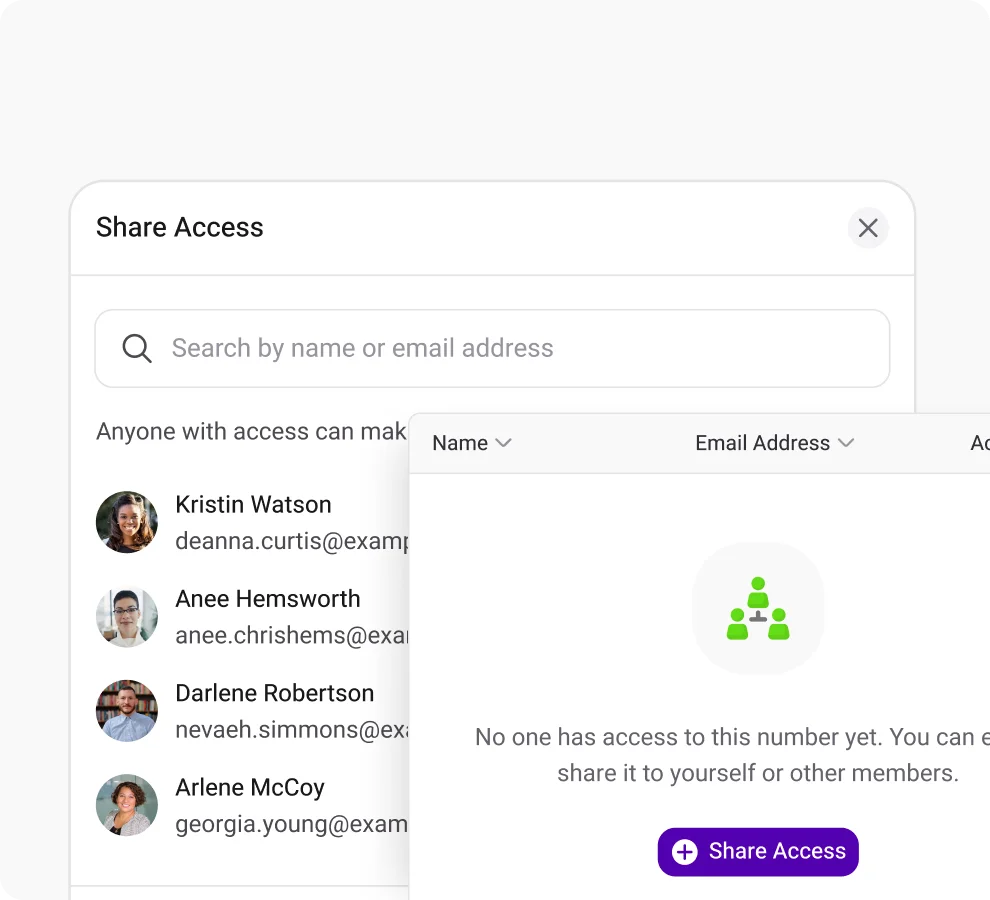
Shared Number
Boost customer response by sharing your number with your team members and eliminaing missed calls.
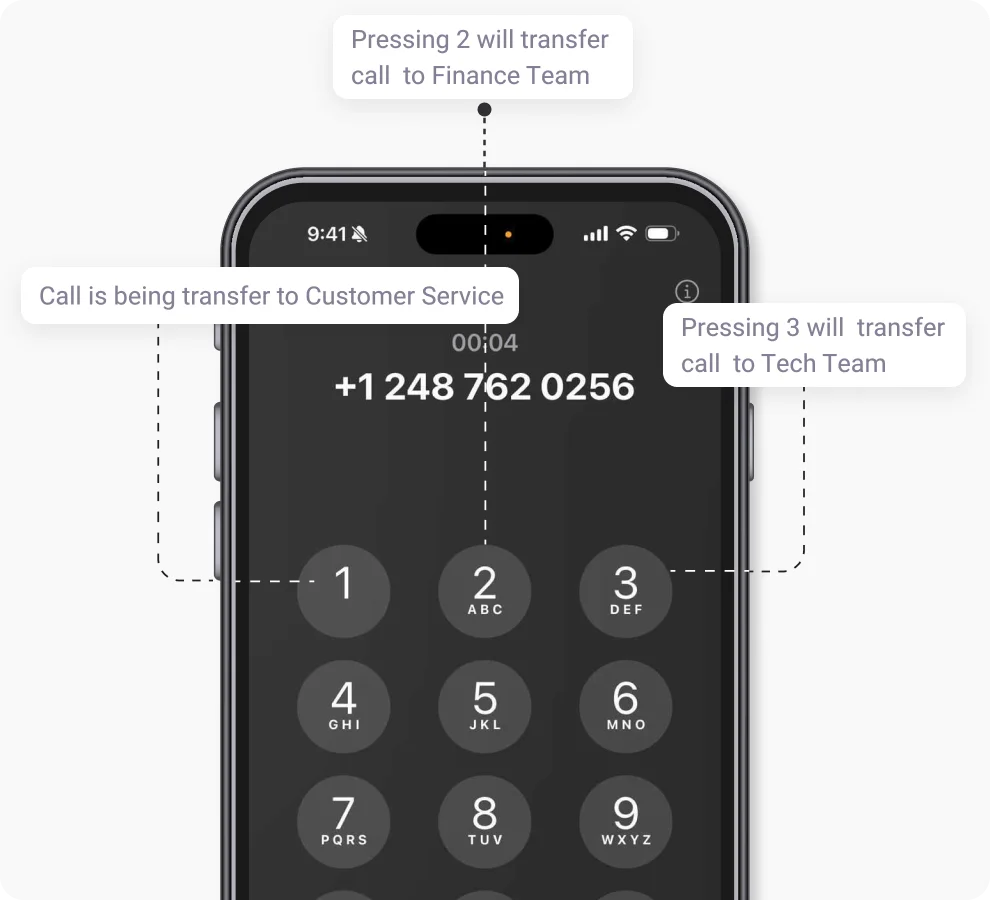
Phone Tree (IVR)
Boost CRM performance with KrispCall's live call monitoring & elevate service quality and track agent performance in real time.
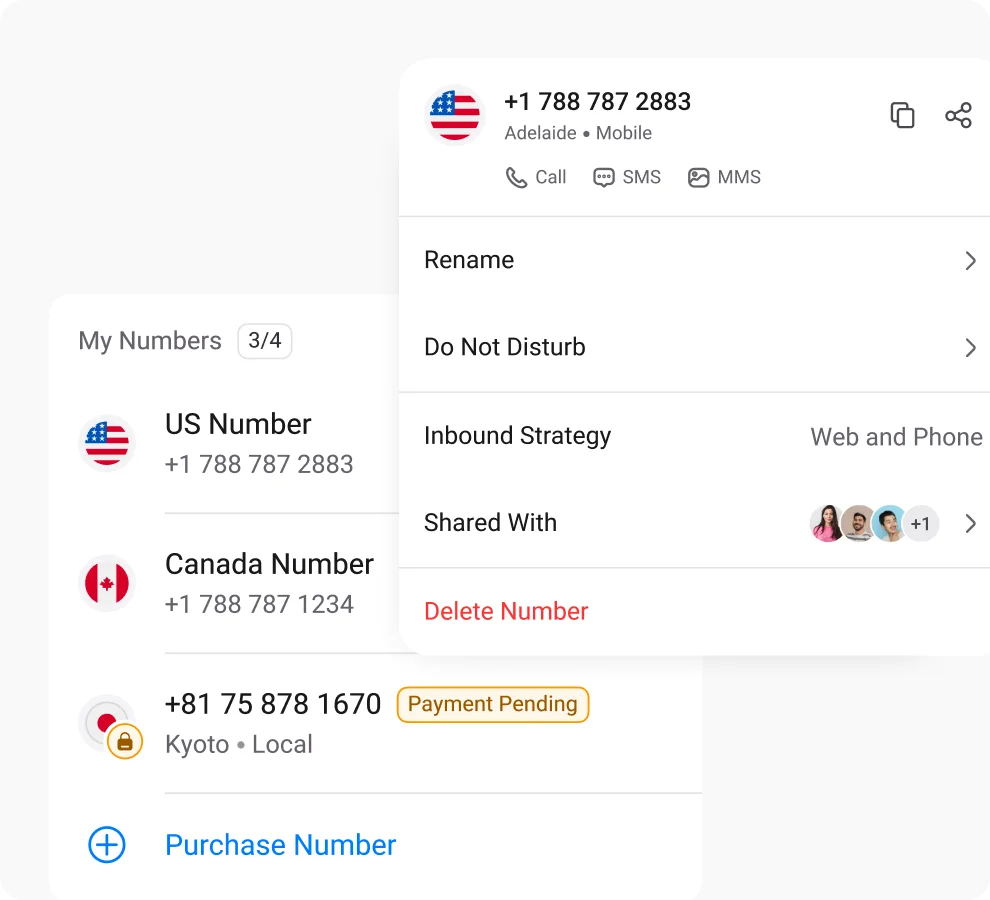
Multiple Phone Numbers
Utilize multiple phone numbers to balance work and personal life using separate numbers, ensuring privacy and communication control.
Frequently Asked Questions
Didn’t find the Answer you were looking for? Visit our Help Center or Contact Support
You can see the phone call logs history of each one of your numbers in KrispCall’s Unified Callbox. You just need to tap the desired number, and you can view everything, including logs, SMS, voicemails, call recordings, call notes, and contact tags.
You can track your team’s call activity from the KrispCall dashboard. It shows incoming, outgoing, and missed calls, helping you stay updated on your team’s performance.
With KrispCall, call logs let support teams see all calls, voicemails, and recordings in one dashboard. Teams can track follow-ups, monitor agent performance, and identify peak call hours. This helps managers optimize staffing, resolve customer issues quickly, improve service quality, and maintain complete records of customer interactions.
Admins can see who made or received calls, call duration, time, call status (answered, missed, voicemail, blocked), dialing activity, phone numbers called, call recordings, voicemails, and team performance.
A call log app is a software tool that records, tracks, and manages phone call activity. It allows businesses and individuals to view call history, analyze call patterns, monitor call quality, and generate reports.
It depends on the provider. Some call log apps use strong security measures like encryption and access controls, while others may not offer the same level of protection. Always check your provider’s security features.
It depends on the business, but generally, call logs are important because they record incoming and outgoing calls, help with follow-ups, track performance, and improve customer service. They can also be connected to CRM systems to manage communication and strengthen customer relationships.
It depends on the business, but common uses include tracking customer support calls, monitoring sales calls for follow-ups, analyzing call patterns to plan staffing, training agents by reviewing conversations, resolving disputes, measuring marketing effectiveness, keeping client records for personalized communication, and ensuring regulatory compliance.
Call logs can often be recovered from your phone system or app’s cloud backup. If a log is missing, check your account settings or contact support for help.
Call logs provide valuable insights into customer interactions, track performance, and help with decision-making. They are essential for ensuring customer service quality, improving team productivity, managing call queues, and gaining a deeper understanding of business communication patterns.
A call log app is a tool that records and manages your phone system’s call activity. KrispCall’s call log app is secure, utilizing cloud storage and encryption protocols to protect sensitive customer and call data, ensuring privacy and compliance.
