Traditional phone systems are no longer enough to meet the demands of the modern world.
Voice over Internet Protocol (VoIP) has changed the way we communicate by making calls cheaper and available from anywhere with an Internet connection.
Whether you’re running a business or staying in touch with family around the globe, VoIP is a smart alternative to traditional landlines.
It can easily leverage your existing hardware and offers many features, such as call conferencing and HD voice, with no expensive equipment required.
In this blog, we will cover how VoIP works, what you need to get started, and the best services available.
✨ Key Takeaways
- VoIP works by converting your voice into digital signals, sending them over the internet, and reassembling them for the listener in real-time.
- To get started with VoIP, you only need basic hardware, a reliable internet connection, and optional tools to boost call quality.
- Different VoIP setups, such as hosted services, SIP trunking, and mobile apps, offer flexible solutions that match how your team communicates.
What is VoIP?
Voice over Internet Protocol (VoIP) is a technology that allows you to make and receive phone calls using your internet connection instead of a traditional analog “landline.”
While the concept sounds simple, modern VoIP in 2026 has evolved into a powerhouse of Unified Communications (UCaaS). It is no longer just a way to “talk”; it is an AI-driven ecosystem that integrates your voice, video, SMS, and CRM data into one seamless workflow.
How does VoIP work?
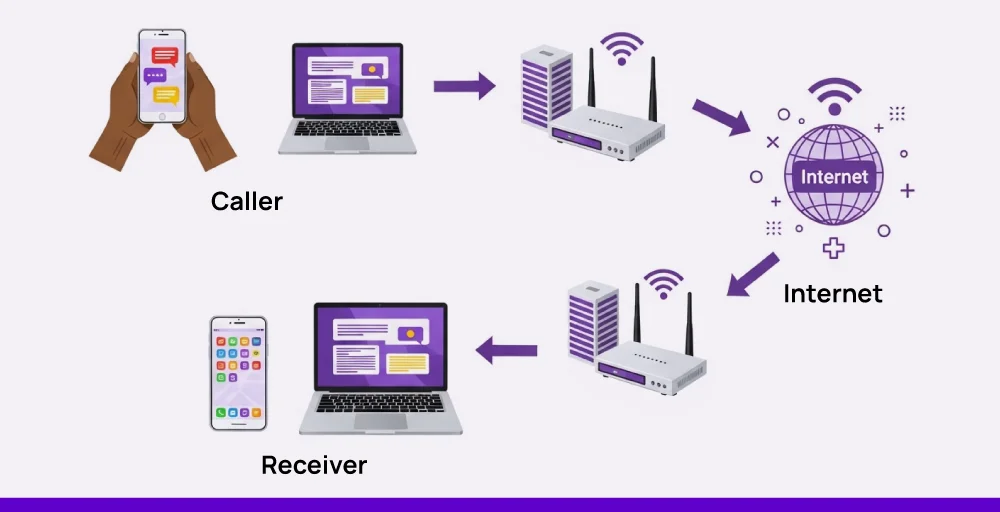
VoIP converts your voice into digital data packets and transmits them over an IP network, such as broadband, fiber, or mobile data. These packets travel securely across the internet and are reassembled into audio at the receiver’s end in real time. Because VoIP relies on the internet rather than copper wires, it removes many of the limitations and costs associated with legacy landline systems.
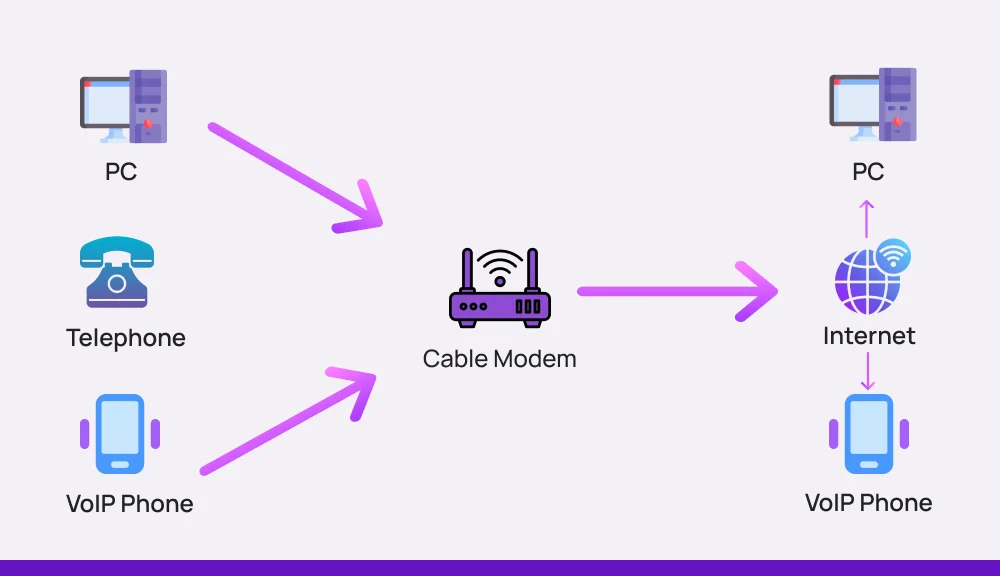
Here’s how it works in simple, detailed steps:
1. Registering with the Network
Before you dial a number, your device connects to your VoIP service provider. The server records your device’s IP address and current status to ensure you are online and ready to handle traffic. This background “handshake” allows the network to know exactly where to route an incoming call the moment it arrives.
2. Establishing the Connection (SIP)
When you dial a number, your device sends a digital request called a SIP INVITE to the VoIP server. The server acts as an intermediary, locating the recipient’s device, whether they are on a computer, a smartphone, or a traditional desk phone. Once the recipient’s device acknowledges the request, a virtual path is opened for your conversation to begin.
3. Converting Voice to Data (ADC)
As you speak into your microphone, your voice creates analog sound waves that must be digitized for the internet. An Analog-to-Digital Converter (ADC) inside your device samples these sound waves thousands of times per second. This process transforms your voice into binary code that can be easily manipulated and transmitted by your network.
4. Compressing with Codecs
To ensure your call doesn’t eat up all your internet bandwidth, the digital data is compressed using software called a Codec. Modern systems use adaptive codecs like Opus to balance high-definition audio with efficient data usage. This compression allows for crystal-clear HD voice quality even on standard broadband connections.
5. Transmitting Data Packets
Your compressed voice data is broken down into small units known as Data Packets. Each packet is labeled with a destination address and a sequence number before being sent over the internet using protocols like UDP or RTP. These packets may take different paths across the web to reach their destination as quickly as possible.
6. Reassembling and Playing Audio (DAC)
On the receiving end, the device catches the incoming packets and uses their sequence numbers to put them back in the correct order. A Digital-to-Analog Converter (DAC) then turns that data back into the audible sound waves the other person hears through their speaker. This entire process happens in milliseconds, ensuring there is no noticeable delay or lag during your conversation.
What VoIP equipment do you need?
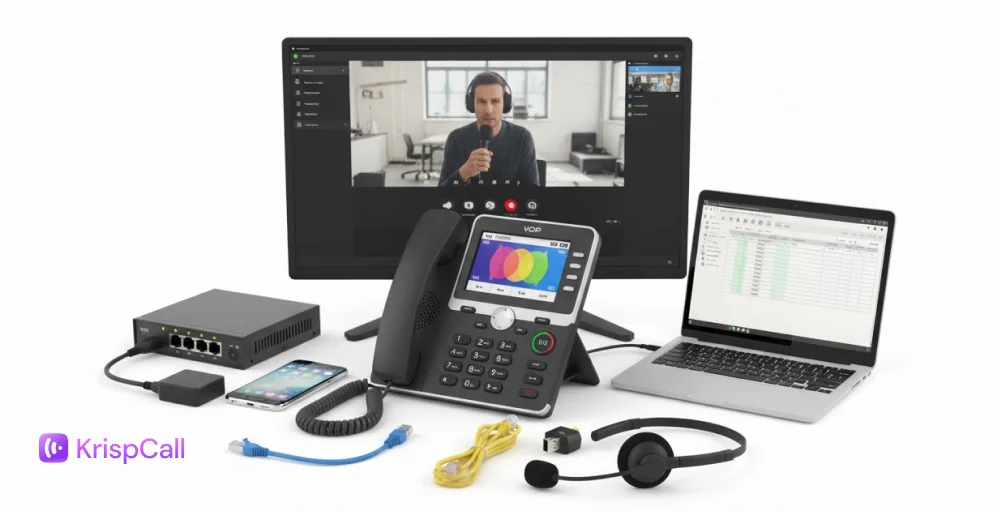
To start using VoIP, you only need a few basic tools. With the right setup and a basic understanding of how VoIP phones work, your team can make clear, reliable calls from almost anywhere.
1. Hardware & software
To get started with VoIP, you’ll need the right mix of hardware and software. It can include VoIP headsets or a softphone app installed on your computer or mobile device. Each setup works well, depending on how your team communicates.
VoIP software connects your device to the service provider, while the VoIP hardware captures and plays audio.
Most systems are plug-and-play, so once set up, your team can make and receive calls without needing complex configurations, especially when paired with Automatic Call Distribution (ACD) to route calls to the right agents.
2. Internet connection
A stable and high-speed broadband internet connection is the backbone of any VoIP setup. It ensures your calls stay clear and uninterrupted, even during busy hours or high call volumes. Low bandwidth or network jitter can cause lags, echoes, or dropped calls.
For best results, use a wired connection or a strong Wi-Fi network with enough bandwidth for your team. VoIP usually requires about 100 kbps per call, so planning ahead helps maintain smooth, reliable communication.
3. Optional components
Some VoIP setups benefit from additional tools such as VoIP adapters, external microphones, or call recording devices. Such add-ons improve call quality, especially in busy offices or for remote teams handling frequent calls with complex call routing needs.
You might also consider tools such as power backups or acoustic panels to improve sound and uptime. While not required, they can enhance performance and make your communication setup more professional and dependable.
VoIP vs Landline Phone: Which Is Better for Modern Communication?
When comparing VoIP and landline phone systems, the differences come down to flexibility, cost, and features. Landline phones rely on traditional copper wires and fixed infrastructure, making them expensive, location-bound, and difficult to scale. In contrast, VoIP (Voice over Internet Protocol) uses the internet to deliver crystal-clear calls with advanced features at a lower cost.
Here is the definitive breakdown of VoIP vs. Landline for the modern professional.
| Feature | Modern VoIP (Cloud-Based) | Traditional Landline (PSTN) |
| Technology | Digital: Converts voice into data packets via the internet. | Analog: Uses physical copper wires and circuit switching. |
| Cost (Monthly) | Low: Typically 40–60% cheaper; usually a flat monthly per-user fee. | High: Includes line rental, taxes, and high per-minute international rates. |
| Setup & Hardware | Minimal: Plug-and-play. Works on existing laptops, smartphones, or IP phones. | Heavy: Requires physical wiring, on-site PBX hardware, and professional installation. |
| Scalability | Instant: Add or remove lines in seconds via a digital dashboard. | Slow: Requires physical line installation and often a technician visit. |
| Mobility | Total: Take your office number anywhere via mobile and desktop apps. | Fixed: Tied to a specific physical desk or wall jack. |
| Features | Advanced: AI transcriptions, CRM integration, video conferencing, SMS. | Basic: Call waiting, caller ID, and standard voicemail. |
| Reliability | Dependent: Requires stable internet. High-quality providers offer 5G failover. | High: Works during power outages; independent of internet status. |
| Maintenance | Cloud-Managed: Software updates are automatic and included. | Manual: Requires on-site repairs for hardware or wiring issues. |
| Sound Quality | HD Audio: Crystal clear with stable bandwidth (using Opus/G.711 codecs). | Standard: Consistent, but prone to “static” or “humming” on old wires. |
Types of VoIP technologies and how they work
VoIP technology isn’t limited to one setup; it comes in different forms to fit how businesses operate.
Whether you’re using IP telephony, mobile devices, or both, each option offers a flexible way to stay connected.
1. Hosted VoIP for business
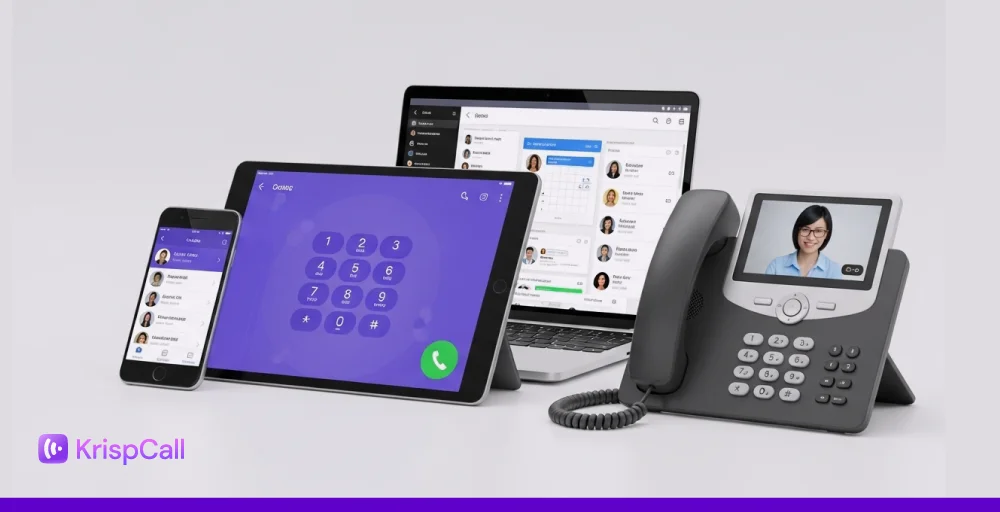
Hosted VoIP phone services run through the internet and work with devices like VoIP desk phones, mobile apps, and computers to improve business communication.
Everything operates in the cloud, allowing teams to make and receive calls just like a regular mobile phone, with added flexibility, control, and support for video conferencing.
VoIP calls pass through your local IP network to your provider, who routes them digitally. If both sides support HD voice, the call quality improves automatically.
For setups still using a PBX, traditional trunk lines may still be in use, which can be costly compared to cloud solutions.
2. SIP trunking for PBX phone systems
SIP trunking enables connecting existing PBX systems or an IP Private Branch Exchange (IP PBX) to VoIP networks, helping businesses avoid the cost of rewiring offices.
It uses SIP to manage multiple voice channels over a single connection, working like a modern-day switchboard for digital calls.
Companies with on-site PBX hardware can blend traditional phone setups with VoIP via SIP trunks, reducing complexity and costs. The setup is simple, and pricing usually ranges from $15 to $25 per line per month.
3. Mobile devices & Wi-Fi connectivity
The growing use of smartphones and tablets in business has made mobile-friendly communication tools essential.
Employees can stay connected from anywhere using VoIP apps, which allow remote teams and professionals to handle calls or respond to click-to-call requests without being tied to a desk.
Wi-Fi connectivity has improved enough to support stable, high-quality voice calls. In places where Ethernet isn’t ideal, WiFi calling fills the gap, but it’s important to monitor bandwidth usage and tweak network settings to maintain call clarity.
Top VoIP phone features
VoIP phones come packed with smart features that make everyday calling easier and more efficient.
Whether you’re managing a small team or handling high call volumes, the features mentioned below help you stay organized and responsive.
- Call forwarding: Call forwarding lets users redirect incoming calls to another number, like a mobile device or another teammate. That way, important calls reach the right person even when someone is away from their desk.
- Voicemail-to-email: Voicemails are automatically turned into audio files and sent to an email inbox. It makes it simple to stay updated and respond while working remotely or traveling.
- Auto attendant: An auto attendant answers calls with a menu to guide callers to the right team or department. Callers get faster service, and teams stay focused without manual routing.
- Call recording: Call recording captures conversations for later use in training, compliance, or reviewing details. Teams can go back and listen anytime for better accuracy and service.
- HD voice quality: HD voice delivers clearer, more natural audio by using higher-quality codecs. Conversations sound crisp and easy to follow, even during long discussions.
How to select the right VoIP phone system?
When it comes to choosing the right VoIP solutions, features alone should not be the only consideration.
It is crucial to find out what best suits your team’s day-to-day activities. A few proactive checks upfront could save you trouble later and enhance communication.
- Mobile app access: Look for a provider that has a dependable mobile app with calling, texting, and voicemail included. It creates an ease of access for remote staff members or anyone in the field without needing a desk setup.
- Usage-based pricing: Some plans are charged per user, whereas others offer unlimited usage. Consider how many team members you have and your typical call traffic to pick a plan that will not backfire on you with extra fees.
- Tool integrations: Make sure the system has integrations for instant messaging and other tools your team already uses, like Slack, Microsoft Teams, or your CRM. It will enable calls and messages to be executed in the same place where the team already works.
- Test call quality: Test a few calls on your current internet connection before signing up. If calls drop or the connection sounds choppy, you may need to upgrade your local area network or gear.
- Local support: Choose a provider with support staff in your time zone. During setup or downtime, having someone help you immediately will significantly boost your experience.