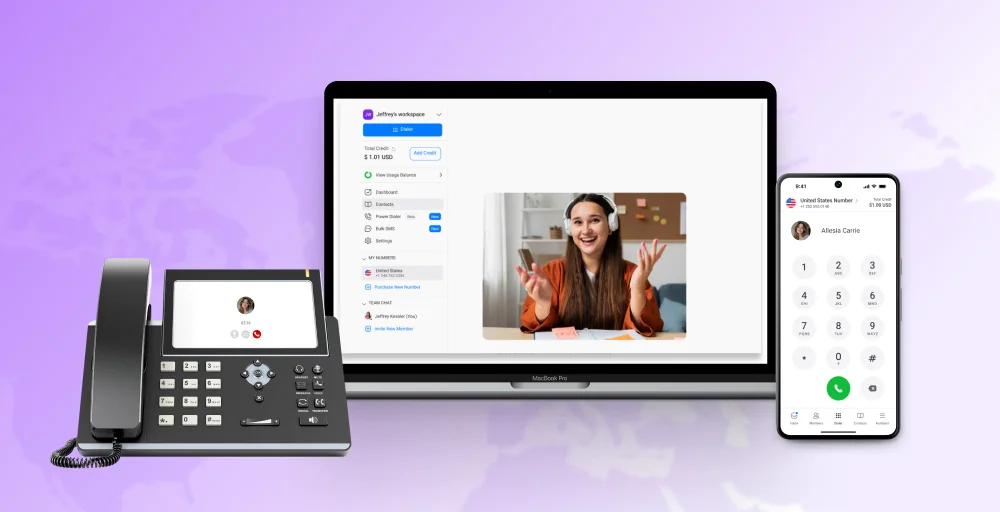
Thinking about switching from a traditional phone system to an internet-based solution for your business calls?
VoIP (Voice over Internet Protocol) makes this simple. It lets you make and receive calls using your internet connection instead of standard phone lines, making communication more flexible, affordable, and easy to manage.
With VoIP, you can also host conference calls, send messages, and connect with teams anywhere—without extra hardware or high costs.
✨ Key Takeaways
- VoIP is a set of technologies that enable real-time voice communication over the Internet using the Internet Protocol.
- To use VoIP, you need equipment like a softphone, a desk phone, an adapter, and an internet connection.
- The best VoIP phone features are unified communications, VoIP security, call recording, crm integrations, auto attendant (IVR), voicemail to email, and call analytics.
- To choose the best VoIP provider, look for proven deployment expertise, network compatibility, flexibility options, industry experience, responsive support, and security standards.
What does VoIP mean?
VoIP (Voice over Internet Protocol) is a technology that lets you make and receive phone calls over the internet instead of traditional phone lines. It converts voice into digital signals transmitted online.
VoIP works by converting analog voice signals into digital voice packets, allowing you to make phone calls from various devices, including smartphones, tablets, computers, or dedicated VoIP phones.
VoIP examples include a remote sales team making client calls from anywhere, customer support agents checking voicemails online, or businesses integrating calls with their CRM to track interactions.
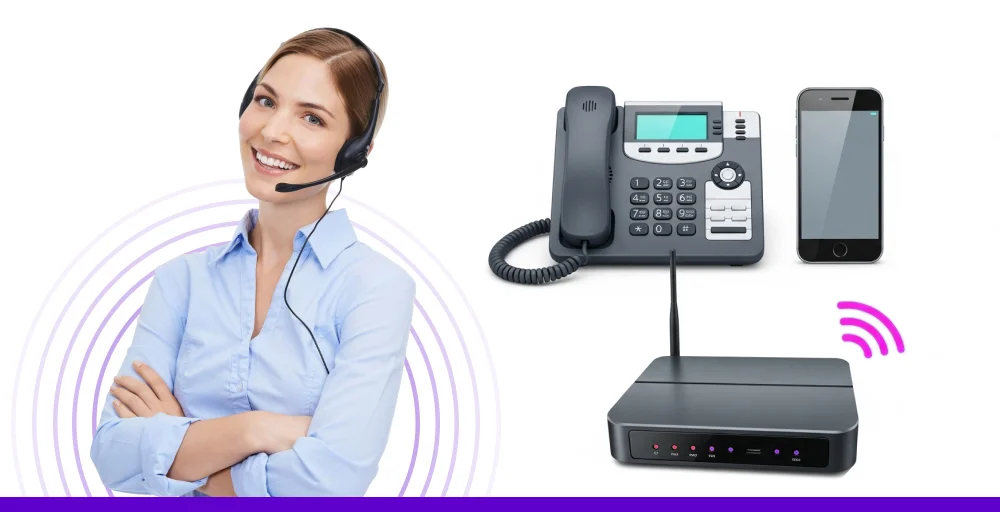
A typical VoIP setup involves connecting a dedicated VoIP phone, handset, or phone system to your internet router. Rather than relying on traditional telephone lines, your voice is transmitted digitally over the internet.
This gives you the same real-time conversation as a landline, but it runs on modern internet-based technology.
Voice over IP (VoIP) is utilized by business phone providers to deliver telephone services to customers, eliminating the need for them to install and maintain physical phone lines and equipment.
A brief history of VoIP
VoIP began in 1973 with early tests on ARPANET, the internet’s predecessor, using something called “network voice protocol.” It wasn’t until 1995 that the first commercial VoIP software, Vocaltec, was released.
At the time, VoIP required expensive equipment and had poor audio quality, so tech enthusiasts mostly used the early 2000s, faster internet and new technologies like SIP (Session Initiation Protocol) and RTP (Real-Time Transport Protocol) greatly improved VoIP. These changes made VoIP a real alternative to traditional phone lines.
Today, VoIP is widely adopted across industries. From mobile technologies like VoLTE and 5G to advanced business communication platforms, VoIP powers modern communication. Recent VoIP stats show that businesses can reduce phone costs by up to 50% after switching to VoIP, which explains why legacy systems like ISDN are rapidly being replaced worldwide.
How does VoIP work?
Voice over IP works by turning your voice into digital data, sending it over your broadband internet connection, and changing it back into sound for the person on the other end to hear.
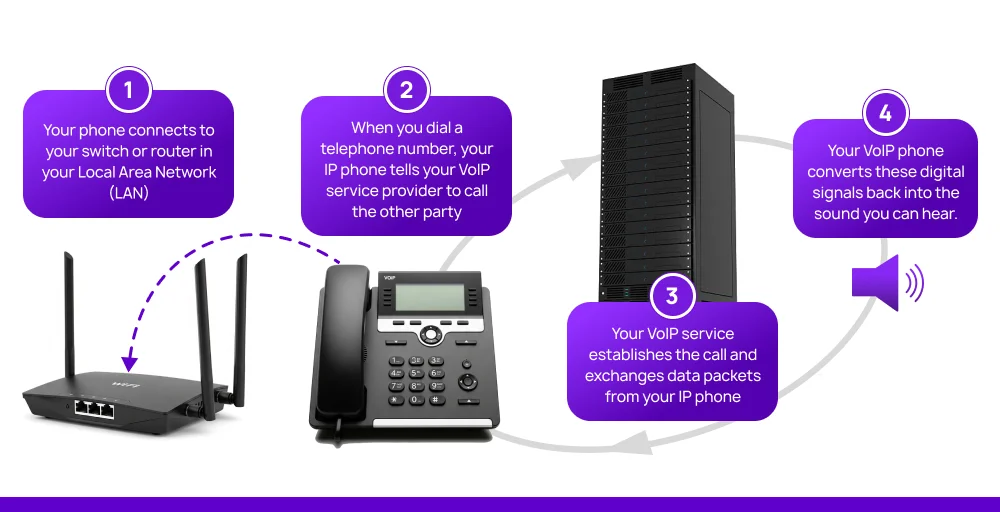
Here’s a detailed breakdown of how it works:
1. Analog to digital conversion
When you speak into a VoIP device, your voice’s analog sound waves are converted into a digital format. This conversion used special audio codecs such as G.711 and G.729. These compression algorithms minimize bandwidth consumption while preserving audio quality.
2. Data packet distribution
The digitized audio gets segmented into data packets and sent across the internet to interconnected VoIP providers, including:
- Session Initiation Protocol (SIP): Controls call initiation, disconnection, and advanced functions like call routing.
- Real-time Transport Protocol (RTP): Transmit media streams with low delay, commonly using UDP for optimal performance.
- Session Description Protocol (SDP): Coordinates media specifications and connection ports between endpoints.
3. Infrastructure elements
These key infrastructure components work together to ensure seamless voice transmission, security, and compatibility within VoIP networks.
- Media Gateways: Bridge VoIP systems with conventional Public Switched Telephone Networks (PSTN).
- Session Border Controllers (SBCs): Protect and control VoIP communication across different networks.
- Analog Telephone Adapters (ATAs): Allow traditional analog devices to interface with VoIP infrastructures.
4. Audio reconstruction
On the receiving side, data packets get reconstructed and transformed back to analog sound waves, enabling clear audio reception to the listener.
What is the difference between VoIP and traditional landlines?
VoIP lets you make clear, high-quality voice calls using the internet connection, while traditional landlines use a copper-wire telephone network to handle calls.
Since VoIP is a cloud-based business phone system, there’s no need for physical setup or on-site maintenance. Adding or updating users is simple and can be done through software, without needing a technician.
Many businesses choose a Wholesale VoIP service provider because it provides better call quality and more features without the high cost of installing a traditional phone system like a PBX.
Here’s a simplified comparison of VoIP vs landline:
| Feature | VoIP | Traditional Landlines |
| Connection Type | Uses the internet (IP network) | Uses copper telephone lines |
| Technology Used | IP telephony (SIP, TLS, SRTP) | Analog voice signals |
| Equipment Needed | VoIP phone, softphone app, adapter (ATA) | Analog phone and wall socket |
| Setup Cost | $0–$60 per line | ~$110 per phone jack |
| Monthly Cost | $15–$75 per user | ~$25-$50 per user (plus add-ons) |
| Call Quality | HD voice with stable internet | Lower fidelity but generally stable |
| Internet Required | Yes (100 Kbps per line) | No |
| Power/Internet Outage Handling | Calls can be rerouted or sent to voicemail | Calls drop or go to voicemail (no rerouting) |
| Ease of Setup | Easy, cloud-based, and remote-friendly | Requires a technician and hardware |
| Scalability | Easily scalable via software | Complex and costly to expand |
| Flexibility | Works from anywhere on any internet-connected device | Tied to a physical office location |
| Call Routing | Included | ~$9.95/month extra |
| Call Queuing | Available as an add-on | Add-on (if available) |
| Remote Work Support | Yes, softphones, VoIP apps, and mobile access | Limited or requires forwarding |
| International Calls | Very low rates (e.g., UK: $0.01/min) | Much higher (e.g., UK: $1.21/min) |
| Telephone Number Changes | Included | ~$27 per change |
| User-to-User Calling | Included | Requires PBX |
| Voicemail-to-Email | Included | Not supported |
| Business Voicemail | Included | ~$13.95/month extra |
| Caller ID / Call Waiting | Included | Included |
| Call Encryption | Yes (TLS & SRTP) | No |
| Phone Number Privacy | Included | Varies by provider |
| Conferencing | Multi-way included | Basic three-way calling only |
| Auto Attendant / IVR | Included | Requires PBX or separate system |
| Advanced Features | Video calls, SMS, integrations (CRM, chat, surveys) | Very limited, mostly voice only |
| Wireless Support | Works with Wi-Fi, DECT, Bluetooth | DECT & some Bluetooth support |
| Integrations | Yes (CRM, chat, helpdesk, etc.) | Not available |
| Maintenance | Low; software-based updates | Requires ongoing physical servicing |
| Security | Encrypted calls and admin controls | Vulnerable; no encryption |
Thinking about upgrading your phone system? Here’s when switching to VoIP makes real sense:
- You want smart features like call recording, voicemail-to-email, auto attendants, and real-time analytics.
- Your existing PBX contract is ending, and maintaining it feels like more of a burden than a benefit.
- Your country is phasing out traditional landlines and you don’t want to get left behind.
- You want a single number that works across devices, desktop, laptop, and mobile.
- You use tools like HubSpot, Salesforce, or Slack and want your phone system to integrate with them easily.
What equipment do you need to use VoIP?
To set up VoIP, you need a subscription to the VoIP service provider and a device to make calls. These devices can be softphone apps or phones.

Some must-have equipment to use VoIP is:
1. Softphone
A softphone is a computer, smartphone, or tablet-based phone that utilizes software applications to make and receive calls. It is an affordable and flexible VoIP solution for mobile or remote users, enabling you to place and receive voice-over-IP calls using a headset and microphone.
2. Desk phone
VoIP desk phones, also known as IP phones, are specifically designed phones for connecting to VoIP systems. They connect directly into your router or VoIP network and offer excellent voice quality, calling functionality, and greater reliability for office use.
3. Adapter
An ATA (Analog Telephone Adapter) allows you to use traditional analog phones or devices (like fax machines) with VoIP services. This device converts analog voice signals into digital data that can be transmitted over the internet. This is useful for businesses that want to keep using their existing handsets while transitioning to VoIP technology.
4. Internet connection
A reliable, high-speed internet connection is essential for VoIP to function properly. Since VoIP transmits voice data in real-time, your call quality directly depends on having sufficient bandwidth and minimal latency. For small setups, a basic broadband connection or wifi calling is often enough, but larger businesses may need dedicated bandwidth or quality-of-service (QoS) settings to ensure call clarity and prevent dropped calls.
How to switch to VoIP?
Switching to VoIP isn’t as complicated as it sounds. With the right approach, you can move from traditional phone lines to a smarter, internet-based system in just a few steps. Here’s how to make the transition smooth and stress-free:
1. Choose a VoIP service provider
Start by selecting a reliable VoIP service provider. Look for one that offers good customer support, clear pricing, and features that match your needs.
2. Check your internet connection
Ensure your internet can handle VoIP traffic without issues. A stable connection is necessary to maintain call quality when using your VoIP phone line.
3. Pick the right VoIP features
Select VoIP features that will help improve your communication, such as call forwarding, voicemail-to-email, and auto-attendants. Choose features based on what’s most useful for your business.
4. Port your current number
Don’t worry about losing your existing number. Most VoIP vendors can port your current phone number over to the new system, keeping everything seamless.
5. Set up and test your devices
Set up your devices (softphones, IP phones, etc.) and test the system to ensure everything works smoothly. This will ensure that your VoIP phone line is up and running as expected.
What are the benefits of VoIP?
Utilizing technology to communicate offers numerous advantages for both businesses and individuals seeking to update their communication methods.
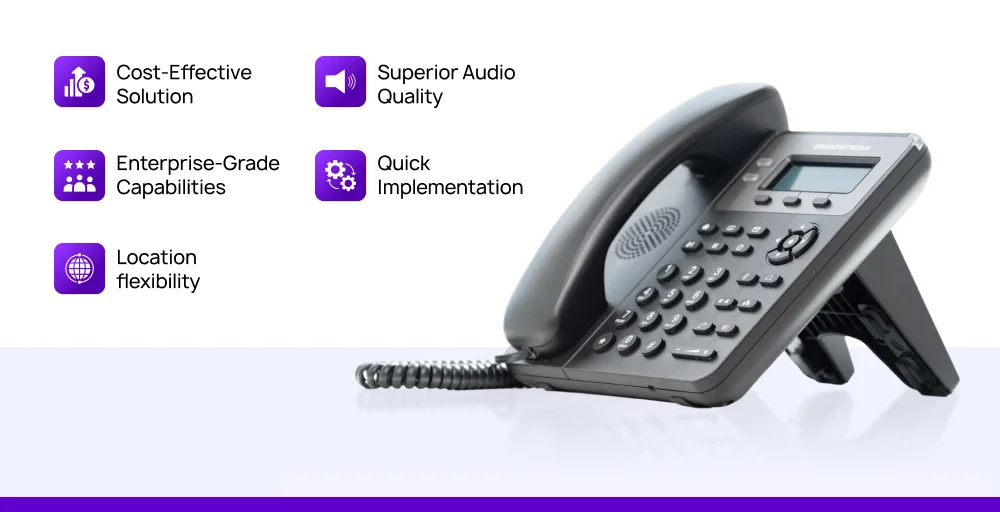
- Cost-effective solution: With average savings ranging from 30% to 75% compared to traditional phone systems. It reduces communication expenses for internal and web-based calling by up to half, and also minimizes equipment maintenance and service costs.
- Superior audio quality: Network connections deliver crystal-clear HD voice, and monitoring systems and VoIP quality test detect possible connectivity problems.
- Enterprise-grade capabilities: Includes sophisticated functions like automated receptionists, call recording, and caller queues, eliminating the need for costly hardware upgrades.
- Quick implementation: Requires only internet access and a software client or IP phone for instant setup.
- Location flexibility: Access your communication system from any workplace. Zero configuration needed for home-based employees.
What are the limitations of VoIP? How to overcome them
While Voice over Internet Protocol (VoIP) offers numerous benefits, it’s crucial to acknowledge its limitations before committing to an internet service provider (ISP) for its implementation.
Key considerations include:
- Internet dependency: Requires a stable and reliable internet connection; service disruptions occur during network outages or poor connectivity.
- Power outage vulnerability: Unlike traditional phones, VoIP systems need electricity to function and don’t work during power failures without backup solutions.
- Emergency service limitation: Location tracking for 911 calls can be inaccurate, especially with mobile or remote workers using different local area networks.
- Audio quality issues: Call clarity suffers from network congestion, packet loss, or insufficient bandwidth, leading to delays and choppy conversations.
- Security concerns: Internet-based calls face risks from hacking, eavesdropping, and cyberattacks without proper encryption and network protection.
7 Best VoIP phone system features
Modern VoIP phone systems are packed with advanced features that boost productivity and streamline business communications services, going far beyond the capabilities of traditional broadband telephony.
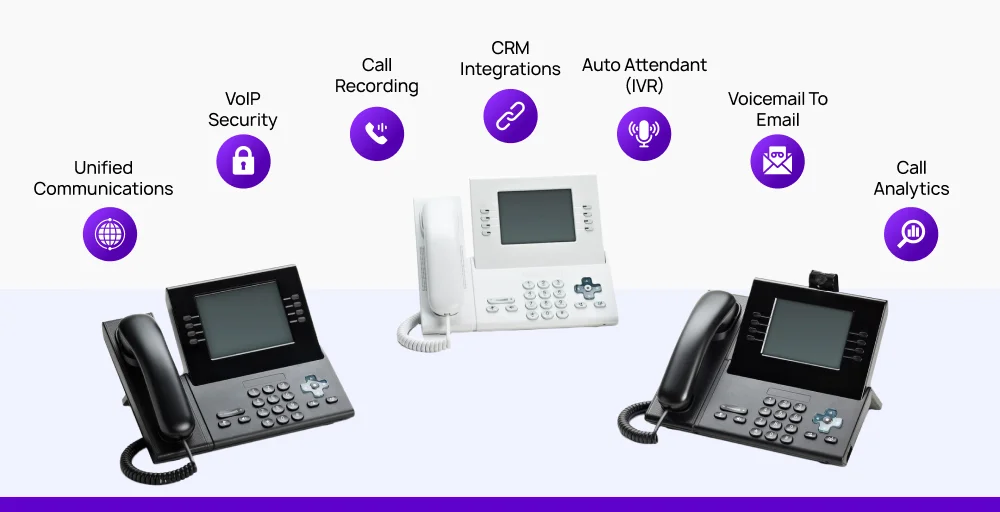
Here are some of the most powerful and useful VoIP features for businesses:
1. Unified communications
Integrated voice calls, video conferencing, instant messaging, file sharing, and screen sharing into a single cohesive platform. The Unified Communications as a Service (UCaaS) platform. eliminates the need for multiple disparate communication tools, allowing teams to seamlessly transition between different communication methods within a single conversation.
For example, users can start with a voice call, escalate to a video conference, and share documents without switching applications, improving workflow efficiency and collaboration.
2. VoIP security
Modern VoIP systems offer comprehensive protection through end-to-end encryption (TLS encryption for signaling, SRTP for media streams), secure authentication protocols, endpoint security, and real-time networking monitoring.
They also often include firewall integration to prevent unauthorized access. To fully grasp how these protections function, it’s important to understand endpoint security meaning, which involves securing every connected VoIP devices from softphones to routers.
These measures safeguard sensitive business conversations from eavesdropping, toll fraud, and cyber attacks while ensuring compliance with data protection regulations, especially when combined with a zero-trust security architecture that continuously verifies users and devices before granting access.
3. Call recording
Automatically captures and stores phone conversations with customizable recording policies for different users or departments. It typically includes selective recording triggers, secure cloud storage, easy search and retrieval functions, and compliance tools for industries requiring documented communications.
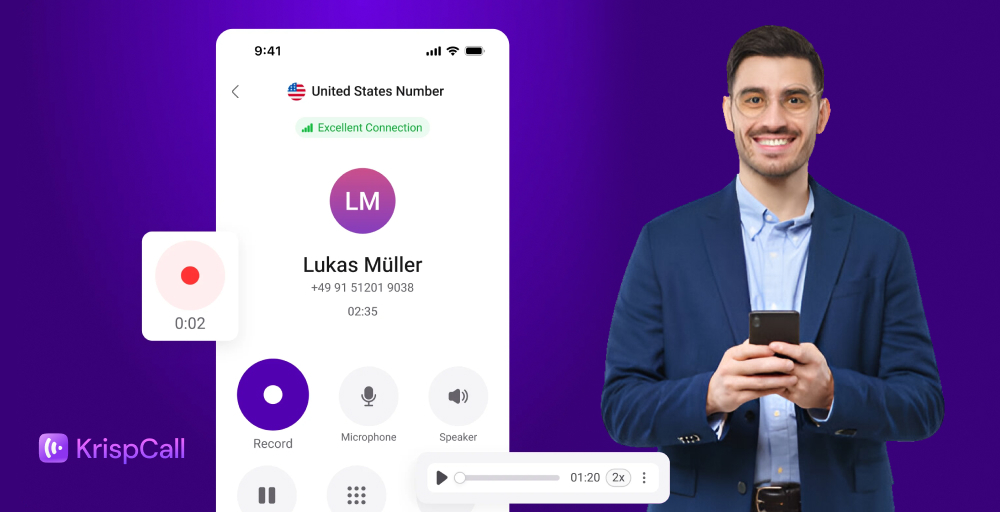
Call recordings are invaluable for quality assurance, employee training, dispute resolution, and meeting regulatory requirements.
4. CRM integrations
Seamless connectivity with popular customer relationship management (CRM) platforms like Salesforce, HubSpot, and Microsoft Dynamics is a game-changer.
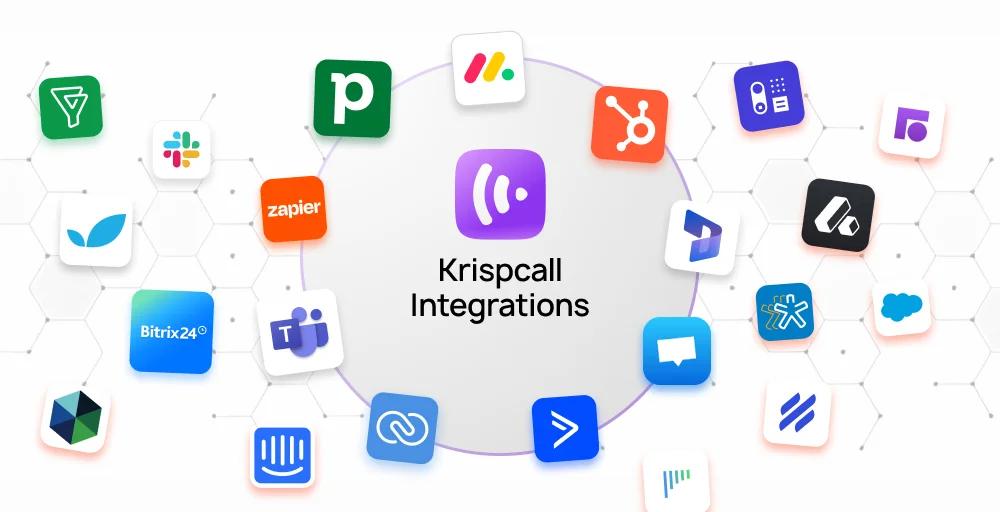
This integration automatically displays caller information, reaction history, and relevant customer data during incoming calls, enabling personalized service delivery and improving customer satisfaction.
5. Auto Attendant (IVR)
An intelligent, customizable voice menu system that efficiently routes incoming calls. Auto-attendant (Interactive Voice Response-IVR) features include time-based routing, skill-based agent assignment, call queue management, and detailed announcement options.
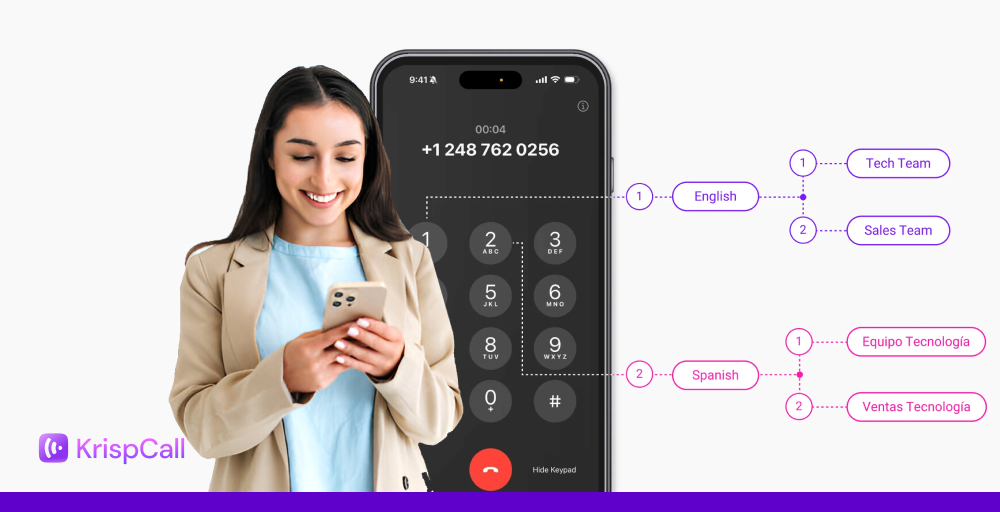
This system significantly reduces the workload on receptionists, ensures calls reach the right department quickly, and provides a professional customer experience even outside business hours.
6. Voicemail to email
Converts voice messages into audio files and automatically delivers them to designated email addresses with transcription services. Recipients can listen to messages, read transcripts, and respond quickly from any device.
Advanced features include message forwarding, priority flagging, and integration with mobile and desktop apps for instant notifications, ensuring important messages are never missed.
7. Call analytics
Provides comprehensive reporting and real-time dashboards tracking call volume, duration, wait times, agent performance, and customer satisfaction metrics.
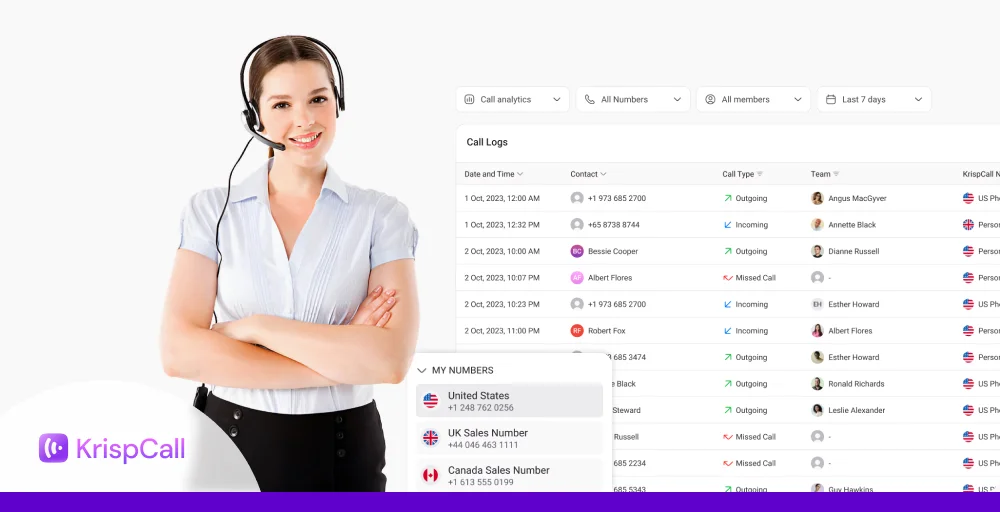
Advanced analytics include trend analysis, predictive insights, and customizable reports that help optimize staffing levels, identify training needs, and improve overall communication strategies.
Data visualization tools make it easy to understand patterns and make data-driven decisions.
How much does VoIP cost?
Business VoIP providers and services are affordable, especially when compared to legacy phone systems or in-house PBX installations. On average, a VoIP phone system costs around $35 per user per month. However, prices can vary based on the provider and included features.
A general summary of VoIP system costs is given below:
- Initial setup: $0–$60 per line
- Monthly service: $19–$45 per line
- IP phone/mobile device charge: $80–$600 per device
- International calls: $0.01+ per minute
- Taxes & fees: Varying by location (city, county, state)
In contrast, traditional phone systems come with a range of extra costs that quickly add up.
Businesses may pay $50 to $100 per line just for installation or setup. International calls often cost $1.00 or more per minute, and many providers require annual maintenance contracts that can exceed $1,000.
How to choose the best VoIP provider?
While most VoIP services offer the basic features, the key is to find a provider that truly fits what your business needs.
Whether you’re a new startup, a contact center, or a small business wanting to update your business phone system, it’s vital to choose a service provider that understands your specific situation.
Here’s what to look for when evaluating VoIP phone services:
- Proven deployment expertise: Look for providers who don’t just sell you software but also help you through the entire setup process. This means they should help with setting up call paths, automated greetings, ringing groups, installing desk phones, and offer hands-on training.
- Network compatibility & flexibility: Make sure the VoIP system easily connects with what you already have and can change to fit your specific needs. It should be able to grow with your business and handle any unique setups you might have in the future.
- Industry experience: Pick a provider who has a good track record of working with businesses similar to yours. They will better understand your problems and needs, like offering customized caller ID solutions for you, and offer helpful advice.
- Reliable, responsive support: From the first setup to porting your phone numbers over and beyond, good customer service is essential. Look for providers that offer fast, knowledgeable support and are easily accessible, whether through 24/7 availability or dedicated account managers.
- Uptime and security standards: Your communication system should be as reliable as your business. Choose VoIP providers that guarantee high availability, like 99.999% uptime, and have strong security measures in place.
Related 👉: How To Get Free VoIP Phone Numbers?
Future of VoIP
The future of Voice over Internet Protocol (VoIP) technology is poised for a major overhaul, thanks to exciting technologies. Artificial intelligence (AI) will make VoIP systems much smarter. Imagine features like real-time language translation, breaking down communication barriers instantly. AI will also help with predictive call routing, directing calls more efficiently, and even detecting emotions to improve how people interact.
At the same time, the widespread use of 5G networks will improve how mobile VoIP is and boost call quality. This means you’ll get seamless connections almost anywhere.
Additionally, WebRTC technology is changing communication by allowing browser-based international calls without needing to download extra software, making VoIP simpler to use than ever. Together, these trends will reshape communication, making VoIP systems smarter, more flexible, and easier for everyone to use, whether for businesses or personal calls.
Key technical terms used in VoIP
Voice over Internet Protocol (VoIP) relies on a range of industry-standard protocols and codecs to ensure calls are completed reliably and sound crystal clear. Here are some of the key technical terms used in VoIP:
Audio codecs
These VoIP codecs determine how your voice data is compressed, transmitted, and ultimately heard on both ends of the call.
- G.711: This codec is commonly used in VoIP for sending audio without compressing it. It gives you standard call quality with very little delay.
- G.722: Known as “HD voice,” this codec provides clearer, more natural-sounding audio, offering better quality than G.711.
- G.729: This low-bandwidth codec compresses voice data, which helps save network space while still delivering decent audio quality. It is a good choice for areas with limited bandwidth.
VoIP protocols
These communication protocols manage how voice data is packaged, transmitted, and secured across IP networks.
- Session Initiation Protocol (SIP): A foundational signaling protocol that initiates, manages, and terminates real-time communication sessions, including voice and video calls.
- Real-Time Transport Protocol (RTP): Packages voice or video data into IP packets, enabling real-time transmission across the network.
- Secure RTP (SRTP): Adds encryption and message authentication to RTP, protecting voice and video streams from eavesdropping or tampering.
- Transmission Control Protocol (TCP): Ensure reliable delivery of packets across IP networks by verifying that all data arrives in the correct order and without errors.
Specialized Protocols
Designed for specific communication needs beyond voice communications.
- T.38: Supports real-time fax transmission over IP networks, solving the challenge of sending faxes reliably through VoIP systems.
- H.248: Also known as Megaco, defines a framework for centralized call control, often used in carrier-grade VoIP applications.
- XMPP: Powered presence detection, contact management, real-time messaging within VoIP phones, and unified communication platforms.
Why you should switch to VoIP?
Switching to VoIP is a smart move for any business looking to cut costs and improve communication. Instead of relying on traditional or outdated phone lines, VoIP service providers like KrispCall let you make calls over the Internet, often at a fraction of the cost. It’s flexible and easy to scale, so you are free to add or remove users as your business grows.
You’ll also get access to advanced features like call routing, voicemail to email, virtual numbers, and call recording. With KrispCall, you get clear audio, support for remote teams, and easy setup without the need for extra hardware. It is a modern solution built for modern businesses.